Overrides(覆盖(Overrides))
Overrides are used to change a parameter's behavior and configuration under specific circumstances. Using overrides, parameters and forms can become more flexible, removing the need to configure separate action types with only minor variations. Appropriate use of overrides can improve the user experience by guiding users through an action submission.
For example, let's assume that you have an action type which changes the status of a support ticket object and you want to restrict action submission to managers and assignees. While assignees can change the status, managers will have to provide a justification. Using overrides, the Justification reason parameter can be made required and visible for managers, while it is hidden and optional for the assignee.
Add and edit overrides
You can add and edit overrides from different places on the parameter view. The easiest way to add a new override is directly from the Value tab in the General section. By clicking Add override on one of the three options, you can easily create an override via the pop-up, which now automatically configured the override based on the selected option. The General section also shows when and how many overrides have already been configured for one of the options. To edit existing overrides, select the override button.
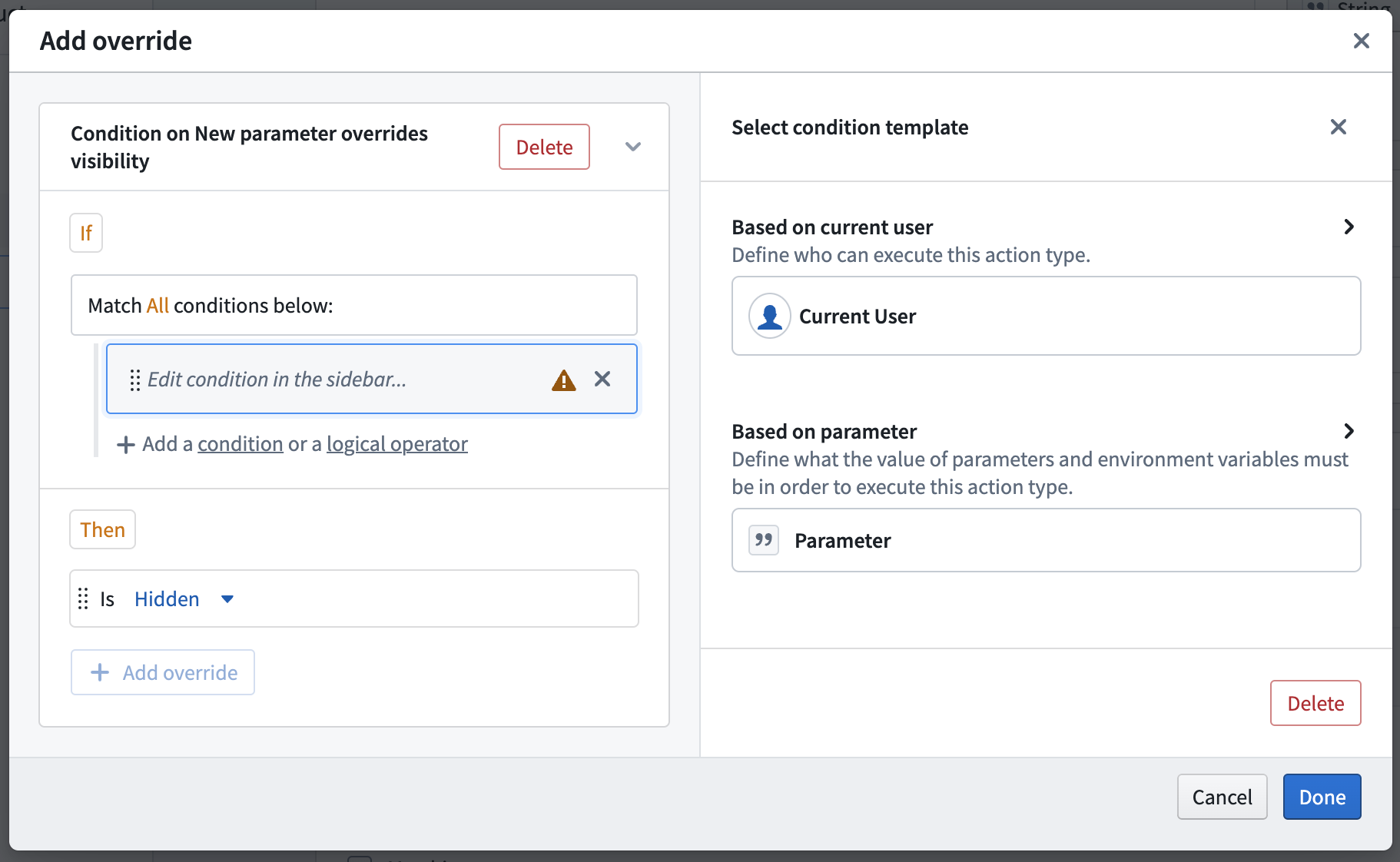
You can also add an override manually via the Overrides tab. The overrides tab shows an overview of all overrides configured for the parameter. You can add override blocks from here or add new conditions or overrides to existing blocks.
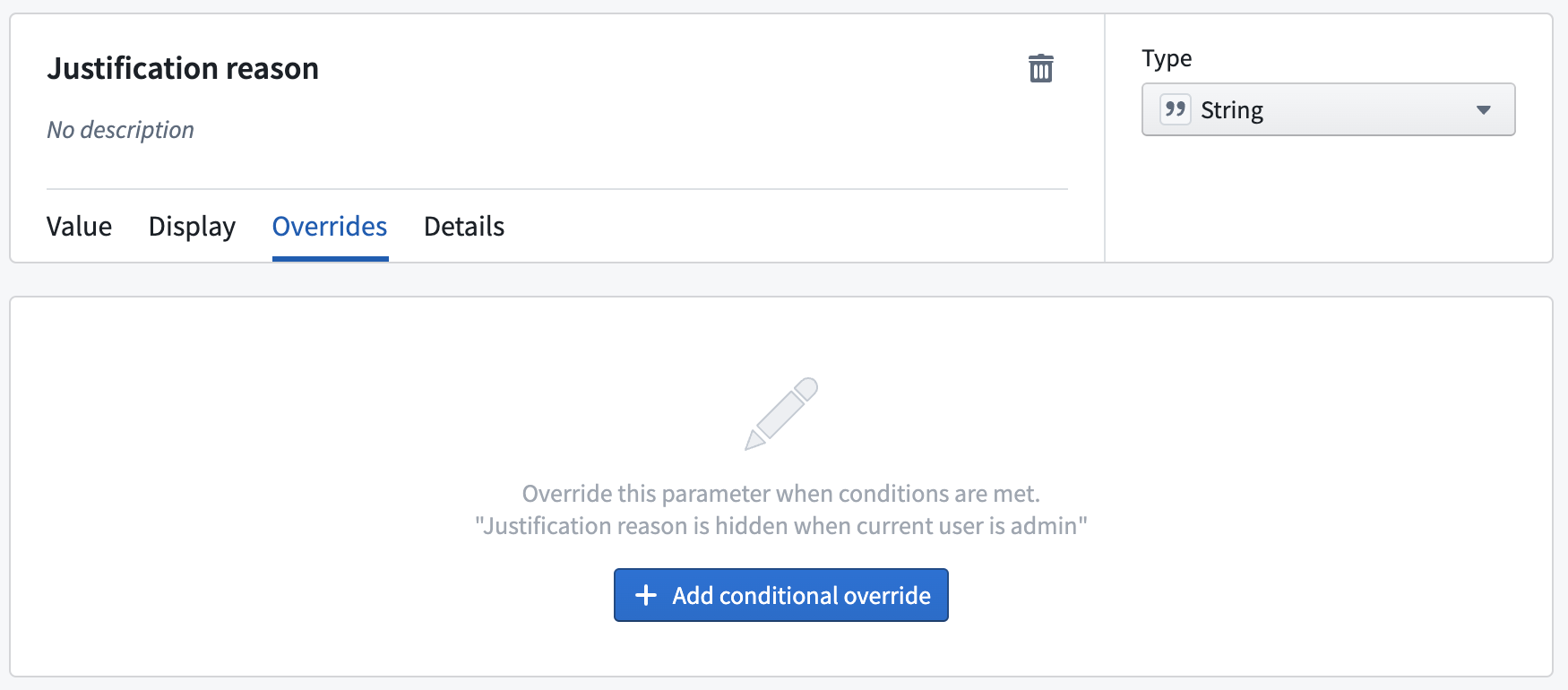
Override block
An override block presents the basis for overrides. It defines both the conditions (shown in the "if" part) and the overrides (shown in the "then" part). Each block's header shows a summary of the logic. Every parameter can contain multiple override blocks, however, if more than one is true, only the first one will be executed.
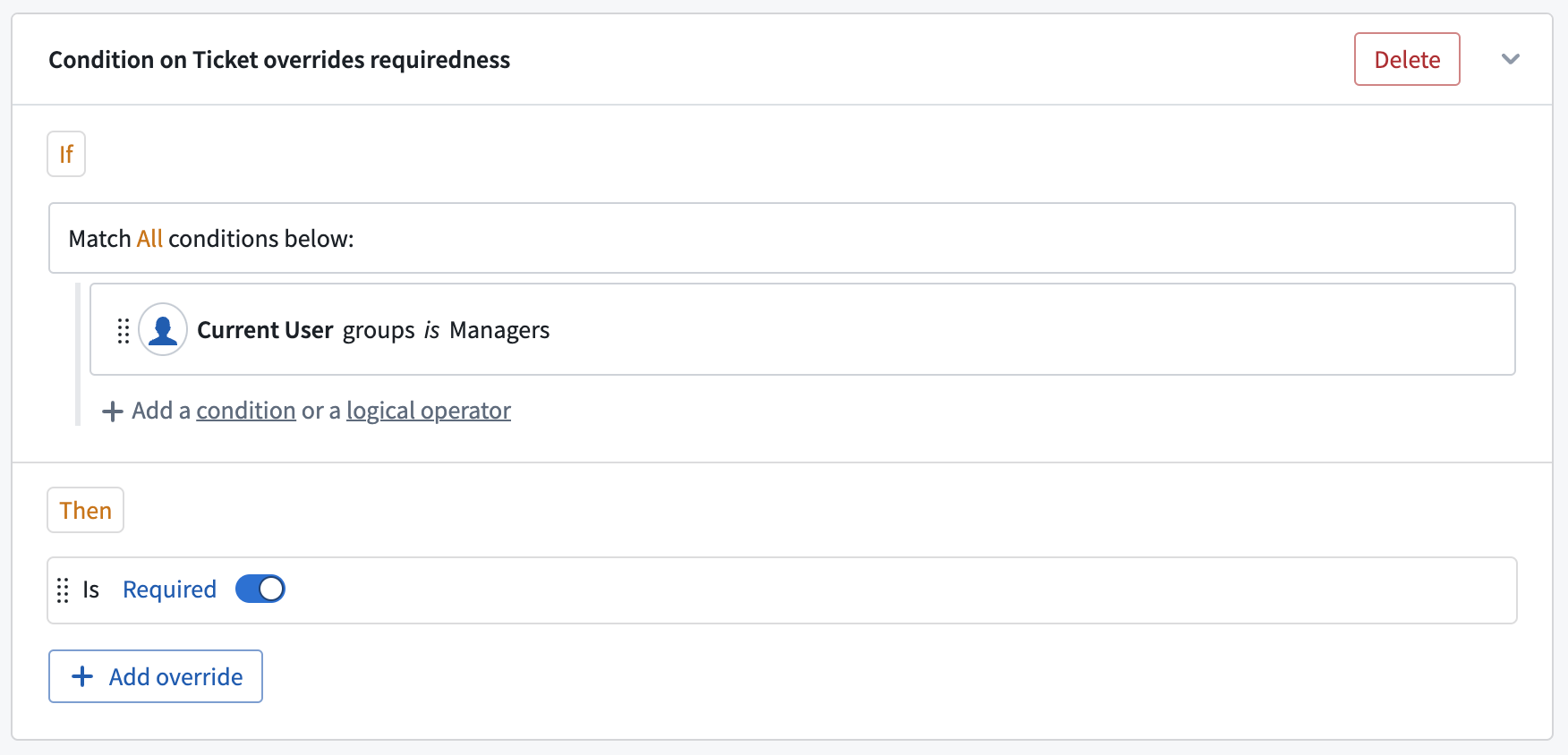
"If" and conditions
Each block can contain one or multiple conditions. To read more about conditions and how to configure them, see the submission criteria documentation on conditions. The only difference between override conditions and submission criteria conditions is that only parameters which appear above the current parameter in the form hierarchy can be referenced in override conditions.
"Then" and overrides
The Then section defines the overrides which will be applied when the conditions of the block are met. Each block can contain multiple overrides in its Then section, which are all be applied together. An override can change the configuration of the parameter's constraints, visibility, requiredness, and default values. If an override is configured to take on the same value as the default already set on the parameter, a warning will be shown on the override itself.
Multiple override blocks
You can add multiple override blocks to a single parameter. If more than one block is true, only the first override is executed.
中文翻译
覆盖(Overrides)
覆盖用于在特定情况下更改参数的行为和配置。通过使用覆盖,参数和表单可以变得更加灵活,无需为仅存在细微差异的配置单独设置操作类型。合理使用覆盖可以通过引导用户完成操作提交来改善用户体验。
例如,假设您有一个用于更改支持工单对象状态的操作类型,并且希望将操作提交权限限制为管理员和负责人。负责人可以更改状态,而管理员则需要提供理由。通过覆盖,理由说明参数可以对管理员设置为必填且可见,而对负责人则隐藏且可选。
添加和编辑覆盖
您可以在参数视图的不同位置添加和编辑覆盖。添加新覆盖最简单的方法是直接从常规部分的值选项卡中进行。通过点击三个选项之一的添加覆盖,您可以通过弹出窗口轻松创建覆盖,该窗口会根据所选选项自动配置覆盖。常规部分还会显示某个选项已配置的覆盖数量及状态。要编辑现有覆盖,请选择覆盖按钮。
您也可以通过覆盖选项卡手动添加覆盖。该选项卡会显示为该参数配置的所有覆盖的概览。您可以在此处添加覆盖块,或为现有块添加新条件或覆盖。
覆盖块
覆盖块是覆盖的基础。它定义了条件(显示在"如果"部分)和覆盖(显示在"则"部分)。每个块的标题会显示逻辑摘要。每个参数可以包含多个覆盖块,但如果多个块的条件同时为真,则仅执行第一个块。
"如果"与条件
每个块可以包含一个或多个条件。有关条件及其配置方法的更多信息,请参阅关于条件的提交标准文档。覆盖条件与提交标准条件的唯一区别在于:覆盖条件中只能引用表单层级中位于当前参数之上的参数。
"则"与覆盖
则部分定义了当块的条件满足时将应用的覆盖。每个块的则部分可以包含多个覆盖,这些覆盖将同时应用。覆盖可以更改参数的约束、可见性、必填性和默认值的配置。如果某个覆盖被配置为与参数上已设置的默认值相同,则会在该覆盖上显示警告。
多个覆盖块
您可以为单个参数添加多个覆盖块。如果多个块的条件同时为真,则仅执行第一个覆盖。