Trigger schedule build(触发计划构建)
A schedule defines a set of resources Foundry recomputes as part of a build. By configuring a schedule rule on an action type, you can trigger a build of that schedule whenever the action is applied. This enables end-user workflows in the Ontology to recompute datasets without users having to navigate to Data Lineage or the Builds application.
When an action type contains a schedule rule, the action's Ontology edits are applied after the build begins. Edits do not wait for the build to finish. Instead, the action triggers the build, captures the schedule run RID, and immediately applies the rest of the rules, including the Ontology edits.
Configure a schedule rule
Add a schedule rule to an action type and select a schedule. The schedule must be in project-scoped mode.
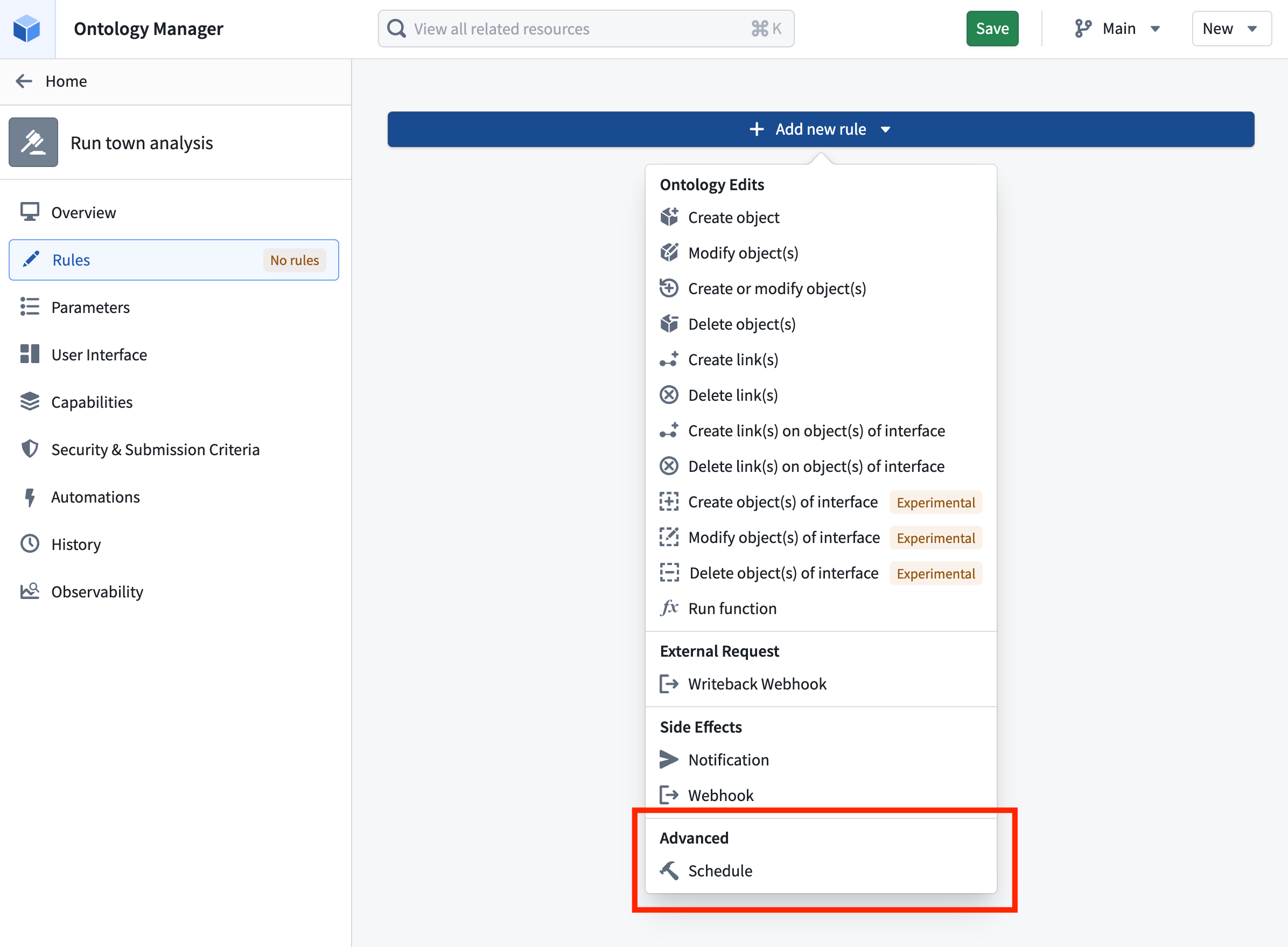
If the selected schedule is parameterized, you must provide a value for each schedule parameter. When the action is applied, the resolved parameter values are passed to the schedule and forwarded to the underlying parameterized transforms inside the build.
Schedule rules are particularly useful when paired with parallelized parameterized schedules. Review the parameterization documentation to learn more about using actions in the Ontology for parallelized schedules.
Permissions
The action's submission criteria manage the permissions needed to trigger a schedule through the action. If users satisfy the action submission criteria, they can run the schedule without any direct permissions on the schedule.
:::callout{theme="neutral"} Foundry checks whether a user has permission to run the schedule the first time it is referenced and whenever the schedule rule is edited. Referencing a schedule from an action type delegates control over running it from the schedule to the action type. Anyone who can manage actions on the action type then controls who can trigger the schedule. :::
Track build progress
When a schedule rule is triggered, the resulting schedule run is identified by a schedule run RID. This RID is exposed as a value that can be referenced from the action type's Ontology edit rules, allowing you to write it into a string property of an edited object. This is useful when you want to keep a record on the object of the build that was triggered by the action.
To capture the schedule run RID, configure a Modify object or Create object rule on the same action type and map a string property of the target object to the schedule run RID value provided by the schedule rule.
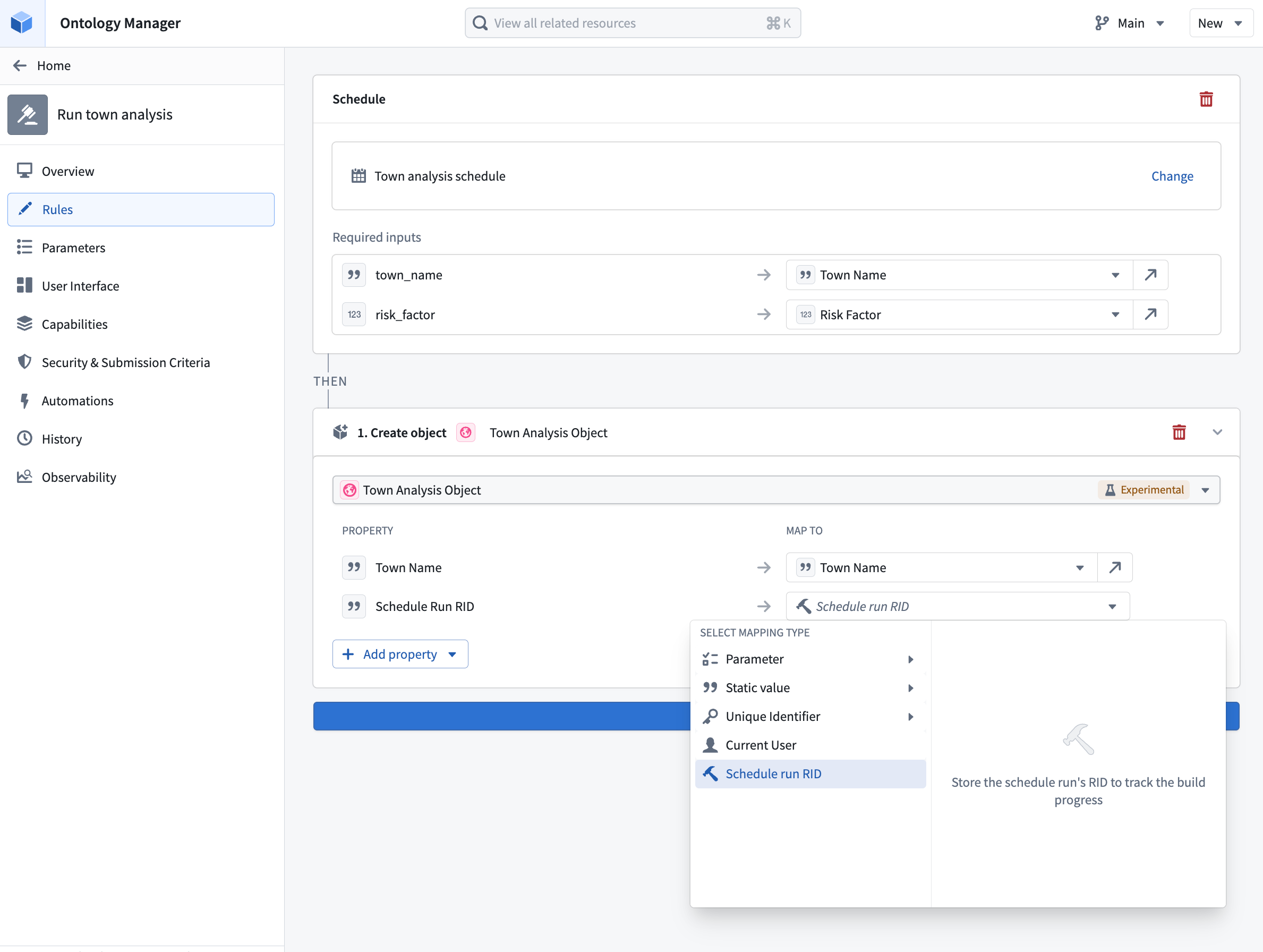
To render the stored RID as a live build status indicator, apply resource RID formatting to the property. With formatting enabled, Foundry displays the RID value as a link with an icon and text that reflects the current status of the build: Running, Ignored, Failed, or Succeeded.
中文翻译
触发计划构建
计划(Schedule)定义了一组资源,Foundry 会将其作为构建(Build)的一部分重新计算。通过在操作类型上配置计划规则(Schedule Rule),您可以在应用该操作时触发该计划的构建。这使得本体论(Ontology)中的终端用户工作流能够重新计算数据集,而无需用户导航到数据沿袭(Data Lineage)或构建应用程序(Builds application)。
当操作类型包含计划规则时,该操作的本体论编辑会在构建开始之后应用。编辑不会等待构建完成。相反,操作会触发构建,捕获计划运行 RID,并立即应用其余规则,包括本体论编辑。
配置计划规则
向操作类型添加计划规则,并选择一个计划。该计划必须处于项目范围模式(Project-scoped mode)。
如果所选计划是参数化的(Parameterized),您必须为每个计划参数提供一个值。当应用操作时,解析后的参数值会传递给计划,并转发给构建中的底层参数化转换(Parameterized transforms)。
计划规则在与并行化参数化计划(Parallelized parameterized schedules)配合使用时尤为有用。请查阅参数化文档,了解有关在本体论中使用操作实现并行化计划的更多信息。
权限
操作的提交条件(Submission criteria)管理通过操作触发计划所需的权限。如果用户满足操作提交条件,他们就可以运行该计划,而无需对该计划拥有任何直接权限。
:::callout{theme="neutral"} Foundry 会在计划首次被引用以及计划规则被编辑时检查用户是否有权限运行该计划。从操作类型引用计划会将运行该计划的控制权从计划委托给操作类型。任何能够管理该操作类型上操作的人员,随后都可以控制谁能够触发该计划。 :::
跟踪构建进度
当计划规则被触发时,生成的计划运行会通过一个计划运行 RID(Schedule run RID) 来标识。该 RID 会作为一个值暴露出来,可以从操作类型的本体论编辑规则中引用,从而允许您将其写入已编辑对象的字符串属性中。当您希望在对象上保留由操作触发的构建记录时,这非常有用。
要捕获计划运行 RID,请在同一个操作类型上配置一个修改对象(Modify object)或创建对象(Create object)规则,并将目标对象的字符串属性映射到计划规则提供的计划运行 RID 值。
要将存储的 RID 渲染为实时构建状态指示器,请对属性应用资源 RID 格式化(Resource RID formatting)。启用格式化后,Foundry 会将 RID 值显示为一个链接,并附带反映构建当前状态的图标和文本:运行中(Running)、已忽略(Ignored)、失败(Failed)或成功(Succeeded)。