Permissions in Workshop(Workshop 中的权限(Permissions))
The ability to open or edit a Workshop module is derived from a user's permissions on the Workshop module. This means that a user must satisfy the Organization and Marking requirements and also have a role on the module (directly, via a group, or a default role). By default, users need the Viewer role to open a Workshop module, and the Editor role to edit it.
Note that the ability to open or edit a Workshop module is separate from the ability to access the data, actions, or functions which may be needed to fully use a Workshop module.
The data, actions, or functions used or contained in a Workshop module are permissioned separately from the Workshop module. For more information, see the documentation on Object permissioning, Action type permissions, and Function permissions.
Checking permissions
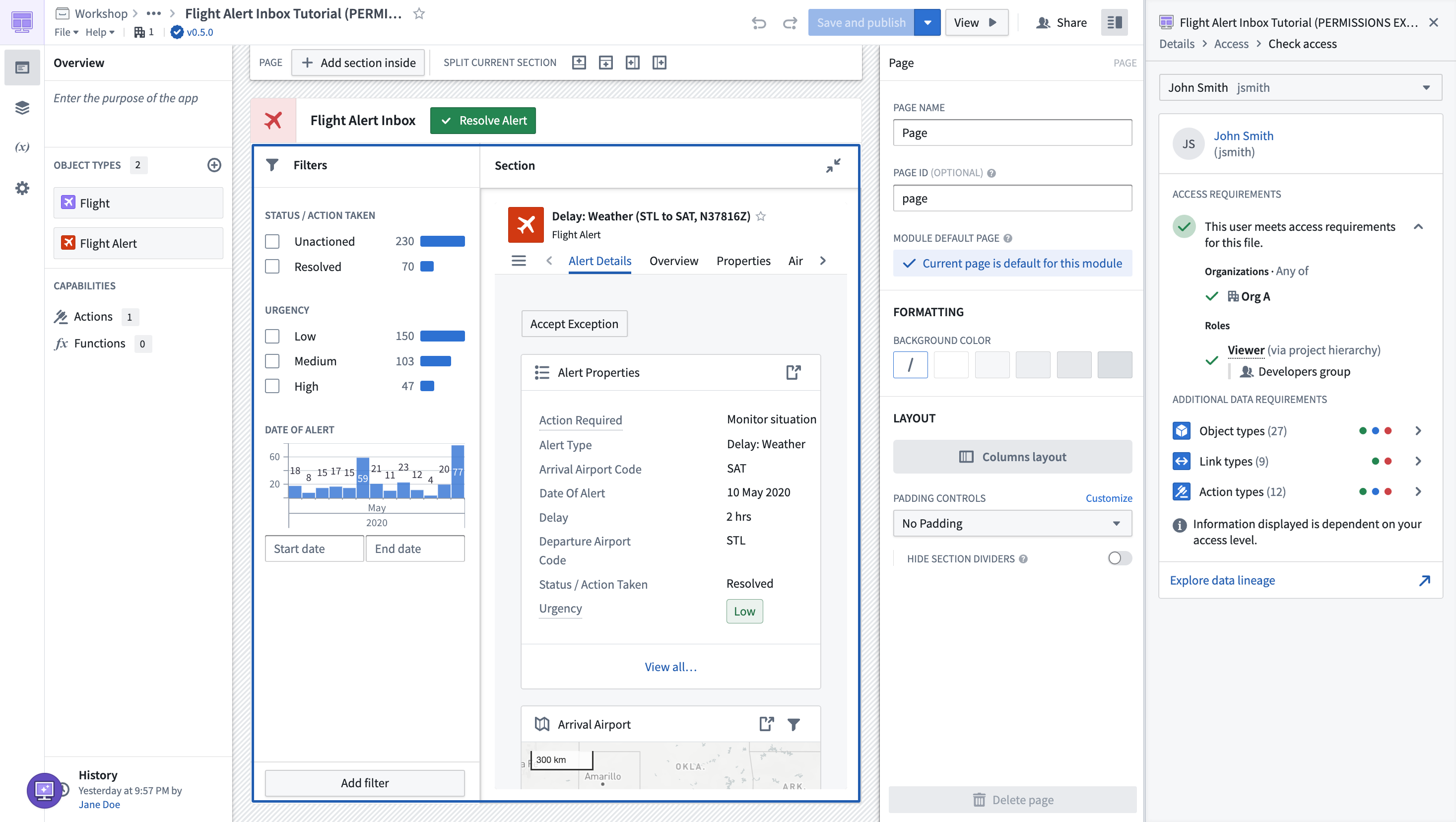
You can use the Check access panel in the sidebar to easily check a user's access on a Workshop module. This will show if they meet the access requirement on the Workshop module, as well as additional data requirements to see object types, link types, action types, and functions.
中文翻译
Workshop 中的权限(Permissions)
打开或编辑 Workshop 模块的能力取决于用户对该模块的权限。这意味着用户必须满足组织(Organization)和标记(Marking)要求,并且对该模块拥有一个角色(直接、通过群组或默认角色)。默认情况下,用户需要查看者(Viewer)角色才能打开 Workshop 模块,需要编辑者(Editor)角色才能编辑它。
请注意,打开或编辑 Workshop 模块的能力与访问数据、操作(Actions)或函数(Functions)的能力是分开的,而这些可能是完整使用 Workshop 模块所必需的。
Workshop 模块中使用或包含的数据、操作或函数与 Workshop 模块本身是分开进行权限管理的。更多信息,请参阅对象权限(Object permissioning)、操作类型权限(Action type permissions)和函数权限(Function permissions)的相关文档。
检查权限(Checking permissions)
您可以使用侧边栏中的访问检查面板(Check access panel)来轻松检查用户对 Workshop 模块的访问权限。这将显示用户是否满足 Workshop 模块的访问要求,以及查看对象类型、链接类型、操作类型和函数所需的额外数据要求。