Apply scenarios(应用场景(Apply scenarios))
Applying a Scenario applies the Actions associated with the Scenario to the Ontology. These Actions are applied transactionally, such that either all of the Actions will be applied or none of them will be applied if there is a validation failure on any of the actions.
:::callout{theme="neutral"} Note that Model results in a Scenario will not be applied to the Ontology as these represent expected results rather than explicitly modifiable values. :::
Scenarios are applied using the Scenario event option from the On click configuration for a button in the Button Group widget. In the Scenario event configuration section, select Apply scenario and the Scenario variable you want to apply when this button is clicked.
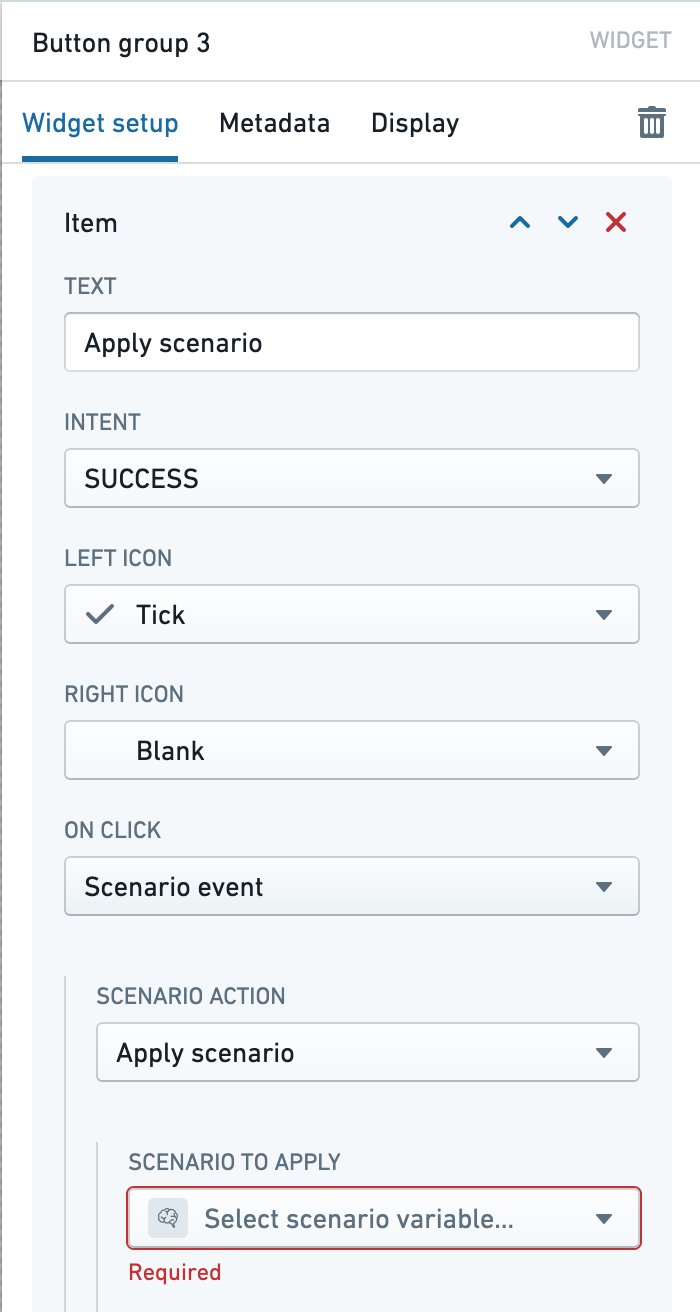
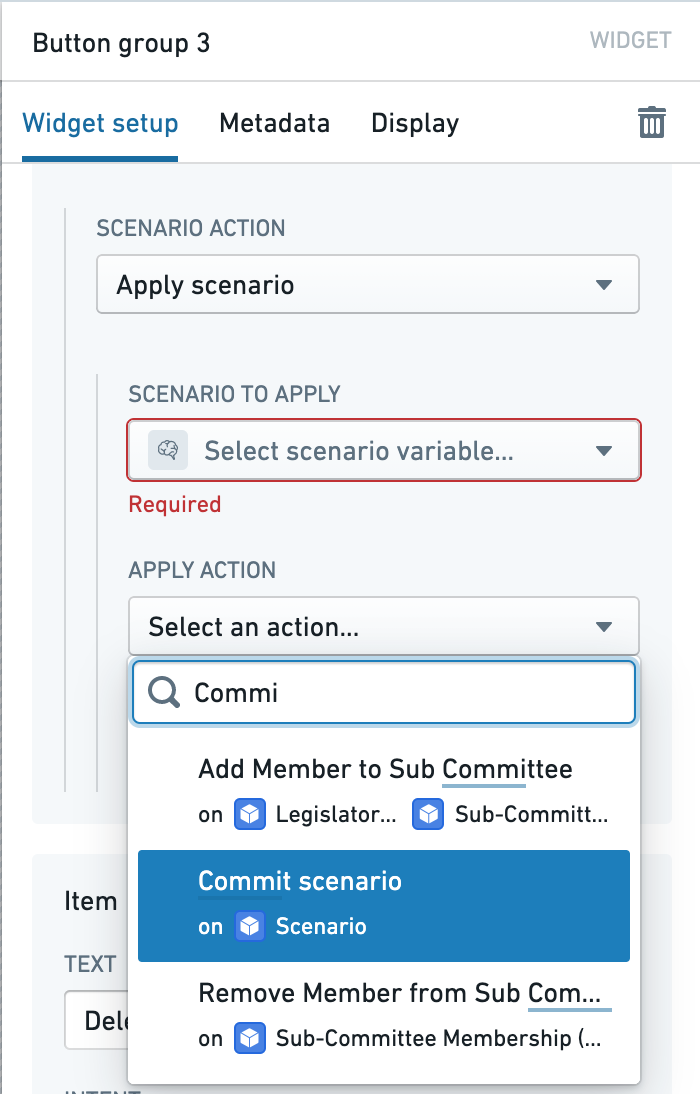
You can also optionally specify an Action to perform after successfully applying the Scenario to the Ontology. If an apply Action is configured, then the validation logic for that action will also be used to control apply permissions within the application. That is, the user must be able to run the configured apply Action in order to be able to apply a Scenario.
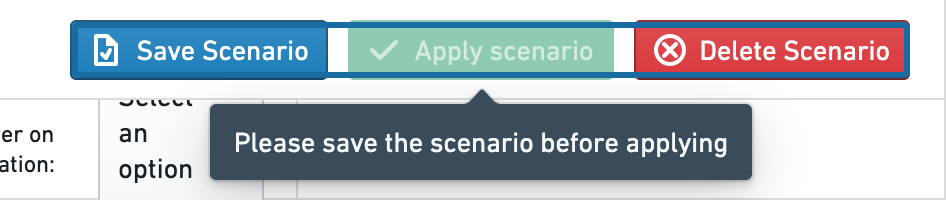
If the Scenario you are applying has been saved to an object, then the button will be disabled if there are any unsaved changes to the Scenario.
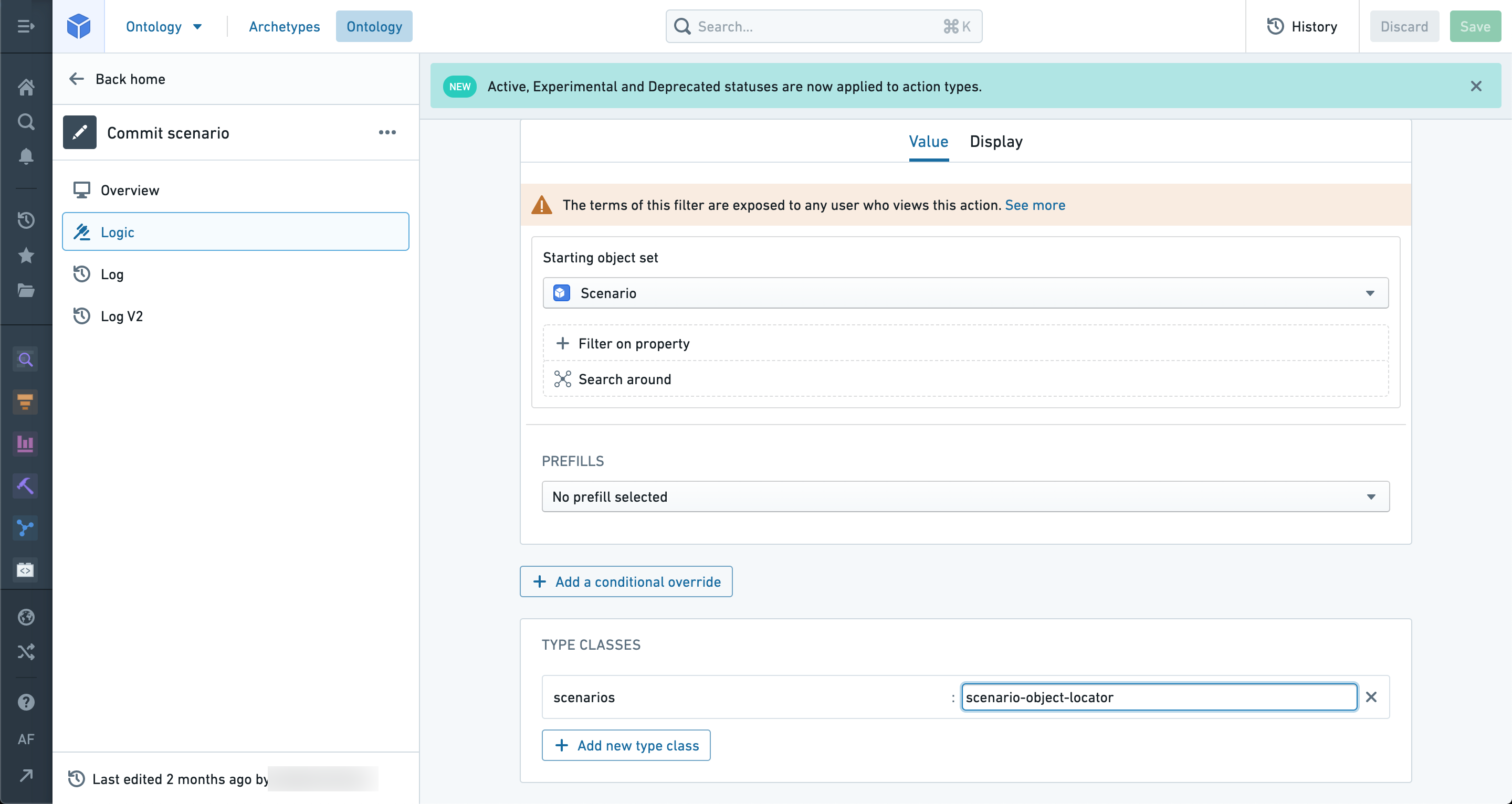
If you are applying a saved Scenario and using an apply Action, you can set the type class scenarios:scenario-object-locator on an object parameter of the apply Action to automatically populate the parameter with the object backing the saved Scenario. In this way, you can modify workflow specific metadata of the saved Scenario object when successfully applied.
中文翻译
应用场景(Apply scenarios)
应用场景会将与该场景关联的操作(Actions)应用到本体论(Ontology)中。这些操作以事务方式执行,即要么所有操作都被成功应用,要么因任一操作验证失败而全部不被应用。
:::callout{theme="neutral"} 请注意,场景中的模型结果(Model results)将不会被应用到本体论中,因为这些结果代表预期结果,而非可显式修改的值。 :::
场景通过按钮组(Button Group)微件中按钮的点击时(On click)配置中的场景事件(Scenario event)选项来应用。在场景事件(Scenario event)配置部分,选择应用场景(Apply scenario)以及您希望在该按钮被点击时应用的场景变量。
您还可以选择性地指定在成功将场景应用到本体论后执行的操作(Action)。如果配置了应用操作,则该操作的验证逻辑也将用于控制应用程序内的应用权限。也就是说,用户必须能够运行已配置的应用操作,才能应用场景。
如果您要应用的场景已保存到对象中,那么当场景存在任何未保存的更改时,该按钮将被禁用。
如果您正在应用已保存的场景并使用应用操作,您可以在应用操作的对象参数上设置类型类 scenarios:scenario-object-locator,以自动用支持该已保存场景的对象填充该参数。通过这种方式,您可以在成功应用时修改已保存场景对象的特定工作流元数据。