Load scenarios(加载场景(Load scenarios))
Saved Scenario objects can be loaded into Workshop modules via the variable system. These saved Scenarios can be passed to the Scenario Manager, but can also be passed directly to any other Scenario-enabled widgets as well.
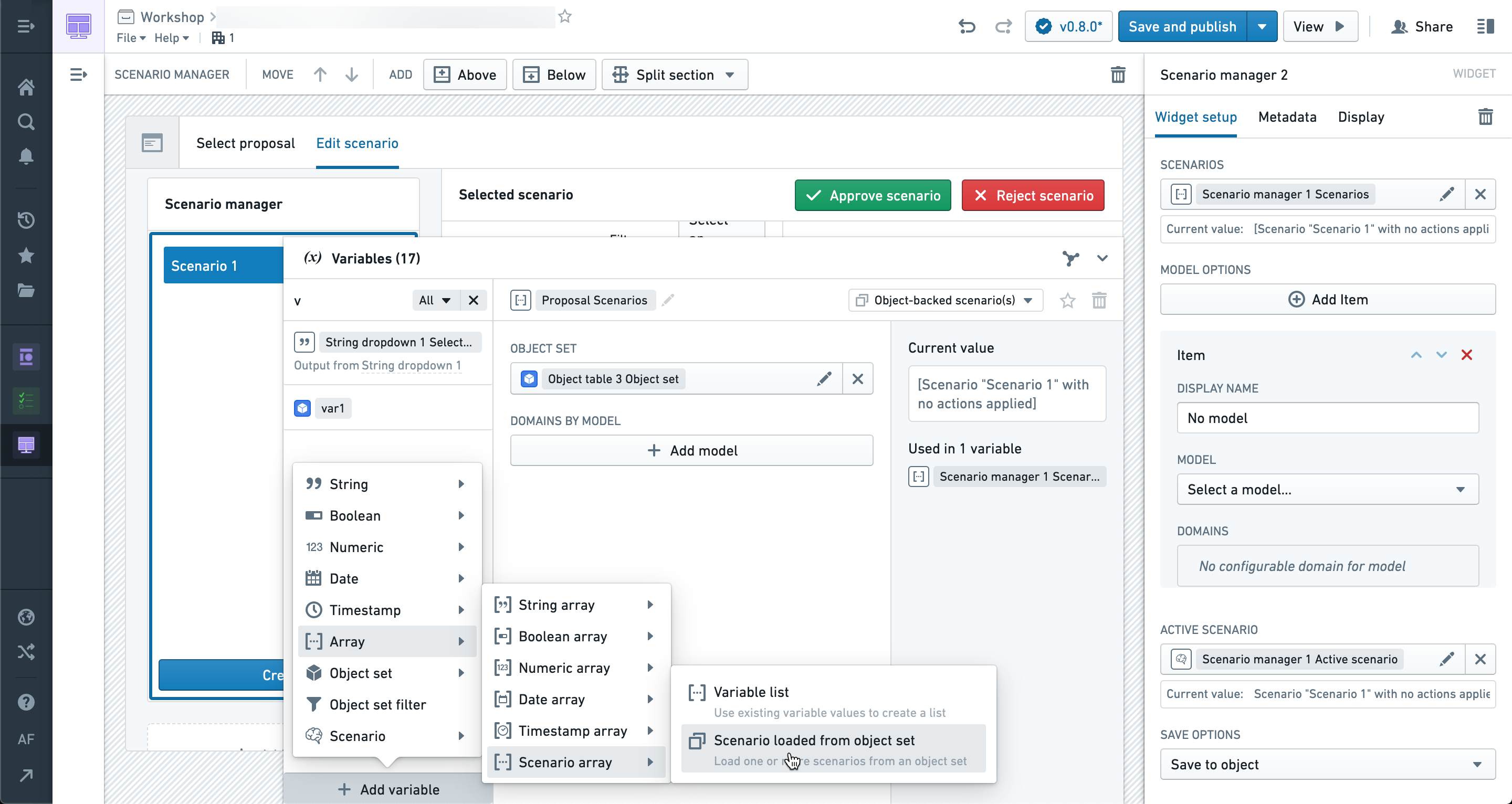
To load a saved Scenario, create a new Scenario array variable and select the “Scenario loaded from object set” option. This will convert an object set of objects that implement the Scenario trait into an array of Scenario objects.
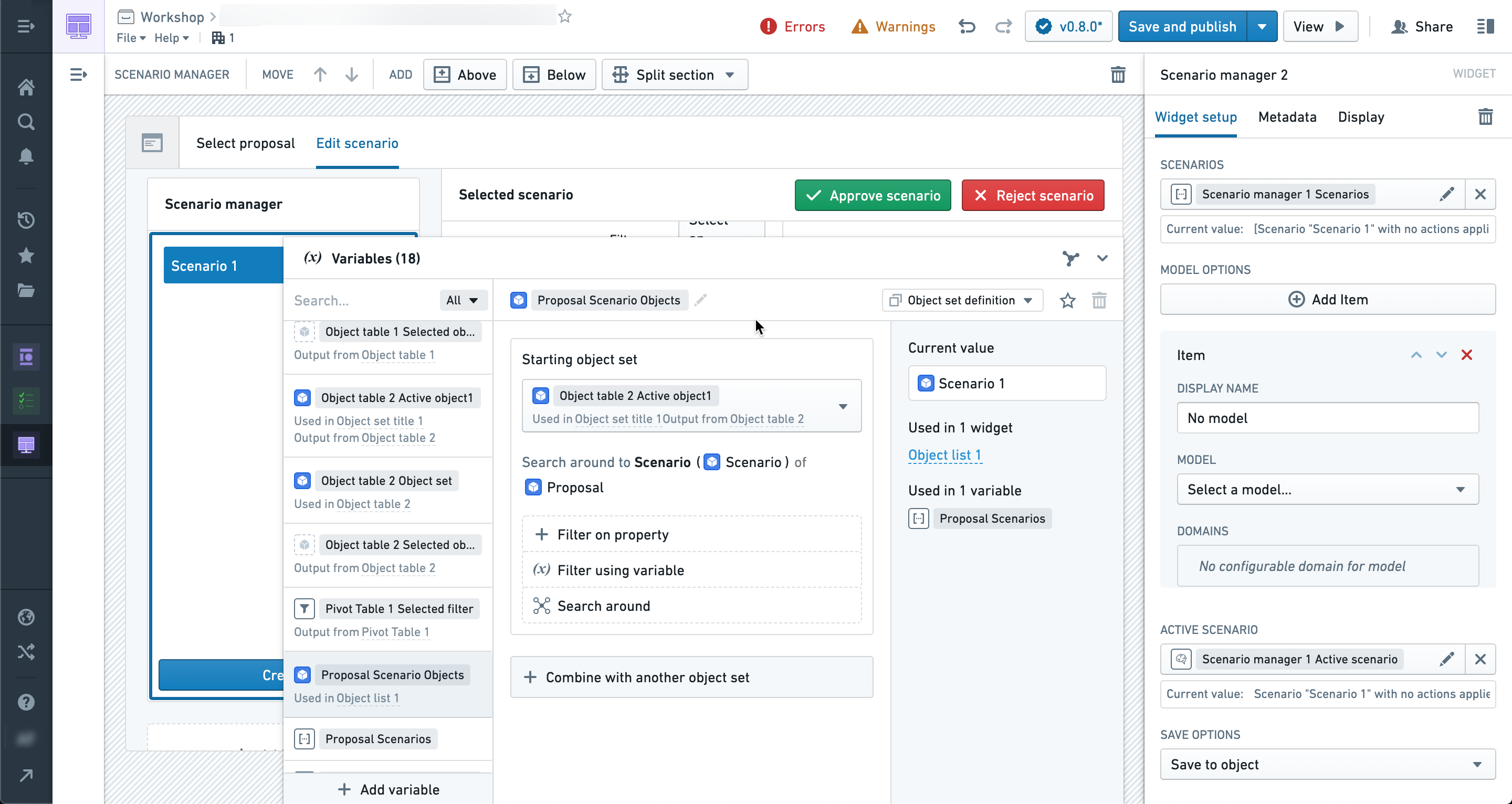
The object set can be populated using a normal object set variable which enables Search Arounds and filtering to access specific sets of Scenarios. In the example below, we find all Scenarios associated with a particular object selected in the application.
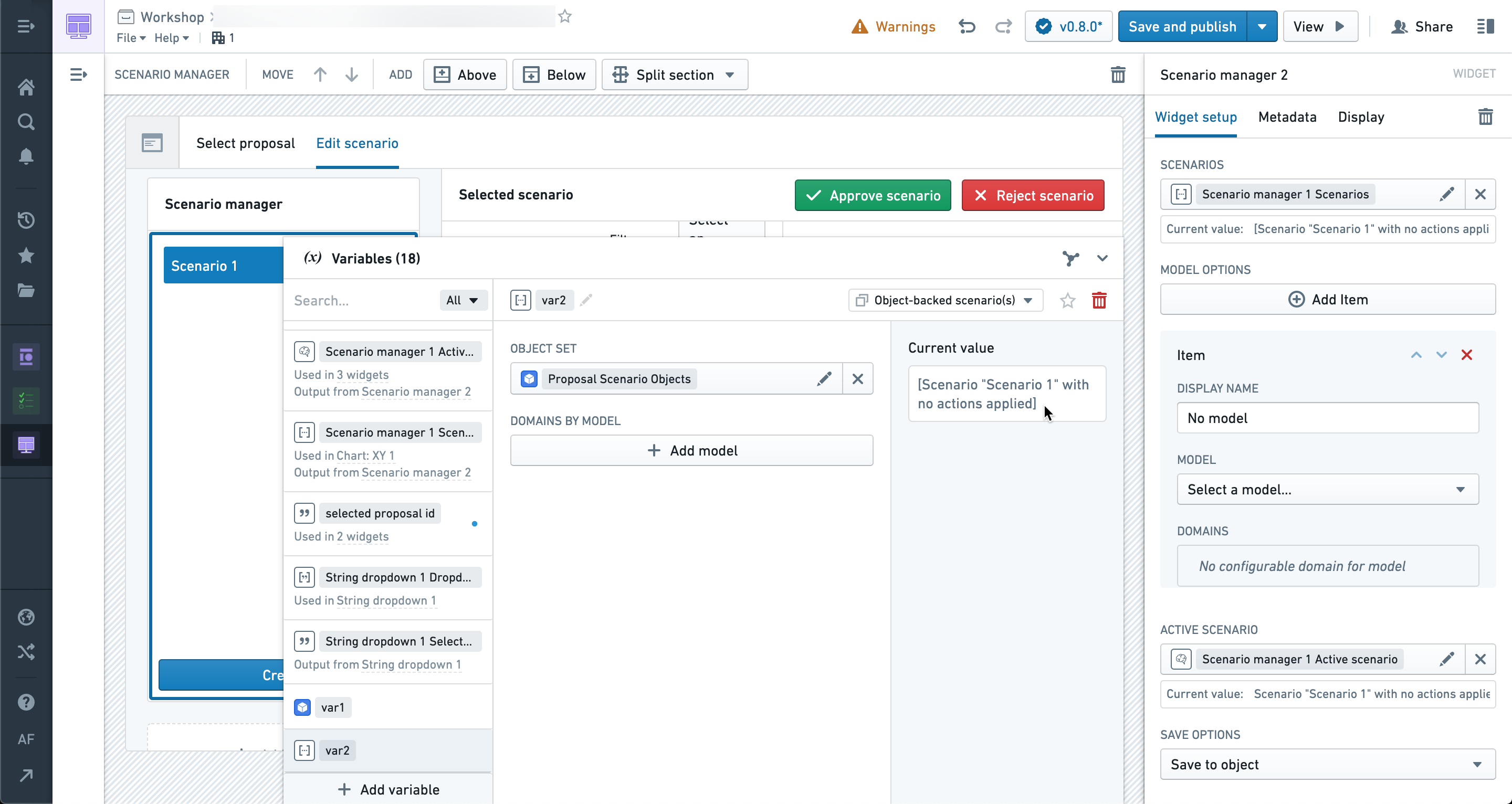
If configured correctly, you will be able to preview the loaded Scenarios by name in the current value section of the variable tab.
The Scenario array variable can then be used in any widget that accepts a Scenario array, such as the Scenario manager, and the widget will update to reflect the loaded scenarios as the underlying variables update.

Events and Actions that cause the underlying Scenario Object Set to change will be reflected in the Scenario array variable. This allows for very flexible loading structures based on relationships to other Objects in the application. If you need to select a specific Scenario from the array to use in other widgets you can pass the array into either the Scenario manager or the Scenario selector widgets.
中文翻译
加载场景(Load scenarios)
已保存的场景对象可以通过变量系统加载到Workshop模块中。这些已保存的场景可以传递给场景管理器(Scenario Manager),也可以直接传递给其他支持场景的小部件。
要加载已保存的场景,请创建一个新的场景数组变量,并选择"从对象集加载的场景(Scenario loaded from object set)"选项。这会将实现了场景特征(Scenario trait)的对象集转换为场景对象数组。
该对象集可以通过常规的对象集变量进行填充,从而支持使用搜索关联(Search Arounds)和筛选功能来访问特定的场景集合。在下面的示例中,我们查找与应用程序中选定的特定对象相关的所有场景。
如果配置正确,您将能够在变量选项卡的当前值部分按名称预览已加载的场景。
然后,场景数组变量可以在任何接受场景数组的小部件中使用,例如场景管理器(Scenario manager)。当底层变量更新时,小部件将随之更新以反映已加载的场景。
导致底层场景对象集发生变化的事件和操作(Events and Actions)将反映在场景数组变量中。这使得基于应用程序中其他对象的关系实现非常灵活的加载结构成为可能。如果您需要从数组中选择特定场景以在其他小部件中使用,可以将该数组传递给场景管理器或场景选择器(Scenario selector)小部件。