Translation, localization (l10n), and internationalization (i18n)(翻译(Translation)、本地化(l10n)与国际化(i18n))
Application builders can now provide translations for supported string types used within a Workshop application through the Translations feature. This feature allows for the localization (l10n) and internationalization (i18n) of Workshop applications into various languages manually or with the help of AIP for enabled enrollments. Viewers will then be presented with a translated view of the module in their browser's locale if the Workshop application has been translated into that language using this feature.
To turn on the feature, navigate to the Settings tab in edit mode and toggle on Translations in the Advanced functionalities section. Once enabled, a new Translations tab will appear where application builders may configure translations for their module.

Translatable content
The following content in a Workshop application can be translated:
- Module header Title
- Section header Title(s) and Tabs
- Static text from widgets such as:
- Tabs widget Label
- Button Group widget Text and Description
- Metric Card widget Label and Description
- Markdown widget Content
- Object Table and Object List widget Column Titles
- Pivot Table widget Aggregation Titles
- Filter List widget Section Titles
Translation methods
Translation of valid strings within a Workshop application may be done either manually by application builders or automatically-generated using AIP for enrollments with custom workflows enabled.
Manual translation
Strings within the module may be manually translated by application builders. On selection of a target language, each translatable string detected within the module will be displayed with an input field to manually enter translations. Once translations are added, they can be previewed directly within the module for immediate review.
Automatic translation with AIP
Strings within the module can also be translated with AIP. Use of AIP to translate strings requires configuring AIP capabilities for custom workflows.
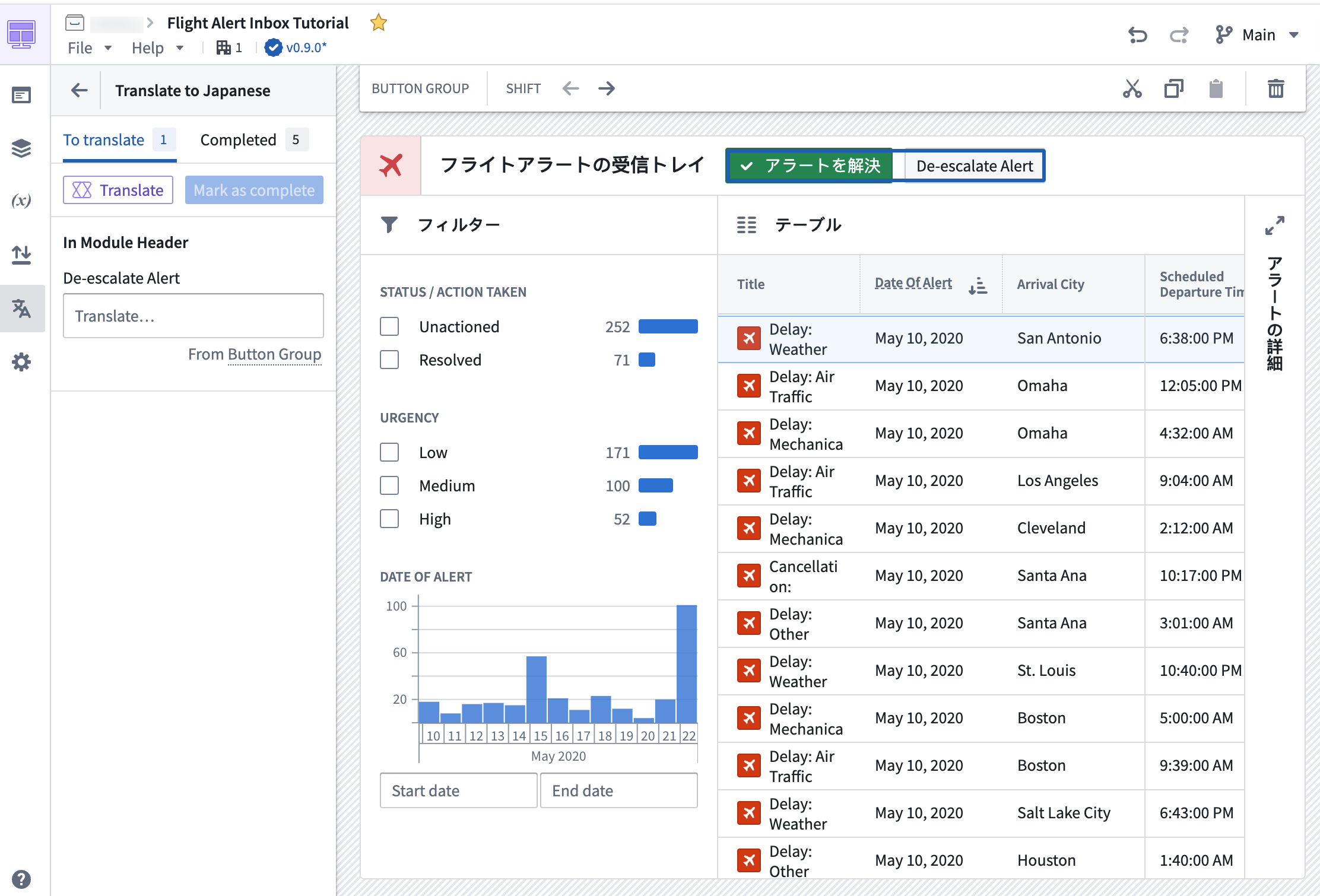
In order to provide AIP with the necessary context to perform string translations, the module's starting language must be defined, and a target language must be set. The Translate option marked with the purple AIP icon can then be used to automatically translate all detected strings eligible for translation in the module using AIP. Translations can be immediately previewed in the module for review and manual edits where necessary.

Once satisfied with the translations, the translations may then be Marked as complete essentially marking these strings as reviewed to application builders. Any new or modified strings detected in the module, for example, on the addition of a new button or on edit of a section header's title, will appear in the To translate section, separating them from the already-translated and reviewed strings.
Preview translations
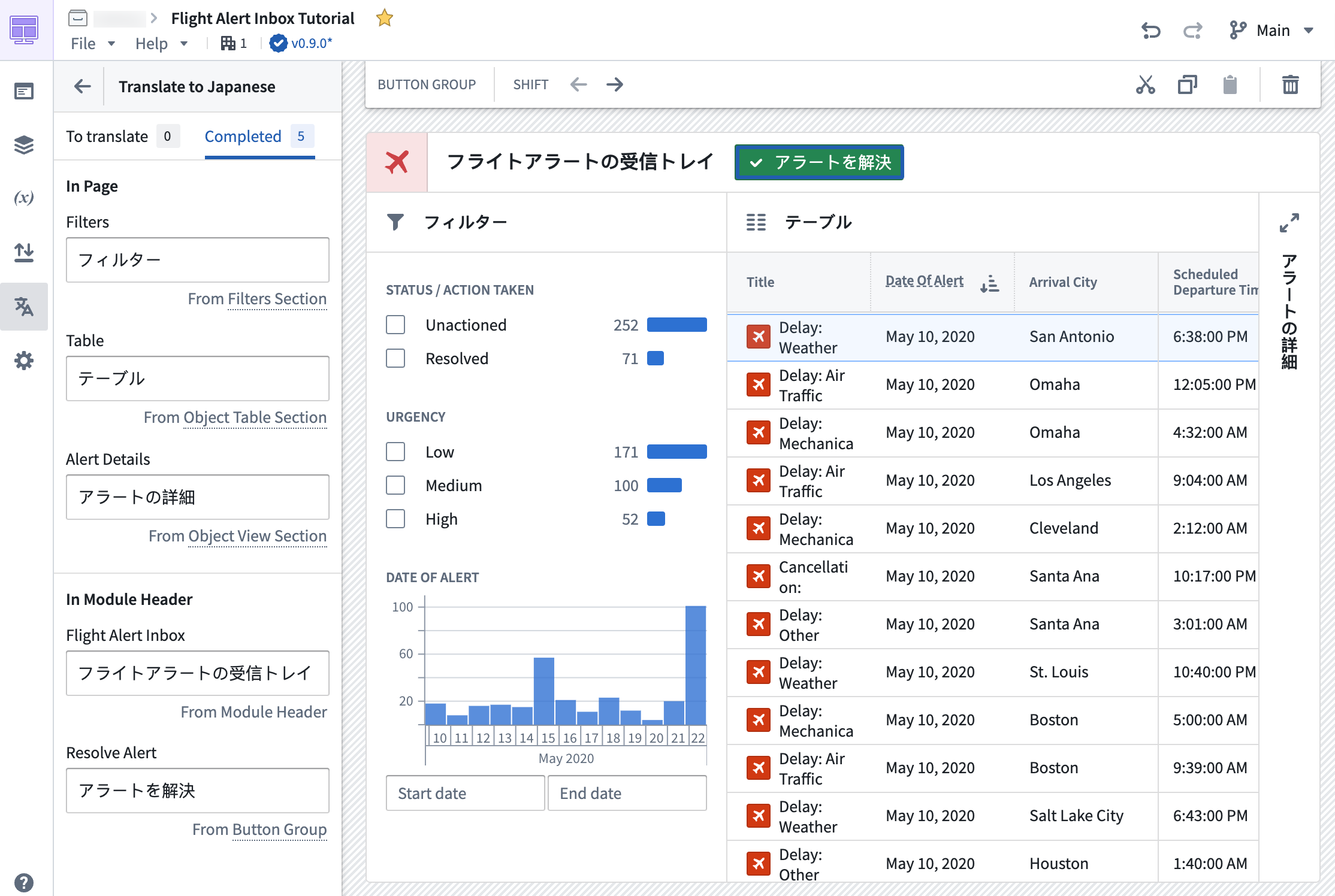
Translated text may be previewed directly in the module in edit mode by navigating to the Translations tab and selecting the configured language of choice.

中文翻译
翻译(Translation)、本地化(l10n)与国际化(i18n)
应用构建者现在可以通过翻译功能为Workshop应用中支持的字符串类型提供翻译。该功能支持手动或借助AIP(针对已启用相关功能的用户)对Workshop应用进行本地化(l10n)和国际化(i18n),使其适配多种语言。如果Workshop应用已通过此功能翻译成某语言,查看者将能在其浏览器的语言环境中看到该模块的翻译版本。
要启用该功能,请在编辑模式下导航至设置选项卡,在高级功能部分开启翻译开关。启用后,将出现一个新的翻译选项卡,应用构建者可在此配置模块的翻译。
可翻译内容
Workshop应用中的以下内容可进行翻译:
- 模块标题标题
- 章节标题标题和选项卡
- 来自以下组件的静态文本:
- 选项卡组件标签
- 按钮组组件文本和描述
- 指标卡片组件标签和描述
- Markdown组件内容
- 对象表格和对象列表组件列标题
- 数据透视表组件聚合标题
- 筛选列表组件章节标题
翻译方法
Workshop应用中有效字符串的翻译可通过应用构建者手动完成,也可由AIP自动生成(适用于已启用自定义工作流的用户)。
手动翻译
应用构建者可手动翻译模块中的字符串。选择目标语言后,模块中检测到的每个可翻译字符串都会显示一个输入框,供手动输入翻译内容。添加翻译后,可直接在模块中预览以即时检查。
使用AIP自动翻译
模块中的字符串也可通过AIP进行翻译。使用AIP翻译字符串需要配置AIP自定义工作流功能。
为使AIP获得执行字符串翻译所需的上下文,必须定义模块的起始语言并设置目标语言。随后可使用带有紫色AIP图标的翻译选项,自动翻译模块中所有符合翻译条件的字符串。翻译结果可立即在模块中预览,以便检查并进行必要的手动编辑。
对翻译结果满意后,可将翻译标记为已完成,这表示这些字符串已由应用构建者审核通过。模块中任何新增或修改的字符串(例如添加新按钮或编辑章节标题)将出现在待翻译部分,与已翻译和审核过的字符串区分开来。
预览翻译
在编辑模式下,可通过导航至翻译选项卡并选择已配置的语言,直接在模块中预览翻译后的文本。