AIP Generated Content(AIP 生成内容(AIP Generated Content))
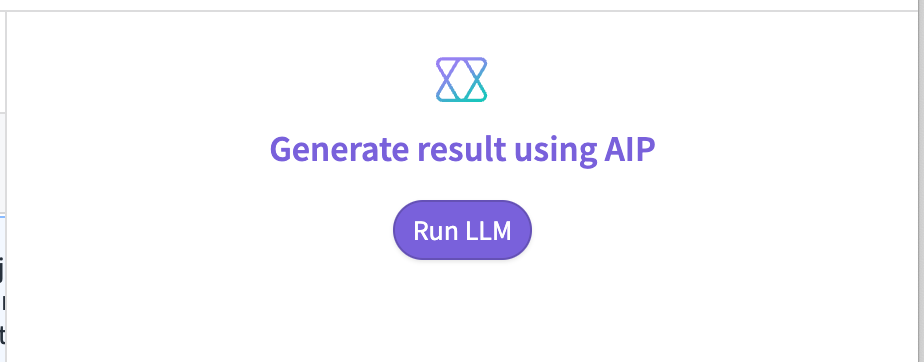
The AIP Generated Content widget can display the response from an AIP Logic function or visually stream the response from an LLM (similar to the Stream LLM response into variable event).
Configuration options
The AIP Generated Content widget has the following three options for generating a response:
-
Logic: This option requires selecting an AIP Logic function.
-
Direct to LLM: This option enables displaying the response of an LLM in real time within the widget. It has the following configuration options:
- Prompt: The string variable of your prompt.
- Clear output when prompt changes: When enabled, this will clear the AIP Generated Content widget output when the prompt variable changes. This is useful when the user is directly interacting with the prompt.
- Temperature: The temperature to use with the model, a number between
0and1. Higher values, like0.8, will make the output more random, while lower values, like0.2, will make the output more focused and deterministic. -
Model: The language model to use. Four OpenAI models are supported: GPT-3, GPT-4, GPT-4 32K, and GPT-4-Turbo.
-
LLM via prompt function: This option is the same as Direct to LLM, but the prompt is a function instead of a string.
Other configuration options
- Output variable: The string or object set variable that stores the response.
- Icon: The icon to display at the top of the widget; defaults to Palantir's AIP icon.
- Button label: The label to use within the button; defaults to "Generate result using AIP".
- Title: The title to display in the center of the widget.
- Loading state message: The message to display as the response is loading.
- Show loading spinner: When enabled, it shows a spinner when loading instead of the loading state message.
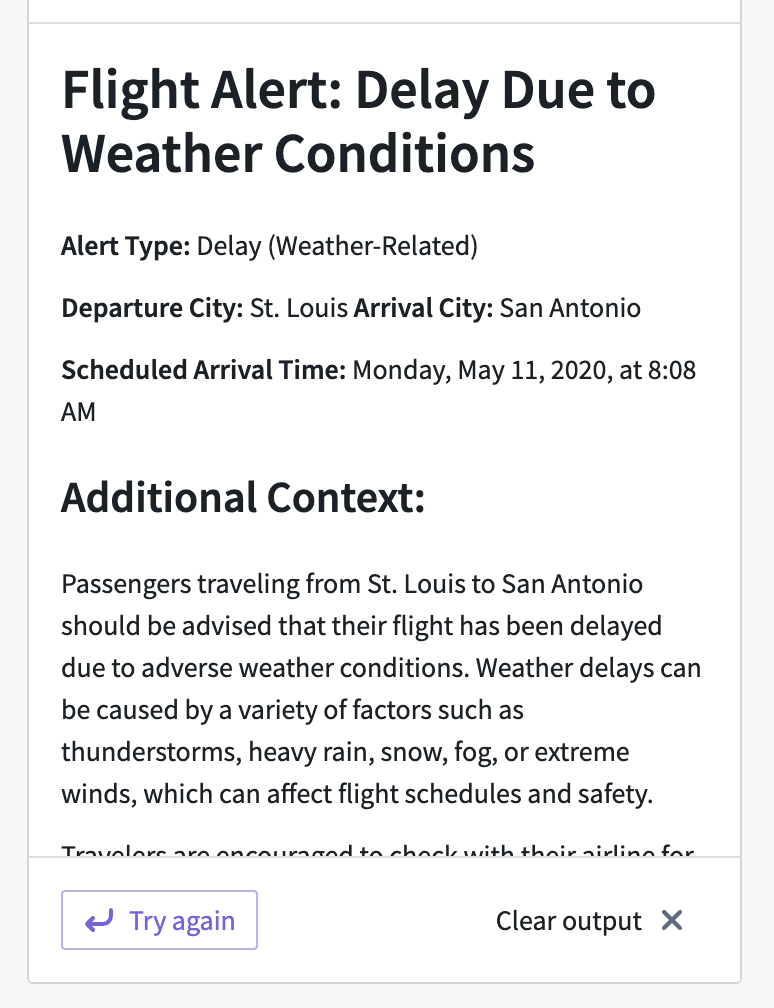
The following example shows what the AIP Generated Content widget looks like when displaying a string response:
中文翻译
AIP 生成内容(AIP Generated Content)
AIP 生成内容(AIP Generated Content) 组件可以显示 AIP 逻辑(AIP Logic) 函数的响应,或以可视化方式流式传输来自 LLM 的响应(类似于将 LLM 响应流式传输到变量事件(Stream LLM response into variable))。
配置选项(Configuration options)
AIP 生成内容(AIP Generated Content) 组件提供以下三种生成响应的选项:
-
逻辑(Logic): 此选项需要选择一个 AIP 逻辑(AIP Logic) 函数。
-
直接连接 LLM(Direct to LLM): 此选项可在组件内实时显示 LLM 的响应。其配置选项如下:
- 提示词(Prompt): 提示词的字符串变量。
- 提示词变化时清除输出(Clear output when prompt changes): 启用后,当提示词变量发生变化时,将清除 AIP 生成内容(AIP Generated Content) 组件的输出。当用户直接与提示词交互时,此功能非常有用。
- 温度(Temperature): 模型使用的温度值,范围为
0到1之间的数字。较高的值(如0.8)会使输出更加随机,而较低的值(如0.2)则会使输出更加集中和确定。 -
模型(Model): 要使用的语言模型。支持四种 OpenAI 模型:GPT-3、GPT-4、GPT-4 32K 和 GPT-4-Turbo。
-
通过提示词函数的 LLM(LLM via prompt function): 此选项与直接连接 LLM(Direct to LLM) 相同,但提示词是一个函数而非字符串。
其他配置选项(Other configuration options)
- 输出变量(Output variable): 存储响应的字符串或对象集合变量。
- 图标(Icon): 显示在组件顶部的图标;默认为 Palantir 的 AIP 图标。
- 按钮标签(Button label): 按钮内显示的标签;默认为"使用 AIP 生成结果(Generate result using AIP)"。
- 标题(Title): 显示在组件中央的标题。
- 加载状态消息(Loading state message): 响应加载时显示的消息。
- 显示加载旋转器(Show loading spinner): 启用后,加载时将显示旋转器而非加载状态消息。
以下示例展示了 AIP 生成内容(AIP Generated Content) 组件在显示字符串响应时的效果: