Media Uploader widget(媒体上传器(Media Uploader)组件)
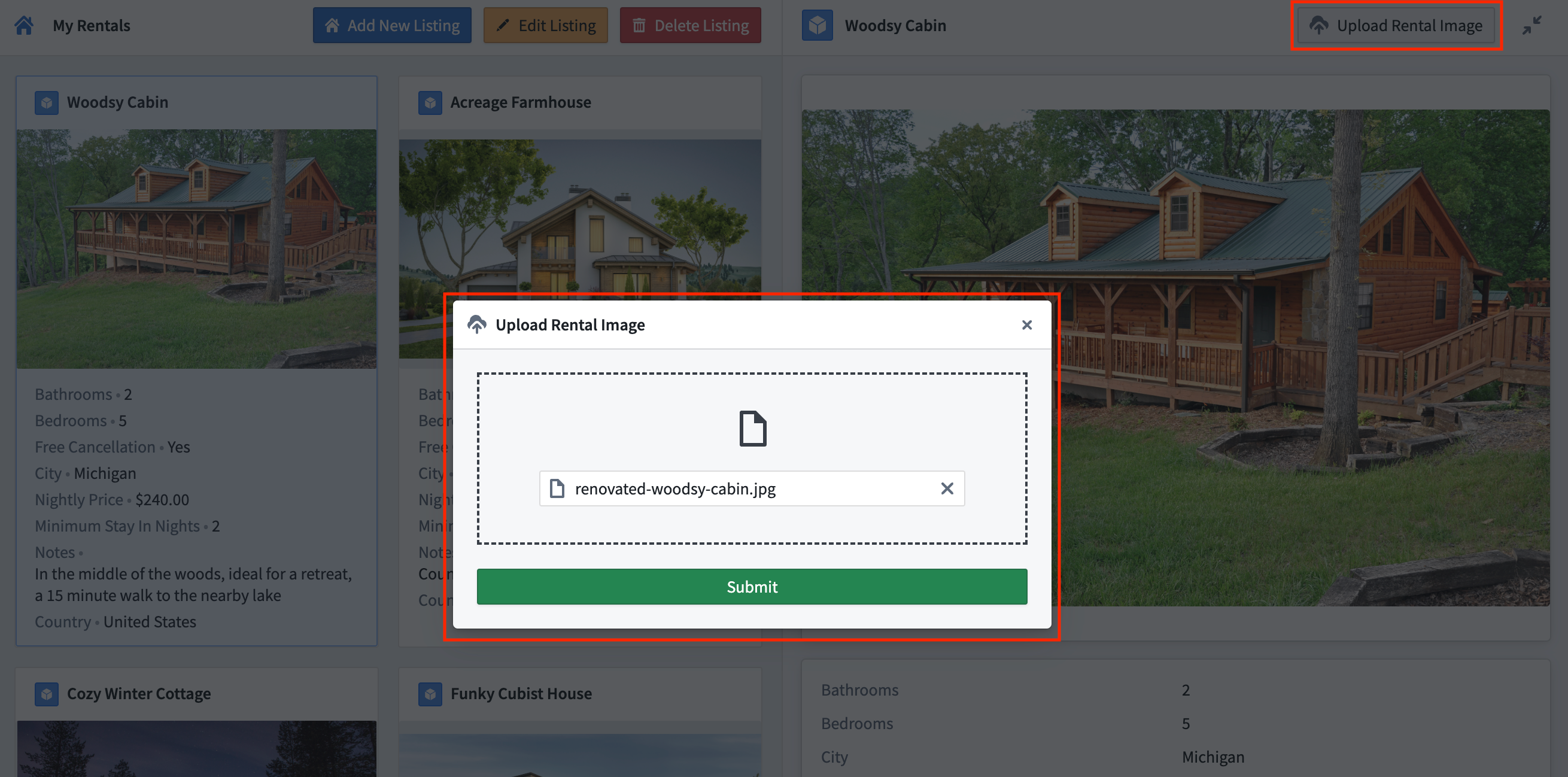
The Media Uploader widget is used to add a special type of button that allows users to upload media files to Foundry and trigger actions using the uploaded files as inputs. On desktop, you can select files from your computer. On mobile devices, you can also choose images from your device's gallery or capture photos directly using the device's camera.
Configuration options
- Button configuration
- Text: Sets the display text for the button.
- Intent: Sets the button's intent coloring. Options include none, primary (blue), success (green), warning (amber), or danger (red).
- Left icon: This parameter controls the icon to the left of a widget's display text. Set to Blank to not show an icon.
-
Right icon: This parameter controls the icon to the right of the widget's display text. Set to Blank to not show an icon.
-
Upload
- Destination: Sets the upload destination for media files uploaded using this widget. The upload destination can be set to a dataset, a Compass folder, or a media set.
- Static: Statically set the file upload destination by selecting a destination folder using the Compass resource selector.
- Dynamic: Dynamically set the file upload destination’s resource identifier (RID) using a Workshop string variable.
- Override branch: Toggle to enable/disable the ability to upload media files to a specified branch using a Workshop string variable.
- Allowed file extensions: Set the allowed file extensions that may be uploaded.
:::callout{theme="neutral"} The Media Uploader widget automatically generates filenames for uploaded files. Custom filenames are not supported. :::
- Output
- Legacy
- Upload media RID: A string variable that outputs the RID for uploaded media.
- Uploaded filename: A string variable that outputs the filename for uploaded media.
- On upload: An action can be triggered on upload by selecting the
Actionoption. When theActionoption is selected, you must select the relevant action type and configure parameters for the corresponding action form.No Actionis set on upload by default.
- Objects
- Enable multi-file upload: Toggle to enable/disable the ability to upload multiple files in a single upload. When enabled, you can set a maximum number of files allowed for each upload session.
- Action: Set an action to trigger on media upload. If multi-file uploads are enabled, the action will be triggered on each uploaded file. The uploaded file may be referenced when configuring action parameters by selecting the special 'File identifier' value.
- For uploads to datasets, the ‘File identifier’ value will be the uploaded filename. For uploads to Compass folders, the ‘File identifier’ value will be the uploaded file’s RID. For uploads to media sets, the ‘File identifier’ value will be the uploaded file’s media reference.
中文翻译
媒体上传器(Media Uploader)组件
媒体上传器(Media Uploader)组件用于添加一种特殊类型的按钮,允许用户将媒体文件上传至Foundry,并使用上传的文件作为输入来触发操作(actions)。在桌面端,您可以从计算机中选择文件。在移动设备上,您还可以从设备相册中选择图片,或直接使用设备相机拍摄照片。
配置选项
- 按钮配置(Button configuration)
- 文本(Text): 设置按钮的显示文本。
- 意图(Intent): 设置按钮的意图颜色。选项包括:无、主要(蓝色)、成功(绿色)、警告(琥珀色)或危险(红色)。
- 左侧图标(Left icon): 此参数控制组件显示文本左侧的图标。设置为"空白(Blank)"则不显示图标。
-
右侧图标(Right icon): 此参数控制组件显示文本右侧的图标。设置为"空白(Blank)"则不显示图标。
-
上传(Upload)
- 目标位置(Destination): 设置使用此组件上传的媒体文件的目标位置。上传目标可设置为数据集(dataset)、Compass文件夹或媒体集(media set)。
- 静态(Static): 通过使用Compass资源选择器选择目标文件夹,静态设置文件上传目标。
- 动态(Dynamic): 使用Workshop字符串变量动态设置文件上传目标的资源标识符(RID)。
- 覆盖分支(Override branch): 切换启用/禁用以使用Workshop字符串变量将媒体文件上传到指定分支(branch)的功能。
- 允许的文件扩展名(Allowed file extensions): 设置允许上传的文件扩展名。
:::callout{theme="neutral"} 媒体上传器(Media Uploader)组件会自动为上传的文件生成文件名。不支持自定义文件名。 :::
- 输出(Output)
- 旧版(Legacy)
- 上传媒体RID(Upload media RID): 输出已上传媒体RID的字符串变量。
- 上传文件名(Uploaded filename): 输出已上传媒体文件名的字符串变量。
- 上传时(On upload): 可通过选择
操作(Action)选项在上传时触发操作。选择操作(Action)选项后,必须选择相关的操作类型并配置相应操作表单的参数。默认情况下,上传时设置为无操作(No Action)。
- 对象(Objects)
- 启用多文件上传(Enable multi-file upload): 切换启用/禁用在单次上传中上传多个文件的功能。启用后,您可以设置每次上传会话允许的最大文件数量。
- 操作(Action): 设置在媒体上传时触发的操作。如果启用了多文件上传,该操作将在每个上传的文件上触发。在配置操作参数时,可通过选择特殊的"文件标识符(File identifier)"值来引用上传的文件。
- 对于上传到数据集,'文件标识符(File identifier)'值将是上传的文件名。对于上传到Compass文件夹,'文件标识符(File identifier)'值将是上传文件的RID。对于上传到媒体集,'文件标识符(File identifier)'值将是上传文件的媒体引用。