Widget: Scenario Manager(组件:场景管理器(Scenario Manager))
The Scenario Manager widget allows a user to interactively create and manage Scenarios in a Workshop module. Module builders configuring the Scenario Manager widget can:
- Include the Scenario Manager in a module to enable module users to create, edit, and delete Scenarios.
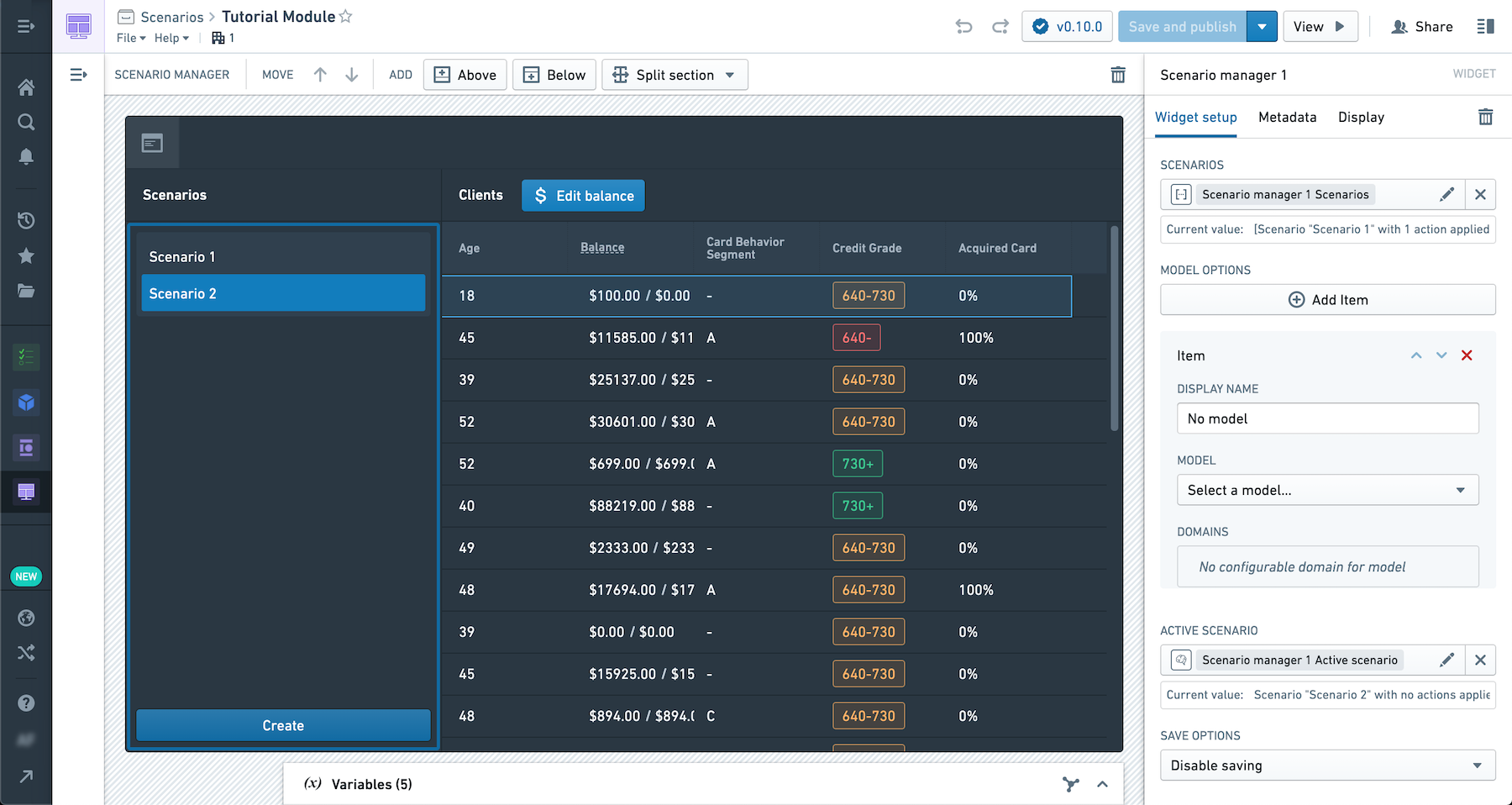
The screenshot below shows an example of a multiple Scenarios compared side-by-side in the credit “balance” column of an object table. Scenario 1 shows the “balance” modified by an action while Scenario 2 shows the default values in the Ontology. A user can select between the two scenarios in the Scenario Manager.
Configuration Options
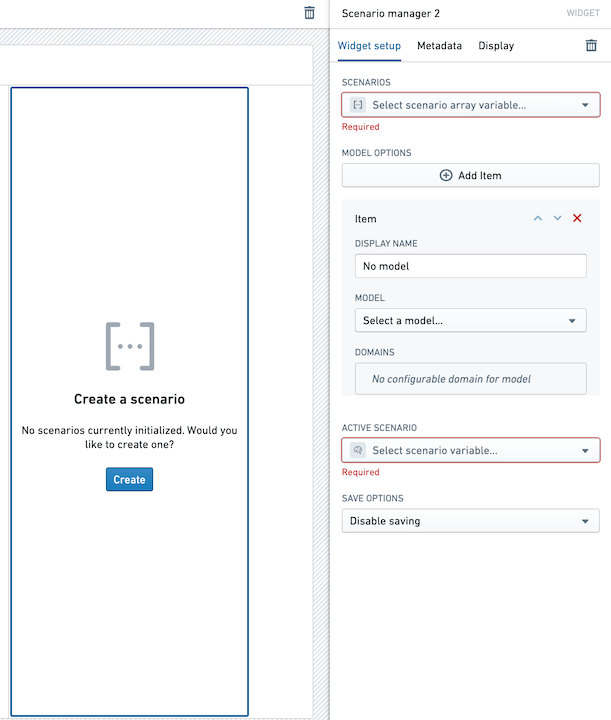
Here is a screenshot of the initial state of a newly added Scenario Manager widget alongside its initial configuration panel:
For the Scenario Manager widget, the core configuration options are the following:
- Input data
- Static Scenarios: Scenarios to include in the manager list that cannot be directly appended to or removed by the user. This is particularly useful when including saved Scenarios from an Object set.
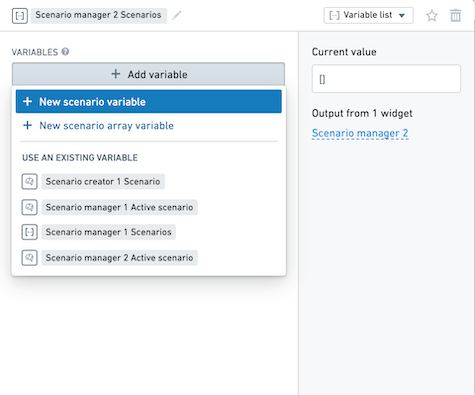
- Dynamic Scenarios: The Scenario array variable that will contain Scenarios created by the user when using the module. If a scenario appears in the static and dynamic lists, then it will be removed from the dynamic list.
- Active Scenario: This Scenario variable will hold the currently selected Scenario in the manager. This variable can be used as the input to other widgets to apply actions or show results from the selected Scenario.
- Model options
- Display name: Provide a display name for your model.
- Model: Select the relevant model to associate with your Scenario.
- Domains: Provide a domain over which the model / Scenario computations should occur.
中文翻译
组件:场景管理器(Scenario Manager)
场景管理器(Scenario Manager) 组件允许用户在 Workshop 模块中交互式地创建和管理场景。配置该组件的模块构建者可以:
- 在模块中包含场景管理器,使模块用户能够创建、编辑和删除场景。
以下截图展示了在对象表的"余额(balance)"列中并排比较多个场景的示例。场景1(Scenario 1)显示的是通过操作修改后的"余额",而场景2(Scenario 2)显示的是本体论(Ontology)中的默认值。用户可以在场景管理器中选择这两个场景。
配置选项(Configuration Options)
以下是新添加的场景管理器组件及其初始配置面板的截图:
场景管理器组件的核心配置选项如下:
- 输入数据(Input data)
- 静态场景(Static Scenarios): 包含在管理器列表中、用户无法直接追加或删除的场景。当需要包含来自对象集(Object set)的已保存场景时,此选项尤为有用。
- 动态场景(Dynamic Scenarios): 场景数组变量,用于存储用户在使用模块时创建的场景。如果某个场景同时出现在静态列表和动态列表中,则该场景将从动态列表中移除。
- 活动场景(Active Scenario): 此场景变量将保存管理器中当前选中的场景。该变量可作为其他组件的输入,用于对所选场景执行操作或显示结果。
- 模型选项(Model options)
- 显示名称(Display name): 为您的模型提供显示名称。
- 模型(Model): 选择要与场景关联的相关模型。
- 域(Domains): 提供模型/场景计算应发生的域。