Video Display widget(视频显示组件(Video Display widget))
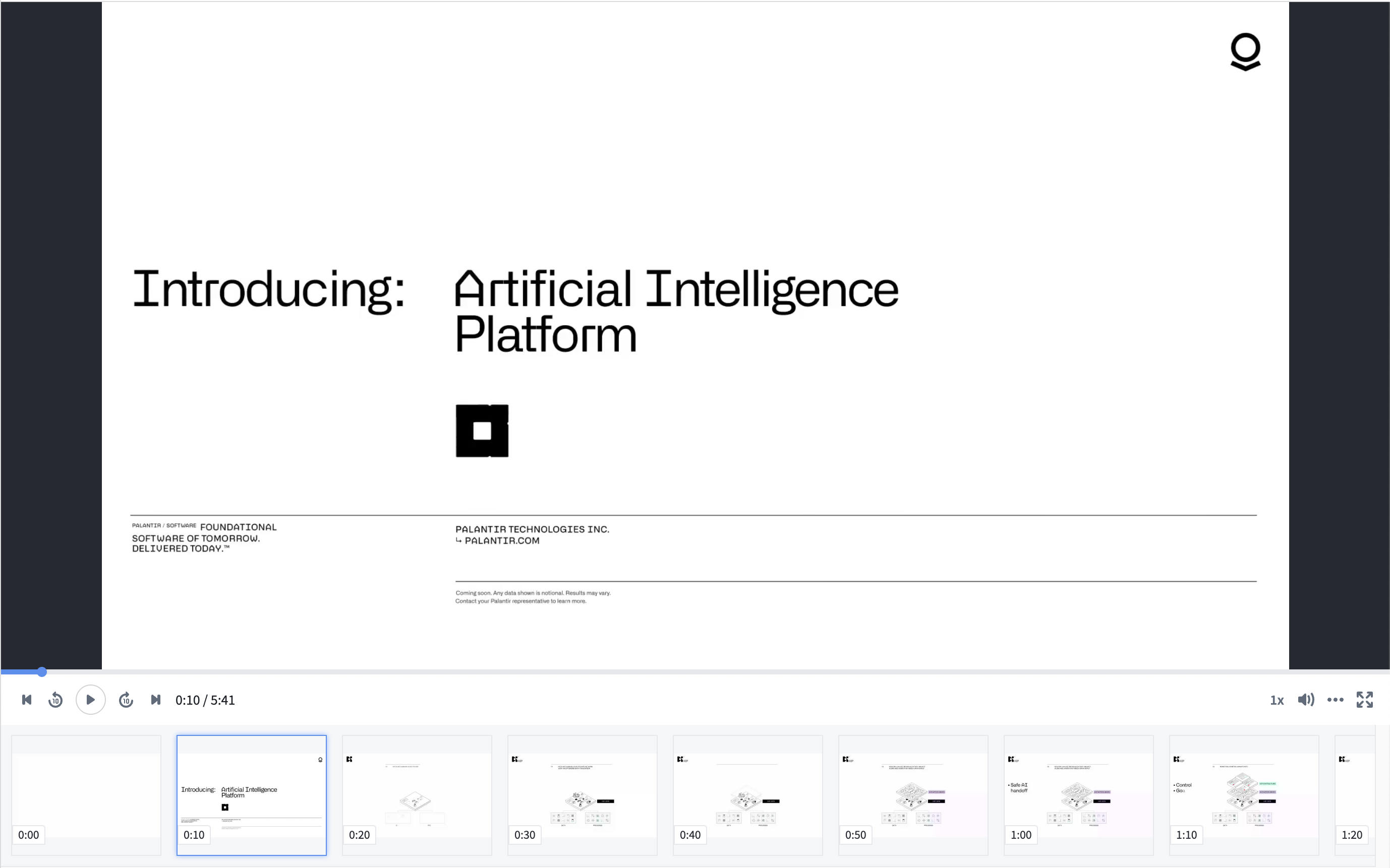
The video display widget displays video from a media reference property on an object.
In contrast to the Media Preview Widget the Video Display Widget provides additional video specific configuration options, such as displaying video frames, and providing timestamp driven behavior.
Configuration options
-
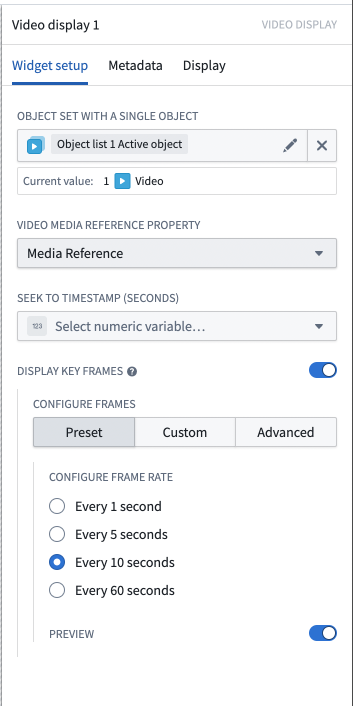
Object set with a single object: An object with a media reference property
-
Video media reference property: Media reference object property that is a video media reference
-
Seek to timestamp (seconds): Optional numeric variable that seeks the video to a specific timestamp
- If the given number is greater than the length of the video, it will seek to the end of the video
- If the given number is less than zero, it will seek to the beginning of the video
-
Playback will work as normal on user interaction
-
Display Key Frames: Optionally display select frames below the video.
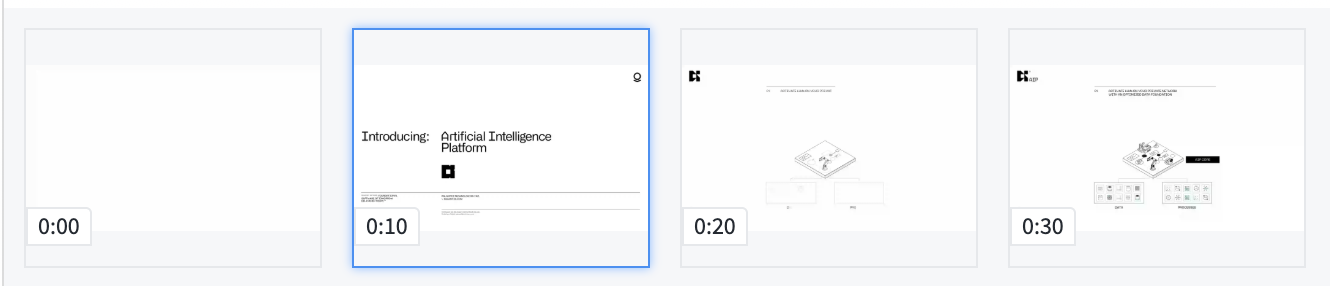
- Preset: Creates a frame at the specified interval.
- Every 1 second
- Every 5 seconds
- Every 10 seconds
- Every 60 seconds
- Custom: Creates a frame according to the provided Numeric Array variable.
- Each number in the array should correspond to a time in seconds that represents the desired frame.
- Advanced: Automatically find scene frames.
- Frames are selected using intelligent video analysis to determine major scene changes. Available sensitivities include:
- Less Sensitive
- Standard
- More Sensitive
中文翻译
视频显示组件(Video Display widget)
视频显示组件用于展示对象中媒体引用(media reference)属性所包含的视频内容。
与媒体预览组件(Media Preview Widget)不同,视频显示组件提供了更多视频专属的配置选项,例如显示视频帧以及实现基于时间戳的交互行为。
配置选项
-
包含单个对象的对象集(Object set with a single object): 包含媒体引用属性的对象
-
视频媒体引用属性(Video media reference property): 作为视频媒体引用的媒体引用(Media reference)对象属性
-
跳转至时间戳(秒)(Seek to timestamp (seconds)): 可选数值变量,用于将视频跳转至指定时间戳
- 若给定数值大于视频长度,则跳转至视频末尾
- 若给定数值小于零,则跳转至视频开头
-
用户交互时播放行为将恢复正常
-
显示关键帧(Display Key Frames): 可选择在视频下方显示特定帧。
- 预设(Preset): 按指定时间间隔创建帧。
- 每1秒
- 每5秒
- 每10秒
- 每60秒
- 自定义(Custom): 根据提供的数值数组变量创建帧。
- 数组中的每个数字应代表所需帧对应的时间(以秒为单位)。
- 高级(Advanced): 自动查找场景帧。
- 通过智能视频分析选择帧,以确定主要场景变化。可用的灵敏度包括:
- 较低灵敏度(Less Sensitive)
- 标准灵敏度(Standard)
- 较高灵敏度(More Sensitive)