Receive notifications(接收通知)
:::callout{theme="warning"} Foundry Forms is no longer the recommended approach for data entry or writeback workflows on Foundry. Instead, build user input workflows with the Foundry Ontology, representing the relevant data structures as object types and configuring the writeback interaction with Actions. Learn more in the Forms overview documentation. :::
Once you create a form, you can decide to set up notifications after each submission.
Use the following steps to configure forms notifications:
-
First, navigate to the form in Editor mode.
-
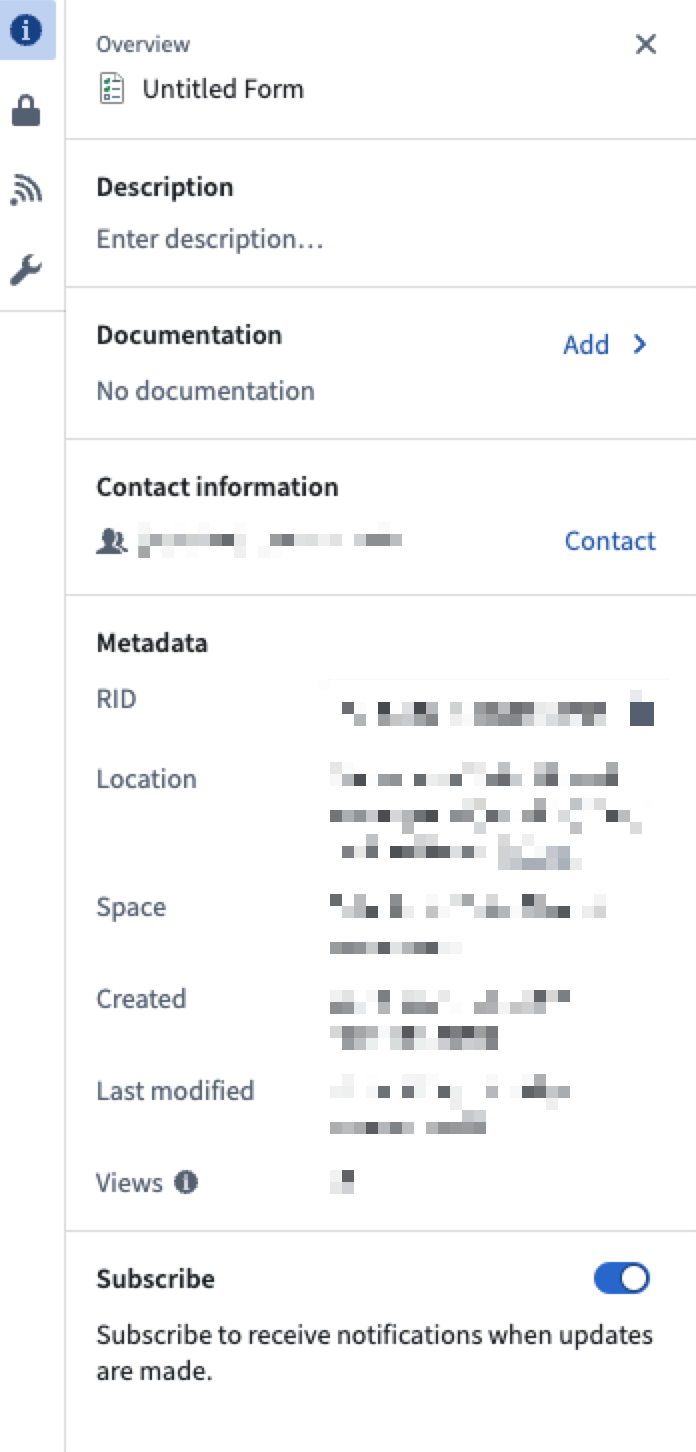
Select the icon in the top right to reveal the Details panel.
-
Toggle Subscribe to receive notifications when updates are made.
When a form receives responses, any user with the correct permissions can access the resulting data within the platform.
中文翻译
接收通知
:::callout{theme="warning"} Foundry Forms 已不再是 Foundry 平台上数据录入或写回工作流(writeback workflows)的推荐方案。建议改用 Foundry Ontology 构建用户输入工作流,将相关数据结构表示为对象类型(object types),并通过 Actions 配置写回交互。更多信息请参阅 Forms 概述 文档。 :::
创建表单后,您可以决定在每次提交后设置通知。
请按照以下步骤配置表单通知:
-
首先,在编辑器模式下导航至该表单。
-
点击右上角的图标以打开 详情 面板。
-
切换 订阅 开关,以便在有更新时接收通知。
当表单收到回复时,任何拥有正确权限的用户都可以在平台内访问生成的数据。