Validators(验证器(Validators))
:::callout{theme="warning"} Foundry Forms is no longer the recommended approach for data entry or writeback workflows on Foundry. Instead, build user input workflows with the Foundry Ontology, representing the relevant data structures as object types and configuring the writeback interaction with Actions. Learn more in the Forms overview documentation. :::
In Foundry Forms, each form field can have one or more validators to guard against malformed input. Some examples of validators are:
- Regex: Value must match some regular expression ↗.
- Required: Value must be filled.
- Range: Value must be between
minandmaxvalues.
:::callout{theme="neutral"} The respondent will not be able to submit the form until all validator criteria is met. :::
Add validators
To add validators to a form field, follow the steps below:
- First, double-click the field to open the Visual Editor in the right sidebar.
- Next, from the Validators tab, toggle on the desired validators.
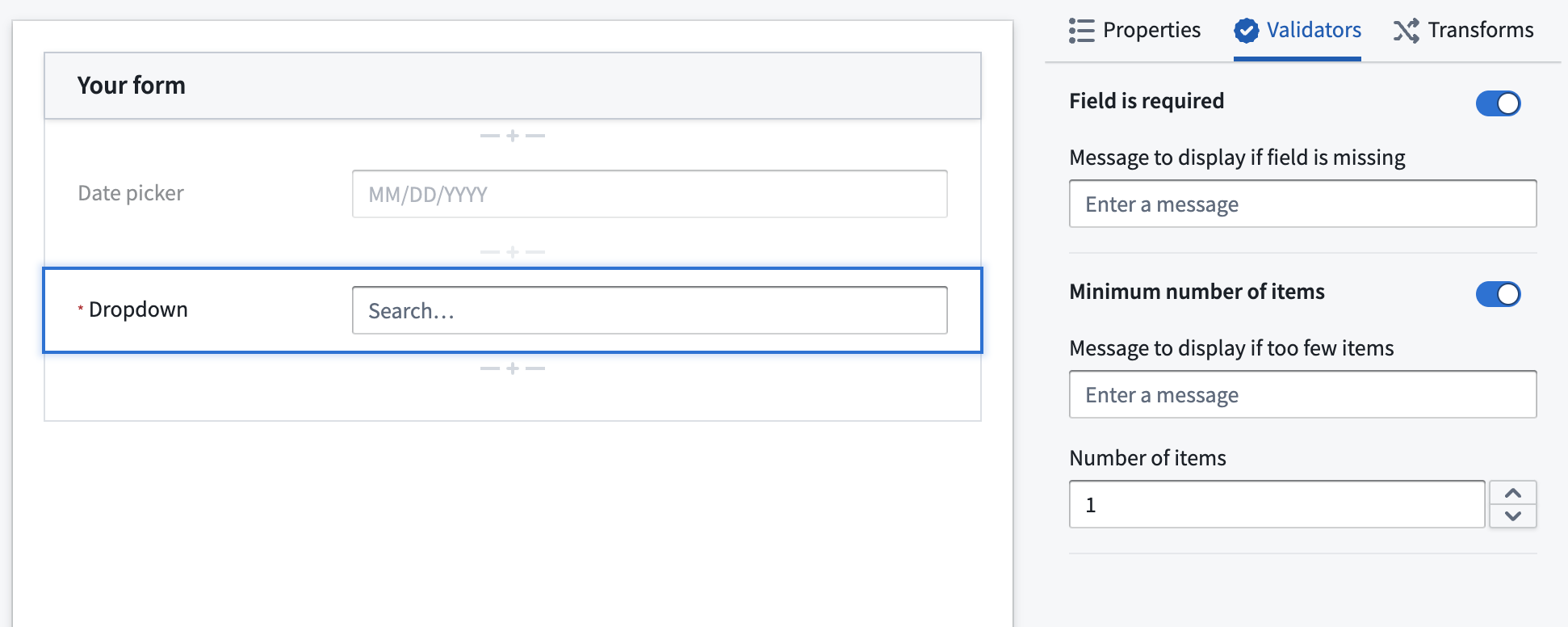
- Configure the validators as necessary.
- Select the green Save button in the bottom right.
中文翻译
验证器(Validators)
:::callout{theme="warning"} Foundry Forms 已不再是 Foundry 中数据录入或回写工作流的推荐方案。建议改用 Foundry 本体(Ontology)构建用户输入工作流,将相关数据结构表示为对象类型(object types),并通过操作(Actions)配置回写交互。更多信息请参阅 Forms 概述 文档。 :::
在 Foundry Forms 中,每个表单字段可配置一个或多个验证器,用于防止格式错误的输入。常见的验证器示例如下:
- 正则表达式(Regex): 值必须匹配指定的正则表达式 ↗。
- 必填(Required): 值必须填写。
- 范围(Range): 值必须介于
min和max之间。
:::callout{theme="neutral"} 在满足所有验证器条件之前,受访者将无法提交表单。 :::
添加验证器
按以下步骤为表单字段添加验证器:
- 首先,双击字段以在右侧边栏中打开可视化编辑器(Visual Editor)。
- 接着,在验证器(Validators)选项卡中,启用所需的验证器。
- 根据需要配置验证器。
- 点击右下角的绿色保存(Save)按钮。