Create a widget set(创建组件集(Widget Set))
To create a new widget set, follow the instructions below:
- Select Files from the workspace navigation bar and find your desired project or folder.
- Select New > Widget set in the top right to create a new widget set within the current project or folder. The new widget set will inherit the permission of the project or folder.

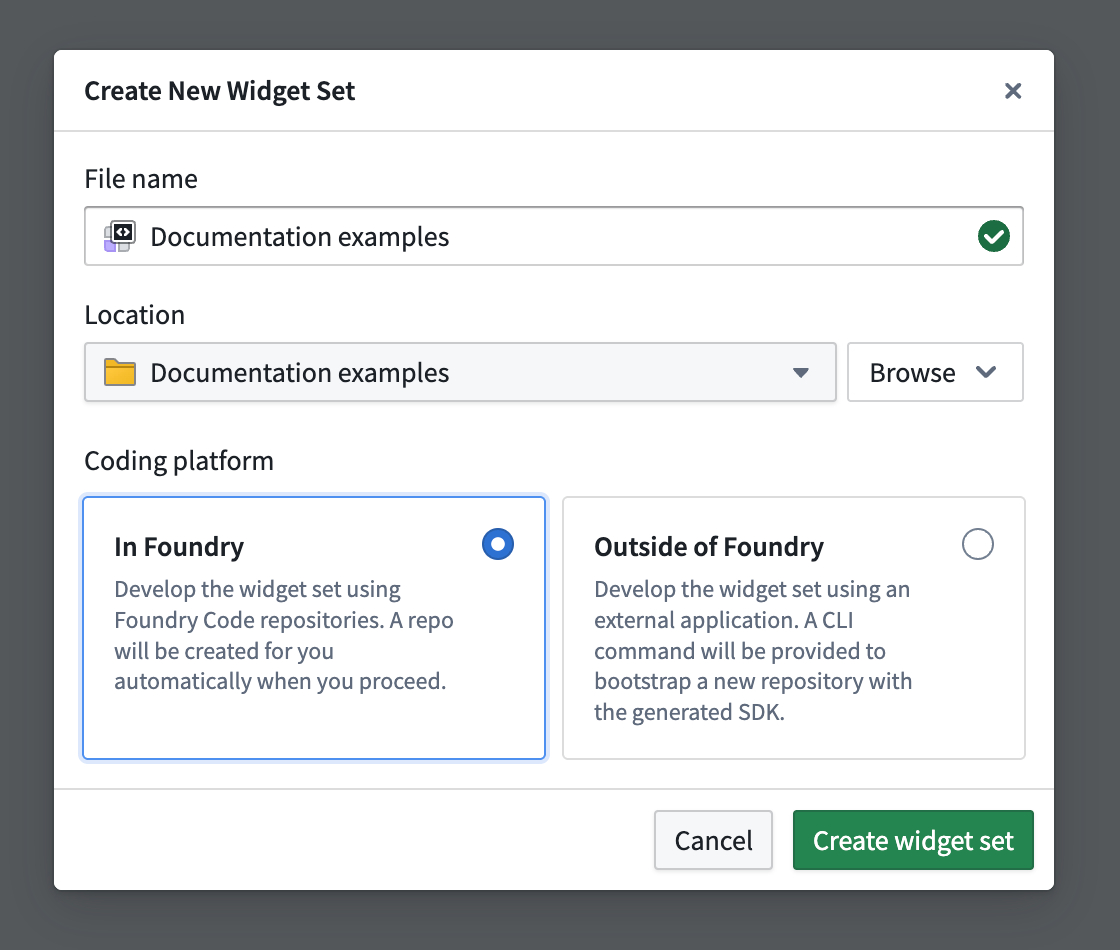
- In the create new widget set wizard, configure the name of your widget set and select whether you will be developing in or outside of Foundry. Developing in Foundry is the easiest way to get started, as it automatically bootstraps a code repository with built-in CI/CD for creating, testing, and publishing your widget set. Alternatively, you can host your code in your own repository (such as GitHub) and use our CLI to manage version control and publish the widget set yourself.
Enabling Ontology SDK (OSDK)
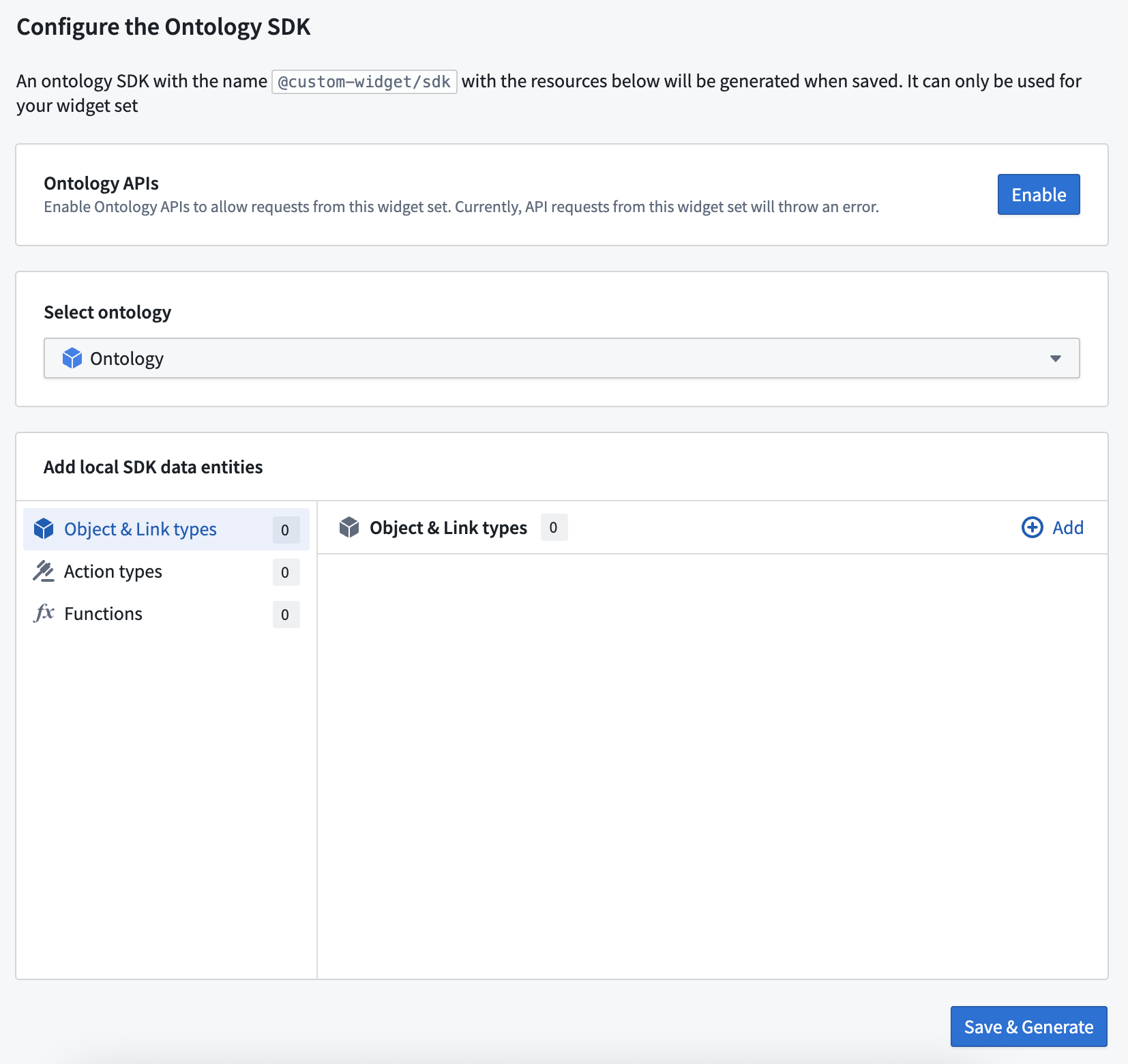
To access the ontology from your widget set in code, configure an OSDK using the creation wizard (optional during setup). You can add or configure an OSDK for your widget set at any time.
If you choose to configure an Ontology SDK, you must also enable the Ontology APIs for your widget set, which can be done by any user with the Information Security Officer role. Otherwise, API calls made from the OSDK will fail. Review Using Ontology SDK (OSDK) in a widget set documentation for further details.
First release
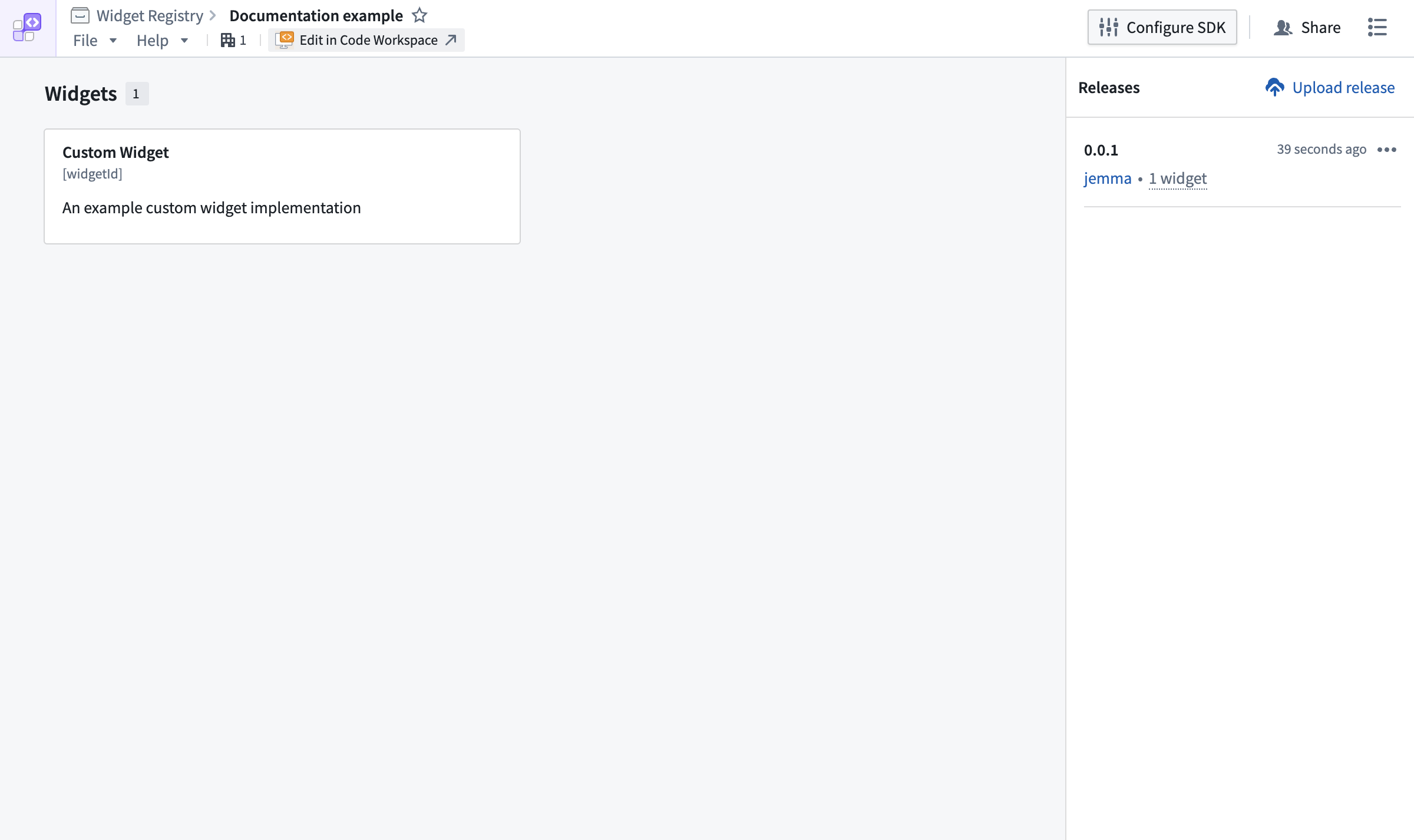
If you chose to develop in Foundry, the widget release will be started automatically and should complete within a few minutes. To check the status of your custom widget:
- Select the Edit in Code Workspaces option.
- Select Tags in the top bar of Code Workspaces and then into the listed tag's check page.
If you opted to develop outside of Foundry, refer to the instructions provided on publishing a widget set documentation.
Previewing widgets
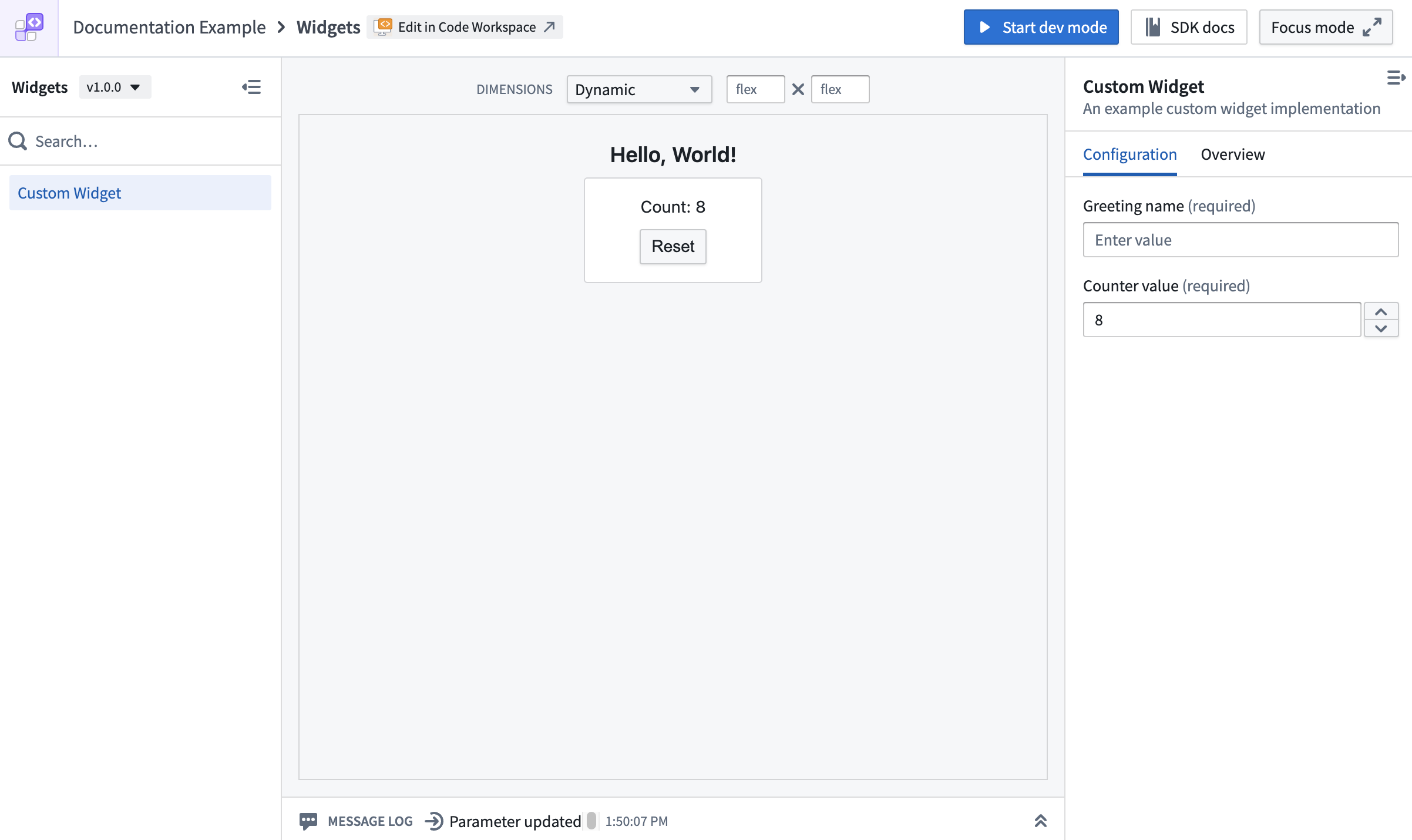
After the first version of your widget has been released, refresh the widget set's overview page to show a new widget. Selecting the widget will allow you to preview it.
You do not need to wait for a release to preview your widget. Using dev mode, you can preview an unpublished widget in the custom widgets playground and in Code Workspaces before its first release.
中文翻译
创建组件集(Widget Set)
要创建新的组件集,请按照以下步骤操作:
- 在工作区导航栏中选择 文件(Files),找到所需项目或文件夹。
- 点击右上角的 新建 > 组件集(New > Widget set),在当前项目或文件夹中创建新的组件集。新组件集将继承该项目或文件夹的权限。
- 在新建组件集向导中,配置组件集名称,并选择是在 Foundry 内部还是外部进行开发。在 Foundry 内部开发是最便捷的入门方式,系统会自动引导创建代码仓库,并内置 CI/CD 流程,用于组件集的创建、测试和发布。或者,您也可以将代码托管在自己的仓库(如 GitHub)中,并使用我们的 CLI 自行管理版本控制并发布组件集。
启用 Ontology SDK(OSDK)
如需在代码中通过组件集访问 Ontology,可在创建向导中配置 OSDK(可选步骤)。您也可以随时为组件集添加或配置 OSDK。
如果选择配置 Ontology SDK,则还必须为组件集启用 Ontology API,此操作需由具有信息安全官(Information Security Officer)角色的用户完成。否则,OSDK 发出的 API 调用将失败。更多详情请参阅在组件集中使用 Ontology SDK(OSDK)文档。
首次发布
如果选择在 Foundry 内部开发,组件集的发布将自动启动,通常几分钟内即可完成。 要查看自定义组件的状态:
- 选择 在 Code Workspaces 中编辑(Edit in Code Workspaces) 选项。
- 在 Code Workspaces 顶部栏中选择 标签(Tags),然后进入所列标签的检查页面。
如果选择在 Foundry 外部开发,请参考发布组件集文档中的说明。
预览组件
组件首个版本发布后,刷新组件集概览页面即可显示新组件。选择该组件即可进行预览。
您无需等待发布即可预览组件。通过开发模式(dev mode),您可以在首次发布前,在自定义组件沙箱(custom widgets playground)和 Code Workspaces 中预览未发布的组件。