Create custom documentation repository(创建自定义文档仓库)
There are two main steps in setting up a new custom documentation repository:
Create a new custom documentation repository
Custom documentation can be created and published from the Code Repositories application. First, you will need to create a repository using the Documentation template.
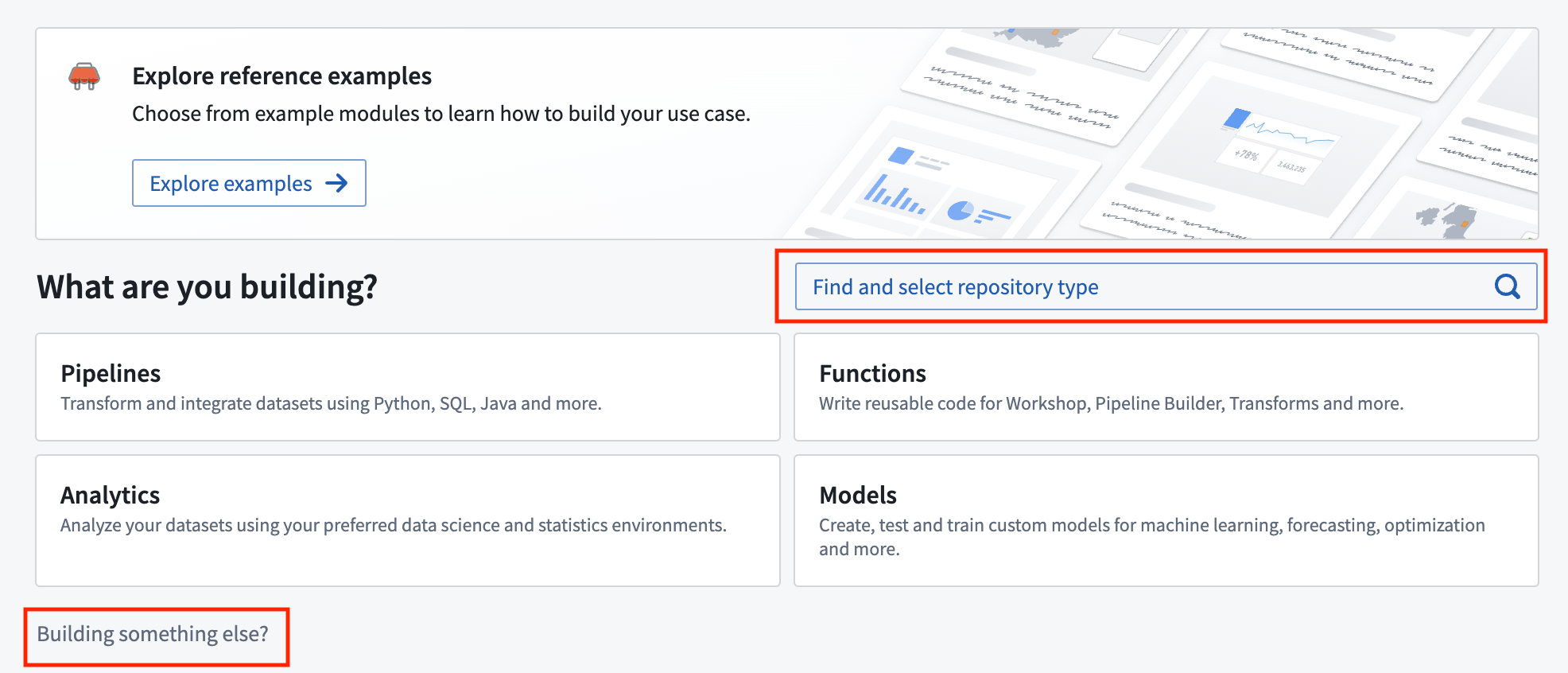
In the location where you would like to store your documentation repository, select New and choose Code repository. Then, use either the Find and select repository type search bar or the Building something else? wizard to initialize a new Documentation type code repository.
You will be able to specify the name of the documentation repository as well as its location. Note that since documentation repositories are Compass resources, the location in which you save the repository will determine user access to the documentation.
Allowlist a custom documentation repository
For a custom documentation repository to be publishable, the repository must be allowlisted so that the documentation service can discover and publish the docs. To allowlist a documentation repository for publication, go to Control Panel > Documentation > Custom documentation and toggle on the Configure which code repositories can publish documentation setting for your repository.
Note that if you have just created a new documentation repository, the first commit will fail checks with a PERMISSION_DENIED error. This is because checks run automatically after creation and the repository must be allowlisted for checks to pass, but a repository cannot be allowlisted before it has been created. Once allowlisted, re-triggering the checks will publish the documentation successfully.
中文翻译
创建自定义文档仓库
设置新的自定义文档仓库主要包含两个步骤:
创建新的自定义文档仓库
自定义文档可以通过代码仓库(Code Repositories)应用创建和发布。首先,您需要使用文档(Documentation)模板创建一个仓库。
在您希望存储文档仓库的位置,选择新建(New)并选择代码仓库(Code repository)。然后,使用查找并选择仓库类型(Find and select repository type)搜索栏或正在构建其他内容?(Building something else?)向导来初始化一个新的文档(Documentation)类型代码仓库。
您可以指定文档仓库的名称及其位置。请注意,由于文档仓库是 Compass 资源,保存仓库的位置将决定用户对文档的访问权限。
将自定义文档仓库加入白名单
要使自定义文档仓库能够发布,必须将其加入白名单(allowlist),以便文档服务能够发现并发布这些文档。要将文档仓库加入发布白名单,请前往控制面板 > 文档 > 自定义文档(Control Panel > Documentation > Custom documentation),并为您仓库中的配置哪些代码仓库可以发布文档(Configure which code repositories can publish documentation)设置开启开关。
请注意,如果您刚刚创建了一个新的文档仓库,首次提交将因检查失败而返回 PERMISSION_DENIED 错误。这是因为检查会在创建后自动运行,而仓库必须加入白名单才能通过检查,但仓库在创建之前无法加入白名单。一旦加入白名单,重新触发检查即可成功发布文档。