Drag and drop(拖放)
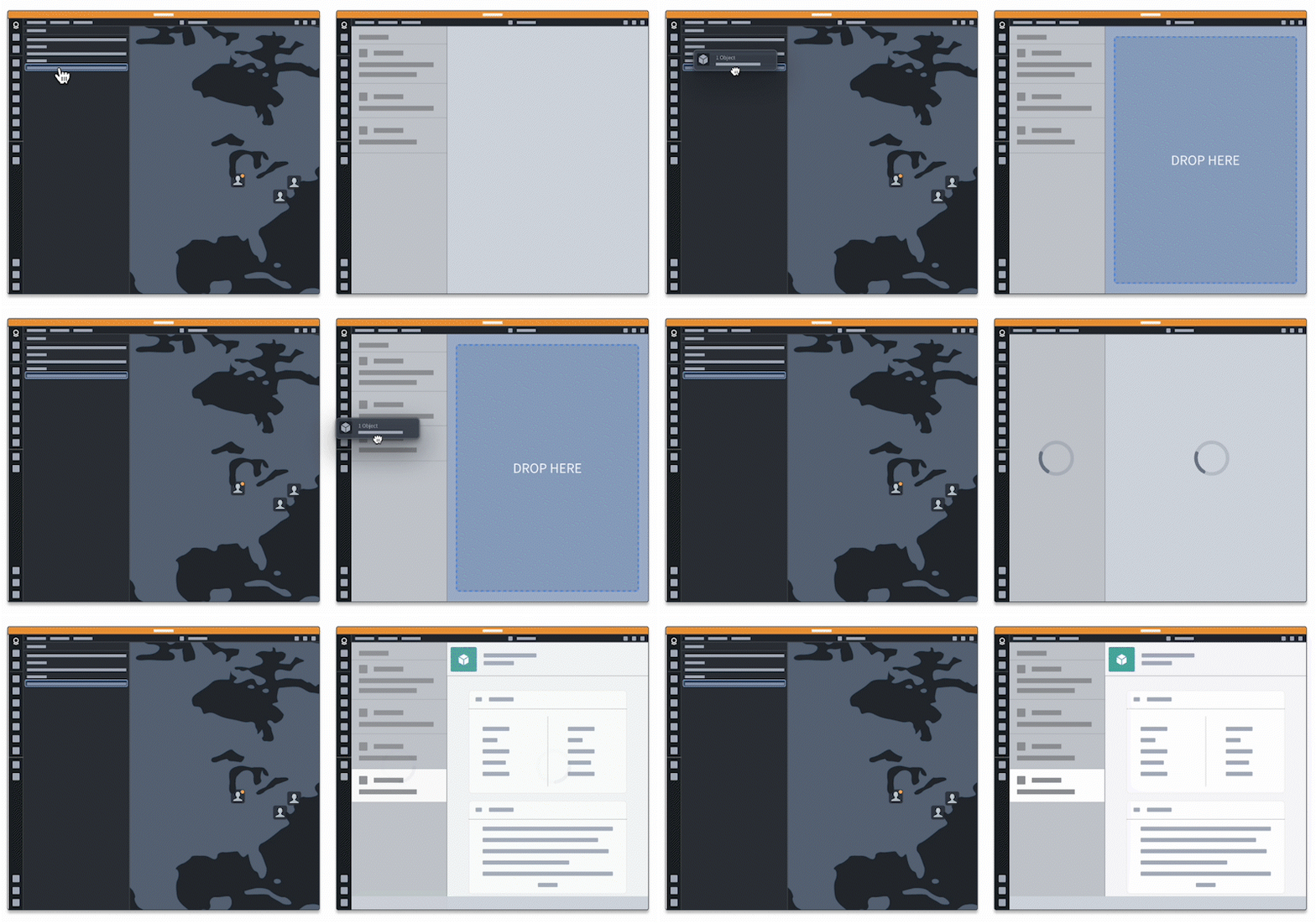
Drag-and-drop functionality allows users to easily move data between applications by dragging it from one application to another. You may have used this functionality when dragging and dropping an image into a folder, as a common example. We will refer to components that you can drag to or from as drag-and-drop integration points. By adding just a single drag-and-drop integration point, you can connect your application with other applications that support drag-and-drop capabilities, allowing you to create new workflows.
Drag-and-drop functionality is a widely accepted web standard, allowing for seamless integration between applications. This documentation covers Palantir-specific drag-and-drop recommendations and guides that enable dragging data to and from the Palantir platform. This includes dragging to and from Gotham, Foundry, and user developed applications. Refer to Palantir media types for more information on Palantir-specific drag-and-drop functionality.
Core concepts
There are four main concepts you should familiarize yourself with to implement drag-and-drop functionality:
The DataTransfer object
The DataTransfer object is like a container that holds information when you move or copy things from one place to another on a computer. DataTransfer objects (also known as "DataTransfers") are used during drag-and-drop actions such as moving a picture from one folder to another, or during copy and paste actions like copying text and pasting it into a document. In the context of drag and drop, the DataTransfer object is also referred to as a drag payload.
DataTransfers can hold different kinds of information, such as text or images. DataTransfer objects were originally made for dragging and dropping specifically, but are now also used for other functions. Refer to the MDN documentation on DataTransfers ↗ to learn more.
Media types
Media types, formerly known as MIME types, represent the nature of the data being transferred. Media types are used on the DataTransfer object to identify the kind of data being transferred. For example, a DataTransfer containing the text "Hello" might have a text/plain media type, allowing the text to be accessed by components that accept text as a valid media type. Refer to the MDN documentation on media types ↗ to learn more.
A full list of MDN accepted media types ↗ is available for general drag-and-drop functionality. Refer to Palantir media types below for more context on Palantir specific functionality.
Palantir media types
Palantir media types represent concepts that are specific to the Palantir platform. Adding Palantir-specific drag-and-drop support to your application will enable users to move data between your application and the Palantir platform. We have existing drag and drop zones that accept standard media types, but we recommend adding Palantir media types to your drag payloads when building drag-and-drop workflows to increase interoperability.
The Palantir platform has drag and drop zones that add Palantir media types to the drag payload, or accept drag payloads with these media types. For example, the object media type that represents Foundry object resource identifier (RID) data is not a universally used media type, such as image/jpeg. Rather, the object media type represents a Palantir-specific concept, and movement of data of this type between applications requires Palantir media support.
Currently supported Palantir media types include objects and object sets.
Drag zones
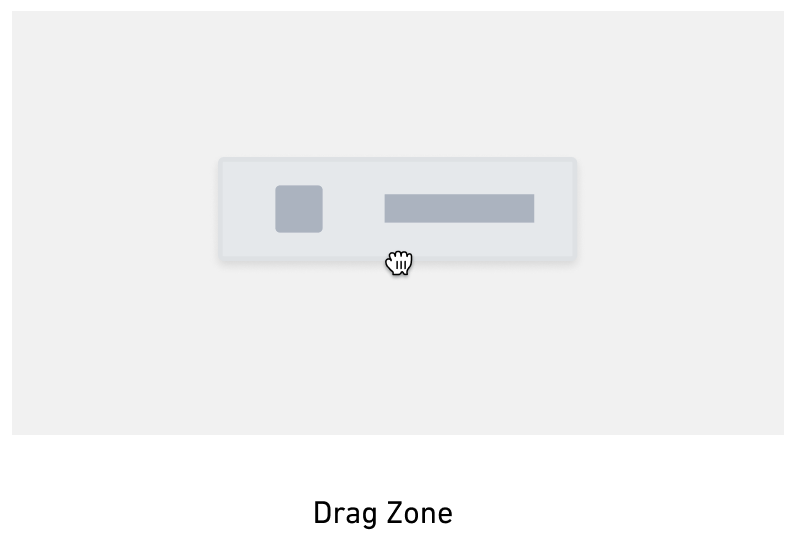
Drag zones are interactive elements on the document object model (DOM) ↗ that allow users to "grab" data and transfer it elsewhere. When a user initiates dragging, a dragstart event is fired. Drag zones work by listening to dragstart events on DOM elements and adding additional data to the DataTransfer.
Drop zones
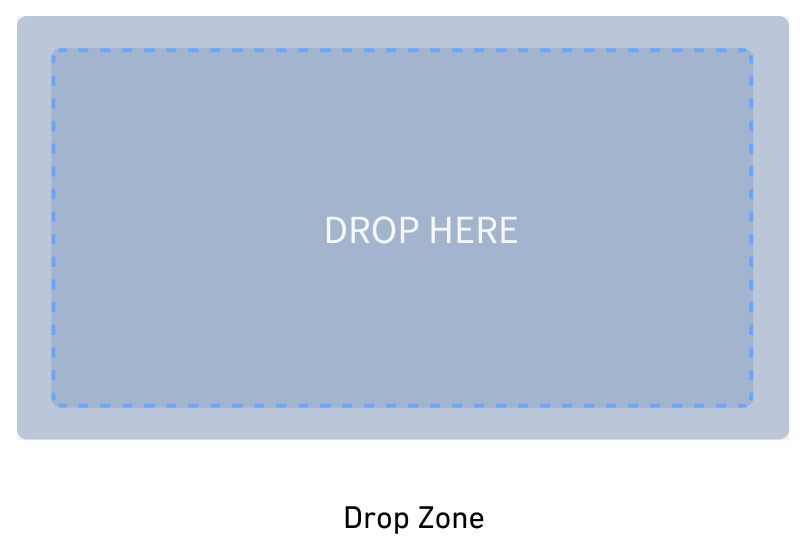
Drop zones are interactive elements on the DOM that allow users to transfer data by "dropping" it onto the element. Drop zones work by listening to the ondrop event on DOM elements and accessing information from the event's DataTransfer when the event is triggered. For the best user experience, drop zones should be styled to provide visual feedback during drag-and-drop operations. Drop zones can optionally only accept a subset of media types, so visual feedback on whether a media type is valid or invalid for a drop zone makes drag-and-drop functionality more intuitive and user-friendly.
How drag and drop works
To put the concepts together, drag-and-drop interactions are a widely accepted web standard powered by the DataTransfer, which holds the data being dragged by the user. Data is added to the DataTransfer when a drag zone is initially dragged, along with media types corresponding to the type of data being transferred. This data can then be dragged onto drop zones that can gain access to the drag payload. Drop zones can selectively accept data based on the drag payload media type, allowing you to tailor the drag-and-drop interactions available to users.
To understand the technical details behind drag-and-drop functionality, follow the tutorial on implementing drag-and-drop integration points and review Workshop's drag and drop documentation.
中文翻译
拖放
拖放功能允许用户通过将数据从一个应用拖拽到另一个应用,轻松地在应用之间移动数据。一个常见的例子是,你可能曾使用此功能将图片拖放到文件夹中。我们将可以拖入或拖出的组件称为拖放集成点。只需添加一个拖放集成点,你就可以将你的应用与其他支持拖放功能的应用连接起来,从而创建新的工作流。
拖放功能是一种被广泛接受的网络标准,可实现应用之间的无缝集成。本文档涵盖了 Palantir 特定的拖放建议和指南,支持将数据拖入和拖出 Palantir 平台。这包括拖入和拖出 Gotham、Foundry 以及用户开发的应用。有关 Palantir 特定拖放功能的更多信息,请参阅 Palantir 媒体类型。
核心概念
要实现拖放功能,你需要熟悉四个主要概念:
DataTransfer 对象
DataTransfer 对象就像一个容器,当你在计算机上将内容从一个地方移动或复制到另一个地方时,它会保存相关信息。DataTransfer 对象(也称为 "DataTransfers")用于拖放操作(例如将图片从一个文件夹移动到另一个文件夹),或用于复制粘贴操作(例如复制文本并粘贴到文档中)。在拖放的上下文中,DataTransfer 对象也被称为拖拽载荷。
DataTransfer 可以保存不同类型的信息,例如文本或图片。DataTransfer 对象最初是为拖放操作专门设计的,但现在也用于其他功能。请参阅 MDN 关于 DataTransfer 的文档 ↗ 以了解更多信息。
媒体类型
媒体类型(Media types),以前称为 MIME 类型,表示所传输数据的性质。媒体类型用于 DataTransfer 对象,以标识所传输数据的类型。例如,包含文本 "Hello" 的 DataTransfer 可能具有 text/plain 媒体类型,从而允许接受文本作为有效媒体类型的组件访问该文本。请参阅 MDN 关于媒体类型的文档 ↗ 以了解更多信息。
有关通用拖放功能,可查阅 MDN 接受的媒体类型完整列表 ↗。有关 Palantir 特定功能的更多背景信息,请参阅下面的 Palantir 媒体类型。
Palantir 媒体类型
Palantir 媒体类型表示 Palantir 平台特有的概念。为你的应用添加 Palantir 特定的拖放支持,将使用户能够在你的应用和 Palantir 平台之间移动数据。我们已有接受标准媒体类型的拖放区,但我们建议在构建拖放工作流时,将 Palantir 媒体类型添加到你的拖拽载荷中,以提高互操作性。
Palantir 平台拥有拖放区,这些区域会将 Palantir 媒体类型添加到拖拽载荷中,或者接受带有这些媒体类型的拖拽载荷。例如,表示 Foundry 对象资源标识符(RID)数据的 对象 媒体类型并非像 image/jpeg 那样是通用媒体类型。相反,对象媒体类型代表一个 Palantir 特有的概念,此类数据在应用之间的移动需要 Palantir 媒体支持。
目前支持的 Palantir 媒体类型包括 对象 和 对象集。
拖拽区
拖拽区是文档对象模型 (DOM) ↗ 上的交互元素,允许用户"抓取"数据并将其传输到其他地方。当用户开始拖拽时,会触发一个 dragstart 事件。拖拽区通过监听 DOM 元素上的 dragstart 事件,并向 DataTransfer 添加额外数据来工作。
放置区
放置区是 DOM 上的交互元素,允许用户通过将数据"放置"到该元素上来传输数据。放置区通过监听 DOM 元素上的 ondrop 事件,并在事件触发时访问事件 DataTransfer 中的信息来工作。为了获得最佳用户体验,放置区应设置样式,以便在拖放操作期间提供视觉反馈。放置区可以选择仅接受部分媒体类型,因此,针对某个放置区显示媒体类型有效或无效的视觉反馈,能使拖放功能更直观、更易用。
拖放的工作原理
综合以上概念,拖放交互是一种被广泛接受的网络标准,其核心是 DataTransfer,它保存了用户拖拽的数据。当拖拽区最初被拖拽时,数据会被添加到 DataTransfer 中,同时还会添加与所传输数据类型相对应的媒体类型。然后,这些数据可以被拖到放置区上,放置区可以访问拖拽载荷。放置区可以根据拖拽载荷的媒体类型有选择地接受数据,从而允许你为用户定制可用的拖放交互。
要了解拖放功能背后的技术细节,请按照实现拖放集成点的教程进行操作,并查阅 Workshop 的拖放文档。