Solution Designer(解决方案设计师)
Solution Designer is an interactive tool for creating architectural representations of solutions built using the Palantir platform, including representations for first and third-party integration points, links to platform resources, on-demand access to documentation and best practices, and more.
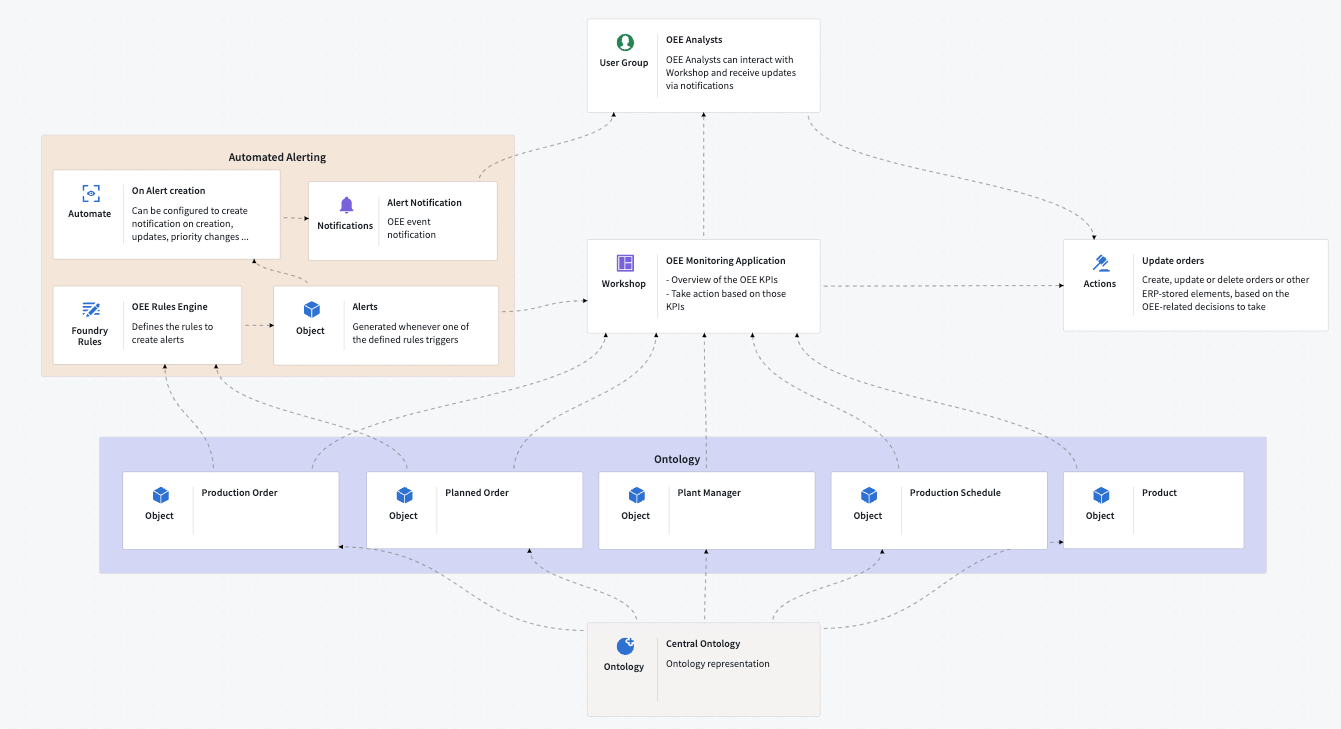
Solution Designer enables you to perform the following:
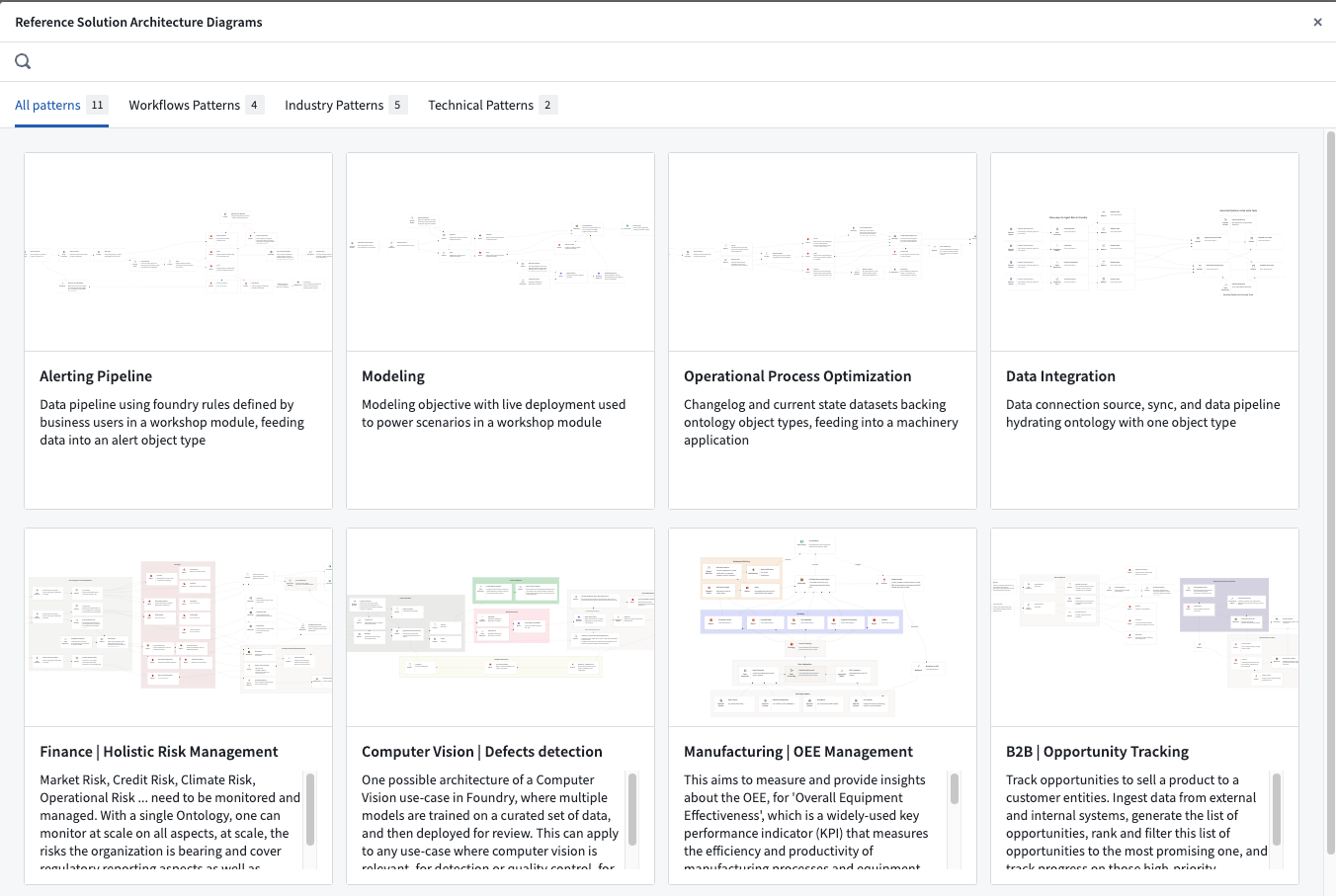
- Draw inspiration from a collection of industry and technical patterns.
- Create the solution architecture for your project with intuitive step-by-step guidance.
- Showcase and compare various architectural proposals to reach a consensus on build plans and strategies.
- Investigate new products and features to understand how they interact with the rest of the platform.
Use cases
Use Solution Designer to work through a variety of use cases, including the following:
- Platform discovery:
- Learn about platform components and how they interact with each other.
- Explore a curated library of industry and technical reference architectures that you can leverage for your specific use cases.
- Solution architecture development:
- Create diagrams from scratch by modifying reference patterns or importing existing resources.
- Add comments or descriptions to each node and link in your workflow or use-case solution.
- Build upon pre-existing solution diagrams within your organization.
- Project collaboration and knowledge transfer:
- Create close connections between architectural discussion and specific applications and/or code.
- Use solution diagrams for onboarding new team members, documenting ongoing or existing work, sharing project updates, and more.
- Integrate with Palantir's Marketplace (coming soon).
中文翻译
解决方案设计师
解决方案设计师(Solution Designer) 是一款交互式工具,用于创建基于 Palantir 平台构建的解决方案架构图,包括第一方和第三方集成点的表示、平台资源链接、按需访问文档和最佳实践等功能。
解决方案设计师支持您执行以下操作:
- 从行业和技术模式集合中汲取灵感。
- 通过直观的分步指导,为您的项目创建解决方案架构。
- 展示并比较各种架构方案,以就构建计划和策略达成共识。
- 探索新产品和功能,了解它们如何与平台其他部分交互。
使用场景
使用解决方案设计师可处理多种使用场景,包括以下内容:
- 平台探索:
- 了解平台组件及其相互交互方式。
- 探索精选的行业和技术参考架构库,以便针对您的特定使用场景加以利用。
- 解决方案架构开发:
- 通过修改参考模式或导入现有资源,从头开始创建图表。
- 为工作流或使用场景解决方案中的每个节点和链接添加注释或描述。
- 在组织内已有的解决方案图基础上进行扩展。
- 项目协作与知识传递:
- 在架构讨论与具体应用和/或代码之间建立紧密联系。
- 使用解决方案图来引导新团队成员、记录进行中或现有工作、分享项目更新等。
- 与 Palantir 的 Marketplace 集成(即将推出)。