Getting started(入门指南)
This tutorial will walk you through creating a new Notepad document, adding text, an image, and a table, and then exporting the document as a PDF or DOCX.
Create a Notepad document
There are multiple ways to create a new Notepad document:
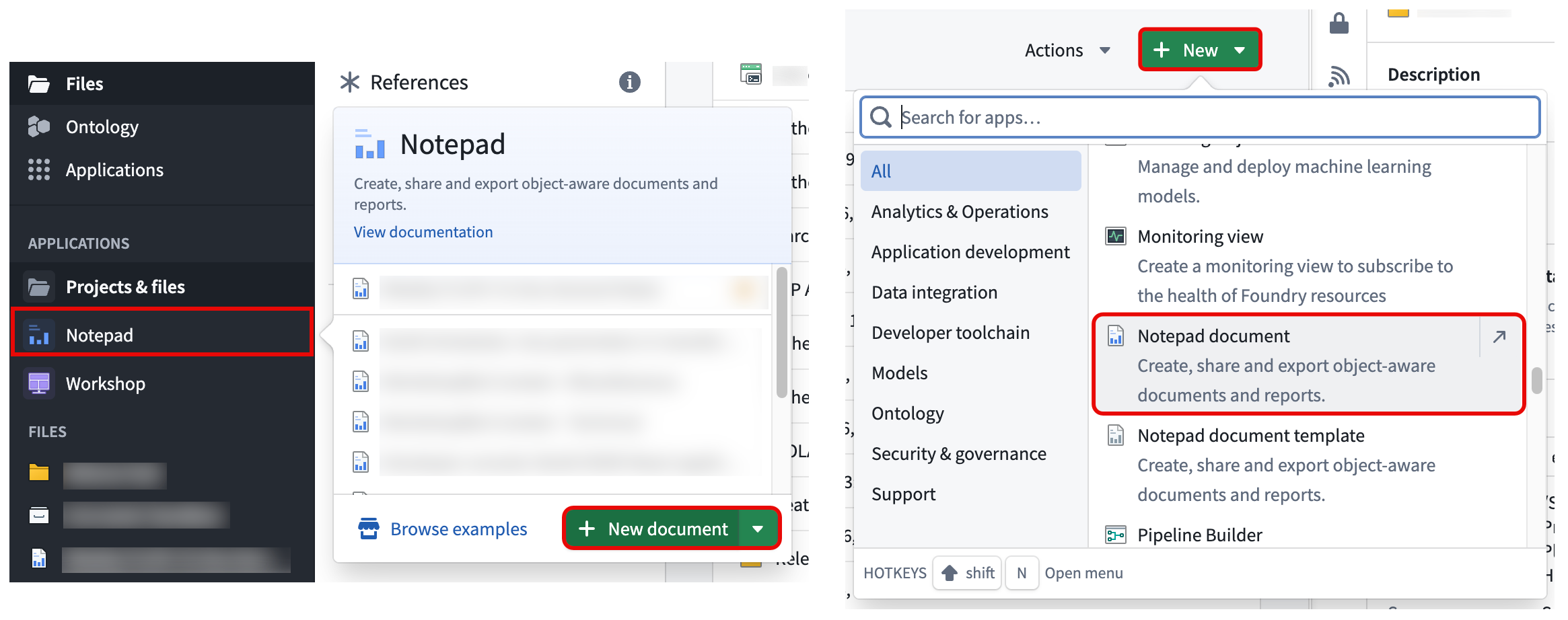
- Hover over the Notepad application icon in the Foundry sidebar and select New document.
- Select + New > Notepad document in a project folder.
- Right-click anywhere in a project folder and select New > Notepad document.
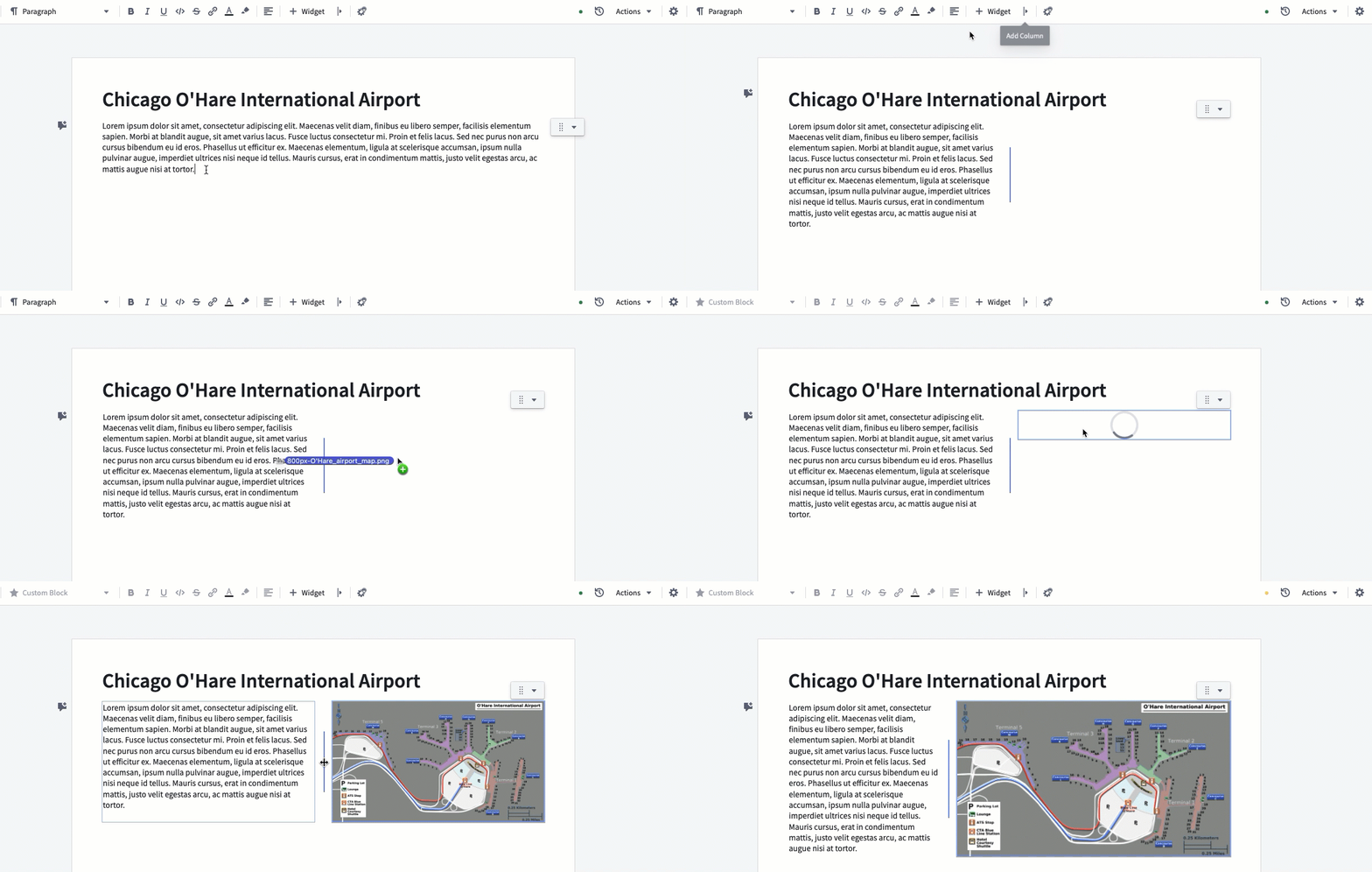
Once you create your document, start by adding a headline: type your headline caption and select Large Heading in the top toolbar to format the text accordingly.
Next, add some text to your document and add a second column to put an image right next to it. To do this, first select Add column in the toolbar and either drag and drop an existing image or simply paste an image from the clipboard into the new column.
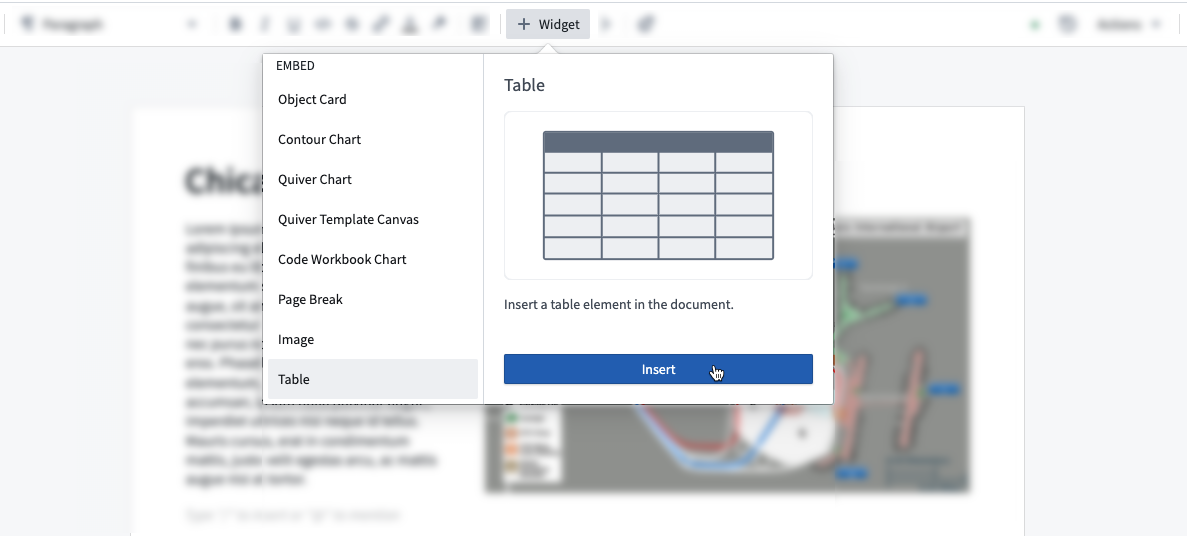
Finally, insert a table at the bottom of your document. To do this, open the widget insertion menu by typing the / shortcut in a paragraph or by selecting + Widget in the toolbar and searching for Table.
Export a Notepad document
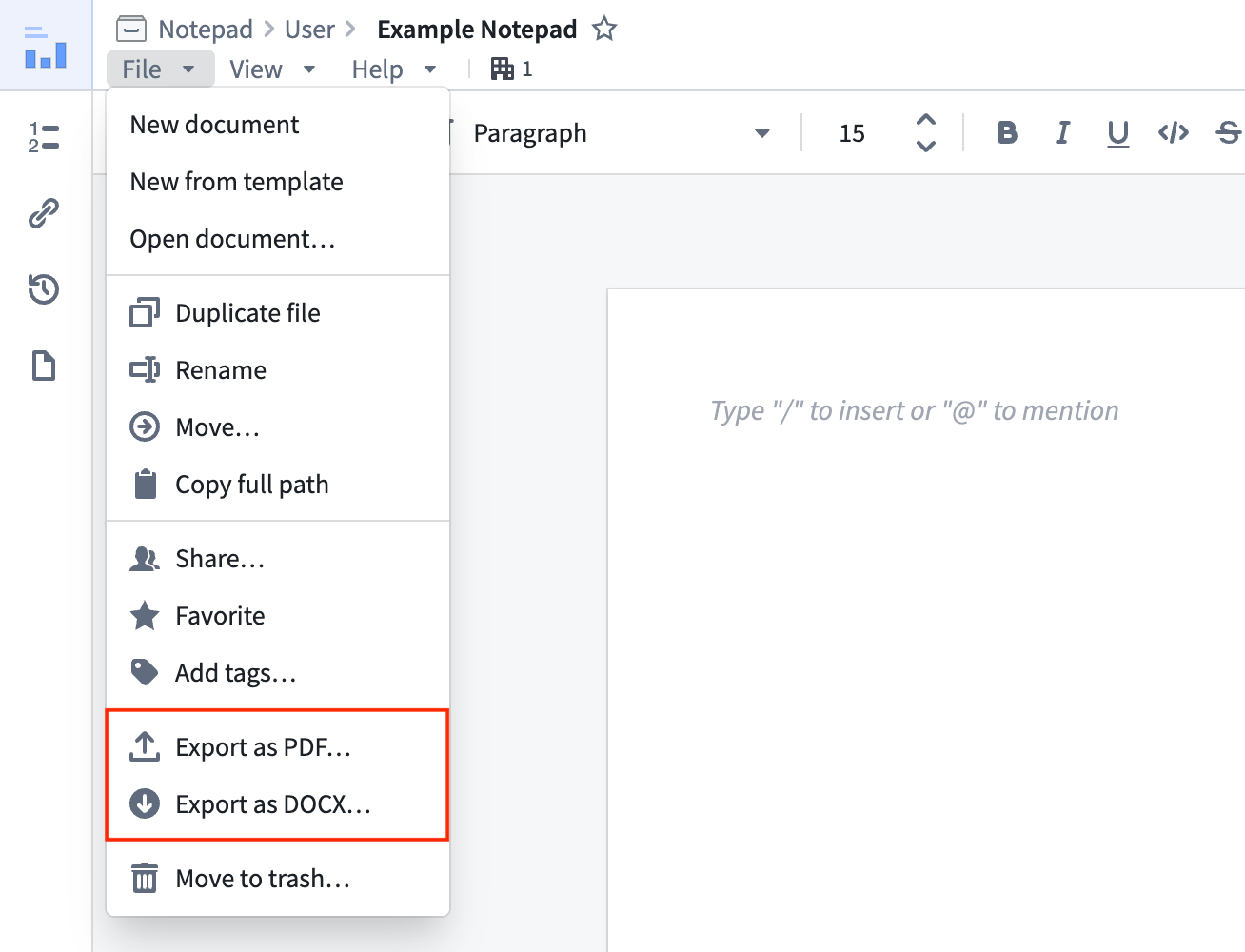
To export the document to share with others, select the File menu in the top left and choose either Export as PDF or Export as DOCX to trigger the document rendering process. When the Notepad finishes rendering, Foundry automatically downloads and saves the document in the corresponding file format.
Search for a Notepad document
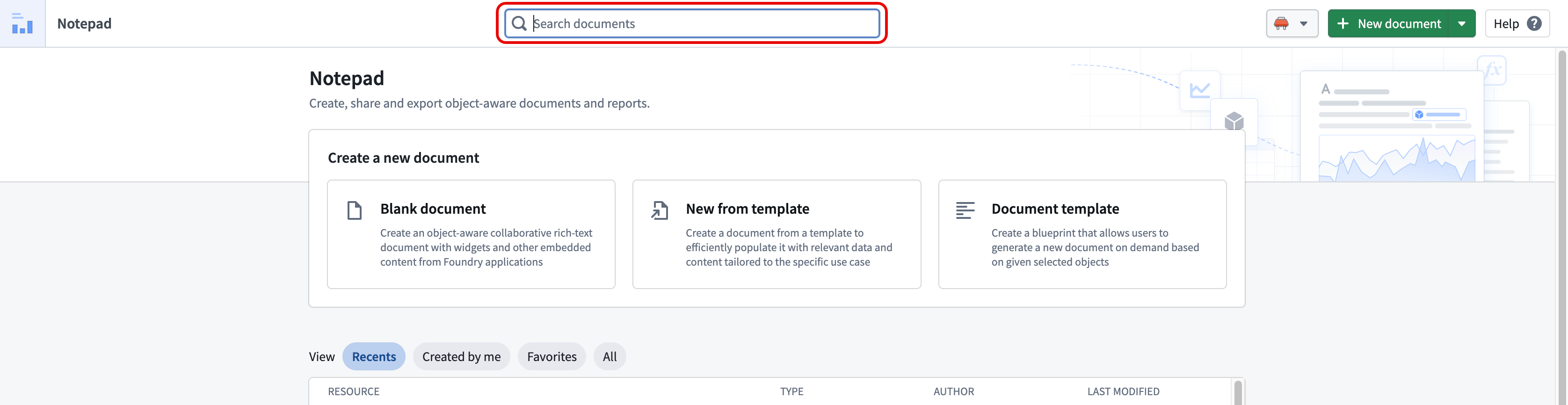
Use the Search documents bar on the Notepad homepage to search for any document you are able to access.
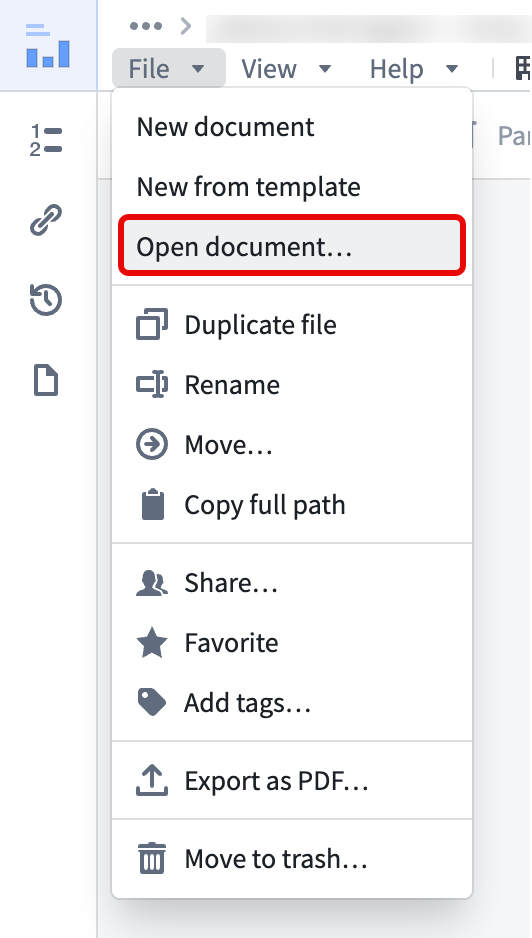
To navigate to the Notepad homepage from a document you are currently viewing, select File > Open document.
中文翻译
入门指南
本教程将引导您创建新的 Notepad 文档,添加文本、图片和表格,最后将文档导出为 PDF 或 DOCX 格式。
创建 Notepad 文档
创建新 Notepad 文档有多种方式:
- 将鼠标悬停在 Foundry 侧边栏的 Notepad 应用图标上,选择 新建文档(New document)。
- 在项目(project)文件夹中选择 + 新建 > Notepad 文档(+ New > Notepad document)。
- 在项目文件夹中任意位置右键单击,选择 新建 > Notepad 文档(New > Notepad document)。
创建文档后,首先添加标题:输入标题文字,然后在顶部工具栏中选择 大标题(Large Heading) 以应用相应格式。
接下来,在文档中添加一些文本,并新增一列用于放置图片。具体操作是:先在工具栏中选择 添加列(Add column),然后拖放现有图片,或直接从剪贴板粘贴图片到新列中。
最后,在文档底部插入表格。操作方法为:在段落中输入 / 快捷键打开组件插入菜单(widget insertion menu),或选择工具栏中的 + 组件(+ Widget) 并搜索 表格(Table)。
导出 Notepad 文档
如需导出文档与他人共享,请选择左上角的 文件(File) 菜单,然后选择 导出为 PDF(Export as PDF) 或 导出为 DOCX(Export as DOCX) 以触发文档渲染流程。渲染完成后,Foundry 会自动下载并以相应文件格式保存文档。
搜索 Notepad 文档
使用 Notepad 首页的 搜索文档(Search documents) 栏,可搜索您有权访问的任何文档。
若要从当前查看的文档返回 Notepad 首页,请选择 文件 > 打开文档(File > Open document)。