Notepad(记事本 (Notepad))
Notepad is an object-aware collaborative rich-text editor. In addition to the ability to add and format content like text and images, you can integrate widgets like charts or objects from other Foundry applications, such as Contour, Quiver, Code Workbook, and Object Explorer. You can also create templates that serve as blueprints for generating new Notepad documents.
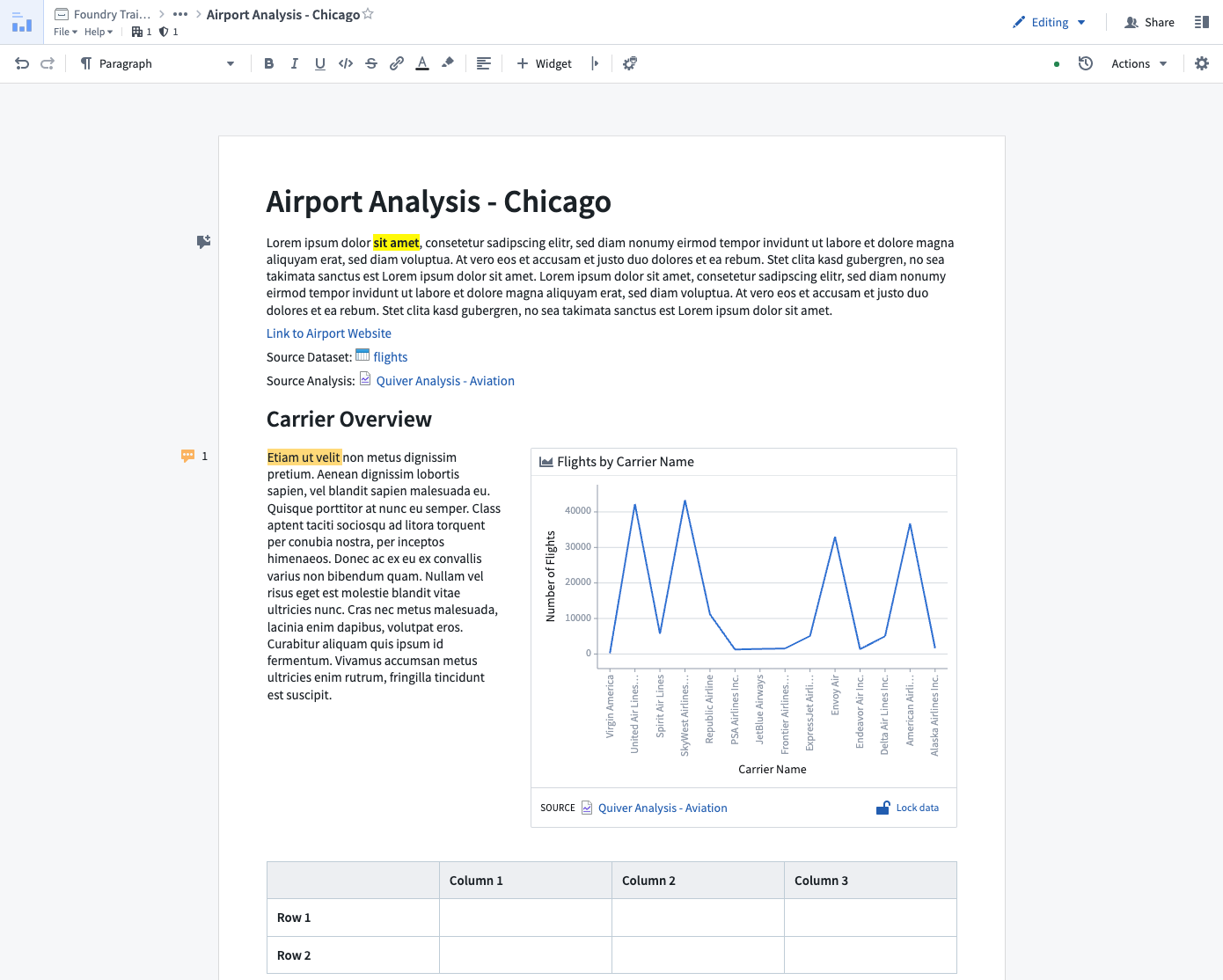
Features
Notepad's key features allow you to:
- Embed charts, tables, and graphs from other Foundry applications.
- Export and print all Notepad documents with granular control over export presentation (embed appearance, page breaks, etc.).
- Maintain structured links to embedded objects and resources, automatically enriching the underlying ontology.
- Freeze content to capture point-in-time context.
- Templatize documents to easily create report versions based on new inputs.
Use cases
Notepad supports workflows such as:
- Ad-hoc note taking (e.g., capturing notes alongside embeds in investigative workflows).
- In-platform documentation (e.g., documenting pipelines, datasets, or applications).
- Periodic reporting (e.g., generating monthly status reports using templates).
- Templated exports (e.g., creating a new copy of a document template on demand given selected objects).
Notepad is less well suited for:
- Creating dashboards: Notepad does not support dynamic filtering based on user inputs or chart selections. If you would like to create a dashboard to present analytical findings, consider Quiver Dashboards for object or time series data, or, Contour Dashboards for tabular data. Workshop can also be used to create dashboards or more advanced operational applications.
- Complex, page-based rich-text editing: Notepad does not offer the configurability of typical desktop text editors. Notepad is intended to be an easily approachable text editor optimized for integration with the rest of the Foundry platform.
中文翻译
记事本 (Notepad)
记事本 (Notepad) 是一款面向对象 (object-aware) 的协作式富文本编辑器。除了添加文本和图像等内容的格式编辑功能外,您还可以集成来自其他 Foundry 应用(如 Contour、Quiver、Code Workbook 和 Object Explorer)的小组件 (widgets),例如图表或对象。您还可以创建模板,作为生成新记事本文档的蓝图。
功能特性
记事本的核心功能让您能够:
- 嵌入图表、表格和图形:从其他 Foundry 应用中嵌入。
- 导出和打印:对所有记事本文档进行导出和打印,并可精细控制导出呈现效果(嵌入外观、分页符等)。
- 维护结构化链接:链接到嵌入的对象和资源,自动丰富底层本体 (ontology)。
- 冻结内容:捕获特定时间点的上下文。
- 模板化文档:基于新输入轻松创建报告版本。
使用场景
记事本支持以下工作流程:
- 临时笔记记录(例如:在调查工作流中,在嵌入内容旁记录笔记)。
- 平台内文档编写(例如:记录管道、数据集或应用程序的文档)。
- 定期报告生成(例如:使用模板生成月度状态报告)。
- 模板化导出(例如:根据选定对象按需创建文档模板的新副本)。
记事本不太适用于:
- 创建仪表盘 (dashboard):记事本不支持基于用户输入或图表选择的动态筛选。如果您希望创建仪表盘来展示分析结果,对于对象或时间序列数据,请考虑使用 Quiver 仪表盘;对于表格数据,请考虑使用 Contour 仪表盘。Workshop 也可用于创建仪表盘或更高级的操作型应用程序。
- 复杂的、基于页面的富文本编辑:记事本不具备典型桌面文本编辑器的可配置性。记事本旨在成为一款易于上手、并针对与 Foundry 平台其他部分集成而优化的文本编辑器。