Connect inputs to widget(将输入连接到组件)
After adding template inputs to your document, you need to connect the inputs to your templatizable widgets. Review the reference for each individual widget to learn more about which properties can be templatized for each widget in a document template.
Start by selecting the widget you want to connect to a template input and open the widget properties panel on the right. Then click on Select and select an existing template input or create a new one. This will connect the input with the widget.
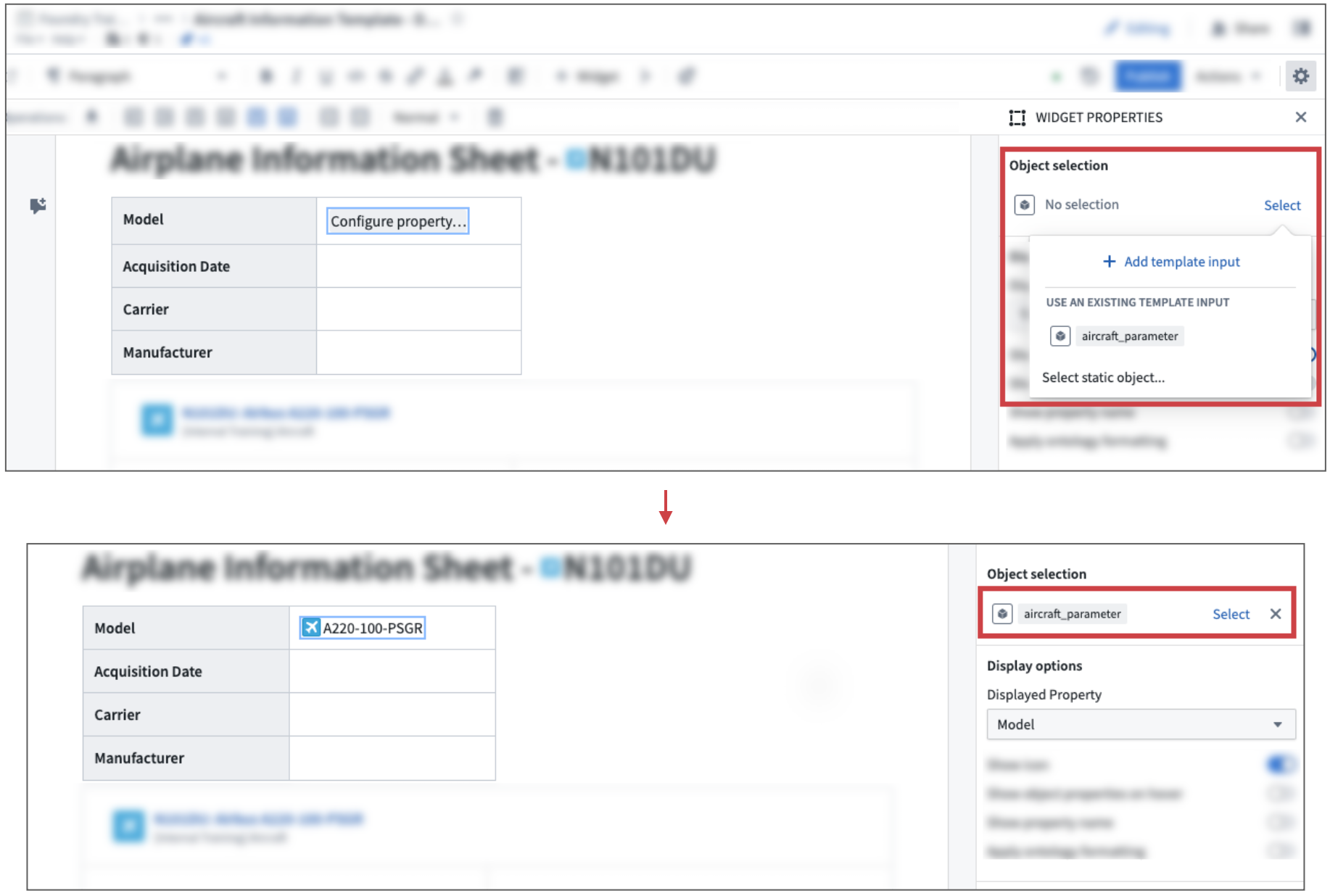
In the example shown below, an object property widget gets connected to the already existing aircraft_parameter input. After connecting it, the object property value is driven by the configured preview value for the aircraft_parameter.
中文翻译
将输入连接到组件
在向文档添加模板输入后,您需要将这些输入连接到可模板化的组件。请查阅每个组件的参考文档,了解在文档模板中每个组件有哪些属性可以被模板化。
首先,选择要连接到模板输入的组件,并打开右侧的组件属性面板。然后点击选择,选取一个现有的模板输入,或创建一个新的模板输入。这样即可将输入与组件连接起来。
在下方示例中,一个对象属性(Object Property)组件被连接到已存在的 aircraft_parameter 输入。连接后,该对象属性的值将由 aircraft_parameter 配置的预览值驱动。