Notepad templates(Notepad 模板(Notepad templates))
Notepad templates serve as a blueprint for generating new documents from existing content based on new inputs.
Templates accept inputs such as strings, objects, or object sets. Widgets in the template can be configured to use these parameters. When creating a new template copy based on inputs, content is adjusted dynamically.
Some Notepad widgets are designed for use in templates.
- The Table Row Generator allows you to generate a table row per object from an object set passed as an input.
- The Section Generator generates whole sections per object.
- The Functions widget enables generating strings from TypeScript functions.
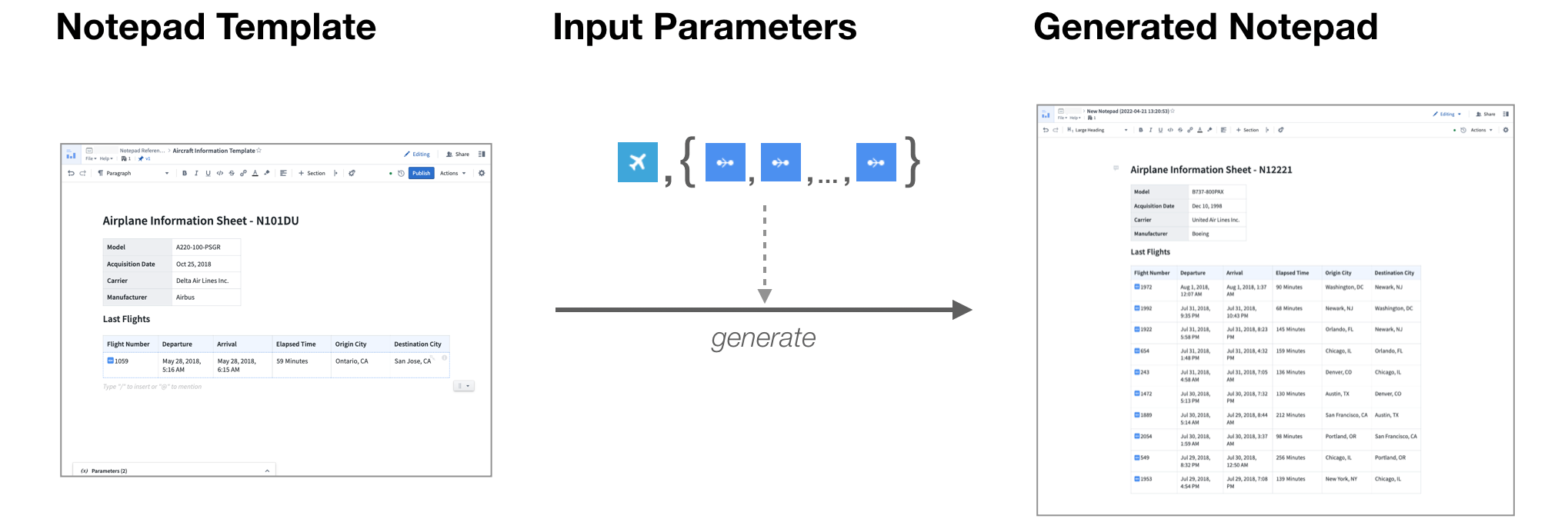
In the example above, the Airplane Information Template takes two input parameters, an Aircraft object and an object set of Flights to generate new aircraft-specific documents.
Generate documents from templates
Templates must be published before they can be used to generate documents. The methods for generating documents from templates are described below.
From the Notepad home page
You can generate a document from a template on the Notepad home page by selecting the New from template option, or by selecting the New from this template icon on an existing template.
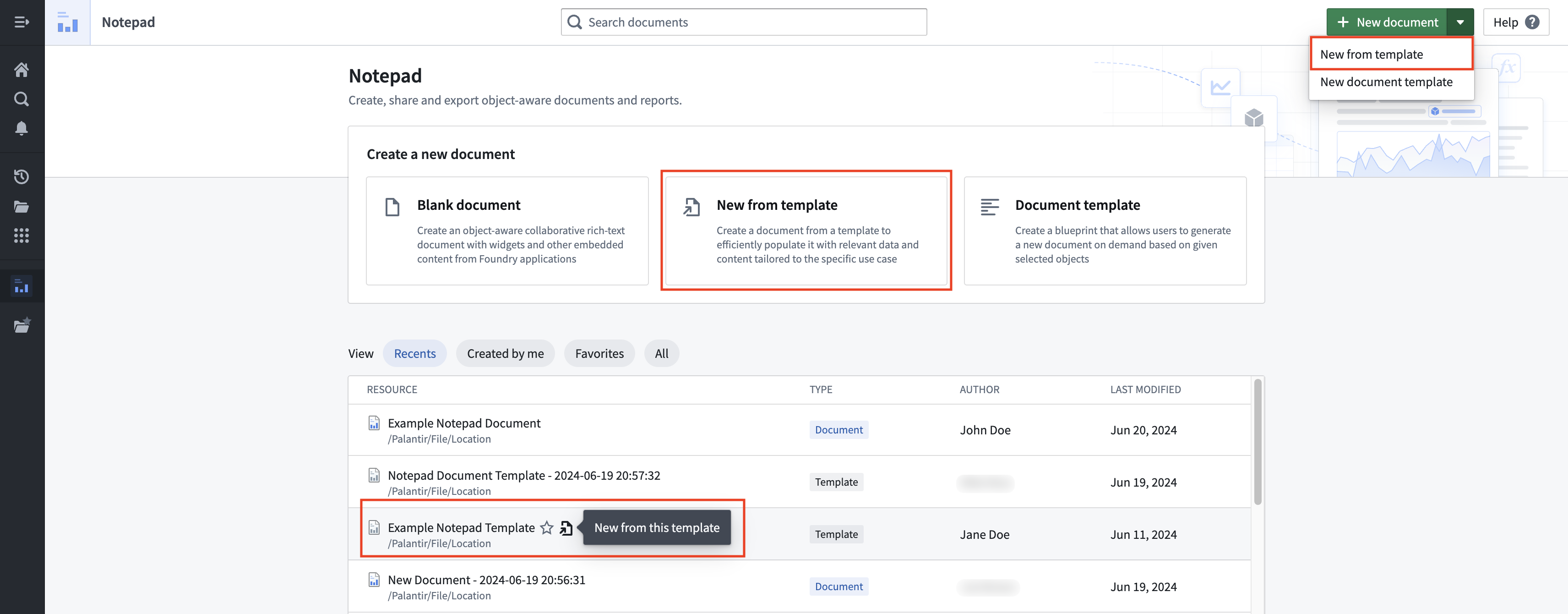
Note: This will generate a document from the latest published version of the template.
From the Notepad application header
You can generate a document from a template in the Notepad application header by opening the File menu and selecting the New from this template option.
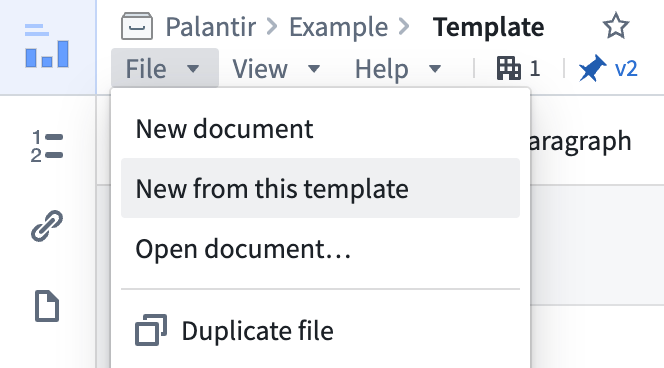
Note: This will generate a document from the latest published version of the template.
From Workshop
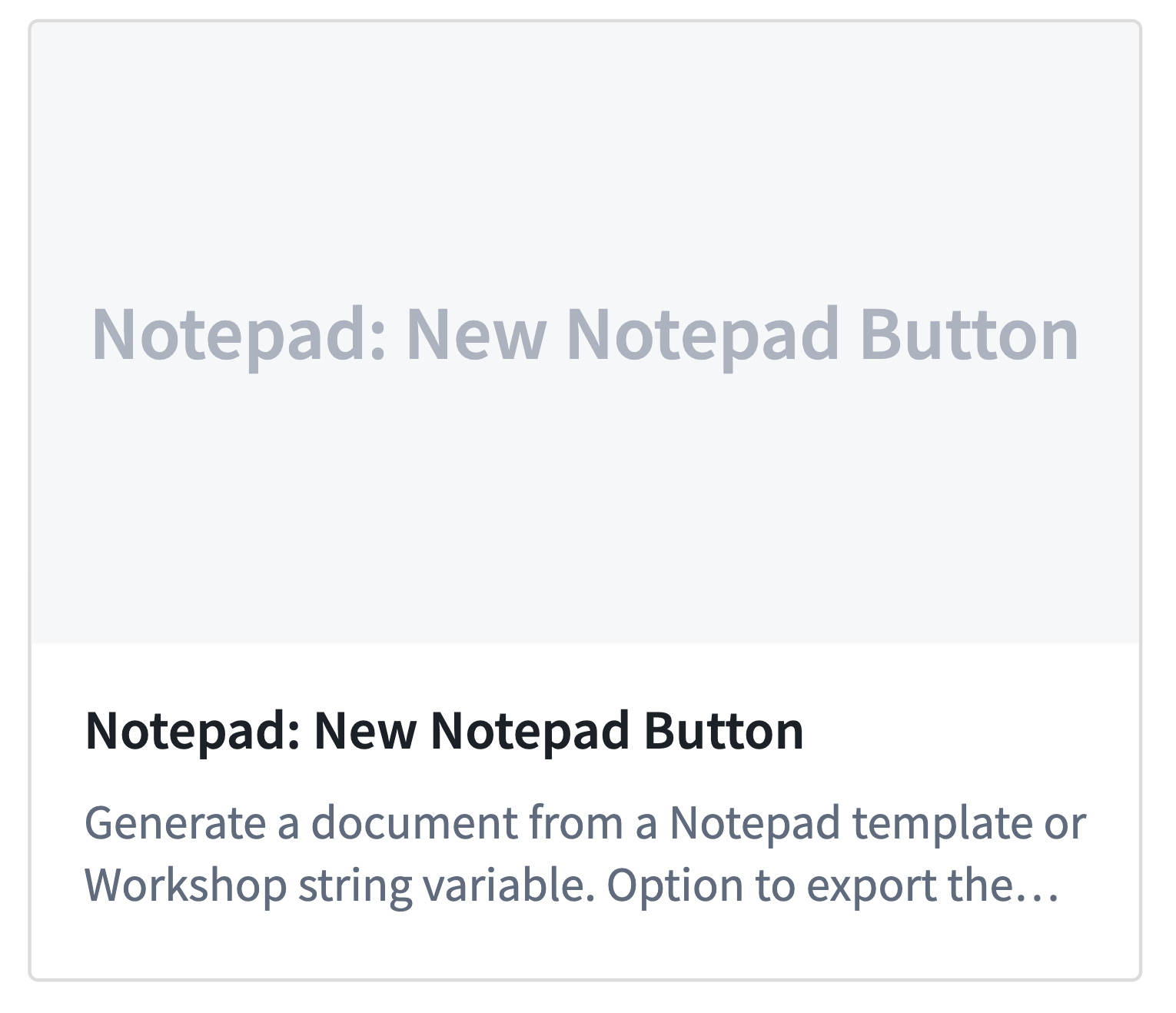
To generate new template copies, embed your template in Workshop with the Notepad: New Notepad Button widget. This connects Workshop variables with the template inputs needed to drive the generation process.
中文翻译
Notepad 模板(Notepad templates)
Notepad 模板可作为蓝图,基于新输入从现有内容生成新文档。
模板可接受字符串、对象或对象集等输入。模板中的小组件(Widgets)可配置为使用这些参数。当基于输入创建新的模板副本时,内容会动态调整。
部分 Notepad 小组件专为模板设计:
- 表格行生成器(Table Row Generator):允许为作为输入传入的对象集中的每个对象生成一行表格。
- 章节生成器(Section Generator):为每个对象生成完整章节。
- 函数(Functions) 小组件:支持通过 TypeScript 函数(TypeScript functions) 生成字符串。
在上述示例中,Airplane Information Template 接受两个输入参数:一个 Aircraft 对象和一个 Flights 对象集,用于生成特定于该飞机的新文档。
从模板生成文档
模板必须先发布,然后才能用于生成文档。从模板生成文档的方法如下所述。
从 Notepad 首页
您可以在 Notepad 首页上通过选择 New from template 选项,或点击现有模板上的 New from this template 图标,从模板生成文档。
注意: 这将从模板的最新发布版本生成文档。
从 Notepad 应用标题栏
您可以在 Notepad 应用标题栏中打开 File 菜单,选择 New from this template 选项,从模板生成文档。
注意: 这将从模板的最新发布版本生成文档。
从 Workshop
要生成新的模板副本,请使用 Notepad: New Notepad Button 小组件将模板嵌入 Workshop。该小组件可将 Workshop 变量与驱动生成过程所需的模板输入连接起来。