Current date(当前日期)
The Current date widget lets you insert the current date into a Notepad document. Use the insertion menu to add it to your document.
The widget can also be configured to auto-update the displayed date on page reload. In addition, in document templates the current date widget can be configured to freeze the displayed date during template generation.
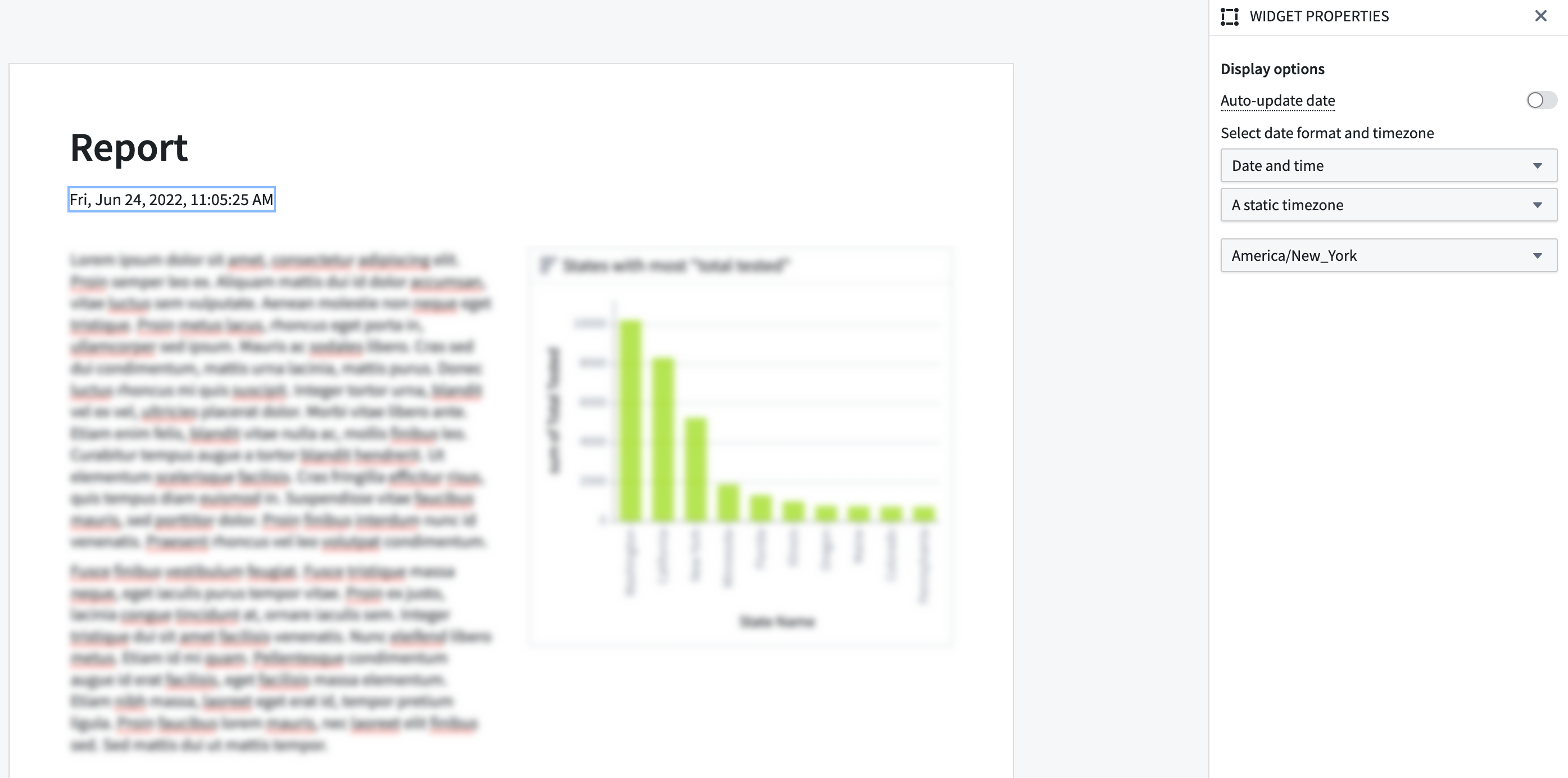
Widget properties
- Auto-update date: If enabled, the date displayed will automatically update to the current date on document load. This option is disabled by default.
- Select date format and timezone: Allows selection of the format and the timezone that the date should be displayed in.
- The available options for date format are:
- Date,
- Date and Time,
- Date and Time (short),
- ISO instant, and
- Time.
- By default, the timezone is set to the user's timezone. This means that the time is displayed in the timezone of the user viewing the document. Alternatively, you can pick a static time zone (e.g.
Europe/LondonorAmerica/New_York).
Template configuration
- Freeze date on template generation: If enabled, the date widget will display the date as of generation time after going through the template generation process. For more information, refer to the docs on generating and exporting documents from templates.
中文翻译
当前日期
当前日期(Current date) 组件允许您将当前日期插入到 Notepad 文档中。使用插入菜单将其添加到文档中。
该组件还可配置为在页面重新加载时自动更新显示的日期。此外,在文档模板中,当前日期组件可配置为在模板生成期间冻结显示的日期。
组件属性
- 自动更新日期(Auto-update date): 若启用,文档加载时显示的日期将自动更新为当前日期。此选项默认禁用。
- 选择日期格式和时区(Select date format and timezone): 允许选择日期的显示格式和时区。
- 可用的日期格式选项包括:
- 日期(Date),
- 日期和时间(Date and Time),
- 日期和时间(短格式)(Date and Time (short)),
- ISO 即时(ISO instant),以及
- 时间(Time)。
- 默认情况下,时区设置为用户的时区。这意味着时间将以查看文档的用户所在时区显示。您也可以选择静态时区(例如
Europe/London或America/New_York)。
模板配置
- 模板生成时冻结日期(Freeze date on template generation): 若启用,经过模板生成流程后,日期组件将显示生成时的日期。更多信息,请参阅从模板生成和导出文档的相关文档。