Map(地图(Map))
Maps and map templates from the Map application can be embedded into Notepad using the map widget. Add a map widget by clicking + Add Widget or typing / in a paragraph field to open up the widget insertion menu. This will open a search bar where you can find a specific object and select it to add.
Due to web browser resource constraints, there is a limit of 4 embedded map widgets per Notepad document.
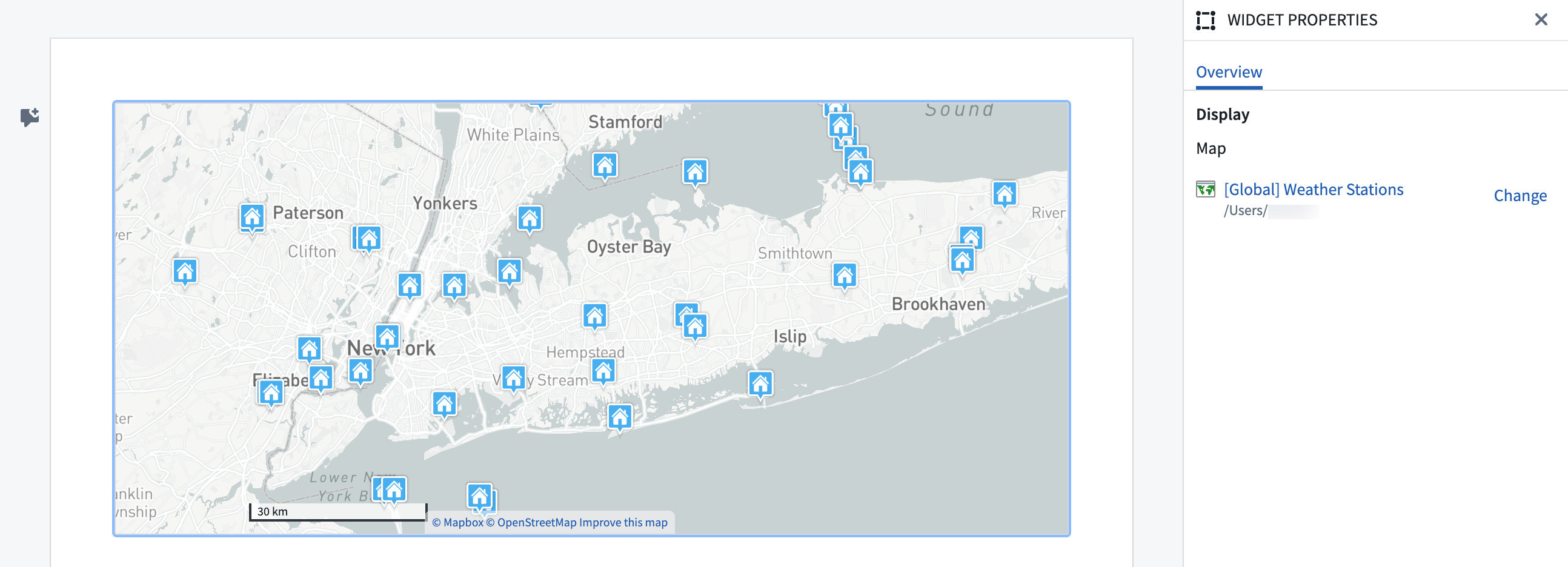
Widget properties
-
Map: Select a map or map template to be embedded in the Notepad document.
-
Map template parameters: (Optional) May be defined when embedding a map template.
- If embedding a map template in a simple Notepad document, the map template's parameters may be set to static values to generate the map view.
- If embedding a map template in a Notepad template, define the Notepad template's inputs and use them as input parameters for the embedded map template. The template input values will be passed to the embedded map template to override the map template’s input parameters.
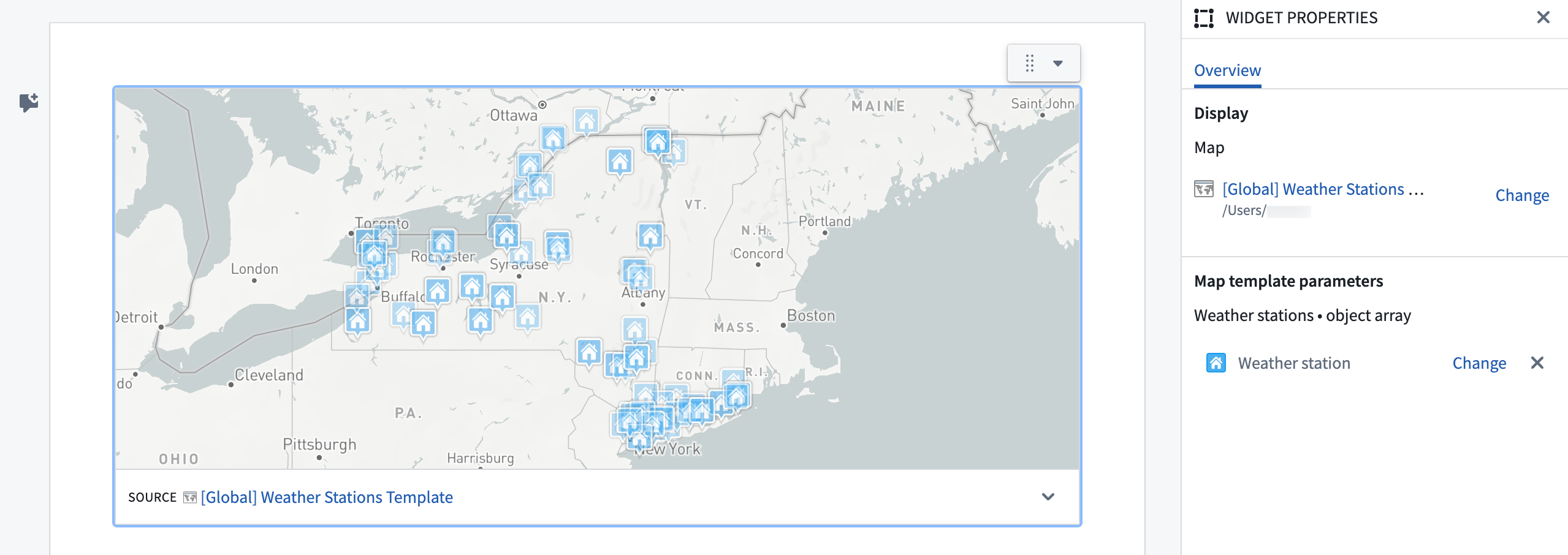
中文翻译
地图(Map)
来自地图应用的地图和地图模板(map template)可通过 地图 小部件(widget)嵌入到记事本(Notepad)中。添加地图小部件时,点击 + 添加小部件(Add Widget) 或在段落字段中输入 / 打开小部件插入菜单。这将显示一个搜索栏,您可以在其中查找特定对象并选择添加。
由于网络浏览器资源限制,每个记事本文档最多可嵌入 4 个地图小部件。
小部件属性(Widget properties)
-
地图(Map): 选择要嵌入记事本文档的地图或地图模板。
-
地图模板参数(Map template parameters): (可选)在嵌入地图模板时可能需要定义。
- 如果在简单记事本文档中嵌入地图模板,可将地图模板的参数设置为静态值以生成地图视图。
- 如果在记事本模板(Notepad template)中嵌入地图模板,请定义记事本模板的输入,并将其用作嵌入地图模板的输入参数。模板输入值将传递给嵌入的地图模板,以覆盖地图模板的输入参数。