Object media preview(对象媒体预览(Object media preview))
The Object media preview widget allows you to embed and preview images, audio, video, or document files from a supported media source.
Supported media sources
Media references
Select a media reference typed object property to preview the underlying media.
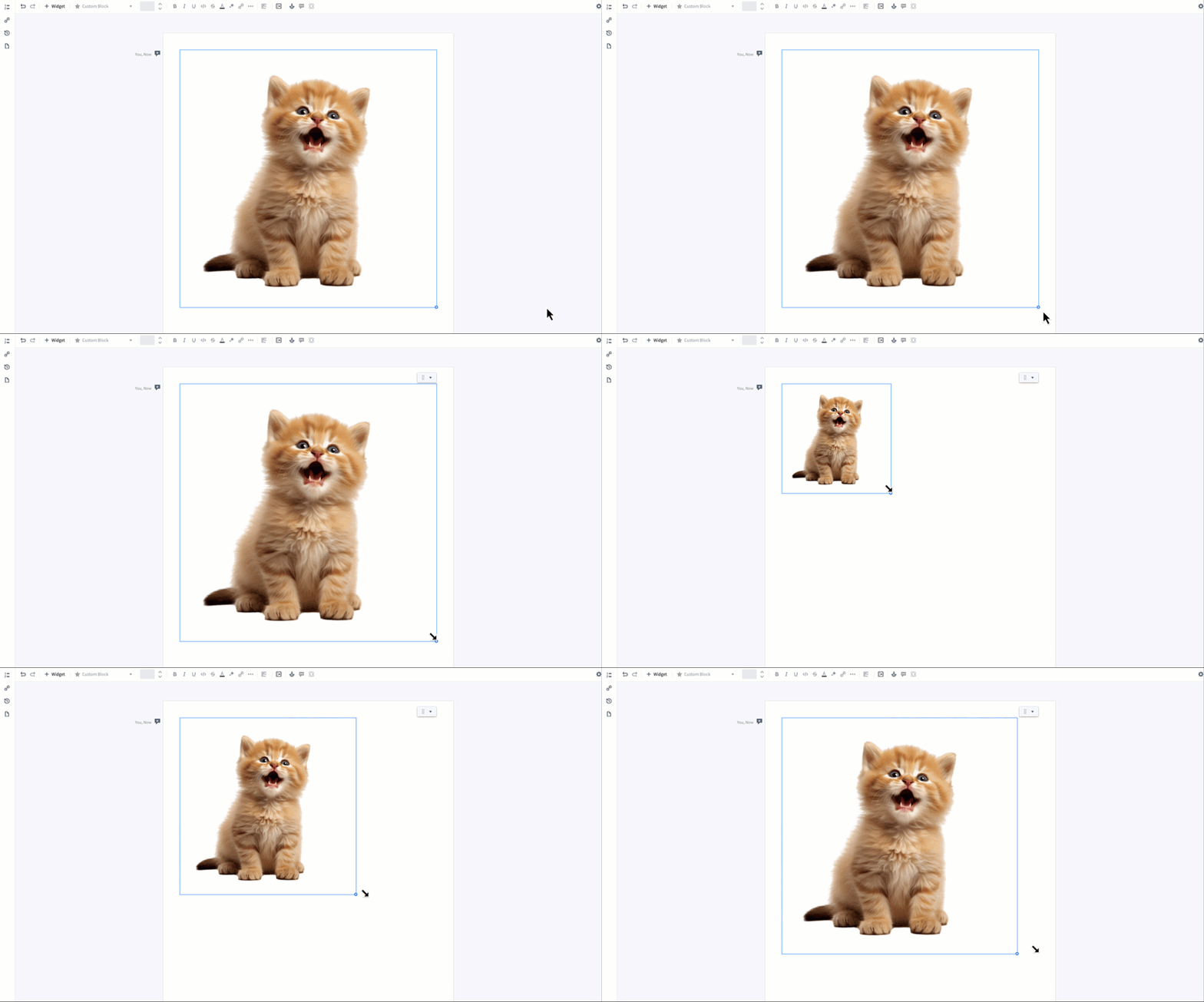
Image media references are resizable. Use the drag handle in the bottom-right corner to adjust the image size. Resizing is not supported for other media types.
You can configure the print settings for document media references that are applied on Export.
- Print widget on new page if space is limited (enabled by default): Automatically moves the widget to a new page during export if there isn’t enough space on the current page.
- Auto-expand widget height on print: Ensures the widget expands to display the entire document, making all content visible in the exported file. Auto-expand is limited to a maximum of 15 embedded pages.
Print settings are not supported for other media types.
Media strings
Media string options support media referenced in string object properties in the following formats:
- From a media set:
https://{my-foundry-url}/mio/api/media-set/{media set rid}/items/{media item rid}. - From a dataset:
https://{my-foundry-url}/foundry-data-proxy/api/web/dataproxy/datasets/{dataset rid}/transactions/{transaction rid}/{filename} or https://{my-foundry-url}/foundry-data-proxy/api/web/dataproxy/datasets/{dataset rid}/views/{branch name}/{filename}. - External media URL: Ensure access has been configured in your enrollment’s Content Security Policy settings.
Attachments
Select an attachment typed property to render a preview of the attachment media. For details on configuring an attachment property, see Upload attachments.
Widget properties
- Object selection: The object whose property you want to display.
- Property to display: The property containing or pointing to a supported media source.
Template configuration
- Object selection: The object whose property you want to display.
中文翻译
对象媒体预览(Object media preview)
对象媒体预览 组件允许您嵌入并预览来自支持的媒体源的图片、音频、视频或文档文件。
支持的媒体源
媒体引用(Media references)
选择媒体引用类型的对象属性,即可预览底层媒体。
图片媒体引用支持调整大小。使用右下角的拖拽手柄可调整图片尺寸。其他媒体类型不支持调整大小。
您可以为文档媒体引用配置导出(Export)时应用的打印设置,详见导出。
- 空间不足时在新页面打印组件(Print widget on new page if space is limited)(默认启用):导出时若当前页面空间不足,自动将组件移至新页面。
- 打印时自动展开组件高度(Auto-expand widget height on print):确保组件展开以显示完整文档,使所有内容在导出文件中可见。自动展开最多限制为15个嵌入页面。
其他媒体类型不支持打印设置。
媒体字符串(Media strings)
媒体字符串选项支持以以下格式引用字符串对象属性中的媒体:
- 来自媒体集(media set):
https://{my-foundry-url}/mio/api/media-set/{media set rid}/items/{media item rid} - 来自数据集(dataset):
https://{my-foundry-url}/foundry-data-proxy/api/web/dataproxy/datasets/{dataset rid}/transactions/{transaction rid}/{filename}或https://{my-foundry-url}/foundry-data-proxy/api/web/dataproxy/datasets/{dataset rid}/views/{branch name}/{filename} - 外部媒体URL:请确保已在您的注册环境的内容安全策略(Content Security Policy)设置中配置了访问权限。
附件(Attachments)
选择附件类型的属性,即可渲染附件媒体的预览。有关配置附件属性的详细信息,请参阅上传附件。
组件属性
- 对象选择(Object selection): 要显示其属性的对象。
- 要显示的属性(Property to display): 包含或指向支持的媒体源的属性。
模板配置
- 对象选择(Object selection): 要显示其属性的对象。