Object property Markdown editor(对象属性 Markdown 编辑器(Object property Markdown editor))
The Object property Markdown editor widget allows you to display and edit a Markdown-formatted object property in your Notepad document. Select + Widget or press / in a paragraph field to open the widget insertion menu and add the Object property Markdown editor widget to your document.
The widget supports the CommonMark ↗ specification, with the following exceptions:
- Images
- HTML
- Link references
- Lists that are nested within, but are not direct children of, another list (such as a list containing a blockquote that contains another list).
Widget properties
- Object selection: Object with property to display.
- Property: Define which object property to display.
- Allow editing: Denote whether or not users are able to edit the property. If disabled, users will not be able to make changes regardless of whether or not there is an inline edit configured.
Editing
You can use the widget to edit properties with a corresponding action-backed inline edit. Once you configure the inline edit, select the widget from your document to open the Markdown editor. Enter your edits and save your changes in the toolbar to update the property in the ontology.
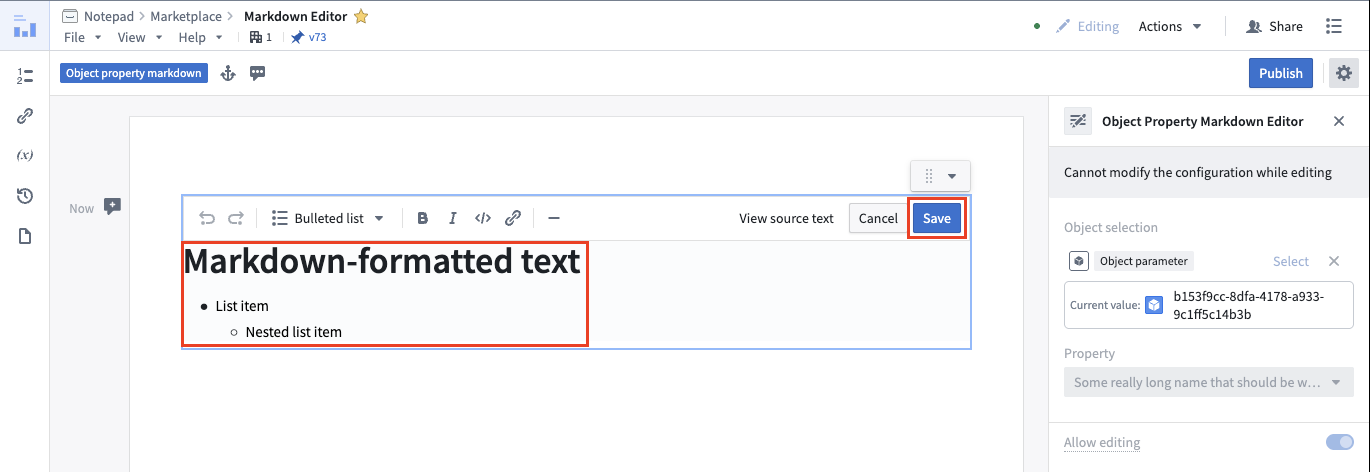
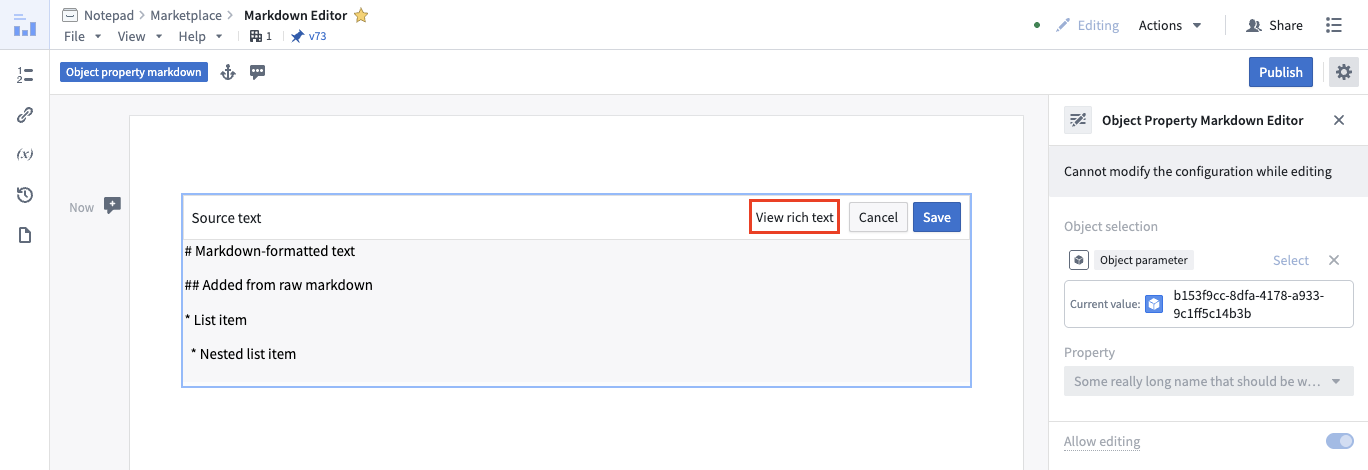
You can also use the toolbar to view and edit the raw Markdown.
To block conflicting changes, Notepad prevents other users from editing the widget when you or another user select it in the document.
中文翻译
对象属性 Markdown 编辑器(Object property Markdown editor)
对象属性 Markdown 编辑器 小部件允许您在记事本文档中显示和编辑 Markdown 格式的对象属性。选择 + 小部件 或在段落字段中按 / 键打开小部件插入菜单,然后将 对象属性 Markdown 编辑器 小部件添加到文档中。
该小部件支持 CommonMark ↗ 规范,但以下情况除外:
- 图片
- HTML
- 链接引用
- 嵌套在另一个列表中但不是其直接子级的列表(例如,包含块引用的列表,而该块引用又包含另一个列表)。
小部件属性
- 对象选择(Object selection): 包含要显示属性的对象。
- 属性(Property): 定义要显示的对象属性。
- 允许编辑(Allow editing): 指定用户是否能够编辑该属性。如果禁用,无论是否配置了内联编辑(inline edit),用户都将无法进行更改。
编辑
您可以使用该小部件编辑具有相应操作支持的内联编辑(action-backed inline edit)的属性。配置内联编辑后,从文档中选择该小部件以打开 Markdown 编辑器。输入您的编辑内容,然后在工具栏中保存更改,以更新本体(ontology)中的属性。
您还可以使用工具栏查看和编辑原始 Markdown。
为防止冲突更改,当您或其他用户在文档中选择该小部件时,Notepad 会阻止其他用户对其进行编辑。