Resource link(资源链接(Resource link))
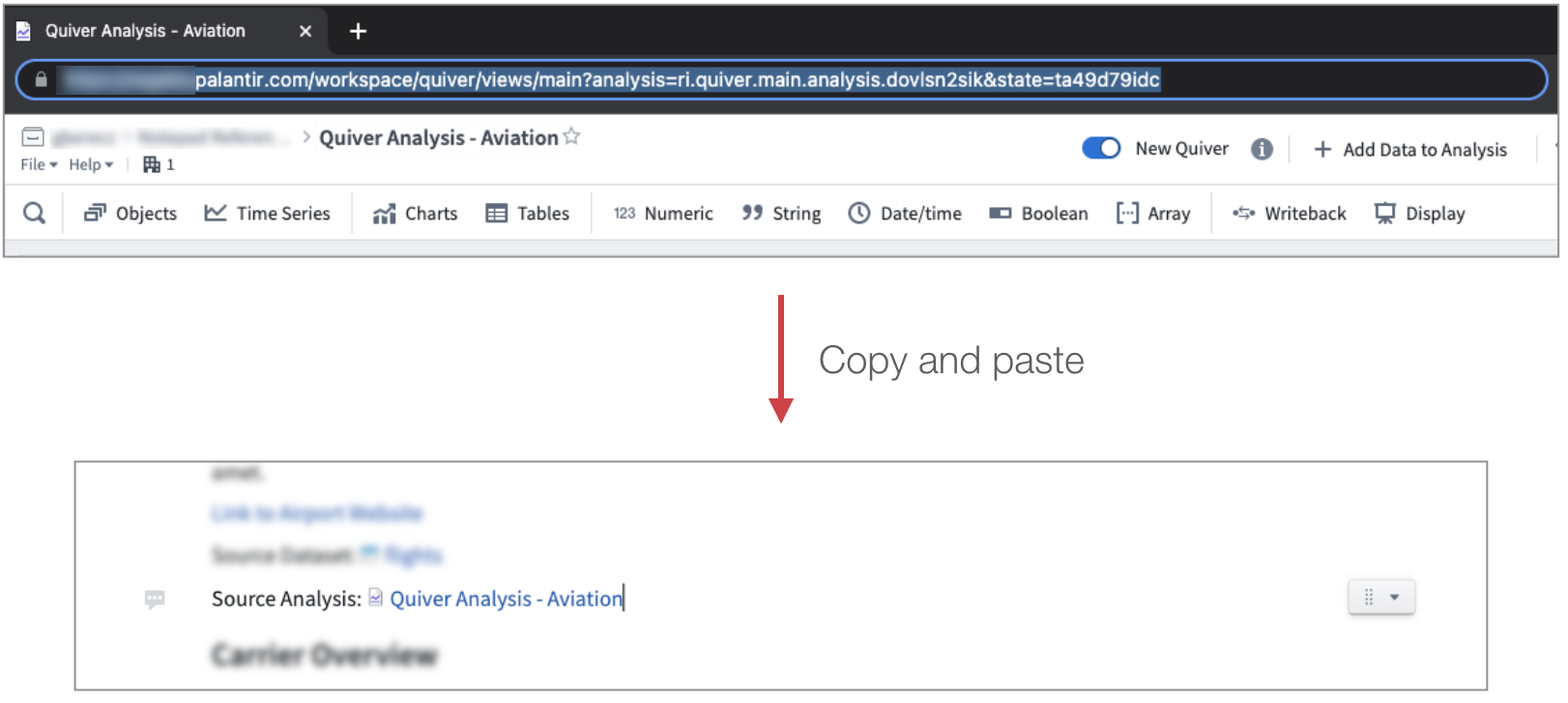
Foundry resource links are created when pasting a link to another Foundry resource (for example, a Contour analysis or Code Repository) into a Notepad document. The link will automatically display the name of the resource, but keep the original path.
You can also insert a Foundry resource link by clicking + Add Widget or typing / in a paragraph field to open up the widget insertion menu.
If you do not want Notepad to transform your link into a resource link, paste it using the keyboard shortcut Ctrl+Shift+V (Windows) or Cmd+Shift+V (macOS) to insert the link as plain text.
中文翻译
资源链接(Resource link)
在记事本文档中粘贴指向其他 Foundry 资源(例如 Contour 分析或代码仓库(Code Repository))的链接时,会自动创建 Foundry 资源链接。该链接会自动显示资源名称,但保留原始路径。
您也可以通过点击 + 添加组件(Add Widget) 或在段落字段中输入 / 来打开组件插入菜单,从而插入 Foundry 资源链接。
如果您不希望记事本将链接转换为资源链接,可以使用键盘快捷键 Ctrl+Shift+V(Windows)或 Cmd+Shift+V(macOS)将链接作为纯文本粘贴。