Solution Designer Diagram(解决方案设计器图表(Solution Designer Diagram))
Embed diagrams from Solution Designer into Notepad documents using the Solution Designer Diagram widget. Select + Add Widget or type / in a paragraph field to open the widget insertion menu.
Below is an example of an embedded Solution Designer diagram using the widget:
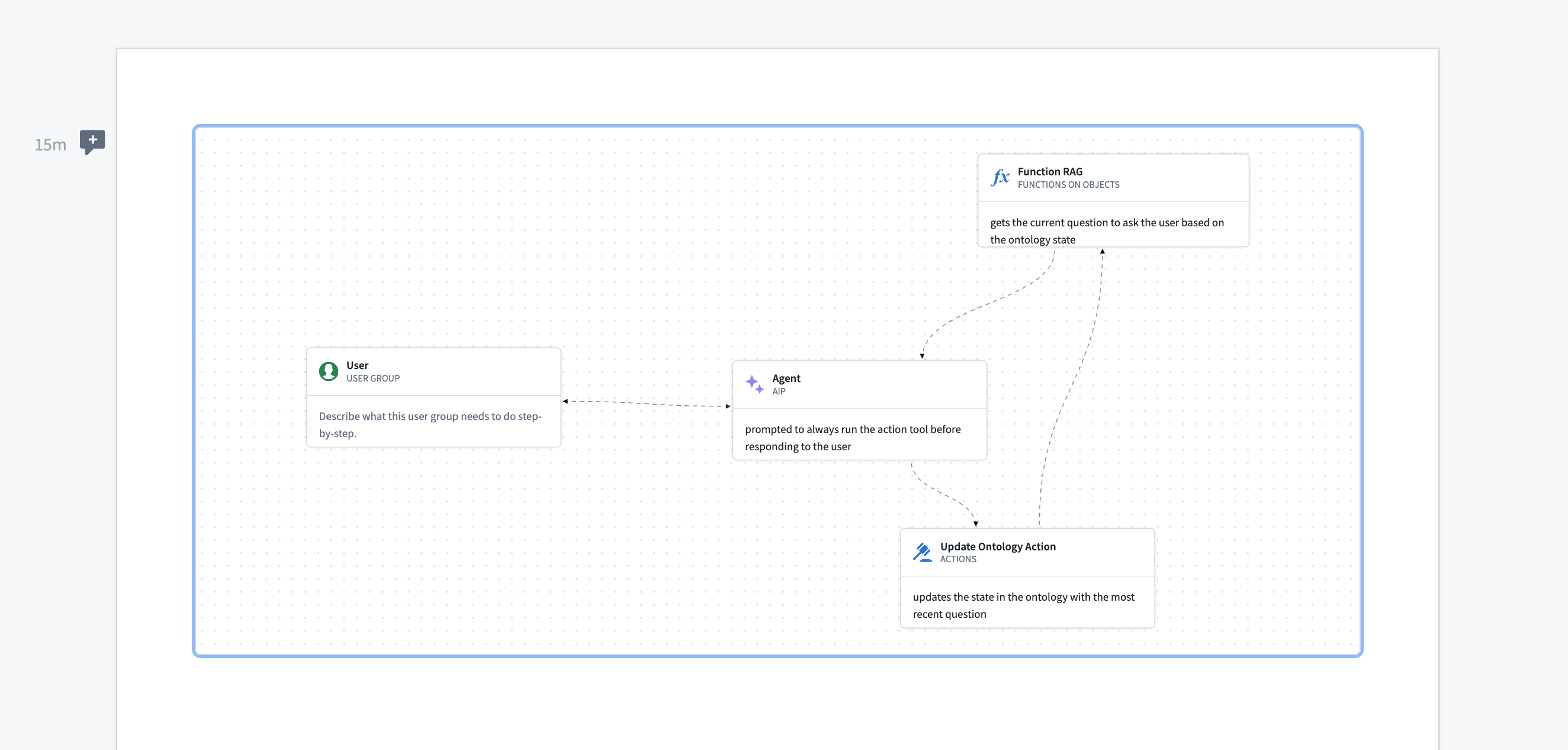
The widget is view-only, meaning users cannot modify the diagram's contents from within Notepad. Edits must be made from the Solution Designer application.
Widget properties
- Solution design: Select a Solution Designer diagram to embed in the Notepad document.
中文翻译
解决方案设计器图表(Solution Designer Diagram)
使用解决方案设计器图表小部件,将解决方案设计器中的图表嵌入到 Notepad 文档中。选择 + 添加小部件或在段落字段中输入 / 即可打开小部件插入菜单。
以下是一个使用该小部件嵌入的解决方案设计器图表示例:
该小部件为只读模式,用户无法在 Notepad 中修改图表内容。所有编辑操作必须在解决方案设计器应用程序中完成。
小部件属性
- 解决方案设计(Solution design): 选择要嵌入到 Notepad 文档中的解决方案设计器图表。