Vertex graph(Vertex 图(Vertex graph))
Embed Vertex graphs into Notepad documents using the Vertex Graph widget. You can add a graph widget by selecting + Add Widget or typing / in a paragraph field. This will open a search dialog where you can find resources and add them to your document.
Below is an example of an embedded Vertex graph.
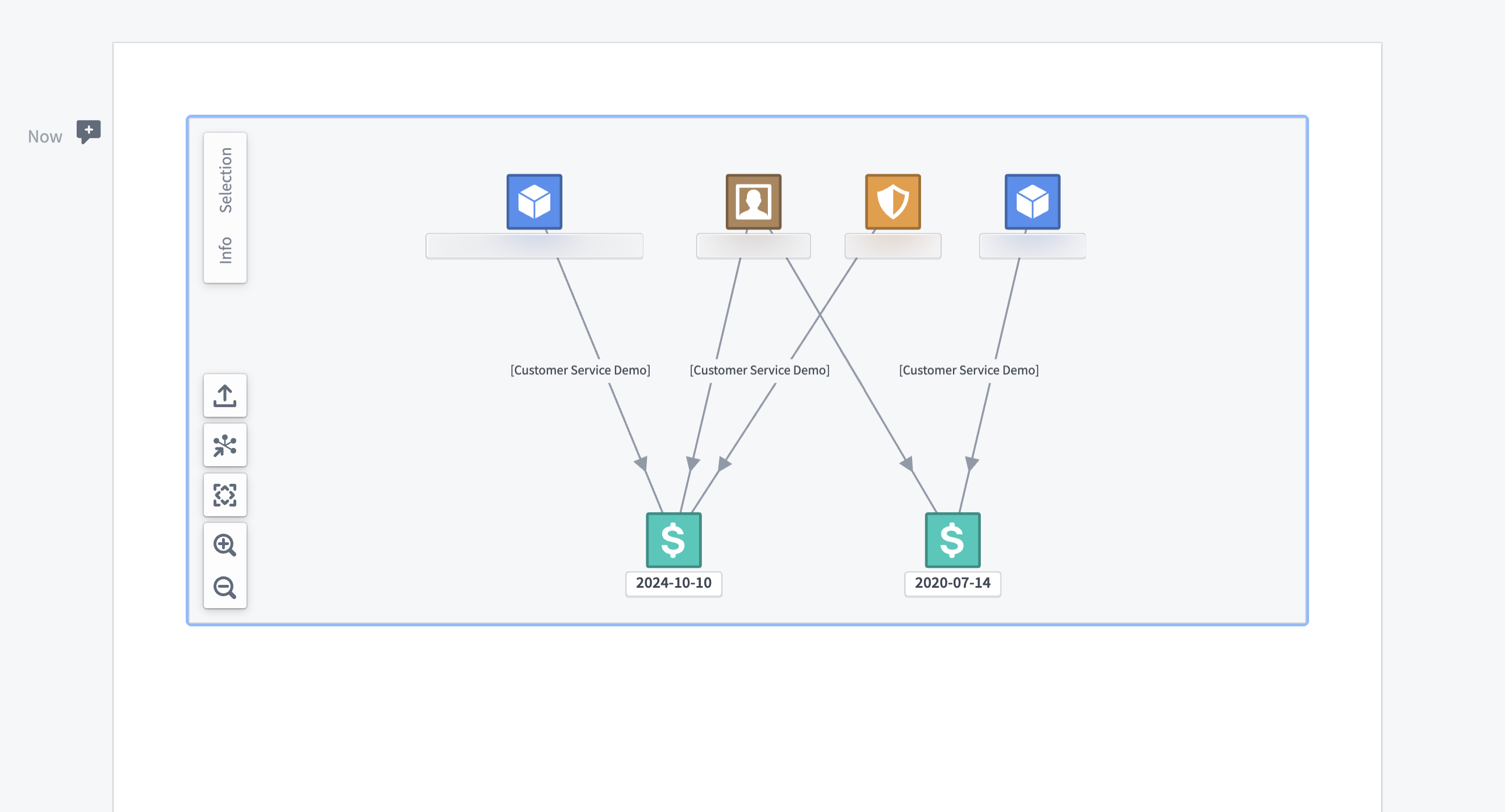
The widget is read-only, meaning users cannot modify its contents. However, it supports interactive features to explore the embedded graph.
- Information controls (top-left)
- Selection panel: Show details about the selected objects.
- Info panel: Shows a summary of the layers present in the graph.
- Navigation controls (bottom-left)
- Export as PNG: Download the embedded graph as a PNG image directly from Notepad.
- Open in Vertex: Launch the graph directly in the Vertex application.
- Zoom to fit: Adjust the view to fit the entire graph within the widget.
- Zoom in/zoom out: Adjust the magnification of the graph view.
- Panning
- Users can pan across the graph by clicking and dragging within the widget.
Note: Pan, zoom, and selection states are not preserved when exporting the Notepad as a PDF.
Widget properties
- Vertex graph: Select a Vertex graph to embed in the Notepad document.
中文翻译
Vertex 图(Vertex graph)
使用 Vertex 图(Vertex Graph) 组件,可以将 Vertex 图嵌入到 Notepad 文档中。要添加图组件,请选择 + 添加组件(+ Add Widget),或在段落字段中输入 /。这将打开一个搜索对话框,您可以在其中查找资源并将其添加到文档中。
以下是一个嵌入 Vertex 图的示例。
该组件为只读(read-only),即用户无法修改其内容。但它支持交互式功能,以便探索嵌入的图。
- 信息控件(左上角)
- 选择面板(Selection panel): 显示所选对象的详细信息。
- 信息面板(Info panel): 显示图中各图层的摘要信息。
- 导航控件(左下角)
- 导出为 PNG(Export as PNG): 直接从 Notepad 将嵌入的图下载为 PNG 图片。
- 在 Vertex 中打开(Open in Vertex): 直接在 Vertex 应用程序中打开该图。
- 缩放至合适(Zoom to fit): 调整视图,使整个图适配组件大小。
- 放大/缩小(Zoom in/zoom out): 调整图视图的放大倍数。
- 平移(Panning)
- 用户可以通过在组件内单击并拖动来平移图。
注意:将 Notepad 导出为 PDF 时,平移、缩放和选择状态不会被保留。
组件属性(Widget properties)
- Vertex 图(Vertex graph): 选择要嵌入 Notepad 文档的 Vertex 图。