Show documents linked to objects(显示与对象关联的文档)
Whenever objects are embedded in a document (e.g., as an object card or object property), Notepad keeps track of these links. This allows you to display all documents that have a link to a specific object.
Notepad: Linked documents widget
Use the Notepad: Linked documents widget in Workshop to display all documents that include a link to a selected object.
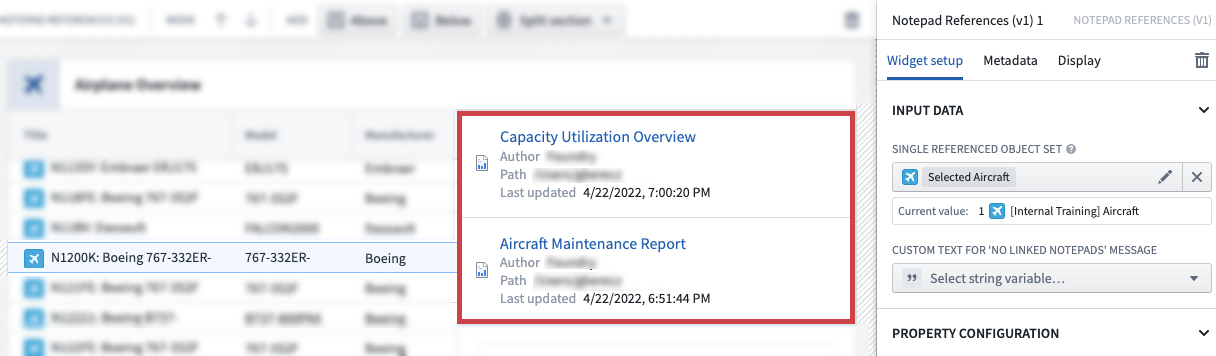
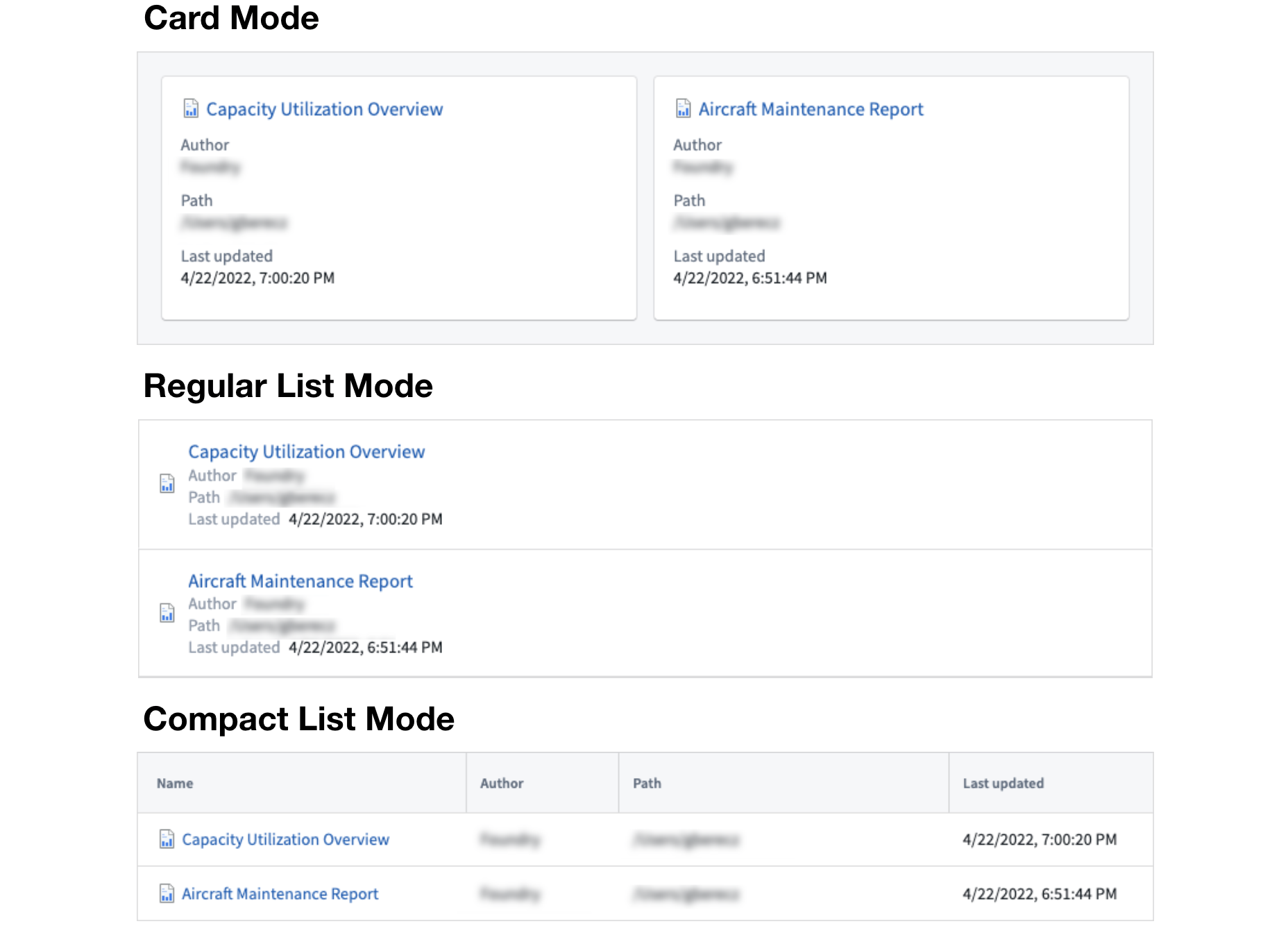
You can adjust the widget content display style, which fields are shown, and the display order. You can also define default sorting options for the document, such as sort by author. See examples below.
The Notepad: Linked documents widget automatically exposes the Active Notepad variable. This variable references the resource identifier (rid) of the currently selected document and automatically updates when the selection changes. For example, you can use it to configure the Notepad: Embedded document widget to display the currently selected document directly in Workshop.
中文翻译
显示与对象关联的文档
当对象嵌入到文档中时(例如,作为对象卡片或对象属性),Notepad 会跟踪这些链接关系。这使您可以显示所有与特定对象存在关联的文档。
Notepad:关联文档组件
在 Workshop 中使用 Notepad:关联文档 组件,即可显示所有包含指向所选对象链接的文档。
您可以调整组件内容的显示样式、显示的字段以及排列顺序。您还可以为文档定义默认排序选项,例如按作者排序。示例如下。
Notepad:关联文档 组件会自动暴露 活动 Notepad 变量。该变量引用当前所选文档的资源标识符(rid),并在选择发生变化时自动更新。例如,您可以使用该变量配置 Notepad:嵌入文档 组件,直接在 Workshop 中显示当前选中的文档。