Dashboards(仪表盘(Dashboards))
There are two primary ways to build interactive dashboards from Foundry analyses: Contour dashboards and Quiver dashboards. In some circumstances, you may want to use a Code Workspaces dashboard, Notepad, or a custom application instead. This page discusses which tools you can use and when you might use them.
Learn more about the differences between Contour and Quiver.
Contour dashboards
Contour dashboards are used to present content from a Contour analysis, such as analysis results and findings. These dashboards support chart-to-chart filtering, inline parameter references, a fullscreen presentation view, and PDF exports.
Learn more about Contour and Contour dashboards.
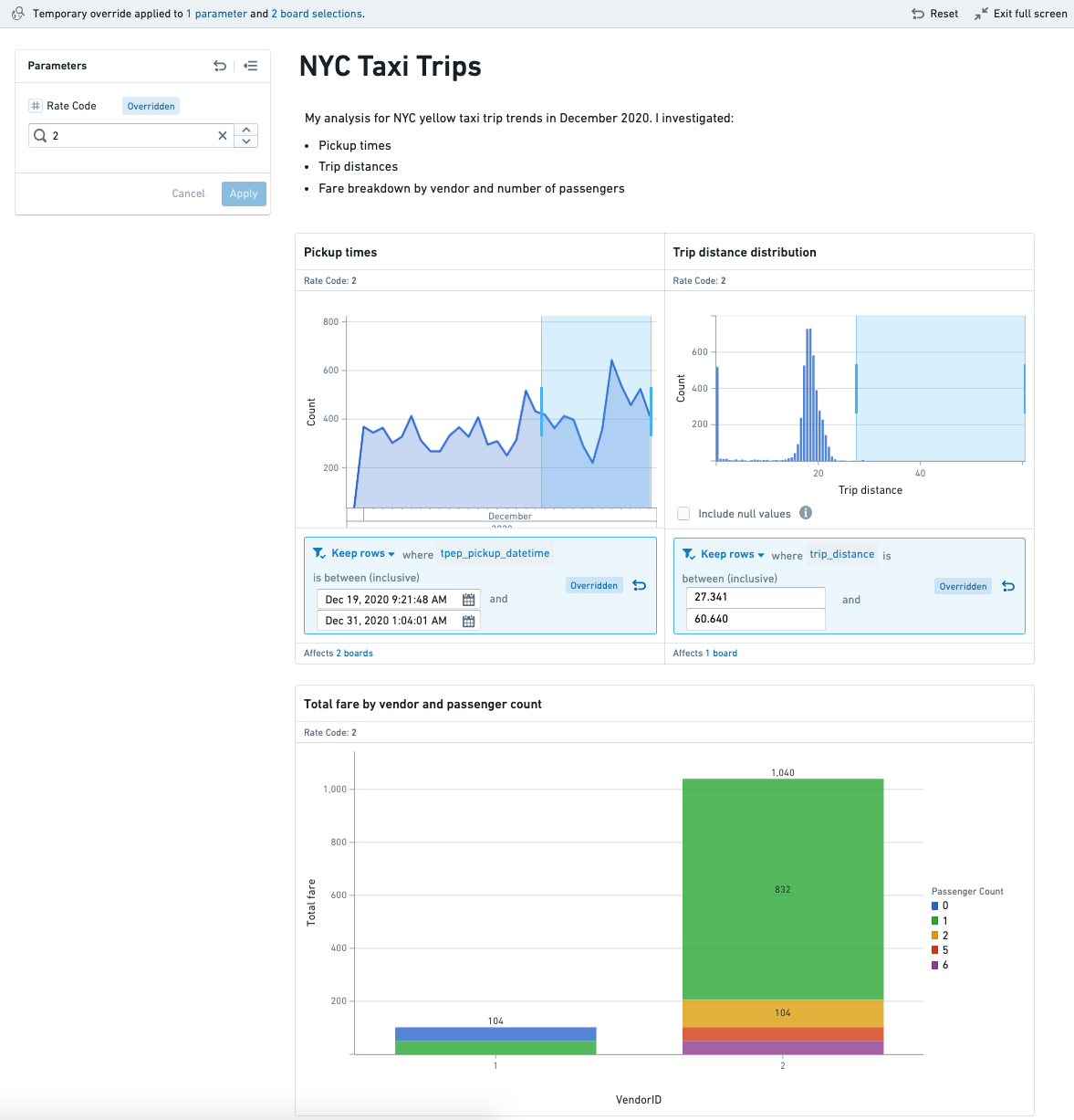
This screenshot uses open source data from the NYC Taxi & Limousine Commission ↗.
Quiver dashboards
Quiver dashboards are used to present content from a Quiver analysis in a read-only, interactive dashboard.
Quiver dashboards can be used as standalone dashboards or embedded in Object Views, Workshop applications, or Notepad documents. Quiver dashboards can also be displayed in Carbon and delivered directly to operational users.
Learn more about Quiver and Quiver dashboards.

Code Workspaces applications
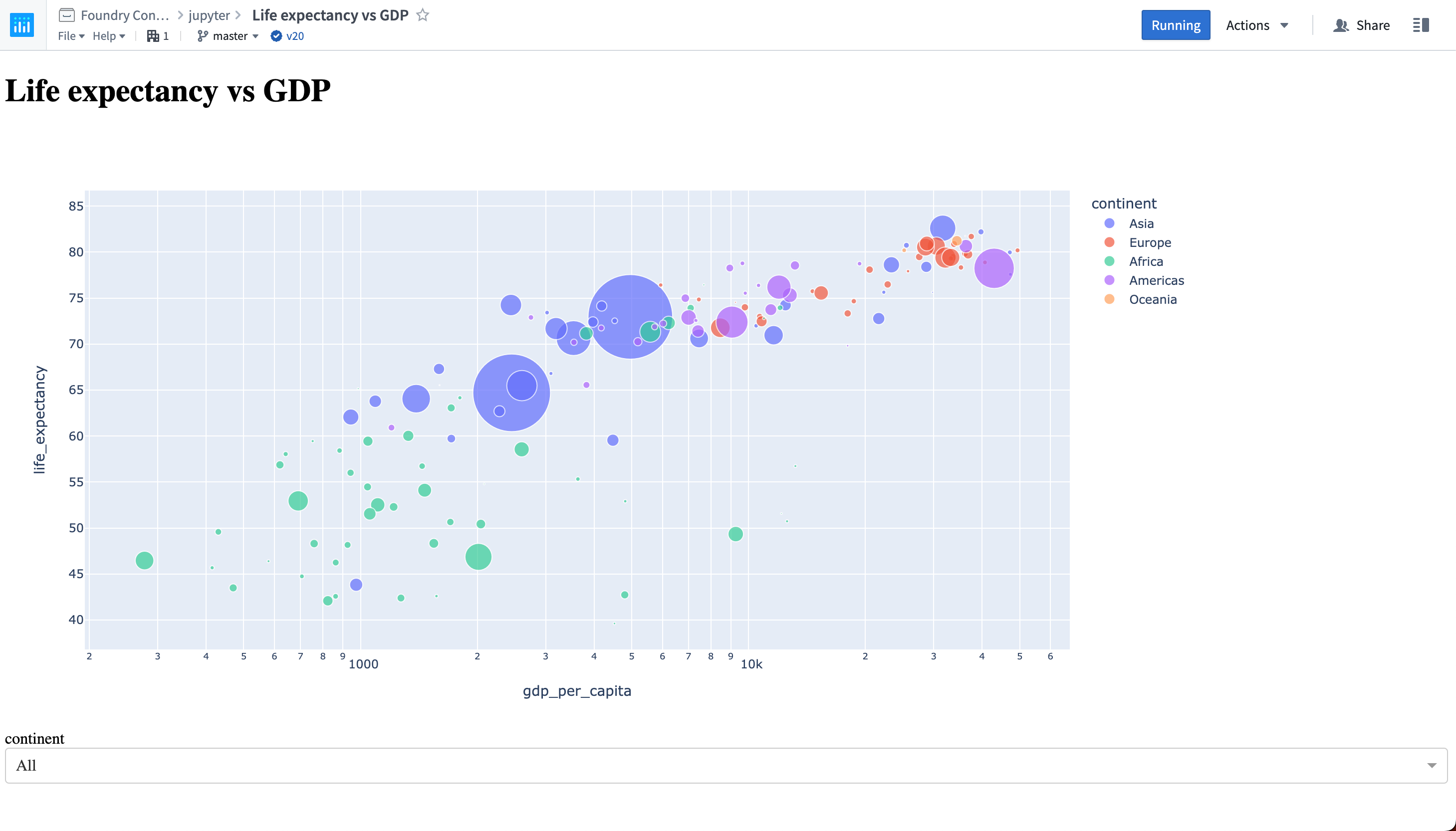
Code Workspaces currently supports Dash ↗ and Streamlit ↗ for Python applications and Shiny® ↗ for R applications. Users can create application workflows directly in Code Workspaces with Foundry’s version control, branching, and data governance features built-in.
Learn more about Code Workspaces and Code Workspace applications.
Other presentation tools
Notepad
Contour dashboards and Quiver templates are best suited for direct consumption within Foundry, as their interactive design allows users to work with live data using parameters and chart selections. In contrast, Notepad is designed for reporting workflows that focus on creating static content that may be exported. In addition, a Notepad document can include content coming from multiple applications (including Contour boards and Quiver cards), while Contour dashboards and Quiver templates only support content from their respective applications. Due to the focus on static content, users cannot conduct analysis or create charts in Notepad directly.
Learn more about reporting workflows.
Custom applications
Contour dashboards and Quiver templates are optimized for easily presenting an interactive view of analytical results, while application building tools (such as Workshop) may be a better fit for some use cases. Specifically, if your use case requires full customization and layout flexibility, multi-step workflows, or writeback, you should consider Foundry's application building tools.
Quiver dashboards can be embedded in Workshop applications to make more complex analytical content available to operational users.
Learn more about embedding Quiver dashboards in Workshop.
中文翻译
仪表盘(Dashboards)
在 Foundry 分析中,构建交互式仪表盘主要有两种方式:Contour 仪表盘和 Quiver 仪表盘。在某些情况下,您可能希望使用代码工作区仪表盘、记事本(Notepad)或自定义应用程序(custom application)。本页将讨论可用的工具及其适用场景。
Contour 仪表盘
Contour 仪表盘用于展示 Contour 分析中的内容,例如分析结果和发现。这些仪表盘支持图表间筛选、内联参数引用、全屏演示视图以及 PDF 导出。
此截图使用了来自 纽约市出租车与礼车委员会 ↗ 的开源数据。
Quiver 仪表盘
Quiver 仪表盘用于以只读交互式仪表盘的形式展示 Quiver 分析中的内容。
Quiver 仪表盘可作为独立仪表盘使用,也可嵌入到对象视图(Object Views)、Workshop 应用程序或记事本文档中。Quiver 仪表盘还可以在 Carbon 中显示,并直接交付给操作人员。
代码工作区应用程序
代码工作区(Code Workspaces)目前支持 Python 应用程序的 Dash ↗ 和 Streamlit ↗,以及 R 应用程序的 Shiny® ↗。用户可以直接在代码工作区中创建应用程序工作流,并内置 Foundry 的版本控制、分支管理和数据治理功能。
其他展示工具
记事本(Notepad)
Contour 仪表盘和 Quiver 模板最适合在 Foundry 内部直接使用,因为其交互式设计允许用户通过参数和图表选择来处理实时数据。相比之下,记事本专为侧重于创建可导出的静态内容的报告工作流而设计。此外,记事本文档可以包含来自多个应用程序的内容(包括 Contour 面板和 Quiver 卡片),而 Contour 仪表盘和 Quiver 模板仅支持各自应用程序中的内容。由于侧重于静态内容,用户无法直接在记事本中进行分析或创建图表。
自定义应用程序
Contour 仪表盘和 Quiver 模板针对轻松展示分析结果的交互式视图进行了优化,而应用程序构建工具(如 Workshop)可能更适合某些用例。具体来说,如果您的用例需要完全自定义和灵活的布局、多步骤工作流或写回(writeback)功能,则应考虑使用 Foundry 的应用程序构建工具。
Quiver 仪表盘可以嵌入到 Workshop 应用程序中,以便为操作人员提供更复杂的分析内容。