Reporting(报告(Reporting))
In Foundry, we define "reporting" as creating point-in-time content with annotation for in-platform sharing or download. If you want to create interactive content for others to work with directly, we recommend the use of Foundry’s dashboarding products.
Notepad
Notepad is Foundry’s reporting tool. With Notepad, you can create both live-updating and static ("point-in-time") documents, annotate documents, share documents in-platform, and export documents as PDFs.
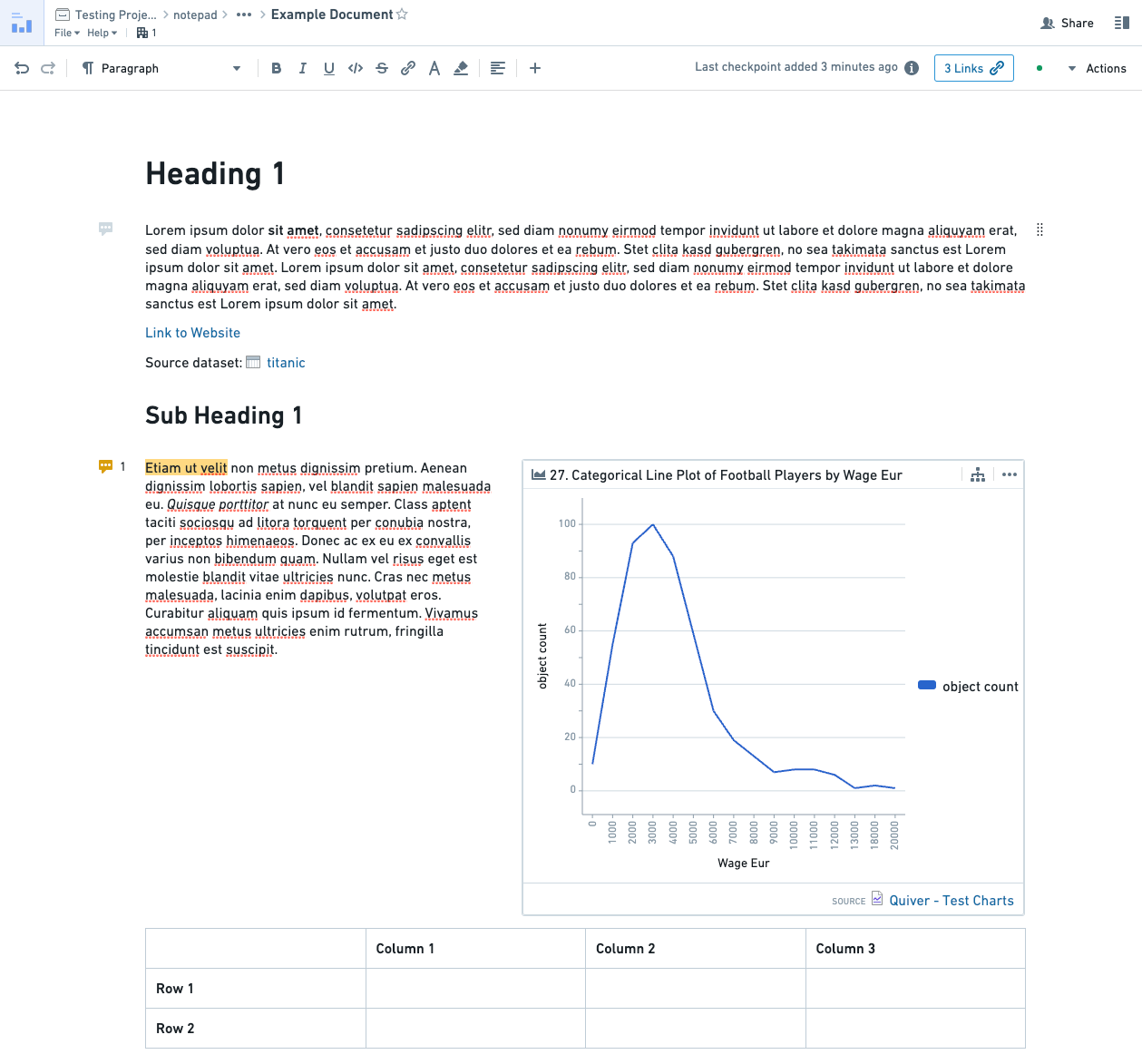
Key features of Notepad include:
- An easy-to-use document creation and editing experience.
- Ability to add content from a wide range of Foundry sources, including Quiver, Contour, Code Workbook, and Object Explorer.
- Support for document templating with dynamic inputs.
- Customizable exports of PDFs.
Learn how to get started with Notepad.
Reports [Sunset]
:::callout{theme="warning" title="Sunset"} Reports is in the sunset phase of development and will be deprecated at a future date. Full support remains available. Previously saved reports are still read-only available and do not need to be converted or transitioned to new formats unless they need to be edited. We recommend migrating your workflows to other applications and tools to serve your use case purposes. :::
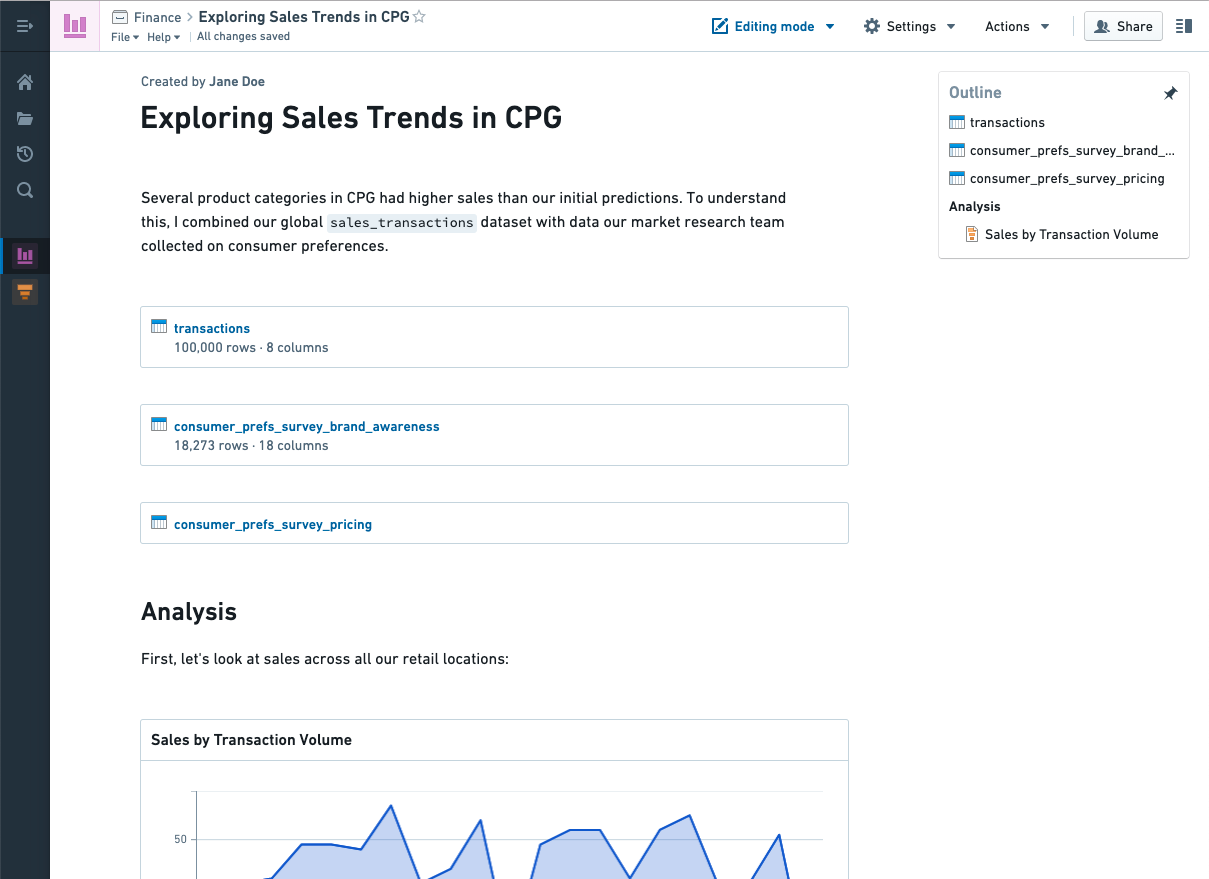
The legacy Foundry Reports application supports both live dashboarding and static reporting use cases. However, other Foundry tools have improved support for these workflows and richer feature sets. We recommend the following products for most dashboarding and reporting use cases:
- Contour dashboards for content that is generated by a Contour analysis. Contour dashboards provide improved interactivity over Reports, with features like chart-to-chart filtering, and an easy drag-and-drop interface to build dashboards while iterating on analyses. Learn more about getting started with Contour dashboards.
- Quiver dashboards for content that is driven by a Quiver analysis. Reports does not support embedding most Quiver visualization types. Learn more about getting started with Quiver dashboards.
- Notepad for cross-product content and the majority of Foundry reporting use cases, as described above. Learn more about getting started with Notepad.
You may still want to use Reports if you are creating a dashboard with content from multiple sources - for example, a Contour analysis and a Code Workbook, or two Contour analyses. If so, you can learn more about getting started with Reports.
中文翻译
报告(Reporting)
在 Foundry 中,我们将"报告"定义为创建带有注释的特定时间点(point-in-time)内容,用于平台内共享或下载。如果您希望创建可供他人直接操作的交互式内容,我们建议使用 Foundry 的仪表板产品。
Notepad
Notepad 是 Foundry 的报告工具。通过 Notepad,您可以创建实时更新和静态("特定时间点")文档、为文档添加注释、在平台内共享文档,以及将文档导出为 PDF 文件。
Notepad 的主要功能包括:
- 易于使用的文档创建和编辑体验。
- 能够从多种 Foundry 数据源添加内容,包括 Quiver、Contour、Code Workbook 和 Object Explorer。
- 支持带有动态输入的文档模板(document templating)。
- 可自定义的 PDF 导出功能。
报告(Reports)[已停用(Sunset)]
:::callout{theme="warning" title="已停用"} 报告功能目前处于开发阶段的停用期(sunset),并将在未来某个日期被弃用。目前仍提供全面支持。之前保存的报告仍以只读方式可用,除非需要编辑,否则无需转换或迁移至新格式。我们建议将您的工作流程迁移至其他应用程序和工具,以满足您的使用场景需求。 :::
旧版 Foundry 报告应用同时支持实时仪表板和静态报告使用场景。然而,其他 Foundry 工具对这些工作流程提供了更好的支持以及更丰富的功能集。对于大多数仪表板和报告使用场景,我们推荐以下产品:
- Contour 仪表板(Contour dashboards):适用于由 Contour 分析生成的内容。Contour 仪表板相比报告功能提供了更强的交互性,具备图表间筛选(chart-to-chart filtering)等功能,并拥有易于使用的拖放界面,可在迭代分析的同时构建仪表板。了解更多关于开始使用 Contour 仪表板的信息。
- Quiver 仪表板(Quiver dashboards):适用于由 Quiver 分析驱动的内容。报告功能不支持嵌入大多数 Quiver 可视化类型。了解更多关于开始使用 Quiver 仪表板的信息。
- Notepad:适用于跨产品内容以及大多数 Foundry 报告使用场景,如上文所述。了解更多关于开始使用 Notepad 的信息。
如果您正在创建包含多个数据源内容的仪表板(例如,一个 Contour 分析加一个 Code Workbook,或两个 Contour 分析),您可能仍希望使用报告功能。如果是这样,您可以了解更多关于开始使用报告功能的信息。