Change input dataset version(更改输入数据集版本)
Contour allows you to start an analysis with a previous version of your dataset. To do this, open the date picker in the summary board at the top of your analysis and select the timestamp corresponding to the version of the data you would like to use:
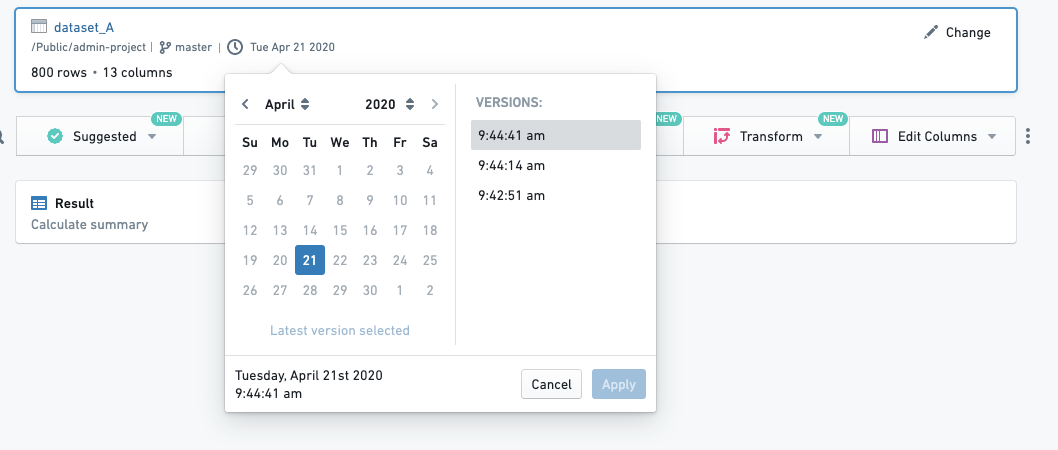
If you are changing the dataset version on an existing analysis, Contour will simply update your entire analysis on top of the selected version.
中文翻译
更改输入数据集版本
Contour 允许您使用数据集的先前版本来开始分析。为此,请打开分析顶部摘要面板中的日期选择器,并选择您要使用的数据版本对应的时间戳:
如果您在现有分析中更改数据集版本,Contour 将直接在所选版本的基础上更新您的整个分析。