Event set from ranges(基于时间范围的事件集(Event set from ranges))
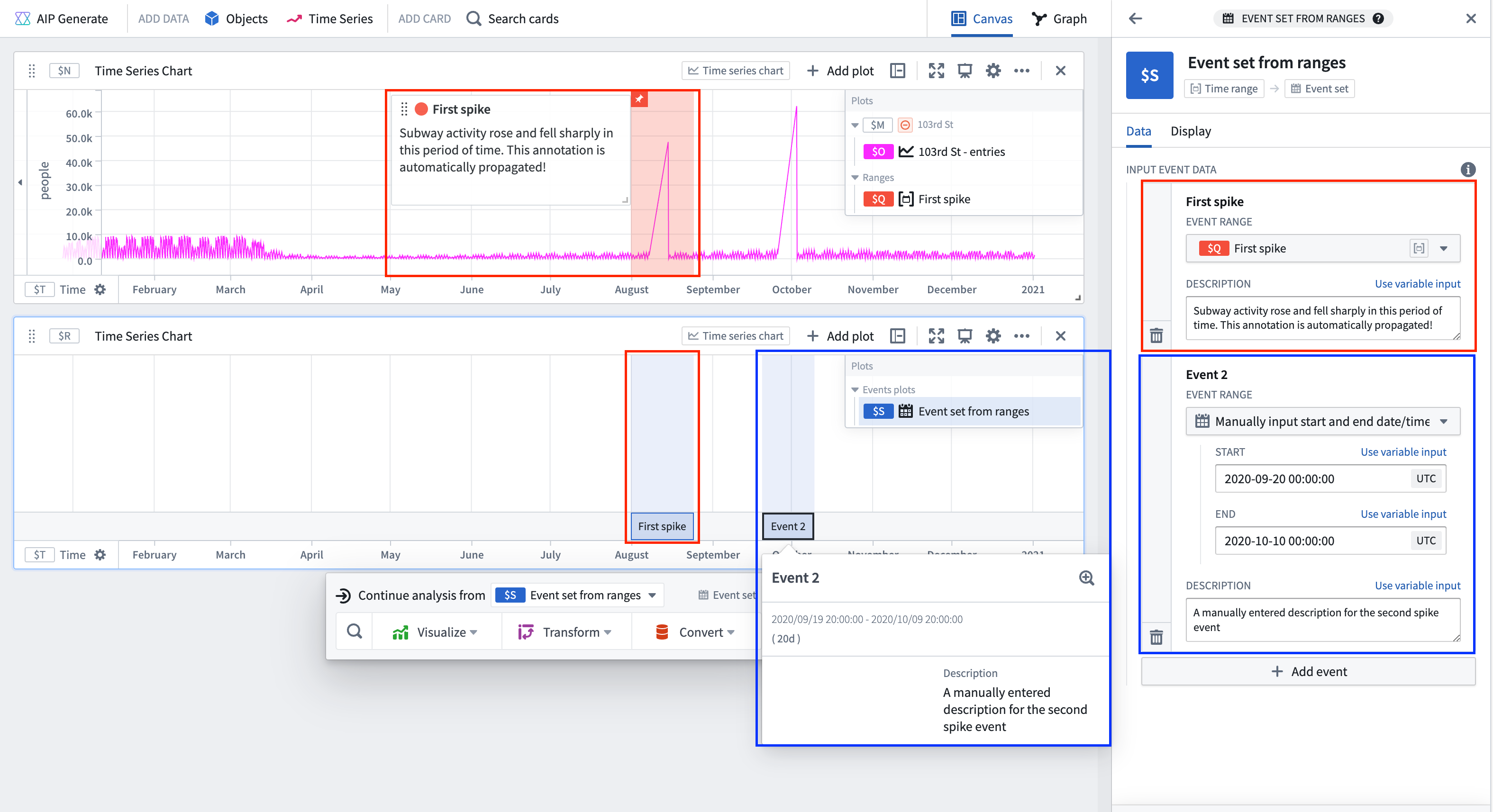
Create an event set by specifying a list of time ranges for each event. Create each event by selecting a range parameter, or separately inputting start and end timestamps. Customize the title and description that appear in an event's tooltip by editing the corresponding fields in the Input event data section in the Data tab of the editor panel. When a range parameter is used, its title and annotation automatically populate the event's title and description, if available.
Input type
Time ranges
Output type
Event set
Examples
Usage information
| Functionality | Availability |
|---|---|
| Standard Quiver card | Supported |
| Transform table transform | Unsupported |
See also
中文翻译
基于时间范围的事件集(Event set from ranges)
通过为每个事件指定一系列时间范围来创建事件集。创建每个事件时,可选择范围参数(range parameter),或分别输入起始和结束时间戳。在编辑器面板的数据选项卡中,编辑输入事件数据部分对应的字段,可自定义事件工具提示中显示的标题和描述。当使用范围参数时,其标题和注释(如有)将自动填充到事件的标题和描述中。
输入类型
时间范围(Time ranges)
输出类型
事件集(Event set)
示例
使用信息
| 功能 | 可用性 |
|---|---|
| 标准 Quiver 卡片 | 支持 |
| 转换表转换 | 不支持 |