Expression(表达式(Expression))
Use the expression language to derive new columns or perform complex filtering. Advanced features available only in this card, such as window functions can be used to unlock new types of analysis in Quiver. To use, select either an object set, materialization card, or another Expression card.

Select Additional configuration... to access Add new column, Replace column, Filter, and Aggregate options.

Where AIP is enabled, you can select the AIP Configure option in the Expression card to create expressions using natural language.
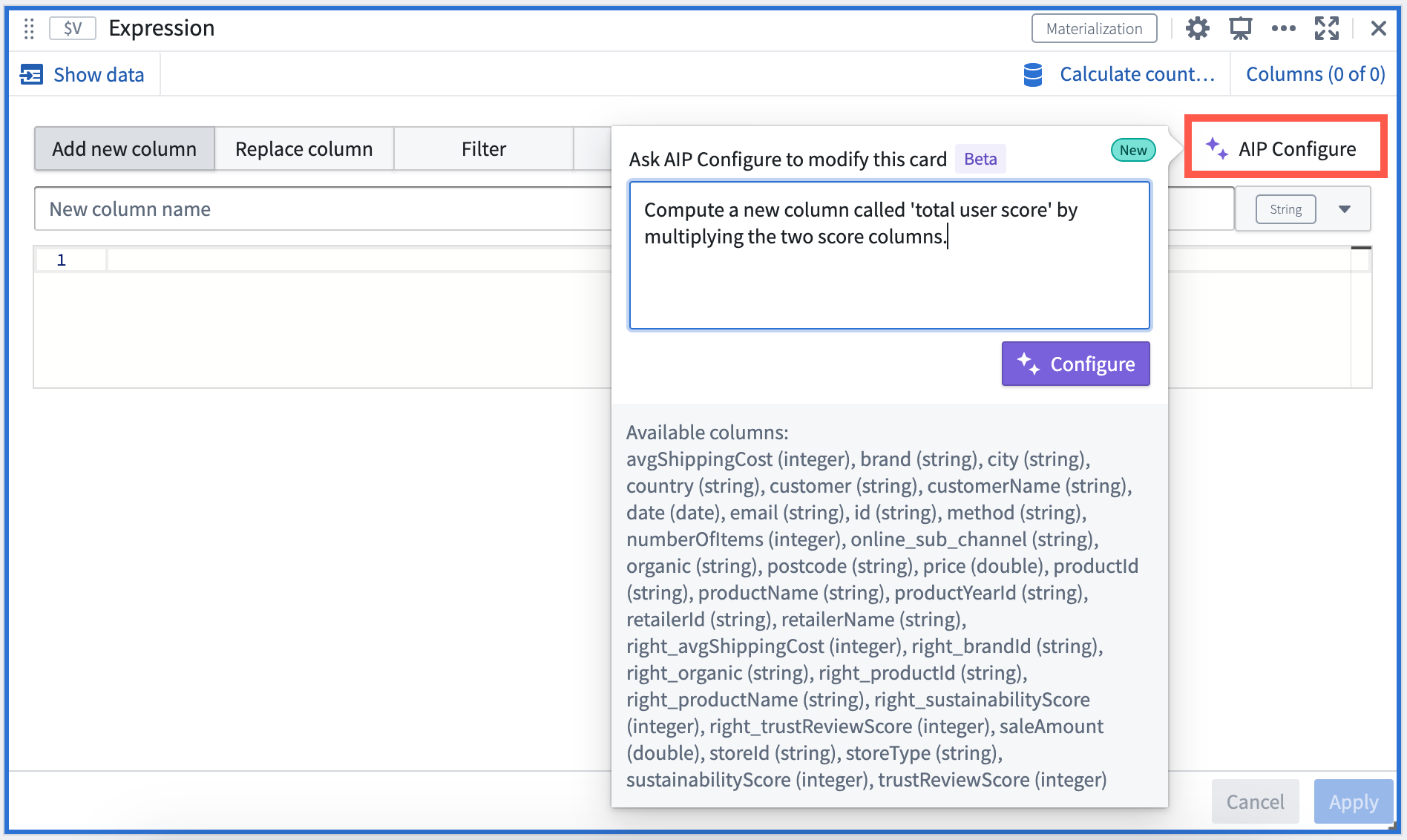
Some sample prompts you can use include:
- “Compute a new column called 'total user score' by multiplying the two score columns”
- “Compute the 'total user score' defined by multiplying the two score columns for each organic category”
- “Compute the average sustainability score for each organic category”
- “Update the values in the Organic column to camel case”
- “Concatenate the two product name columns into one of them”
- “Compute the total revenue per product for each store, taking into account price and quantity sold”
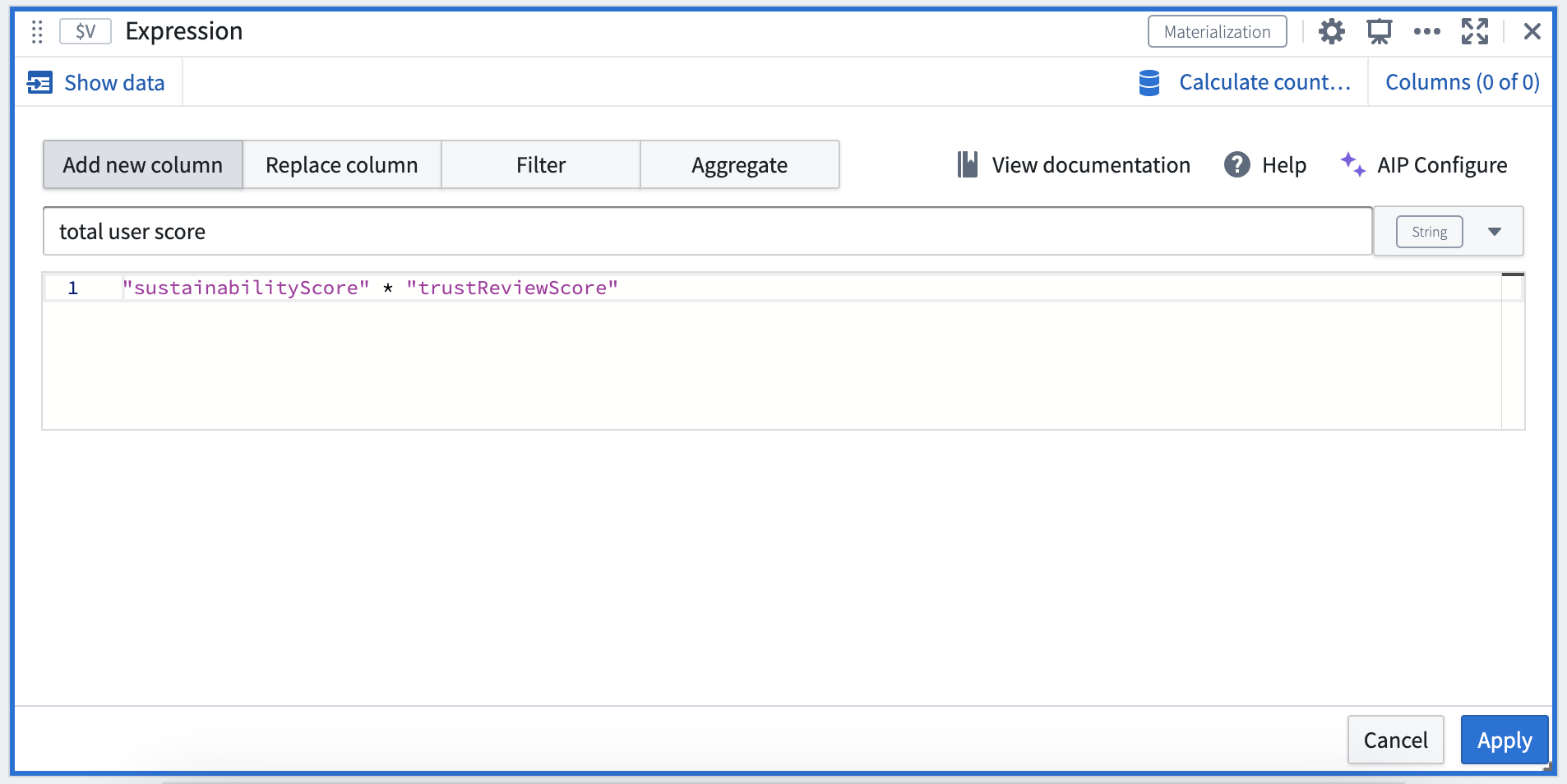
AIP provides a suggestion which you can Apply.
Input type
Object set, Materialization
Output type
Materialization
Usage information
| Functionality | Availability |
|---|---|
| Standard Quiver card | Supported |
| Transform table transform | Unsupported |
中文翻译
表达式(Expression)
使用表达式语言来派生新列或执行复杂的过滤操作。此卡片独有的高级功能(例如窗口函数)可用于在 Quiver 中解锁新的分析类型。使用时,请选择对象集(object set)、物化卡片(materialization card)或另一个表达式卡片。
选择 其他配置... 可访问 添加新列、替换列、过滤 和 聚合 选项。
在已启用 AIP 的环境中,您可以选择表达式卡片中的 AIP 配置 选项,使用自然语言创建表达式。
您可以使用的示例提示包括:
- “计算一个名为‘用户总分’的新列,方法是将两个分数列相乘”
- “计算‘用户总分’,定义为将两个分数列按每个有机类别相乘”
- “计算每个有机类别的平均可持续性评分”
- “将 Organic 列中的值更新为驼峰式大小写”
- “将两个产品名列合并到其中一个列中”
- “计算每个商店中每种产品的总收入,考虑价格和销售数量”
AIP 会提供一个建议,您可以选择 应用。
输入类型
对象集(Object set)、物化(Materialization)
输出类型
物化(Materialization)
使用信息
| 功能 | 可用性 |
|---|---|
| 标准 Quiver 卡片 | 支持 |
| 转换表转换 | 不支持 |