Filter time series(筛选时间序列(Filter time series))
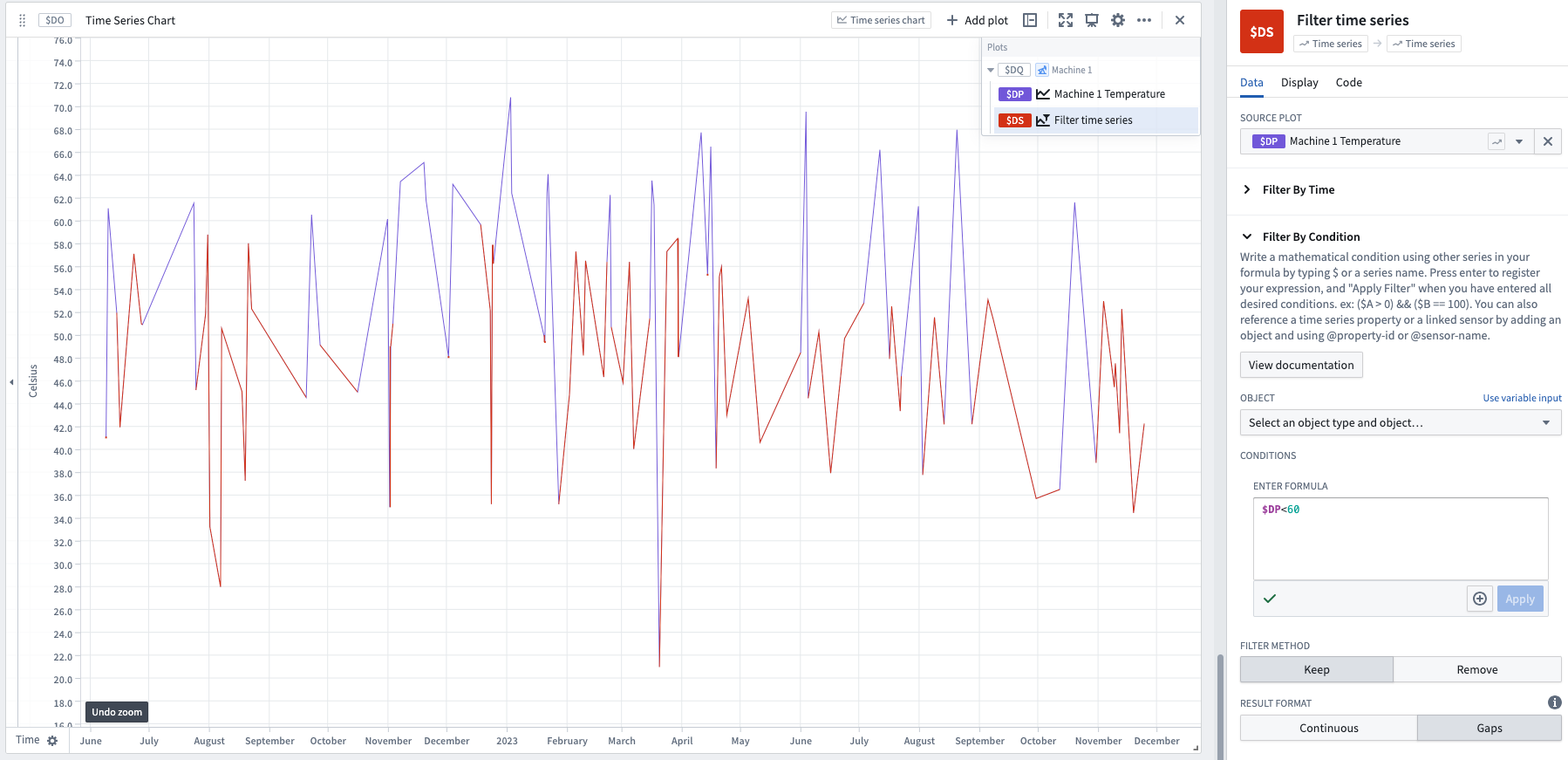
This filter allows you to keep or remove points in a time series based on a time range or mathematical conditions. The Filter By Time option filters data based on the timestamp of the data (the x-axis, in many cases), while the Filter By Condition filters based on the value of the data (the y-axis, in many cases). Only one of these sections needs to be filled out.
- To filter using an event set, use the event indicator series card to generate a series that represents the count of events. Then set the formula in the Filter By Condition option to filter to when your generated series is greater than zero.
- In the formula for the Filter By Condition option, we use the plot reference to refer to a specific series (
$A). This allows you to use multiple series in your filter condition ($A > 100 && $B < 50). We also use the '@' symbol to refer to any properties on the (optionally) selected object. - There is a parameter to control whether to keep or remove the data that matches your filter condition.
- There is a Filter Method parameter with two options: Gap and Continuous.
- If you choose Gap, data not matching your condition will be filtered out and will be shown as gaps in your series.
- With Continuous, Quiver will interpolate between the filtered values to produce a continuous series. Interpolation settings are controlled by the Interpolation Options dropdowns, with default Linear.
Learn more about how interpolation affects this operation.
Input type
Time series
Output type
Time series
Examples

Usage information
| Functionality | Availability |
|---|---|
| Standard Quiver card | Supported |
| Transform table transform | Supported |
中文翻译
筛选时间序列(Filter time series)
此筛选器允许您根据时间范围或数学条件保留或移除时间序列中的数据点。按时间筛选(Filter By Time) 选项基于数据的时间戳(通常为 x 轴)进行筛选,而按条件筛选(Filter By Condition) 则基于数据的数值(通常为 y 轴)进行筛选。只需填写其中一项即可。
- 如需使用事件集进行筛选,请使用事件指示序列卡片(event indicator series card)生成一个表示事件计数的序列。然后在按条件筛选(Filter By Condition) 选项中设置公式(formula),以筛选出生成的序列大于零的情况。
- 在按条件筛选(Filter By Condition) 选项的公式(formula)中,我们使用绘图引用(plot reference) 来引用特定序列(
$A)。这样您就可以在筛选条件中使用多个序列($A > 100 && $B < 50)。我们还使用 '@' 符号来引用(可选)选定对象上的任何属性。 - 有一个参数用于控制是保留还是移除符合筛选条件的数据。
- 有一个筛选方法(Filter Method) 参数,包含两个选项:间隙(Gap) 和连续(Continuous)。
- 如果选择间隙(Gap),不符合条件的数据将被滤除,并在序列中显示为空白。
- 如果选择连续(Continuous),Quiver 将在筛选后的数值之间进行插值,以生成连续序列。插值设置由插值选项(Interpolation Options) 下拉菜单控制,默认设置为线性(Linear)。
输入类型
时间序列(Time series)
输出类型
时间序列(Time series)
示例
使用信息
| 功能 | 可用性 |
|---|---|
| 标准 Quiver 卡片(Standard Quiver card) | 支持 |
| 转换表转换(Transform table transform) | 支持 |