Linear aggregation(线性聚合(Linear aggregation))
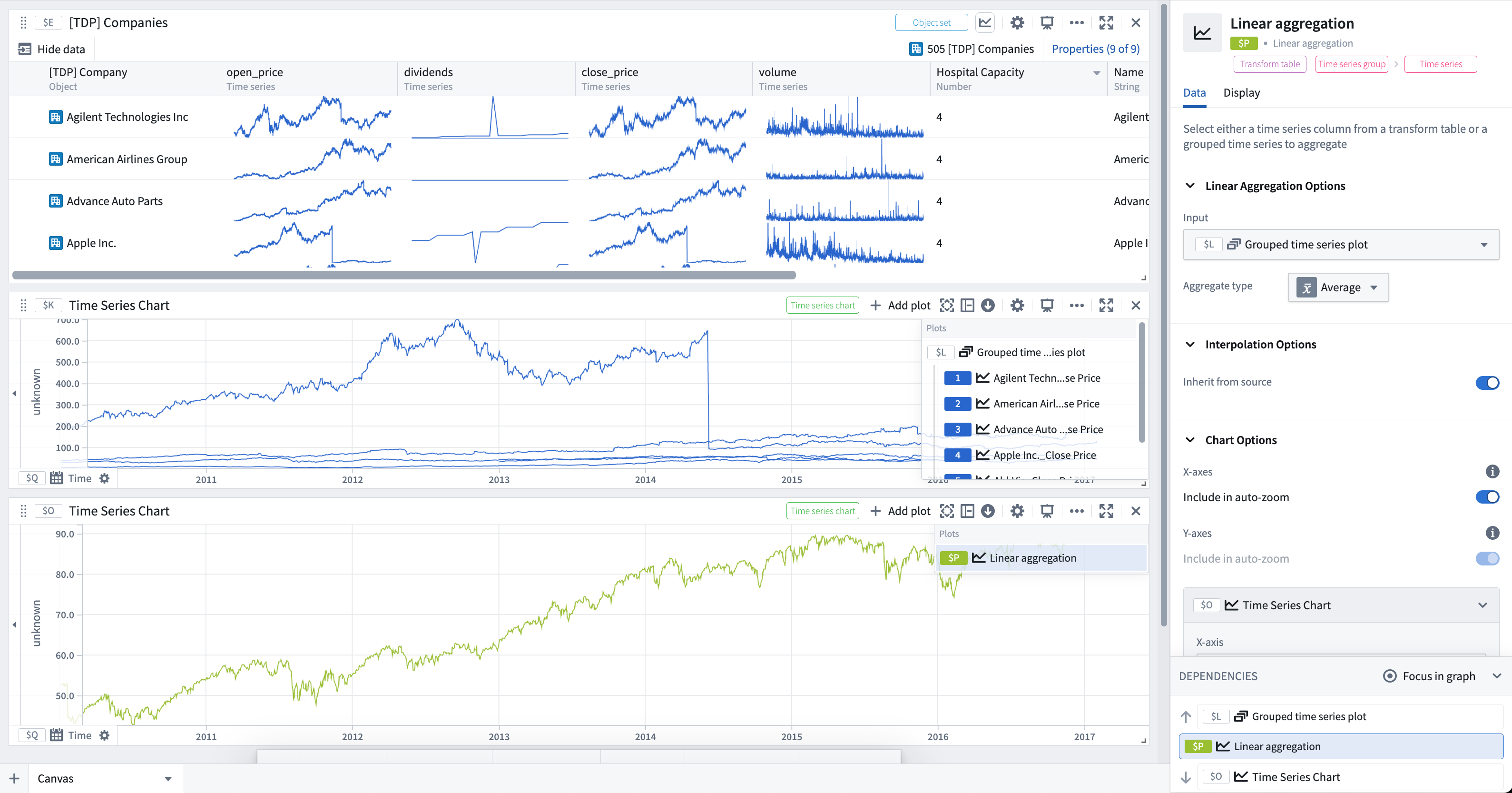
Takes multiple time series, either from a transform table column, a grouped time series plot, an object set with time series, or manual inputs, and computes a linear aggregation of the time series set over time. You can add a linear aggregation from the Next Actions menu by selecting Visualize > Linear aggregation. Note that while a rolling or periodic aggregate transforms aggregate over a single time series, the linear aggregation aggregates across multiple time series.
Learn more about how interpolation affects this operation.
For a comprehensive guide on batch time series analysis, including other aggregation approaches and visualization methods, see batch analyze time series.
Input type
Time series, time series group, or transform table
Output type
Time series
Examples
Usage information
| Functionality | Availability |
|---|---|
| Standard Quiver card | Supported |
| Transform table transform | Supported* |
* In the transform table, this transform is called "time series group linear aggregation", and must be performed on a time series group column (result of a group by transform).
See also
中文翻译
线性聚合(Linear aggregation)
接收多个时间序列(可来自转换表列、分组时间序列图、含时间序列的对象集或手动输入),并计算这些时间序列随时间变化的线性聚合结果。您可以通过 下一步操作(Next Actions) 菜单选择 可视化 > 线性聚合(Visualize > Linear aggregation) 来添加线性聚合。请注意,滚动聚合或周期聚合是对单个时间序列进行聚合,而线性聚合则是对多个时间序列进行跨序列聚合。
有关批量时间序列分析的全面指南(包括其他聚合方法和可视化方式),请参阅批量分析时间序列。
输入类型
时间序列、时间序列组或转换表
输出类型
时间序列
示例
使用信息
| 功能 | 可用性 |
|---|---|
| 标准 Quiver 卡片 | 支持 |
| 转换表转换 | 支持* |
* 在转换表中,此转换称为"时间序列组线性聚合",且必须对时间序列组列(分组转换的结果)执行。