Time series search(时间序列搜索(Time series search))
Visually display when certain conditions are met on one or more time series plots; for example, when a series exceeds value 100 and another series hits a specified threshold. Time series search returns an event set containing one event for each time interval that satisfies the specified conditions. This event set is displayed as an events plot and can be analyzed further in Quiver.
The search works by scanning through the input time series one point at a time to find intervals where the data matches the search conditions. An event starts ("opens") when a point meets these conditions and continues as long as each subsequent point also satisfies them. The event ends ("closes") if a point no longer meets the conditions, or when the time series ends. Note that the point that closes the event is not part of the event, unless it is the very last point in the series and it satisfies the search conditions.
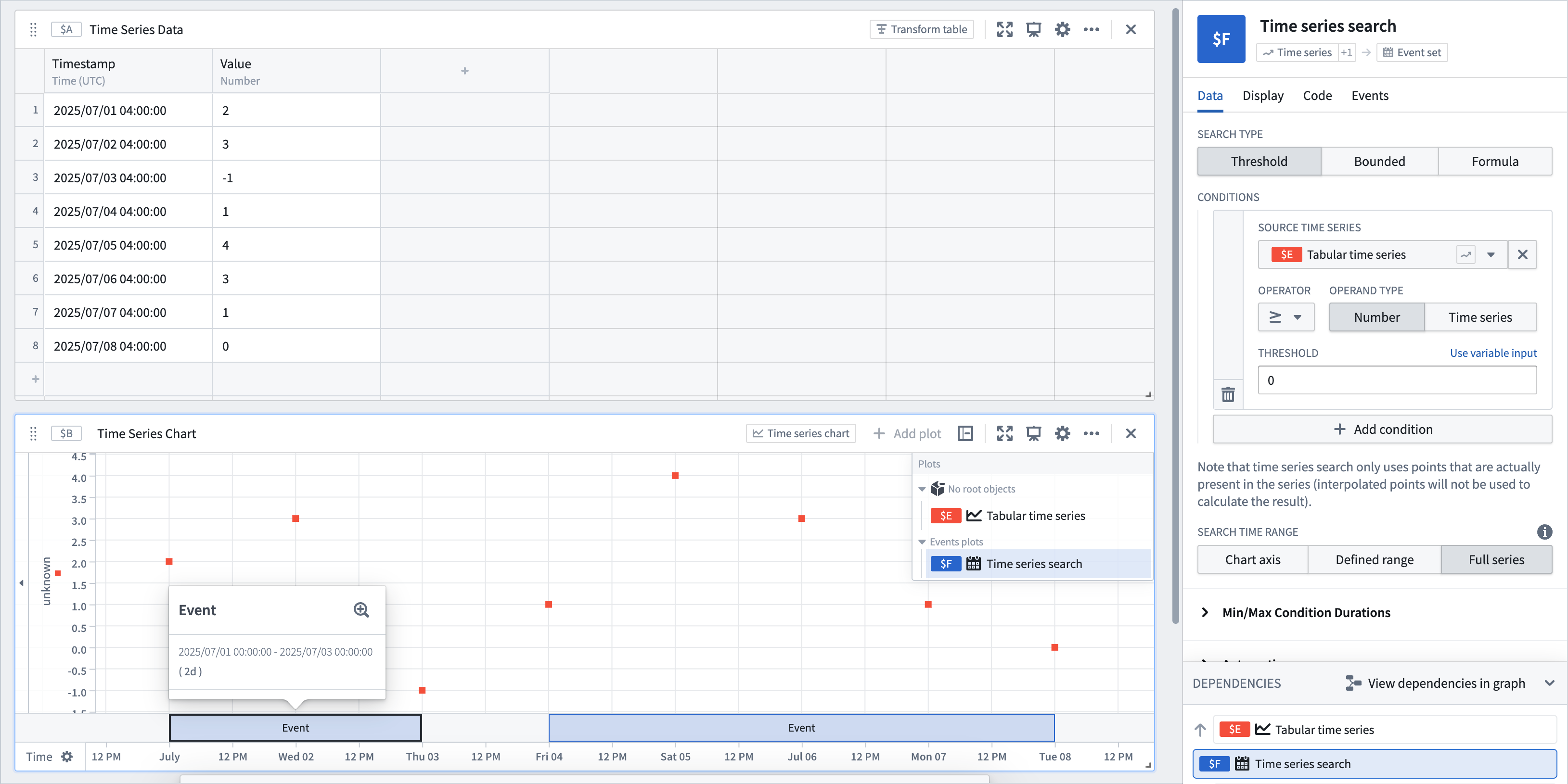
You can optionally set a minimum or maximum condition so that the search only matches events that are longer or shorter than a specified duration. For example, you can find only events that are longer than one hour or shorter than one day.
Search types
Threshold
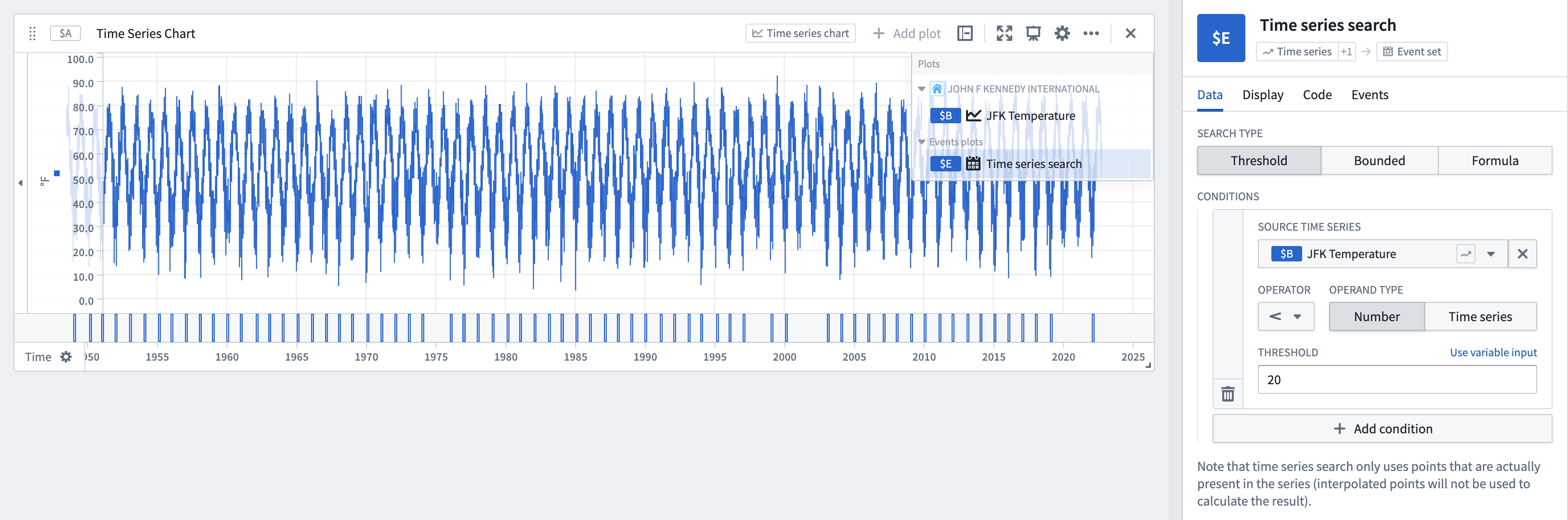
The default search type. Generates events when the source time series meets specified threshold criteria.
- Allows selecting a numeric or enum time series as the Source Time Series. For numeric time series, supports greater than (
>), greater than or equal to (>=), less than (<), less than or equal to (<=), equal to (=), and not equal to (!=) operators; for enum time series, supports equal to (=) and not equal to (!=) operators. - Provides the ability to compare the source time series against another time series by changing the operand type to
Time series. - Optionally add multiple threshold conditions with the Add condition button. Values that match all conditions will be included by default. Change the search to match any condition by switching the Join type from
ANDtoOR.
Bounded
Compare a time series against a bounded time series and find periods where the time series is outside the bounds of the bounded time series. By default, an event is not generated when the time series equals the upper or lower bound of the bounded time series. You can configure this behavior for each bound manually or control it using a boolean parameter. The bounded search type does not support enum time series.

Formula
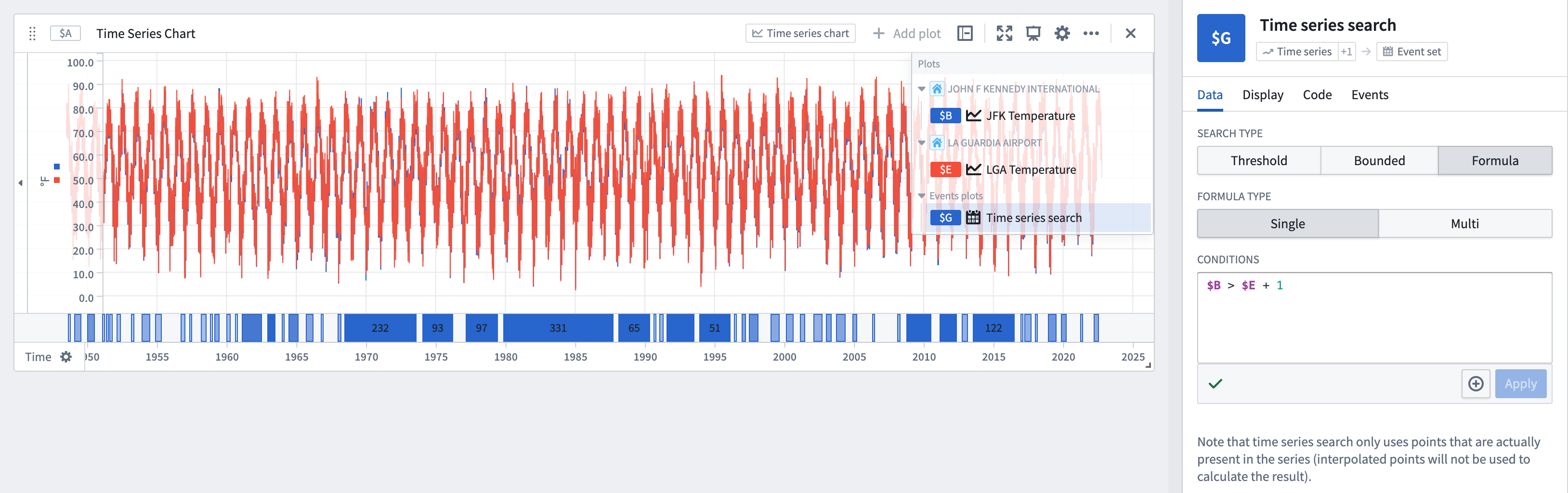
Flexibly represent your search logic using a formula. The formula should return a Boolean value, and an event will be created for every time interval in which this Boolean value is true.
- Run a single search or multiple searches:
- Single: Performs a search on one or more time series plots referenced in the formula.
- Multi: Performs a search across each row of a transform table (limited to 1,000 rows). Search properties in the table using
@propertysyntax. Returns one event for each time interval that satisfies the specified conditions. - Optionally set multiple search conditions by selecting + next to Apply. Values that match all conditions will be included by default. Change the search to match any condition by switching the Join type from
ANDtoOR. - Reference any time series plot or parameters in your analysis when writing the formula in the Conditions text box (for example,
$AN < 5 && $W = $X).
Interpolation
Learn more about how interpolation affects this operation.
Alerting
The events identified through time series search can be saved as objects in the Ontology using time series alerting. This allows you to track and monitor specific conditions of interest across your time series data.
Input type
Time series, bounded time series, transform table
Output type
Event set
Usage information
| Functionality | Availability |
|---|---|
| Standard Quiver card | Supported |
| Transform table transform | Unsupported |
中文翻译
时间序列搜索(Time series search)
在一个或多个时间序列图上直观显示特定条件何时被满足;例如,当某个序列超过值100且另一个序列达到指定阈值时。时间序列搜索会返回一个事件集(event set),其中每个满足指定条件的时间间隔对应一个事件。该事件集以事件图(events plot)形式显示,并可在Quiver中进一步分析。
搜索的工作原理是逐点扫描输入的时间序列,以查找数据与搜索条件匹配的时间间隔。当一个数据点满足这些条件时,事件开始("开启"),并且只要后续每个点也满足条件,事件就会持续。如果某个点不再满足条件,或时间序列结束时,事件结束("关闭")。请注意,结束事件的那个点不属于该事件,除非它是序列中的最后一个点且满足搜索条件。
您可以选择设置最小或最大条件,使搜索仅匹配持续时间长于或短于指定时长的事件。例如,您可以仅查找长于一小时或短于一天的事件。
搜索类型
阈值(Threshold)
默认搜索类型。当源时间序列满足指定的阈值条件时生成事件。
- 允许选择数值型或枚举型时间序列作为源时间序列(Source Time Series)。对于数值型时间序列,支持大于(
>)、大于等于(>=)、小于(<)、小于等于(<=)、等于(=)和不等于(!=)运算符;对于枚举型时间序列,支持等于(=)和不等于(!=)运算符。 - 通过将操作数类型(operand type)更改为
时间序列(Time series),可提供将源时间序列与另一个时间序列进行比较的功能。 - 可选择使用添加条件(Add condition)按钮添加多个阈值条件。默认情况下,将包含满足所有条件的值。通过将连接类型(Join type)从
AND切换为OR,可将搜索更改为匹配任意条件。
边界(Bounded)
将时间序列与有界时间序列(bounded time series)进行比较,并找出时间序列超出有界时间序列边界的时段。默认情况下,当时间序列等于有界时间序列的上限或下限时,不会生成事件。您可以手动为每个边界配置此行为,或使用布尔参数(boolean parameter)进行控制。边界搜索类型不支持枚举型时间序列。
公式(Formula)
使用公式灵活地表示搜索逻辑。公式应返回一个布尔值(Boolean value),并且将为该布尔值为真的每个时间间隔创建一个事件。
- 运行单个搜索或多个搜索:
- 单个(Single): 对公式中引用的一个或多个时间序列图执行搜索。
- 多个(Multi): 对转换表(transform table)的每一行执行搜索(限制为1,000行)。使用
@property语法搜索表中的属性。为每个满足指定条件的时间间隔返回一个事件。 - 可选择通过选择应用(Apply)旁边的+来设置多个搜索条件。默认情况下,将包含满足所有条件的值。通过将连接类型(Join type)从
AND切换为OR,可将搜索更改为匹配任意条件。 - 在条件(Conditions)文本框中编写公式时,可引用分析中的任何时间序列图或参数(例如,
$AN < 5 && $W = $X)。
插值(Interpolation)
告警(Alerting)
通过时间序列搜索识别出的事件,可以使用时间序列告警(time series alerting)保存为本体(Ontology)中的对象。这使您能够跨时间序列数据跟踪和监控感兴趣的特定条件。
输入类型
时间序列、有界时间序列、转换表
输出类型
事件集
使用信息
| 功能 | 可用性 |
|---|---|
| 标准Quiver卡片 | 支持 |
| 转换表转换 | 不支持 |