Embed in an object view(嵌入对象视图(Embed in an object view))
Published Quiver dashboards can be embedded in object views in Object Explorer.
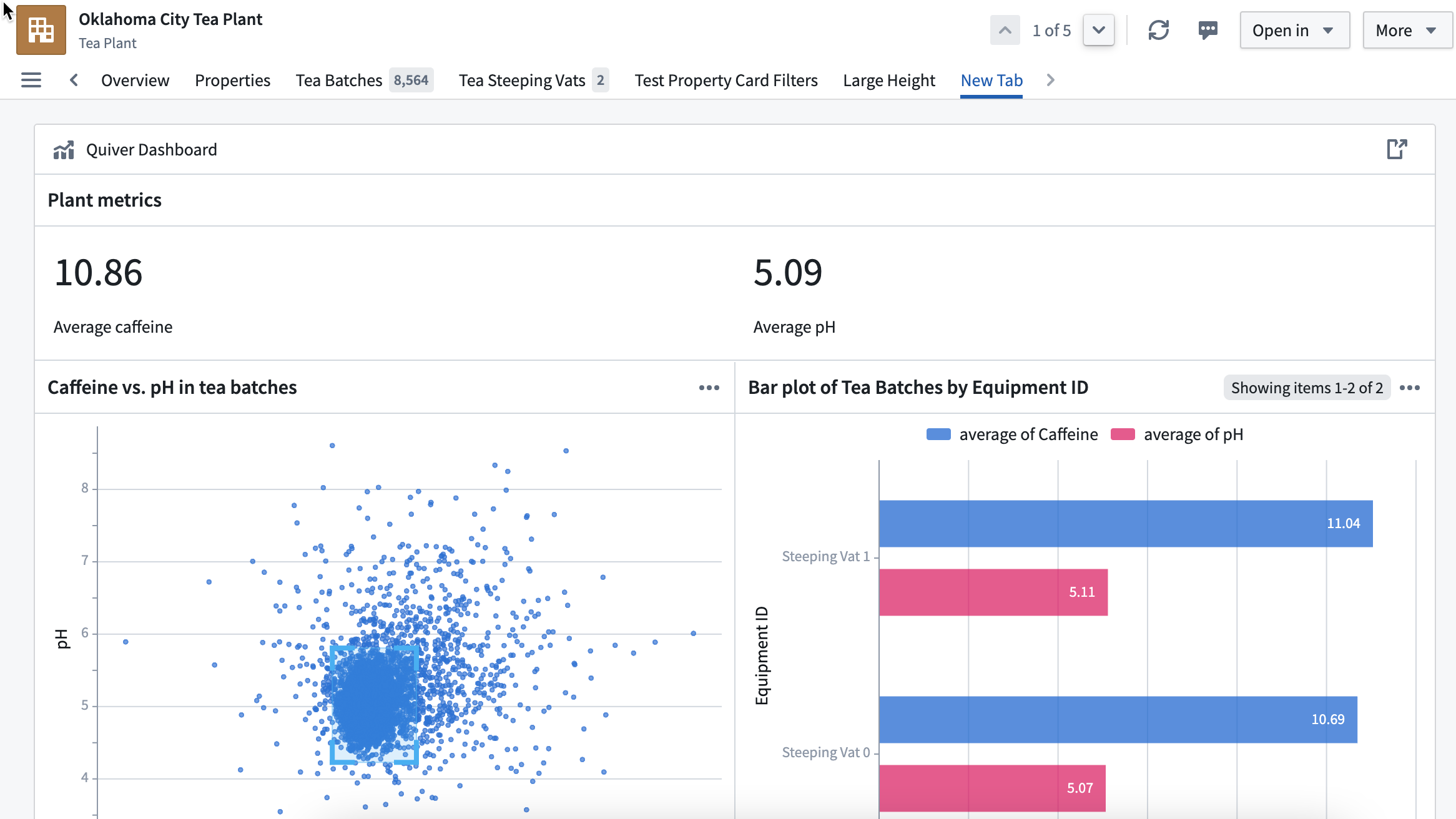
Add Quiver dashboard widget
A Quiver dashboard can be added directly from a “legacy” Object View builder tab.

From there, open the Add widget menu and select Quiver dashboard from the list.


Configure Quiver dashboard widget
From the dropdown list, select the published dashboard you want to embed.

To use the object from the object view as an input to the Quiver dashboard, copy the name of the object input defined in the Quiver dashboard in the Dashboard’s input name for object field.

If there are additional inputs configured for this dashboard, you can map to the data inputs from the object view by selecting Add Item in the Additional dashboard inputs section.
| Quiver input type | Object view filter type |
|---|---|
| Boolean | String, or first in string list |
| Number | String, or first in string list |
| String | String, or first in string list |
| Time | String, or first in string list |
| Time Range | Time range or relative time range filter |
| Time Series | Not supported |
| Object | Not supported |
| Object Set | Not supported |
| String List | String list |
Finally, define the height of your widget. This is required when the dashboard’s view style is set to stretch, otherwise the widget will have a default height of 0 pixels.
中文翻译
嵌入对象视图(Embed in an object view)
已发布的 Quiver 仪表盘可嵌入到对象浏览器(Object Explorer)的对象视图中。
添加 Quiver 仪表盘组件(Quiver dashboard widget)
Quiver 仪表盘可直接从"旧版"对象视图构建器标签页中添加。
在此处打开 添加组件(Add widget) 菜单,并从列表中选择 Quiver 仪表盘(Quiver dashboard)。
配置 Quiver 仪表盘组件
从下拉列表中选择要嵌入的已发布仪表盘。
如需将对象视图中的对象作为 Quiver 仪表盘的输入,请在 仪表盘的对象输入名称(Dashboard's input name for object) 字段中复制 Quiver 仪表盘定义的对象输入名称。
如果该仪表盘配置了其他输入,您可以通过在 附加仪表盘输入(Additional dashboard inputs) 部分选择 添加项目(Add Item),将对象视图中的数据输入映射过来。
| Quiver 输入类型 | 对象视图筛选器类型 |
|---|---|
| 布尔值(Boolean) | 字符串(String),或字符串列表中的第一个 |
| 数值(Number) | 字符串,或字符串列表中的第一个 |
| 字符串(String) | 字符串,或字符串列表中的第一个 |
| 时间(Time) | 字符串,或字符串列表中的第一个 |
| 时间范围(Time Range) | 时间范围或相对时间范围筛选器 |
| 时间序列(Time Series) | 不支持 |
| 对象(Object) | 不支持 |
| 对象集(Object Set) | 不支持 |
| 字符串列表(String List) | 字符串列表 |
最后,定义组件的高度。当仪表盘的视图样式设置为拉伸(stretch)时,此项为必填,否则组件默认高度为 0 像素。