Drill down on objects sets(深入查看对象集(Drill down on objects sets))
You can efficiently drill down from an object set to any specific object or object property in the set through a 1-click pop-out action. This page explains how to drill down to objects, time series columns, and object metrics.
Specific objects
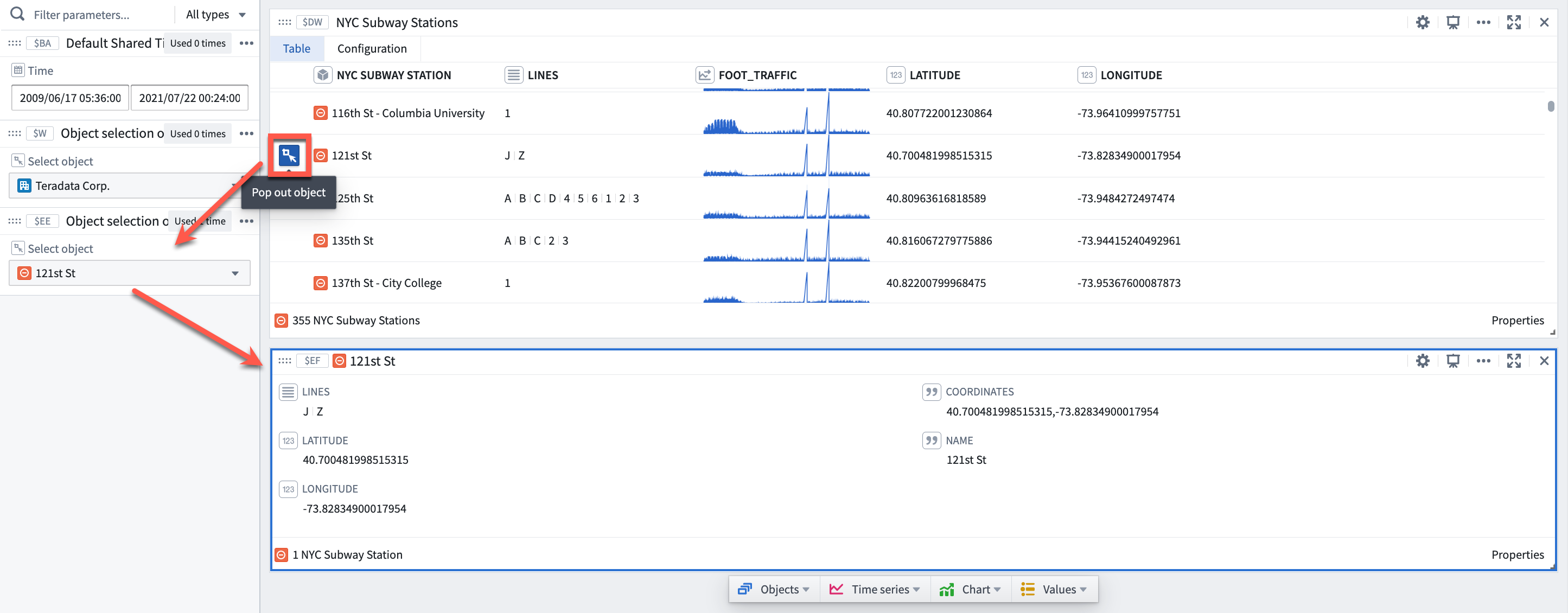
Rows in an object set card can be popped out as individual object cards.
To pop out an object, move the cursor over the row and click the blue Pop out object button that appears to the left of the row. Clicking the button will add an object selector parameter preconfigured to the selected object and an object card that takes the object selector as input.
Time series columns
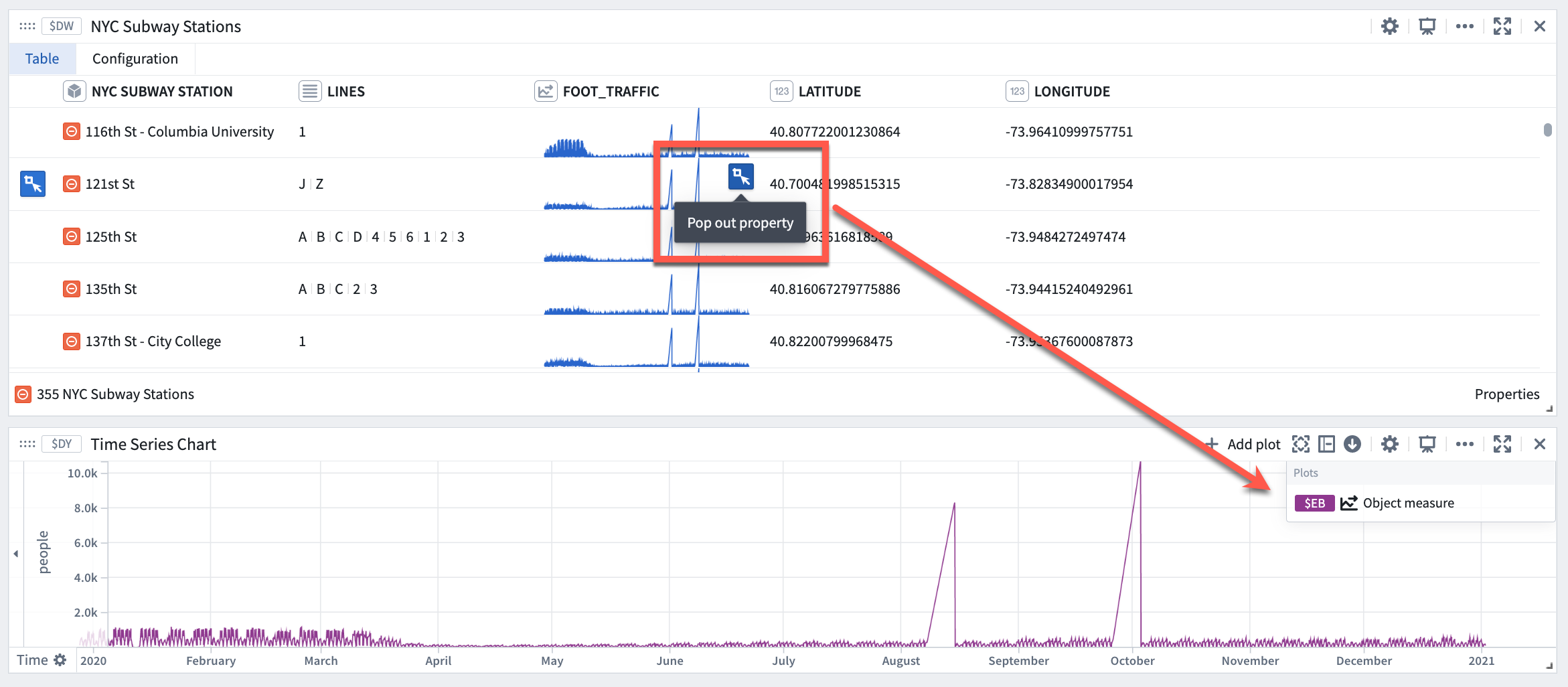
Time series columns render as a sparkline directly in the object set card. All time series columns can be popped out as a time series plot.
To pop out a time series, move the cursor over the time series and click the blue Pop out property button that appears to the right of the property cell. Clicking the button will add a time series chart with the selected time series plot.
Learn more about adding and removing object properties and linked sensors in an object set card.
Object metrics
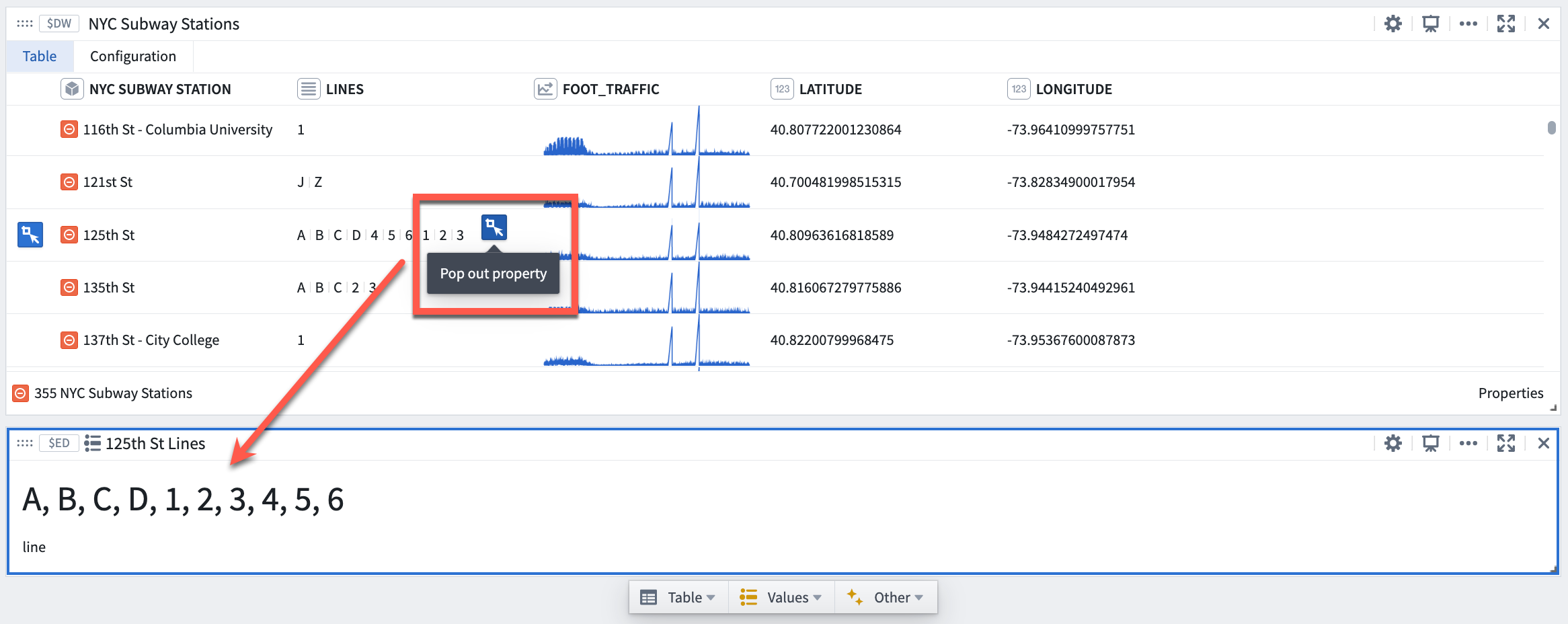
All columns that are not time series can be popped out as an object property (metric) card.
To pop out a non-time series property, move the cursor over the property cell and click the blue Pop out property button that appears to the right of the property cell. Clicking the button will add an object property (metric) card with the selected object property preconfigured as input.
中文翻译
深入查看对象集(Drill down on objects sets)
您可以通过一键弹出操作,高效地从对象集深入查看其中的任何特定对象或对象属性。本页说明如何深入查看对象、时间序列列和对象指标。
特定对象(Specific objects)
对象集卡片中的行可以弹出为单个对象卡片。
要弹出对象,请将光标移至该行,点击行左侧出现的蓝色弹出对象(Pop out object)按钮。点击该按钮将添加一个预配置为选中对象的对象选择器参数,以及一个以该对象选择器为输入的对象卡片。
时间序列列(Time series columns)
时间序列列会以迷你图的形式直接呈现在对象集卡片中。所有时间序列列都可以弹出为时间序列图。
要弹出时间序列,请将光标移至时间序列上,点击属性单元格右侧出现的蓝色弹出属性(Pop out property)按钮。点击该按钮将添加一个包含所选时间序列图的时间序列图表。
了解更多关于在对象集卡片中添加和移除对象属性及关联传感器的信息。
对象指标(Object metrics)
所有非时间序列的列都可以弹出为对象属性(指标)卡片。
要弹出非时间序列属性,请将光标移至属性单元格上,点击属性单元格右侧出现的蓝色弹出属性(Pop out property)按钮。点击该按钮将添加一个对象属性(指标)卡片,其中预配置了所选对象属性作为输入。