Export a board's data to CSV(将看板数据导出为 CSV)
:::callout{theme="warning"} The Foundry Reports application has been sunsetted, and legacy reports are now available as view-only. Refer to the Reports sunset announcement for further details. :::
The data that populates a Contour board can be exported to CSV
-
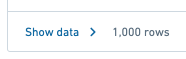
Click Show data in the Contour board’s footer
-
Click Export to CSV in the header of the table fly out

-
Wait for the export to complete
中文翻译
将看板数据导出为 CSV
:::callout{theme="warning"} Foundry Reports 应用程序已停止服务,旧版报告现仅支持只读访问。更多详情请参阅 Reports 停用公告。 :::
填充 Contour 看板的数据可以导出为 CSV 格式
-
点击 Contour 看板底部的 显示数据(Show data)
-
在表格弹出窗口的标题栏中点击 导出为 CSV(Export to CSV)
-
等待导出完成