Export to PDF or PowerPoint(导出为 PDF 或 PowerPoint)
Reports can be exported to a PDF or PPT.
:::callout{theme="neutral"} When exported, Contour table boards will attempt to display up to 1000 rows and all columns in the dataset, which can span many pages. Use the preview functionality to see what your report will look like when exported. :::
PDF
-
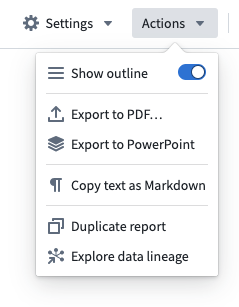
Click Actions
-
Click Export to PDF...
-
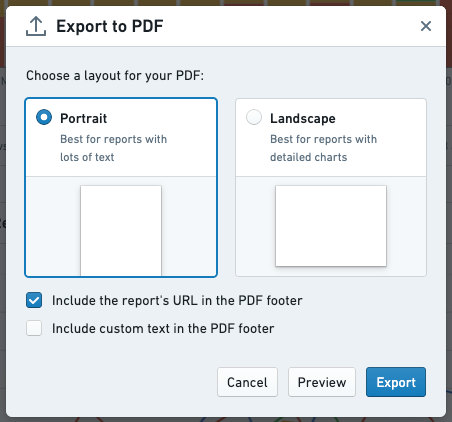
Choose a layout for your PDF, either Portrait or Landscape
-
(If needed) Enable relevant check boxes in order to customize the exported PDF’s footer.
-
Preview your export by clicking the Preview button.
-
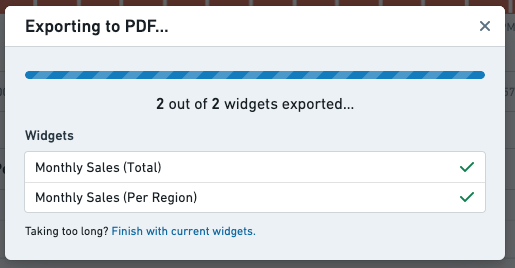
Wait for the export to complete
PPT
- Click Actions
- Click Export to PowerPoint
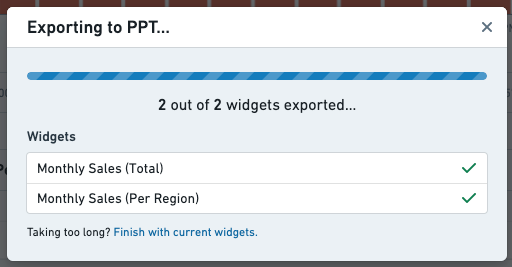
- Wait for the export to complete
中文翻译
导出为 PDF 或 PowerPoint
报告可以导出为 PDF 或 PPT 格式。
:::callout{theme="neutral"} 导出时,Contour 表格看板(Table Board)将尝试显示数据集中最多 1000 行和所有列,这可能会跨越多页。请使用预览功能查看报告导出后的效果。 :::
PDF
-
点击 操作(Actions)
-
点击 导出为 PDF(Export to PDF)...
-
为您的 PDF 选择布局,纵向(Portrait) 或 横向(Landscape)
-
(如需) 勾选相关复选框以自定义导出 PDF 的页脚。
-
点击 预览(Preview) 按钮预览导出效果。
-
等待导出完成
PPT
- 点击 操作(Actions)
- 点击 导出为 PowerPoint(Export to PowerPoint)
- 等待导出完成