Parameters(参数(Parameters))
A parameter allows report viewers to easily switch what category of the data they’re seeing. For example:
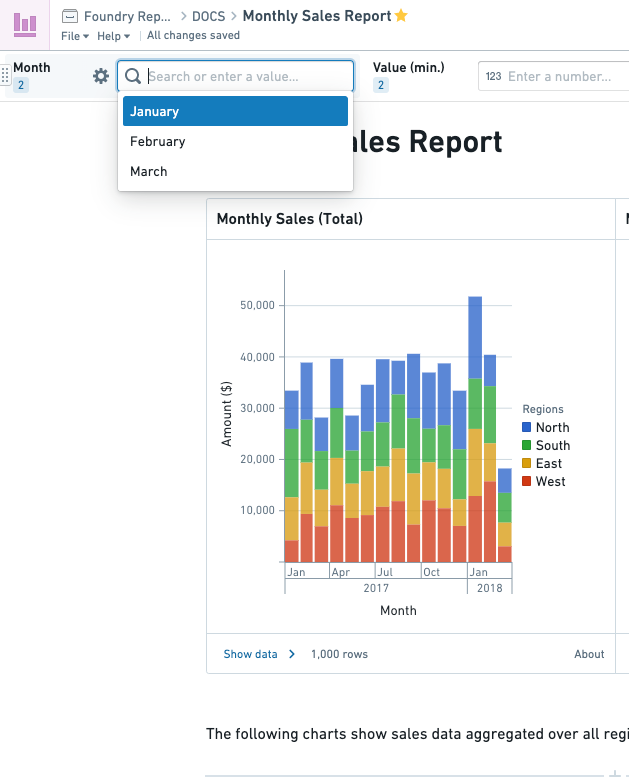
- If you’re writing a report showing monthly sales data, you might create a Month parameter so your report viewers can view data for January, February, or March. Charts using the Month parameter will update whenever the user selects a different month.
- If you’re writing a report with charts relevant to a specific geographic region, you might want a Region parameter so report viewers can see how the charts differ when looking at North America, Europe, or Asia.
Types of parameters
There are several different types of parameters:
- Numbers
- Strings, such as “North America”, “Europe”, “Asia”.
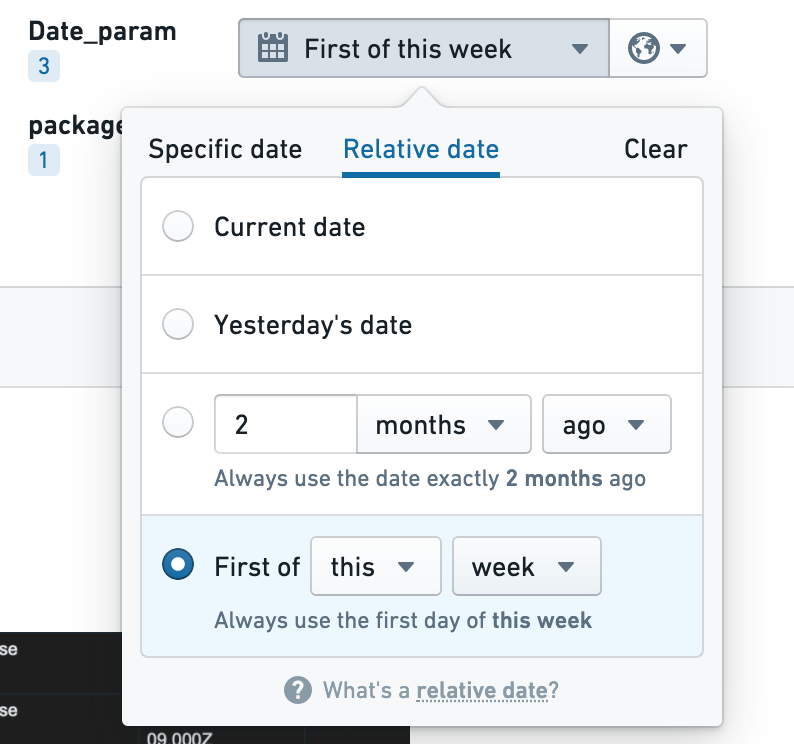
- Dates. For a report showing sales data over time, you might create Start Date and End Date parameters, so report viewers can decide what date range to view information about. You can also set a relative date to give the parameter a value relative to when someone is viewing the report. Note that the first day of a week refers to the Sunday of that week.
中文翻译
参数(Parameters)
参数允许报告查看者轻松切换他们正在查看的数据类别。例如:
- 如果你正在编写一份显示月度销售数据的报告,可以创建一个月份参数,以便报告查看者能够查看一月、二月或三月的数据。使用月份参数的图表会在用户选择不同月份时自动更新。
- 如果你正在编写一份包含与特定地理区域相关图表的报告,可能需要一个区域参数,以便报告查看者能够观察北美、欧洲或亚洲的图表差异。
参数类型
参数有以下几种不同类型:
- 数字(Numbers)
- 字符串(Strings),例如“北美”、“欧洲”、“亚洲”。
- 日期(Dates)。对于展示随时间变化的销售数据的报告,你可以创建开始日期和结束日期参数,以便报告查看者决定查看信息的时间范围。你还可以设置相对日期,使参数值相对于查看报告的时间动态变化。请注意,一周的第一天指的是该周的星期日。