Share a report with others(与他人共享报告)
To share your report, click the Share button at the top right of your report:

Because Foundry is designed to keep any sensitive data secure, you’ll also need to share the assets inside your report if you want viewers to see them. For example:
- If your report contains images or links to other Foundry files, make sure your report viewers also have view permissions on those files.
- If your report shows information from a particular dataset, your report viewers need view permissions on that dataset.
Previewing
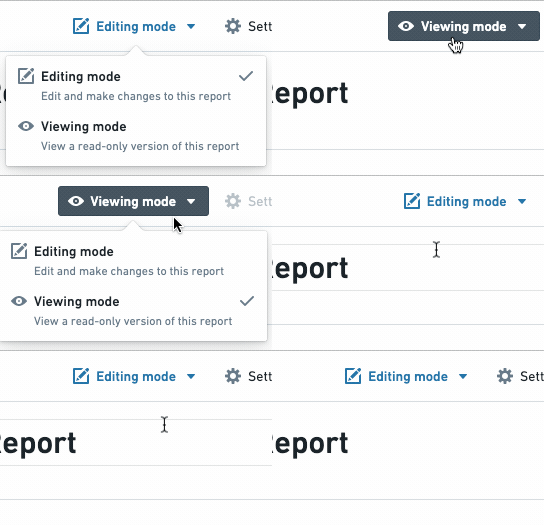
To preview what others will see when you send them your report, you can switch to reader mode by toggling the Editing/Viewing mode button:
:::callout{theme="neutral"} If your report viewers are unable to view the content of your report after sharing both the report and the underlying dataset/files, use the Data Lineage application to determine the user’s resource access and permissions. :::
中文翻译
与他人共享报告
要共享您的报告,请点击报告右上角的 Share(共享)按钮:
由于 Foundry 旨在确保敏感数据的安全,如果您希望查看者看到报告中的内容,还需要共享报告内的资产。例如:
- 如果您的报告包含图片或指向其他 Foundry 文件的链接,请确保报告查看者对这些文件也拥有查看权限。
- 如果您的报告显示来自某个特定数据集的信息,报告查看者需要对该数据集拥有查看权限。
预览
要预览他人收到您的报告后将看到的内容,您可以通过切换 Editing/Viewing mode(编辑/查看模式)按钮来进入阅读者模式:
:::callout{theme="neutral"} 如果在共享报告及底层数据集/文件后,报告查看者仍无法查看报告内容,请使用 Data Lineage(数据血缘)应用来确定用户的资源访问权限。 :::