Update data automatically(自动更新数据)
Auto-update data when a report is opened
Reports are live by default, which means that whenever a report is opened, all the charts inside will load the latest data reflected in the underlying Foundry resources.
In order for underlying Contour analyses to automatically update to the latest available data, ensure that the Refresh analysis data on open setting is enabled for any Contour analyses used in the Report.
Refresh a specific widget
If a chart’s data updates while you’re viewing or editing the report, or auto-refreshing is turned off, you will see an out-of-date warning on the chart along with an option to refresh the data. Click Update dataset and logic to update that specific widget:

Enable refresh report data and logic
-
(If needed) Switch to Editing mode.
-
Click the Settings button in the application header.

-
Click Refresh report data and logic in the settings menu to toggle refreshing on.
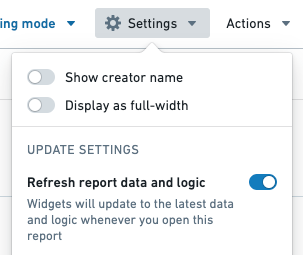
Your report will now refresh all widgets within the report that have updates each time you open your report.
Disable data updating in a report
To make your report static and show data from a specific point in time, change the Update settings of your report:
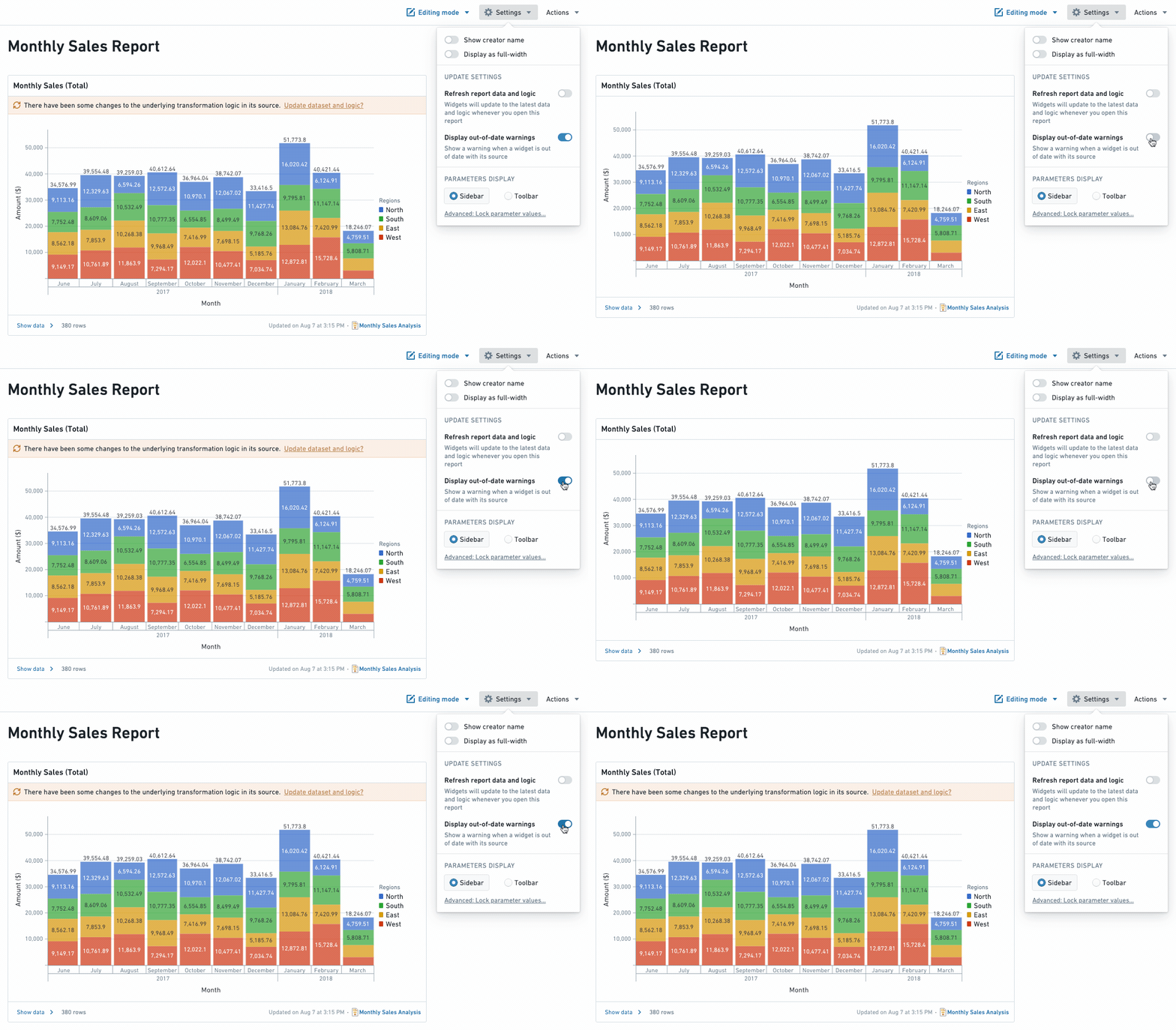
- When Display out-of-date warnings is turned off, you (and viewers of this report) will not see the out of date warning on individual widgets.
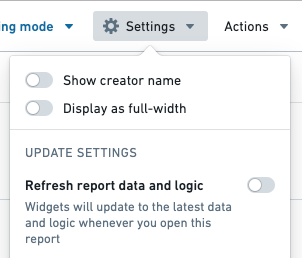
- When Refresh report data and logic is turned off, the report will not auto update to the latest data whenever the report is opened. You can manually refresh the data for a particular widget by clicking on the "Update dataset and logic" text inside a widget's out-of-date warning.
Disable out-of-date warnings
-
(If needed) Switch to Editing mode.
-
Click the Settings button in the application header.
-
Click Display out-of-date warnings in the settings menu to toggle warnings off. You should see any update warnings disappear.
Disable refresh report data and logic
-
(If needed) Switch to Editing mode.
-
Click the Settings button in the application header.
-
Toggle Refresh report data and logic in the settings menu to turn refreshing on or off.
中文翻译
自动更新数据
报告打开时自动更新数据
报告默认是实时(live)的,这意味着每当打开报告时,其中的所有图表都会加载底层 Foundry 资源中反映的最新数据。
为了让底层的 Contour 分析(Contour analyses)自动更新到最新的可用数据,请确保报告中使用的所有 Contour 分析都已启用打开时刷新分析数据(Refresh analysis data on open)设置。
刷新特定组件
如果您在查看或编辑报告时图表的数据发生了更新,或者自动刷新功能已关闭,您会在图表上看到一条过时警告,同时附带刷新数据的选项。点击更新数据集和逻辑(Update dataset and logic)即可更新该特定组件:
启用刷新报告数据和逻辑
-
(如有需要)切换到编辑模式。
-
点击应用标题栏中的设置(Settings)按钮。
-
在设置菜单中点击刷新报告数据和逻辑(Refresh report data and logic)以开启刷新功能。
现在,每次打开报告时,报告中所有有更新的组件都会自动刷新。
禁用报告中的数据更新
若要使报告保持静态并显示某个特定时间点的数据,请更改报告的更新设置(Update settings):
- 当显示过时警告(Display out-of-date warnings)关闭时,您(以及该报告的查看者)将不会在单个组件上看到过时警告。
- 当刷新报告数据和逻辑(Refresh report data and logic)关闭时,报告在打开时不会自动更新到最新数据。您可以通过点击组件过时警告中的"更新数据集和逻辑(Update dataset and logic)"文本来手动刷新特定组件的数据。
禁用过时警告
-
(如有需要)切换到编辑模式。
-
点击应用标题栏中的设置(Settings)按钮。
-
在设置菜单中点击显示过时警告(Display out-of-date warnings)以关闭警告。您应该会看到所有更新警告消失。
禁用刷新报告数据和逻辑
-
(如有需要)切换到编辑模式。
-
点击应用标题栏中的设置(Settings)按钮。
-
在设置菜单中切换刷新报告数据和逻辑(Refresh report data and logic)以开启或关闭刷新功能。