Use a parameter as a widget title prefix(使用参数作为组件标题前缀)
You can use a parameter as the prefix to a widget title.
The parameter will always appear as a prefix. There is currently no way to use the parameter value in the middle of the widget title.
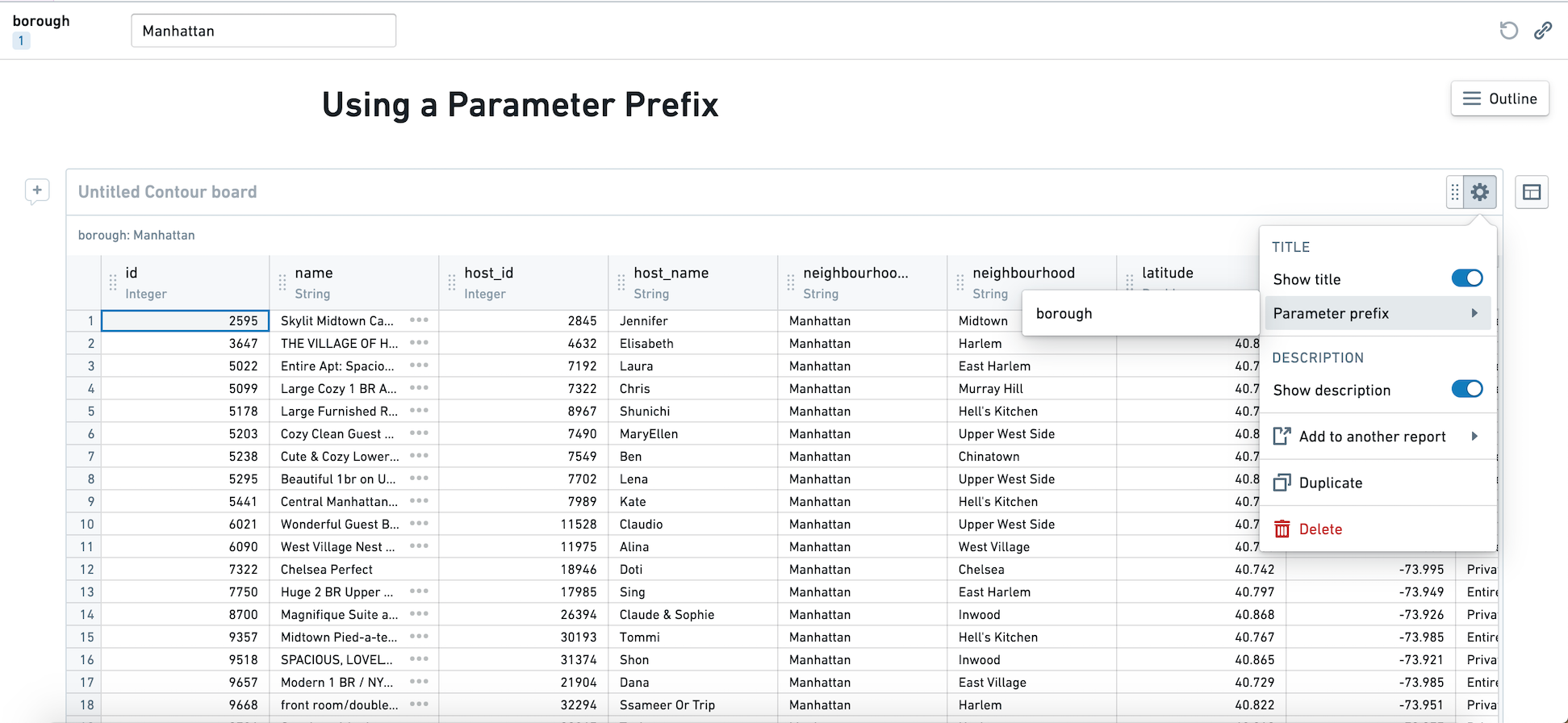
- In editing mode, click on the cog at the top right of the widget.
- Select an existing parameter to prefix the widget title. The parameter must be a string parameter.
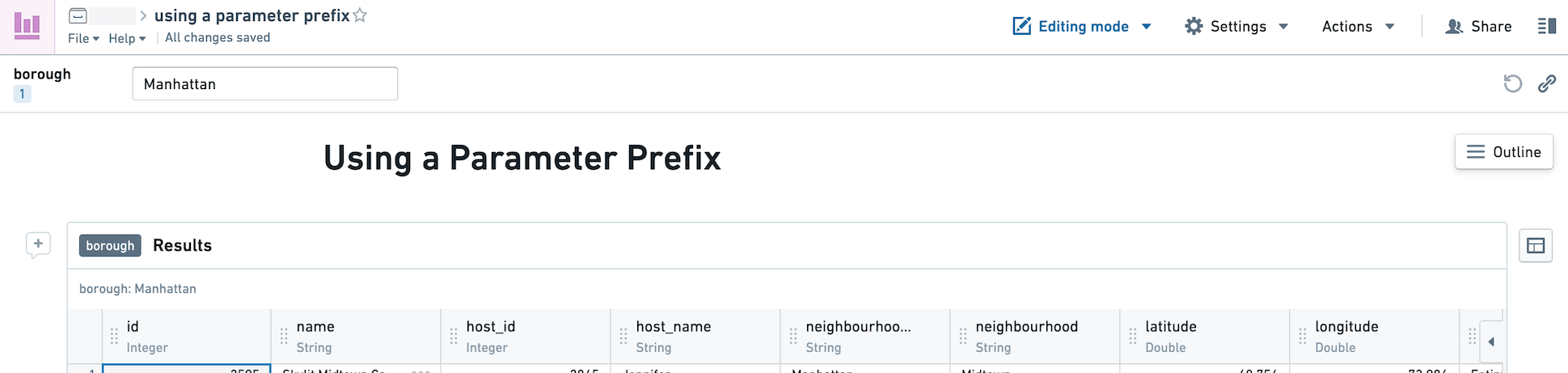
In editing mode, you will see the name of the parameter in the widget header.
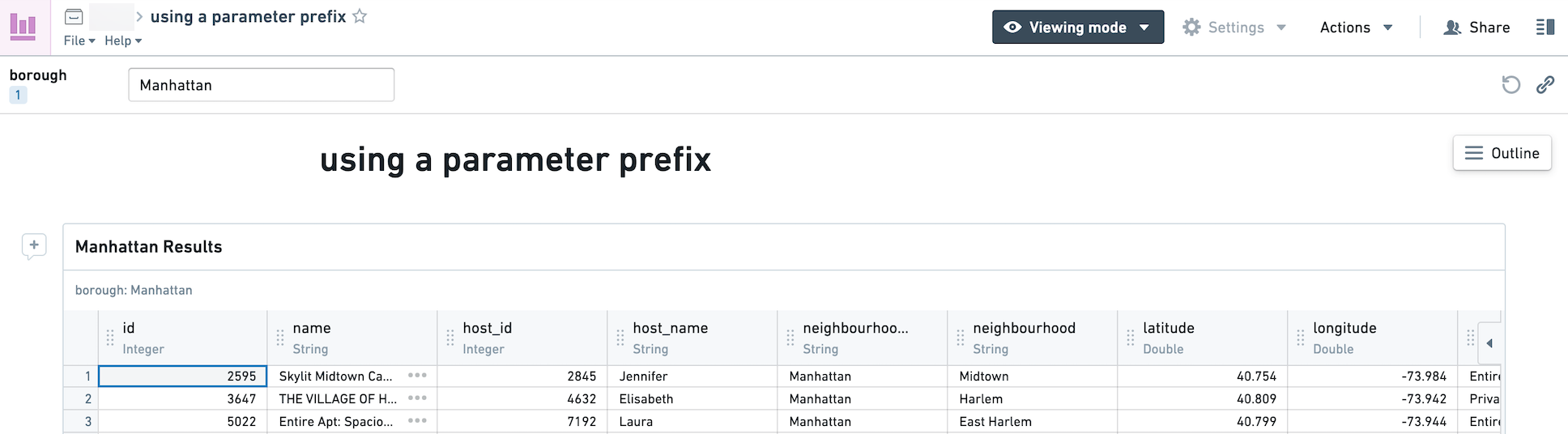
In viewing mode and any exports of the report, the value of the parameter will be populated.
These screenshots use open source data from Inside Airbnb ↗.
中文翻译
使用参数作为组件标题前缀
您可以将参数用作组件标题的前缀。
参数始终会作为前缀显示。目前无法将参数值插入组件标题的中间位置。
- 在编辑模式下,点击组件右上角的齿轮图标。
- 选择一个现有参数作为组件标题的前缀。该参数必须为字符串参数(string parameter)。
在编辑模式下,您将在组件标题中看到参数名称。
在查看模式及任何报告导出中,参数的实际值将显示出来。
这些截图使用了来自 Inside Airbnb ↗ 的开源数据。