Ontology Actions(本体操作)
You can configure Actions in the Ontology that users can apply to geospatial Objects in the Map application. For example, these Actions might be to create or edit objects based on points selected, polygons, or lines drawn on the map.
Point Actions
When a user right-clicks on the map or on a point object, the Actions menu will show all Ontology Actions that apply to geospatial points. To define an Action that applies to points, it needs to have either:
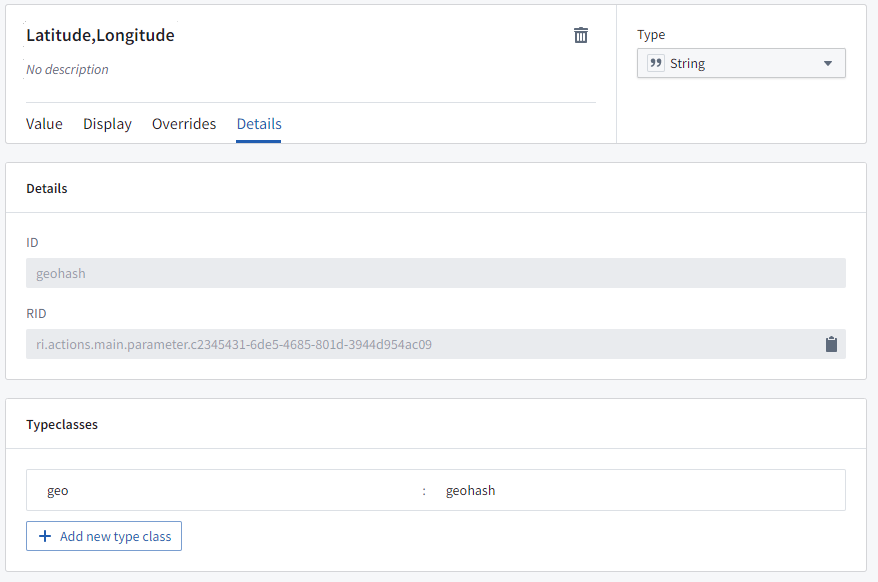
- A
Stringparameter with the type class: Kind:geoValue:geopoint(the data will be a string oflatitude,longitude), or
- Two
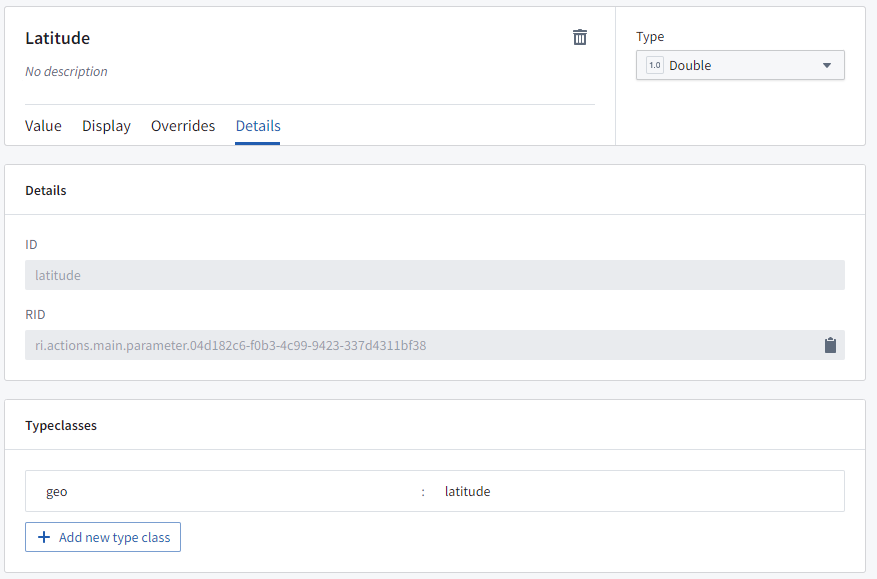
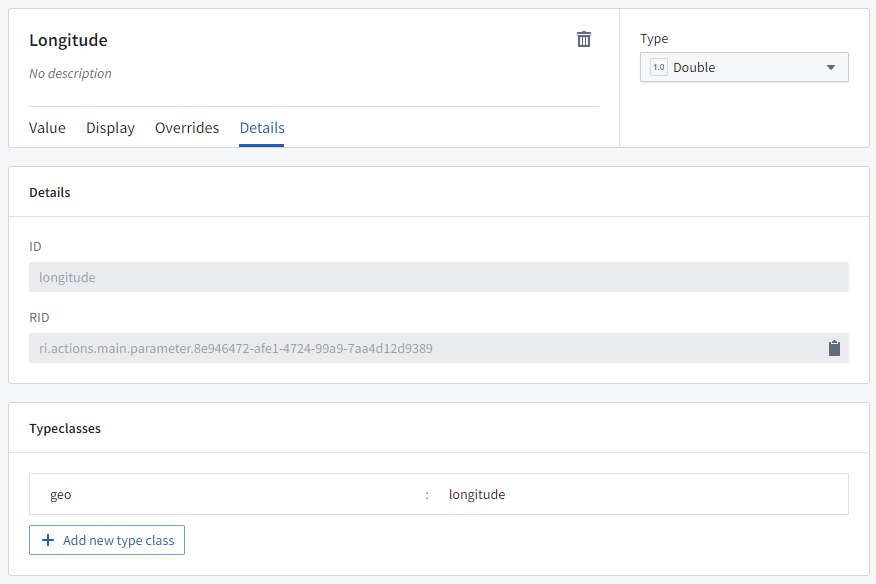
Doubleparameters: - One that will be passed the latitude, with the type class: Kind:
geoValue:latitude, and - One that will be passed the longitude, with the type class: Kind:
geoValue:longitude.
Shape Actions
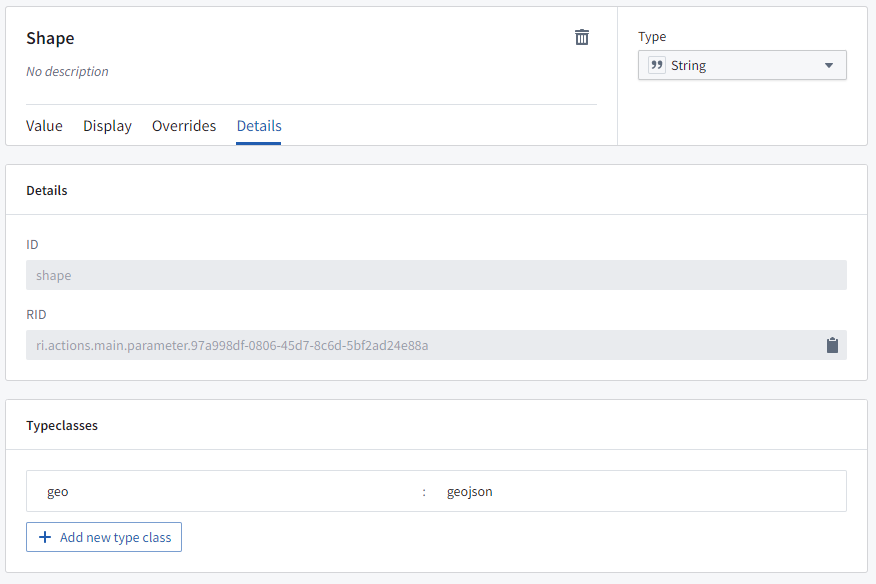
When a user selects a polygon object or draws a shape on the map, the Actions menu will show all Ontology Actions that apply to geospatial shapes. To define an Action that applies to shapes, the Action needs to have a String parameter with the type class: Kind: geo and Value: geojson, where the data will be a GeoJSON geometry string.
Use actions to edit object geoshape properties
Actions can be configured to allow users to edit a geoshape property of an object on the map. A user can select the object, choose the relevant action from the Actions menu, and then modify the shape as necessary (for example, by adding or moving points, buffering, or translating the shape).
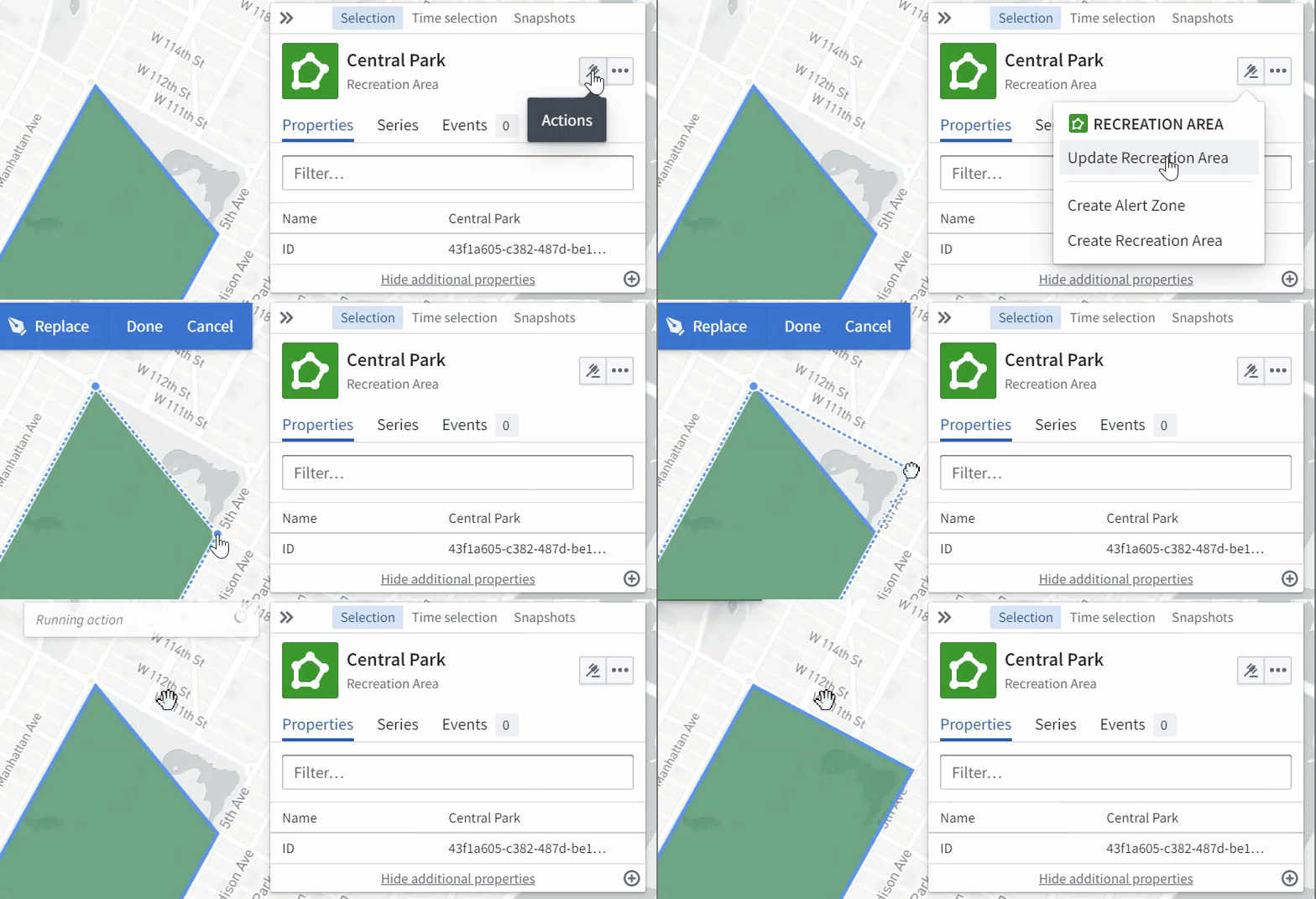
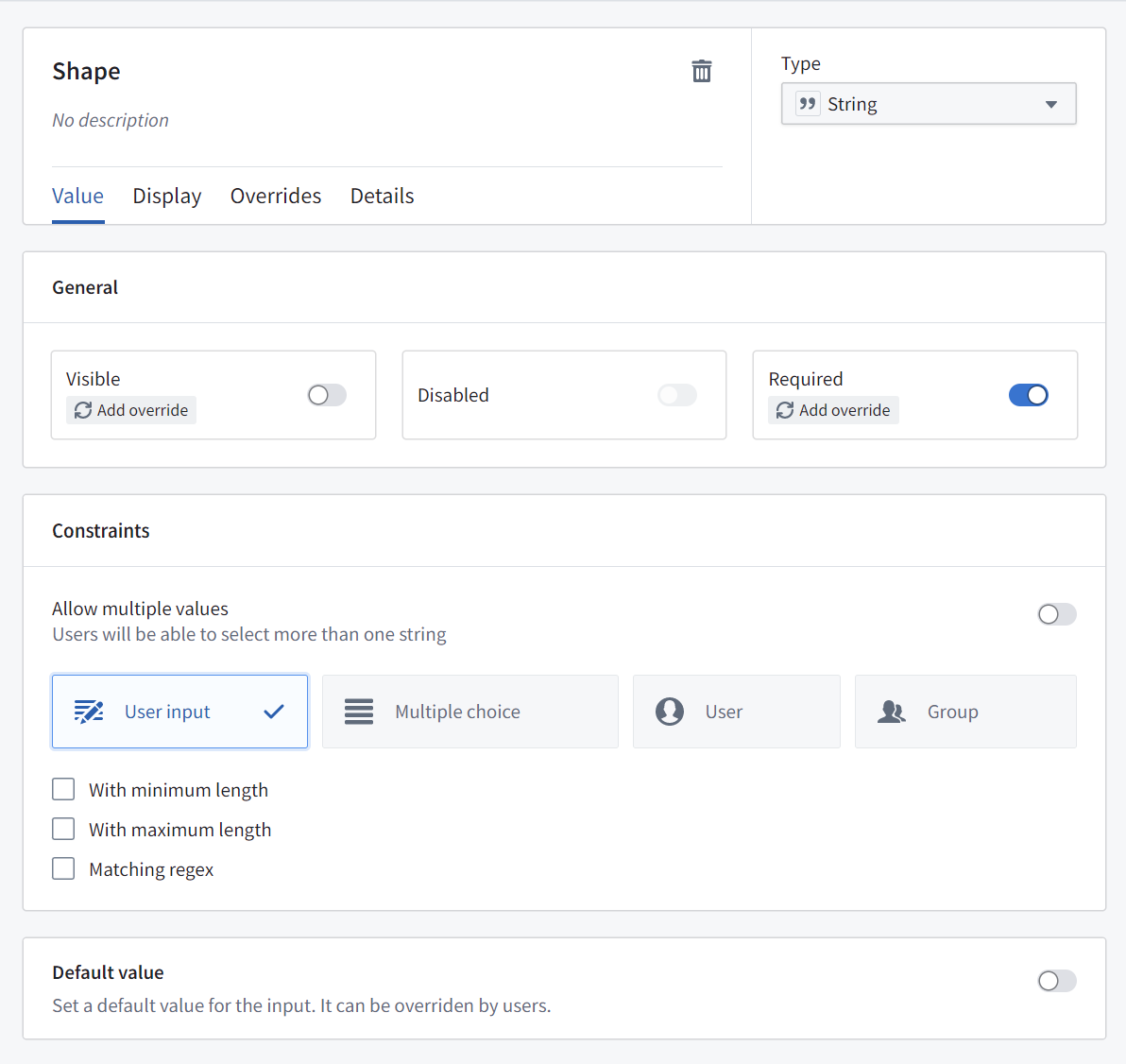
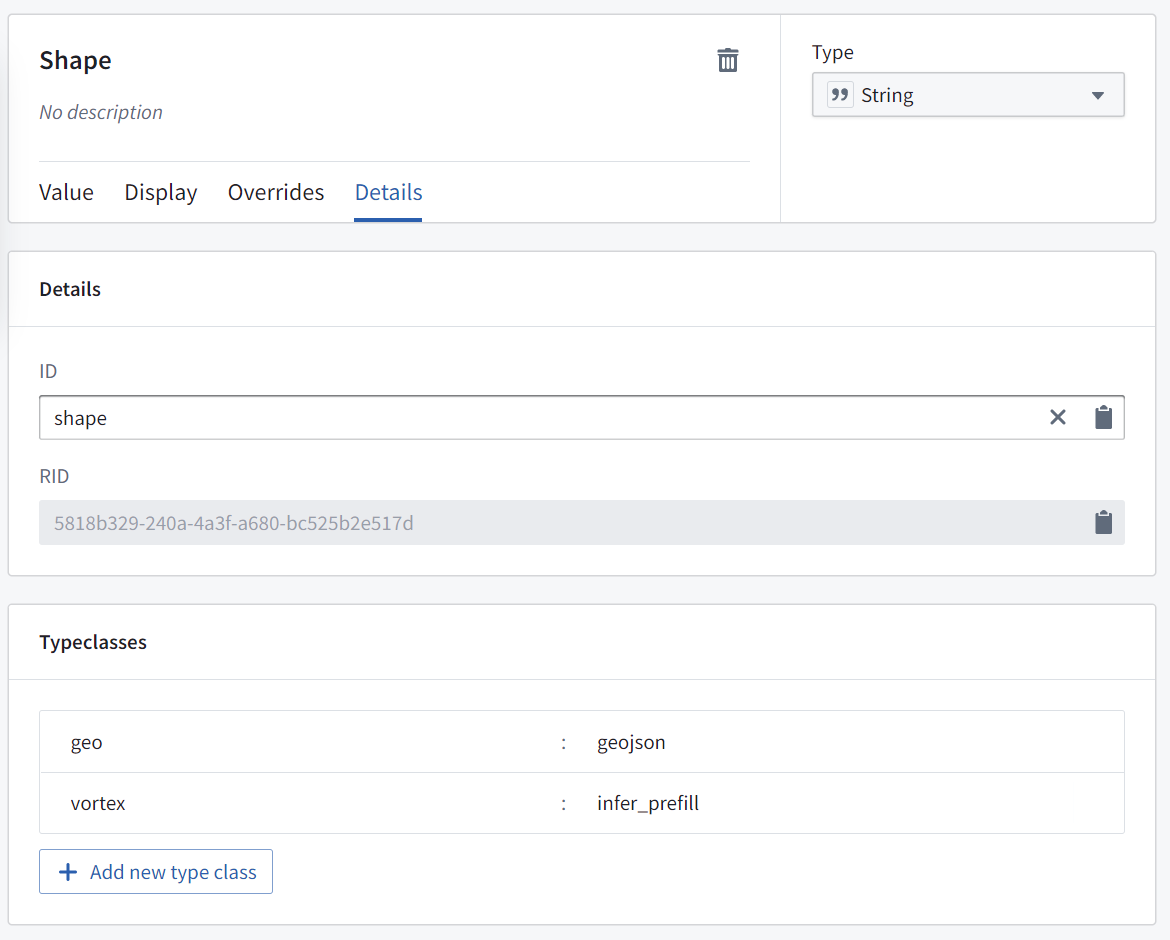
To configure an action to allow users to edit a geoshape property of an object on the map, create a "Modify object" action for the desired object type with a parameter that fulfills the following requirements:
- Is a
Stringparameter - Is mapped to the
geoshapeproperty on the object that you wish to update - Has default value disabled
- With the type class: Kind:
geo, Value:geojson - With the type class: Kind:
geo, Value:prefill
中文翻译
本体操作
您可以在本体(Ontology)中配置操作,让用户在地图(Map)应用中对地理空间对象(geospatial Objects)执行这些操作。例如,这些操作可以是根据选中的点、多边形或在地图上绘制的线条来创建或编辑对象。
点操作
当用户在地图上或点对象上右键单击时,操作菜单将显示所有适用于地理空间点的本体操作。要定义适用于点的操作,需要满足以下任一条件:
- 包含一个类型类(type class)为:种类(Kind):
geo,值(Value):geopoint的String参数(数据将为latitude,longitude格式的字符串),或
- 包含两个
Double参数: - 一个用于传递纬度,类型类为:种类:
geo,值:latitude - 一个用于传递经度,类型类为:种类:
geo,值:longitude
形状操作
当用户选择多边形对象或在地图上绘制形状时,操作菜单将显示所有适用于地理空间形状的本体操作。要定义适用于形状的操作,该操作需要包含一个类型类为:种类:geo,值:geojson 的 String 参数,其中数据将为 GeoJSON 几何字符串。
使用操作编辑对象的 geoshape 属性
可以配置操作,让用户编辑地图上对象的 geoshape 属性。用户可以选择该对象,从操作菜单中选择相关操作,然后根据需要修改形状(例如,通过添加或移动点、缓冲或平移形状)。
要配置允许用户编辑地图上对象 geoshape 属性的操作,请为目标对象类型创建一个"修改对象"操作,并包含满足以下要求的参数:
- 是一个
String参数 - 映射到您希望更新的对象上的
geoshape属性 - 禁用默认值
- 类型类为:种类:
geo,值:geojson - 类型类为:种类:
geo,值:prefill