FAQ and troubleshooting(常见问题与故障排查)
How do I navigate to Ontology Manager from Insight?
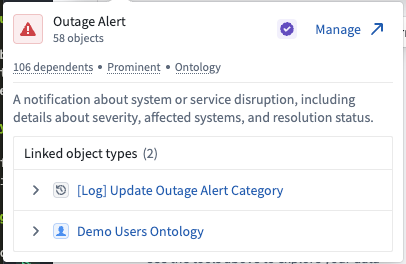
If you are working with an analysis path that uses a single object type (not an object set), hover over the object type to view a pop-up card with more details. Select Manage in the top right corner to navigate to the object type page in Ontology Manager.
Does Insight work with AIP?
Insight will soon be able to integrate with AIP Chatbots (formerly known as AIP Agents) on the platform.
What is the purpose of an object set if I can save and share my workbook?
Object sets let you save a curated view of your data for reuse across multiple applications (including Quiver and Vertex) without filtering or combining data each time. They also support direct modifications to object types, making them useful beyond what a workbook alone provides.
How do I analyze an interface?
You can use interfaces to start an analysis and bring the relevant object types into the path. Expanded interface analysis support is coming soon.
Can I rearrange the order of my step cards in the path?
Step cards in an analysis path cannot be rearranged; changing card order can produce unexpected results (for example, moving a filter card for an object type to a point after a link card would alter the resulting data). To reorganize an analysis path, first duplicate the path, then add, delete, or disable steps as needed.
中文翻译
常见问题与故障排查
如何从 Insight 导航到 Ontology Manager?
如果您正在使用基于单一对象类型(object type,而非对象集)的分析路径,请将鼠标悬停在该对象类型上,查看包含更多详细信息的弹出卡片。选择右上角的 管理(Manage)按钮,即可跳转到 Ontology Manager 中的对象类型页面。
Insight 是否支持 AIP?
Insight 即将能够与平台上的 AIP 聊天机器人(AIP Chatbots,原称 AIP Agents)进行集成。
既然我可以保存并共享工作簿,对象集(object set)的作用是什么?
对象集允许您保存数据的精选视图,以便在多个应用程序(包括 Quiver 和 Vertex)中重复使用,而无需每次重新筛选或合并数据。此外,对象集还支持直接修改对象类型,因此其用途远超单独使用工作簿所能实现的功能。
如何分析接口(interface)?
您可以使用接口(interface)启动分析,并将相关的对象类型引入路径。更完善的接口分析支持即将推出。
我可以重新排列路径中步骤卡片(step card)的顺序吗?
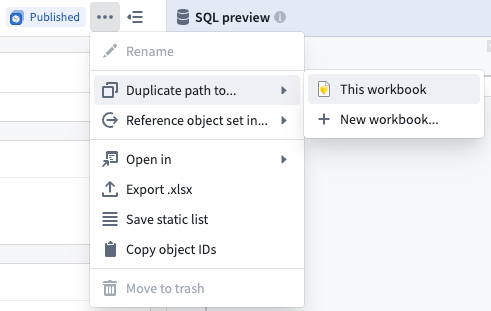
分析路径中的步骤卡片无法重新排列;更改卡片顺序可能会产生意外结果(例如,将某个对象类型的筛选卡片移动到链接卡片之后,会改变最终生成的数据)。如需重新组织分析路径,请先复制该路径,然后根据需要添加、删除或禁用步骤。