Insight(洞察(Insight))
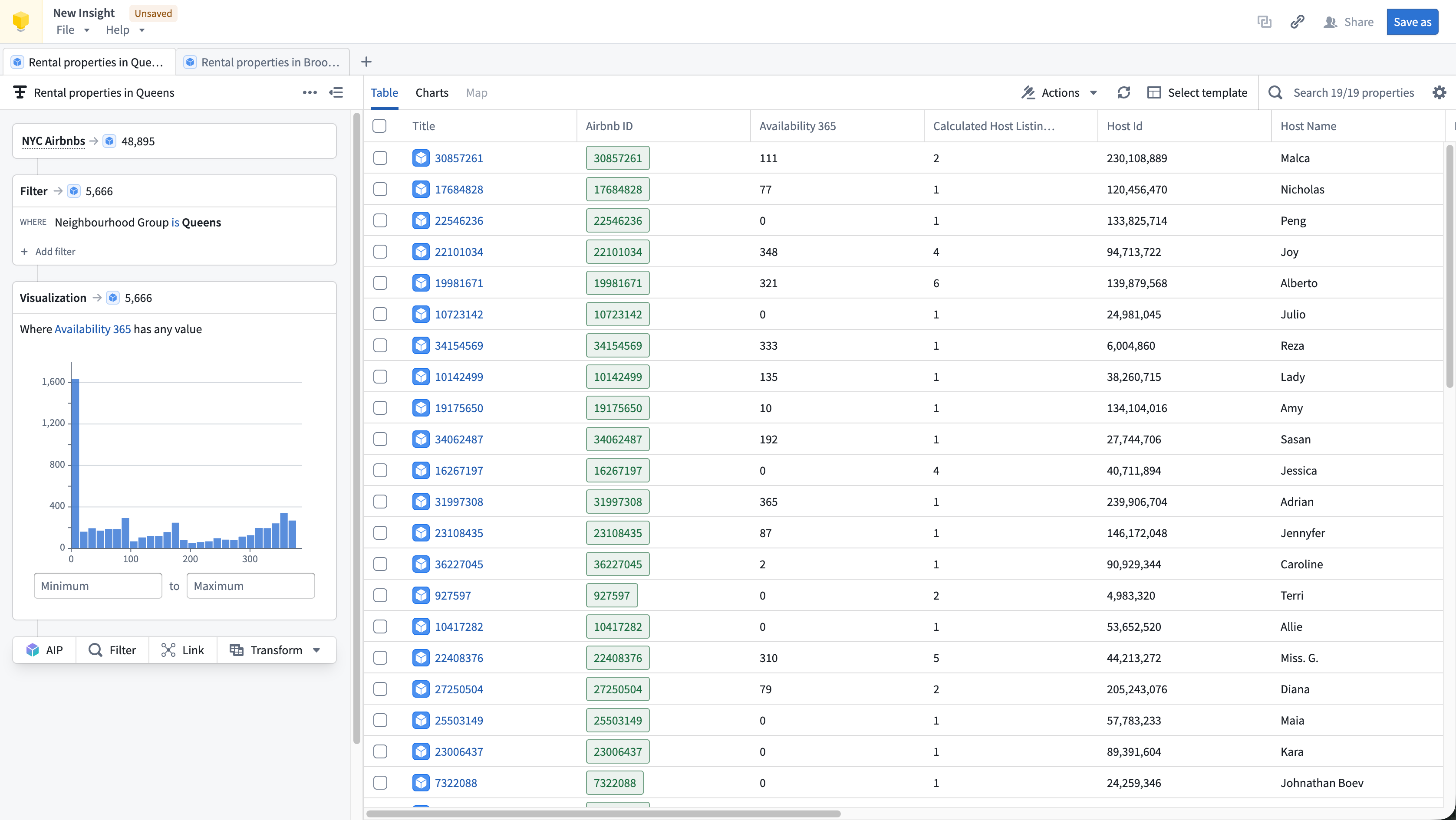
Insight is a point-and-click application for exploring and analyzing Ontology data. Build step-by-step analysis paths to filter objects, traverse object links, aggregate results, and create visualizations. Insight allows you to work with existing or create new object sets that can be saved, shared, and used across the platform.
Key features
- Analysis paths: Build multi-step analyses by chaining filters, links, and transforms on Ontology data.
- Object type links: Follow links between object types to filter on or pivot to connected data across the Ontology.
- Aggregations: Group objects and compute metrics with
Group Byoperations. - Visualizations: Visualize properties as distributions, metrics, or histograms.
- Maps: Interact with geographic properties such as
GeoPolygonorGeoShapetypes. Filters applied in the map are tracked in the analysis path. - Set operations: Combine object sets or results from multiple analysis paths using union, intersection, and subtraction operations.
- SQL queries: Write SQL queries for advanced analysis and preview resulting data.
- Data writeback: Create, update, and delete objects directly from your analysis using Foundry actions.
- Sharing: Share Insight workbooks and resulting object sets with other users backed by Compass permissions.
When to use Insight
We recommend using Insight when:
- Your data is modeled in the Ontology: Insight operates on object types and their relationships, making it ideal when your data is already integrated as Ontology objects.
- You need to perform analysis without code: The visual analysis path makes it easy to build complex queries step by step, supporting both simple and complex drill-down workflows.
- You want to explore relationships between objects: The Link step lets you follow links to discover connected objects across the Ontology.
- You want to write data back to the Ontology: Insight supports creating, updating, and deleting objects from your analysis results.
Insight vs. Object Explorer
Object Explorer is a core application on Foundry, providing a home page for the Ontology. It serves as a place to discover and search across the Ontology. Object Explorer also provides an Ontology analysis tool, which allows for analyzing object types. Insight expands on the analysis features of Object Explorer, modernizing the interface and adding the latest features from the platform.
Insight is best if you:
- Want to inform analysis on Ontology data you know about
- Are an analyst or investigator and need an intuitive interface and tools to support your analytical workflow
- Want a Contour analysis experience on the Ontology
Object Explorer is best if you:
- Do not have much knowledge about the Ontology and need to learn about available data
- Need to search for an object or a keyword across the entire Ontology
- Want to view an individual object
Learn more about other analysis tools available on Foundry.
中文翻译
洞察(Insight)
洞察(Insight)是一款点击式应用程序,用于探索和分析本体(Ontology)数据。通过构建逐步分析路径,您可以筛选对象、遍历对象链接、聚合结果并创建可视化图表。Insight 允许您使用现有的对象集或创建新的对象集,这些对象集可以保存、共享并在整个平台中使用。
主要功能
- 分析路径(Analysis paths): 通过在本体数据上串联筛选、链接和转换操作,构建多步骤分析。
- 对象类型链接(Object type links): 在对象类型之间建立链接,以筛选或转向本体中关联的数据。
- 聚合(Aggregations): 使用
分组(Group By)操作对对象进行分组并计算指标。 - 可视化(Visualizations): 将属性可视化为分布图、指标图或直方图。
- 地图(Maps): 与
地理多边形(GeoPolygon)或地理形状(GeoShape)等地理属性进行交互。在地图中应用的筛选条件会记录在分析路径中。 - 集合操作(Set operations): 使用并集、交集和差集操作,合并来自多个分析路径的对象集或结果。
- SQL 查询(SQL queries): 编写 SQL 查询以进行高级分析,并预览结果数据。
- 数据回写(Data writeback): 使用 Foundry 操作(Actions)直接从分析中创建、更新和删除对象。
- 共享(Sharing): 在 Compass 权限的支持下,与其他用户共享 Insight 工作簿及生成的对象集。
何时使用 Insight
我们建议在以下情况下使用 Insight:
- 您的数据已在本体中建模: Insight 基于对象类型及其关系进行操作,因此当您的数据已集成为本体对象时,它是理想的选择。
- 您需要无需编码即可进行分析: 可视化分析路径让您可以轻松地逐步构建复杂查询,支持简单和复杂的下钻工作流。
- 您希望探索对象之间的关系: 链接(Link) 步骤允许您跟随链接发现本体中关联的对象。
- 您希望将数据写回本体: Insight 支持根据分析结果创建、更新和删除对象。
Insight 与对象浏览器(Object Explorer)的对比
对象浏览器(Object Explorer)是 Foundry 的核心应用程序,提供本体的主页。它是发现和搜索本体的场所。对象浏览器还提供本体分析工具,可用于分析对象类型。Insight 扩展了对象浏览器的分析功能,对界面进行了现代化改造,并增加了平台的最新功能。
如果您符合以下情况,Insight 是最佳选择:
- 希望基于已知的本体数据进行分析
- 是分析师或调查人员,需要直观的界面和工具来支持分析工作流
- 希望在本体上获得类似 Contour 的分析体验
如果您符合以下情况,对象浏览器是最佳选择:
- 对本体的了解不多,需要了解可用数据
- 需要在整个本体中搜索某个对象或关键词
- 希望查看单个对象