Configure events(配置事件)
Event configuration
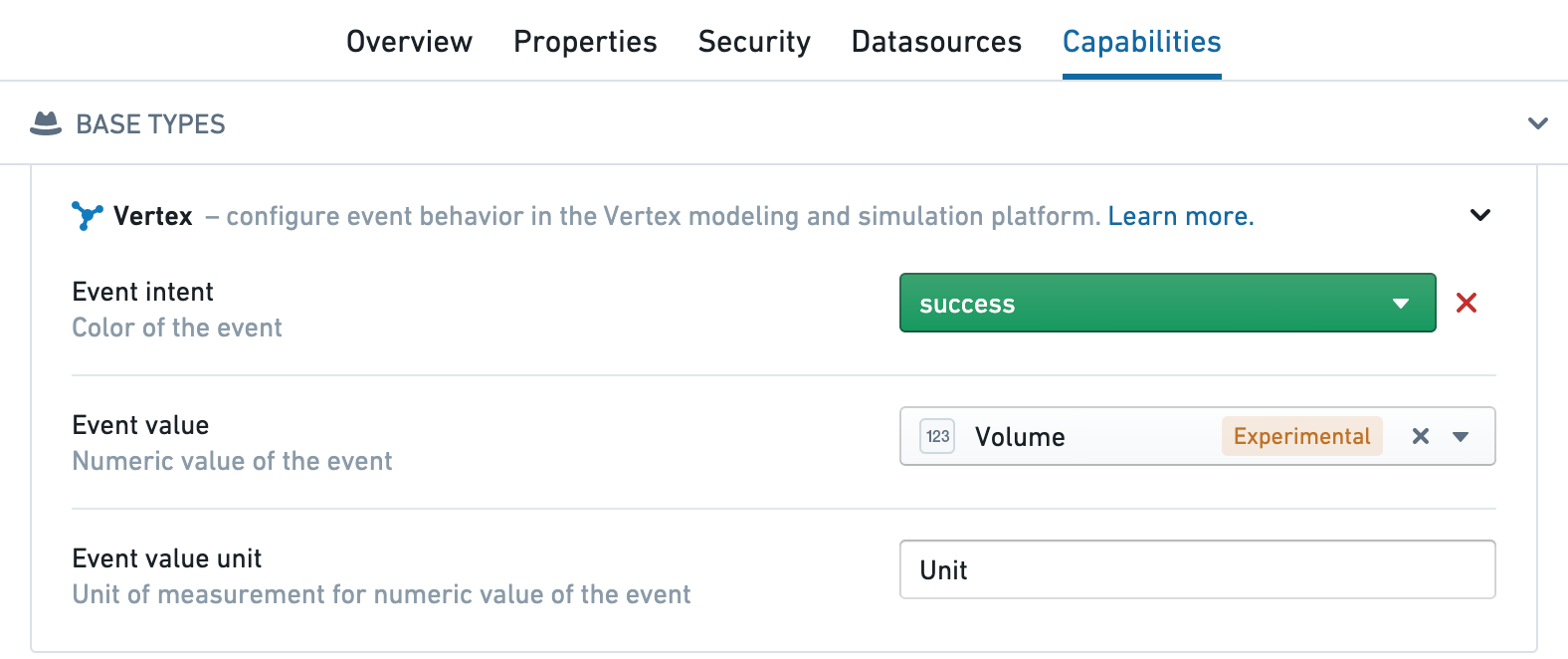
To use events in Vertex, create a time series event object type and add one additional Vertex type class to set the color and/or severity of the alert (this can be on any column, but typically the primary key):
- Orange:
kind:vertex,name:event_intent.warning - Red:
kind:vertex,name:event_intent.danger - Blue:
kind:vertex,name:event_intent.primary - Green:
kind:vertex,name:event_intent.success
You can configure these type classes in the Capabilities tab for the event object in the Ontology Manager or directly in the type classes for the properties of the object.
中文翻译
配置事件
事件配置
要在 Vertex 中使用事件,需创建一个时间序列事件对象类型,并额外添加一个 Vertex 类型类来设置警报的颜色和/或严重级别(可应用于任何列,但通常为主键):
- 橙色:
kind:vertex,name:event_intent.warning - 红色:
kind:vertex,name:event_intent.danger - 蓝色:
kind:vertex,name:event_intent.primary - 绿色:
kind:vertex,name:event_intent.success
您可以在本体论管理器(Ontology Manager)中事件对象的 功能(Capabilities) 选项卡中配置这些类型类,或直接在对象属性的类型类中进行配置。