Explore related events(探索相关事件)
An event is defined and configured within the Ontology. All events must have a distinct start and end time and can be configured with specific thresholds to define the color shown for the event. Read more about setting up and configuring events.
Once you create and configure your event objects, you can interact with them dynamically through your system graph.
View events
Events linked to a selected object will show up in the selection panel and as badges on the object for the duration of the event.
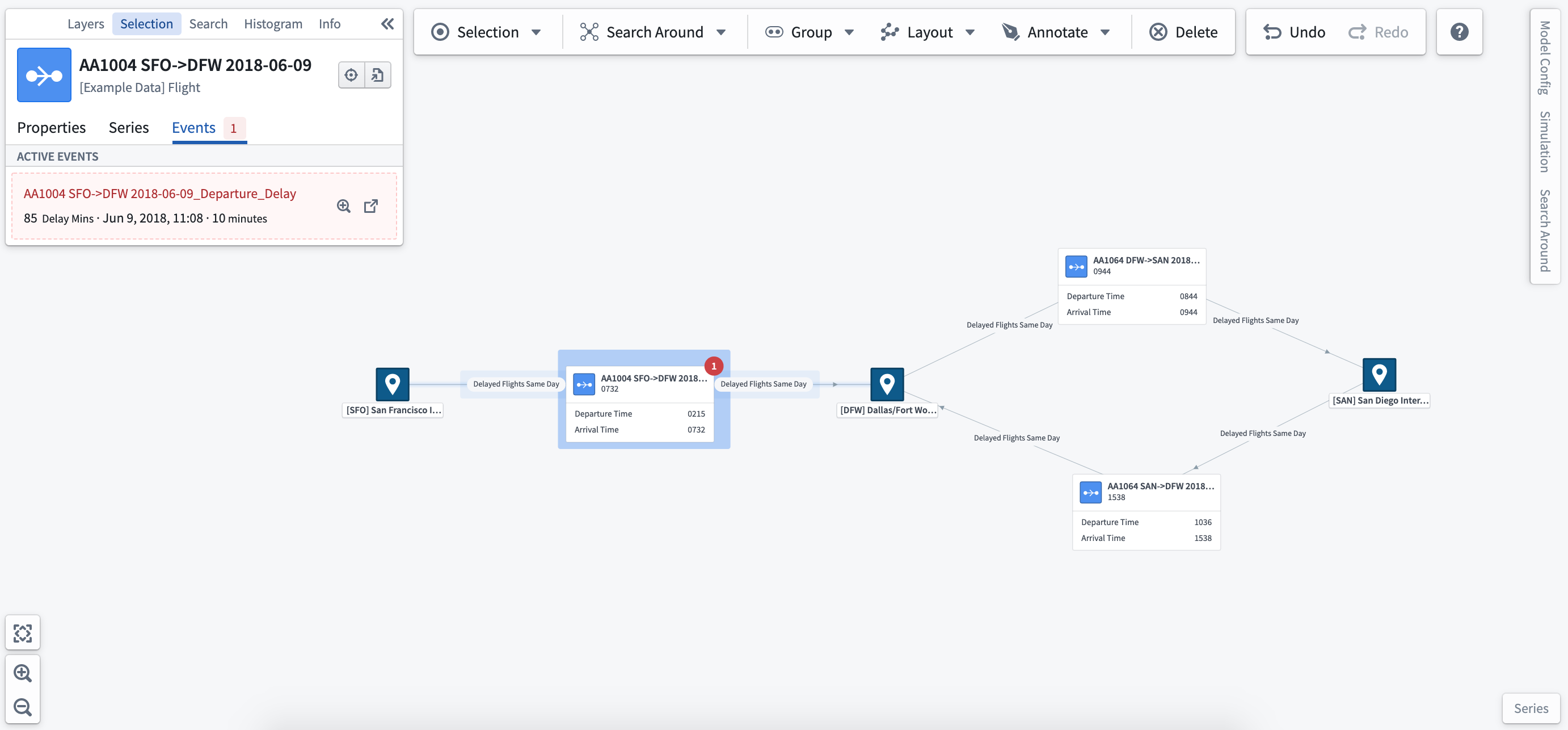
Event badges
Event badges are configured within the layer styling options. Select the object type for which you want to show event badges, and choose the linked events option to add badges to nodes or edges on the graph.
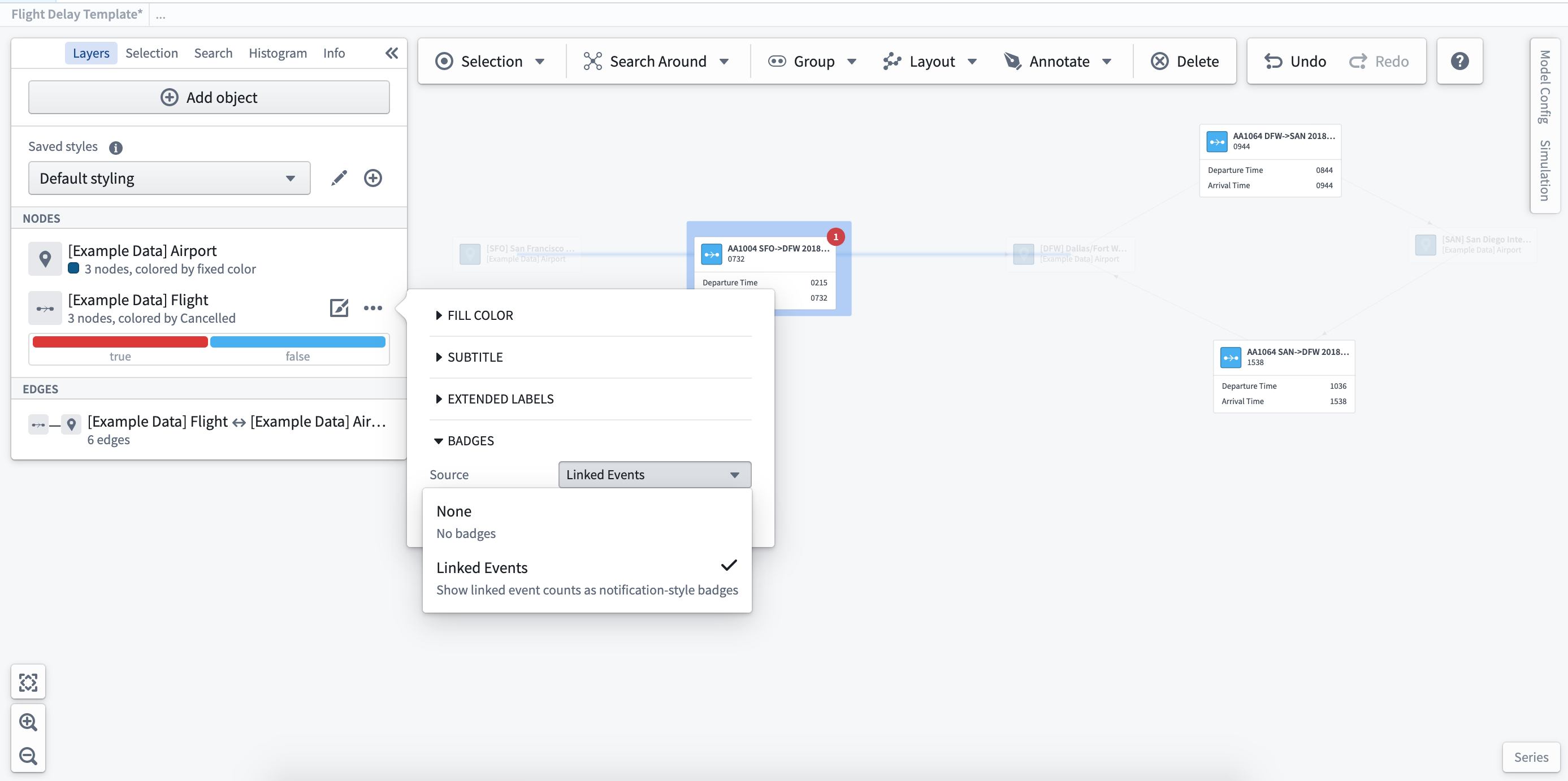
Event objects
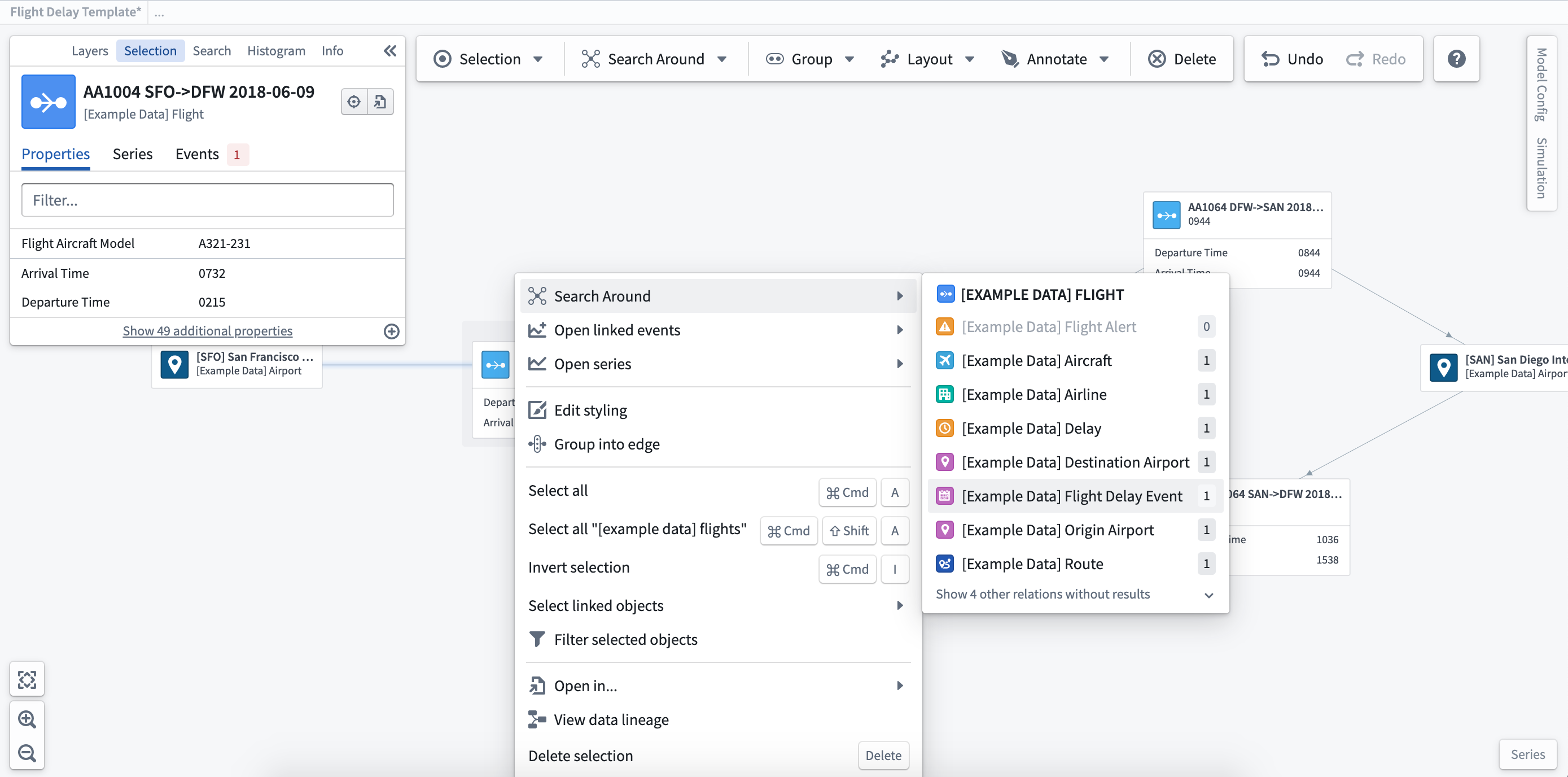
To see the full detail of the event, you can add the associated object to the graph. Right-click on the object to which the event is related, and select the Search Around option to find the event object (in this case, a Flight Delay event).
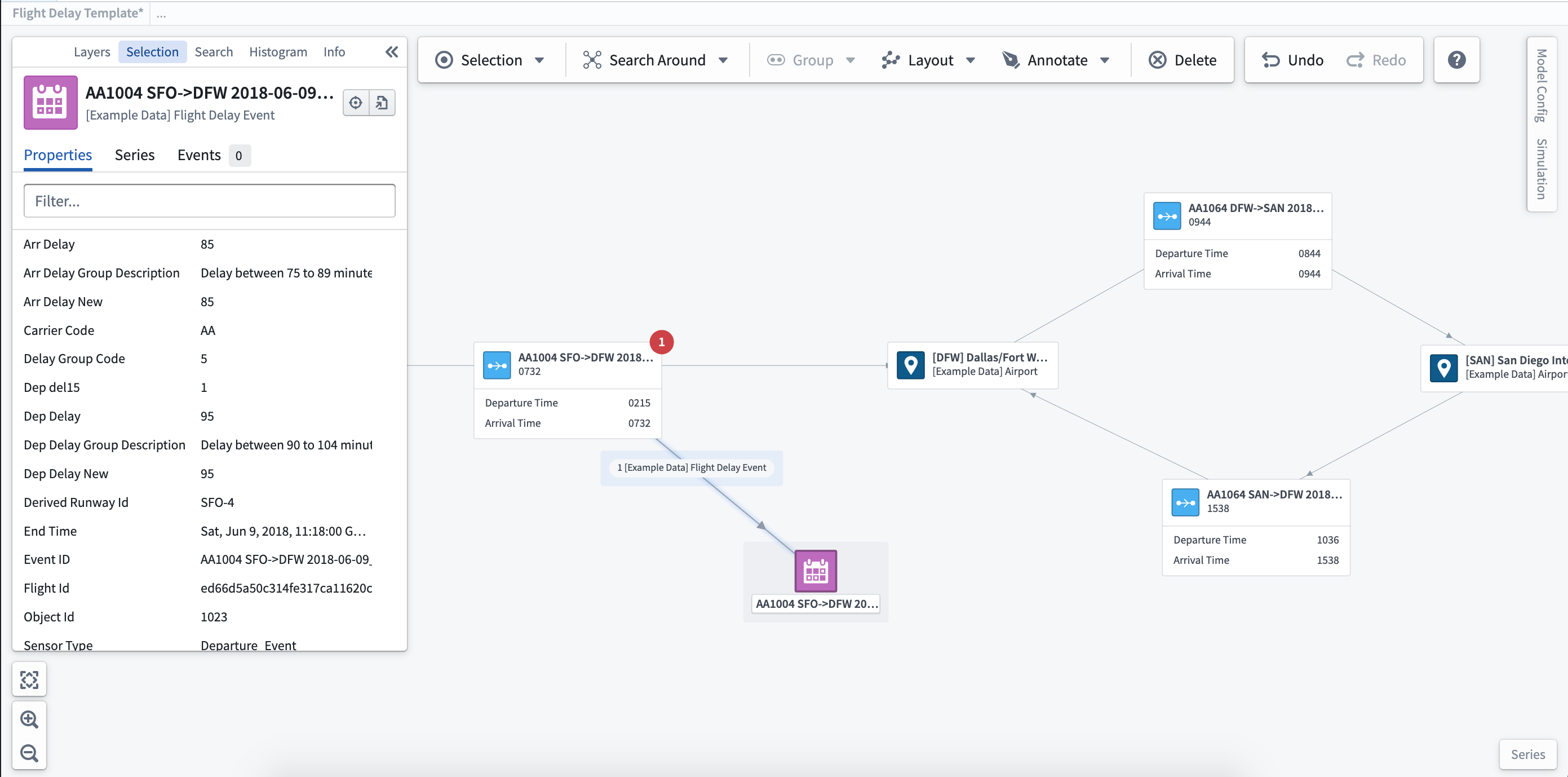
Once added to the graph, you can select the event object to see the full details and properties in the selection panel.
Events in the series panel
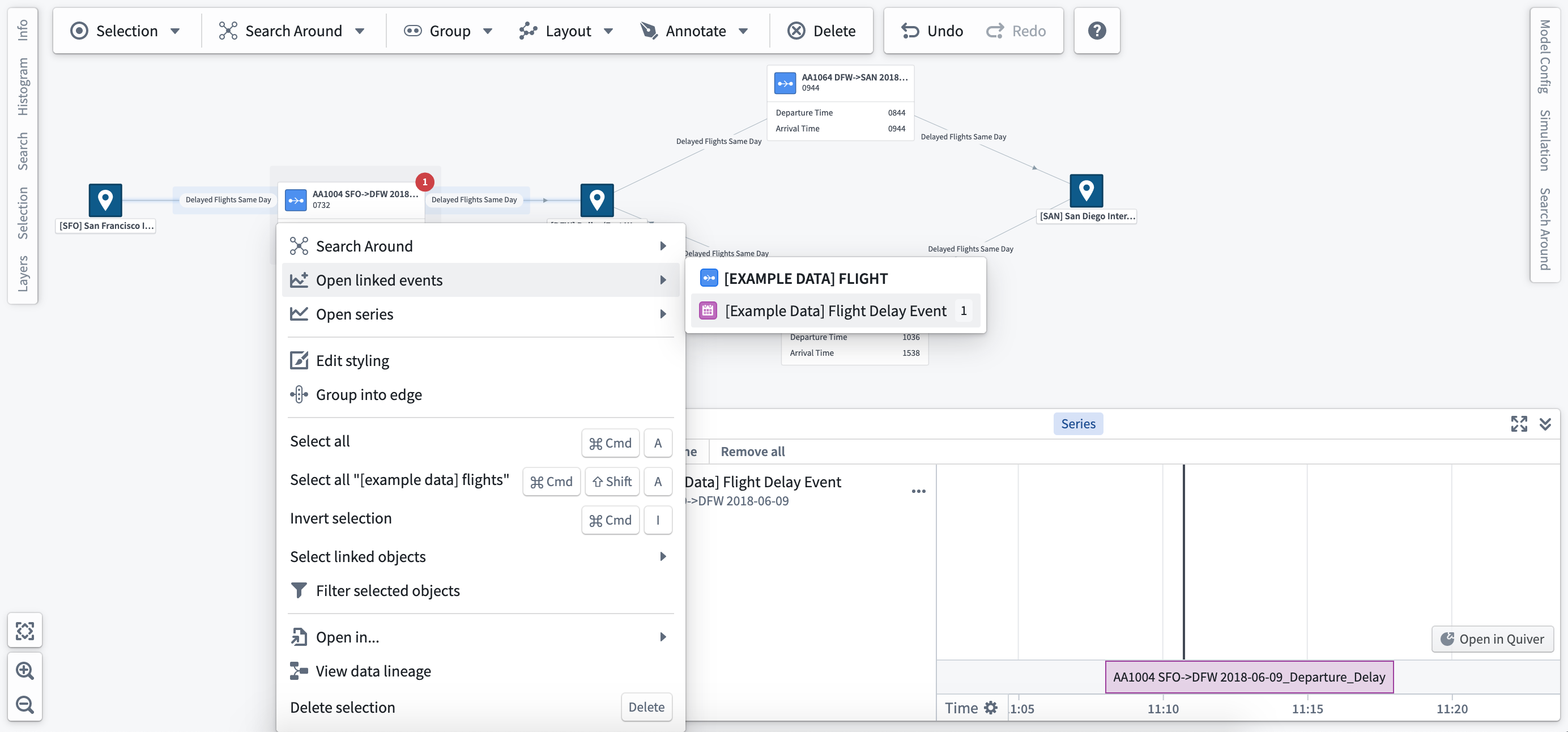
Right-click on an object and select Open linked events to open and add the event to the series panel. From here, you can use the time selection to scrub through time and move through multiple events.
中文翻译
探索相关事件
事件(Event) 是在本体论(Ontology)中定义和配置的。所有事件必须具有明确的开始和结束时间,并可配置特定阈值来定义事件显示的颜色。了解更多关于设置和配置事件的信息。
创建并配置事件对象(Event Object)后,您可以通过系统图动态与之交互。
查看事件
与选定对象关联的事件将显示在选中面板中,并在事件持续期间以徽章形式显示在对象上。
事件徽章
事件徽章(Event Badge)在图层样式选项中配置。选择要显示事件徽章的对象类型,然后选择链接事件(Linked Events)选项,即可为图中的节点或边添加徽章。
事件对象
要查看事件的完整详情,可以将关联对象添加到图中。右键单击与事件相关的对象,选择搜索周围(Search Around)选项以查找事件对象(本例中为航班延误事件)。
将事件对象添加到图中后,您可以选中该对象,在选中面板中查看其完整详情和属性。
系列面板中的事件
右键单击对象并选择打开链接事件(Open Linked Events),即可打开事件并将其添加到系列面板中。在此面板中,您可以使用时间选择功能滑动浏览时间,并切换查看多个事件。