Scenario options(场景选项(Scenario options))
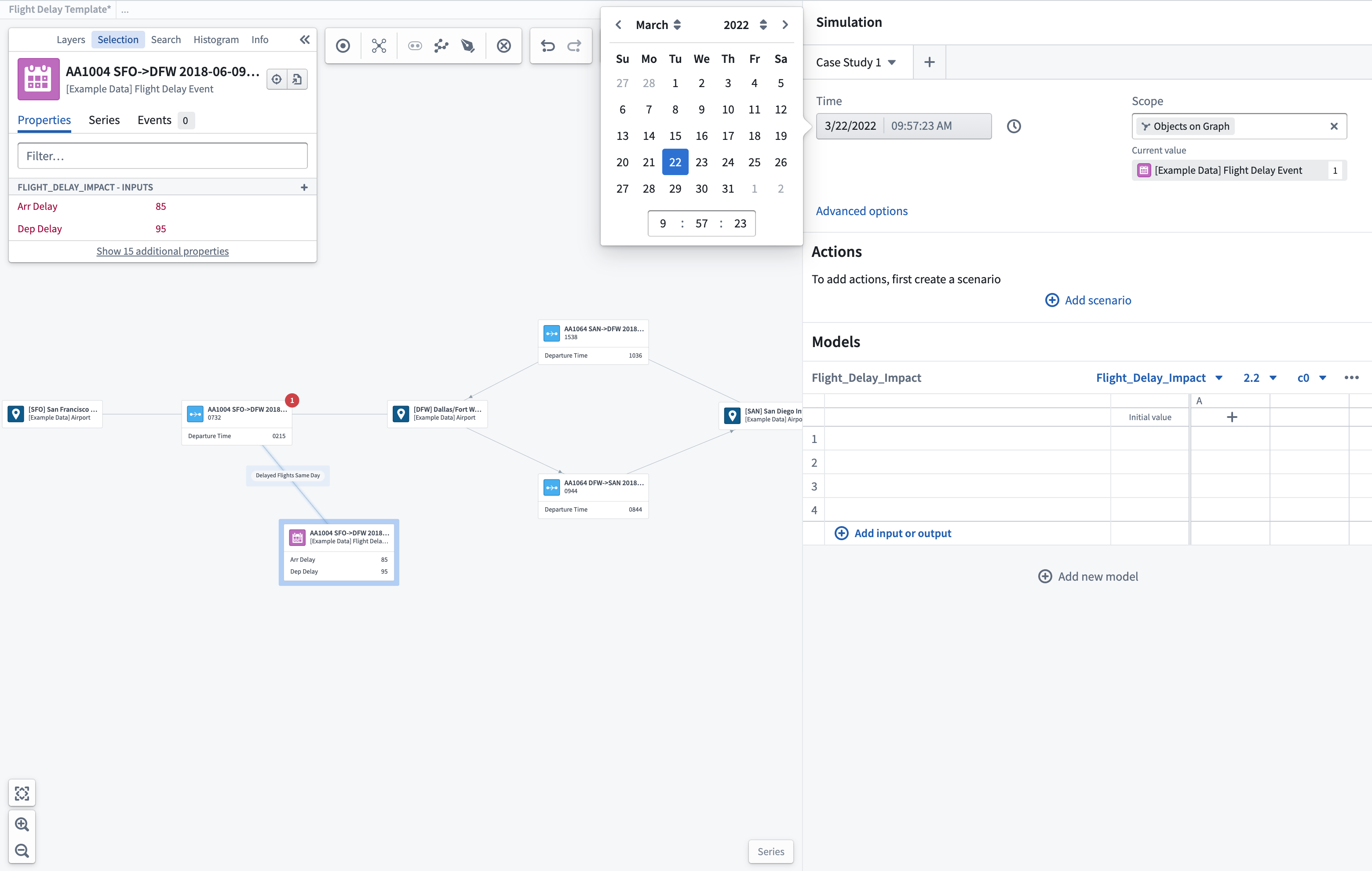
Time window selection
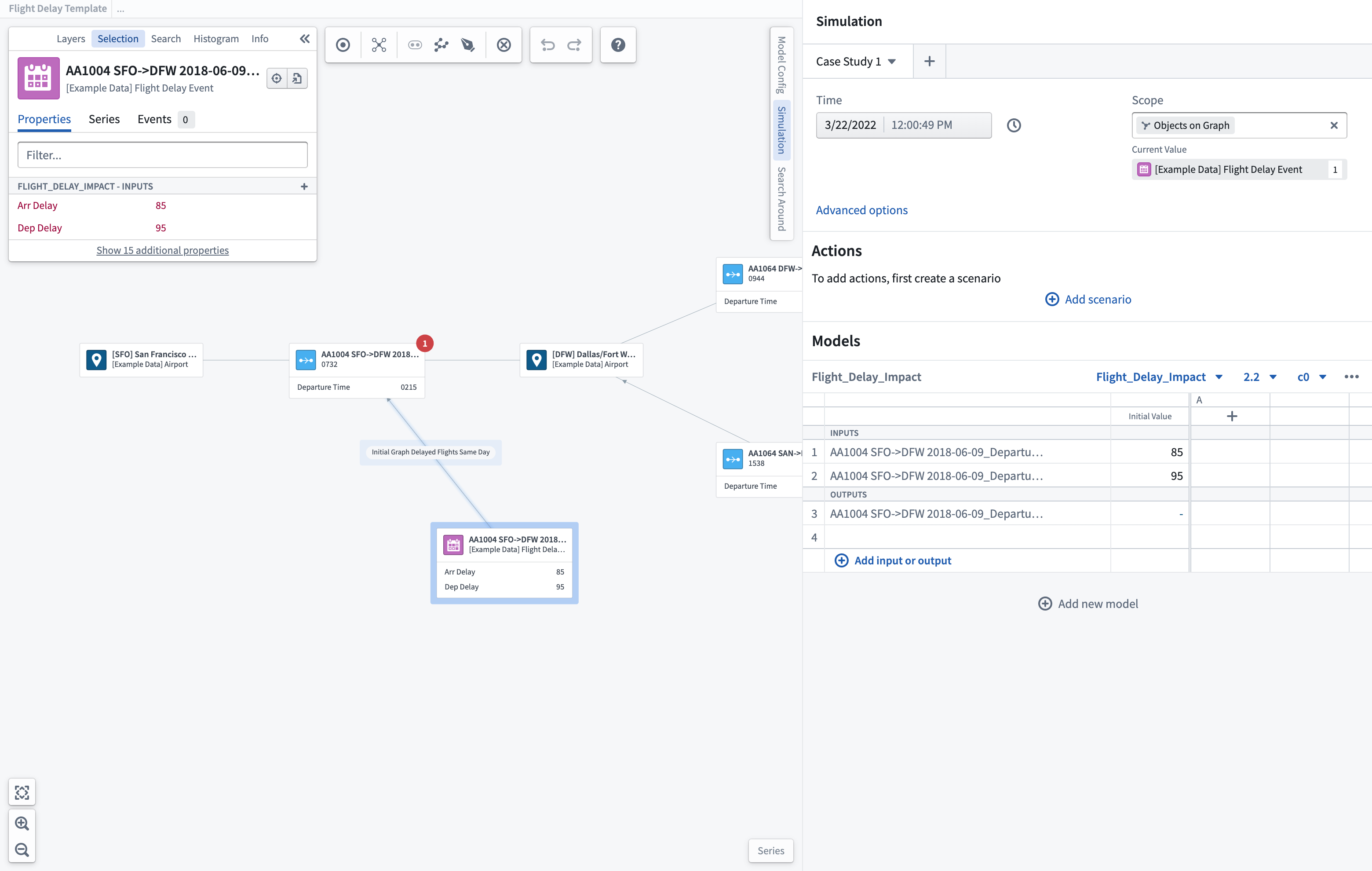
You can specify the time window for running your scenario. You should select a time where there is known data for the objects in scope of the scenario.
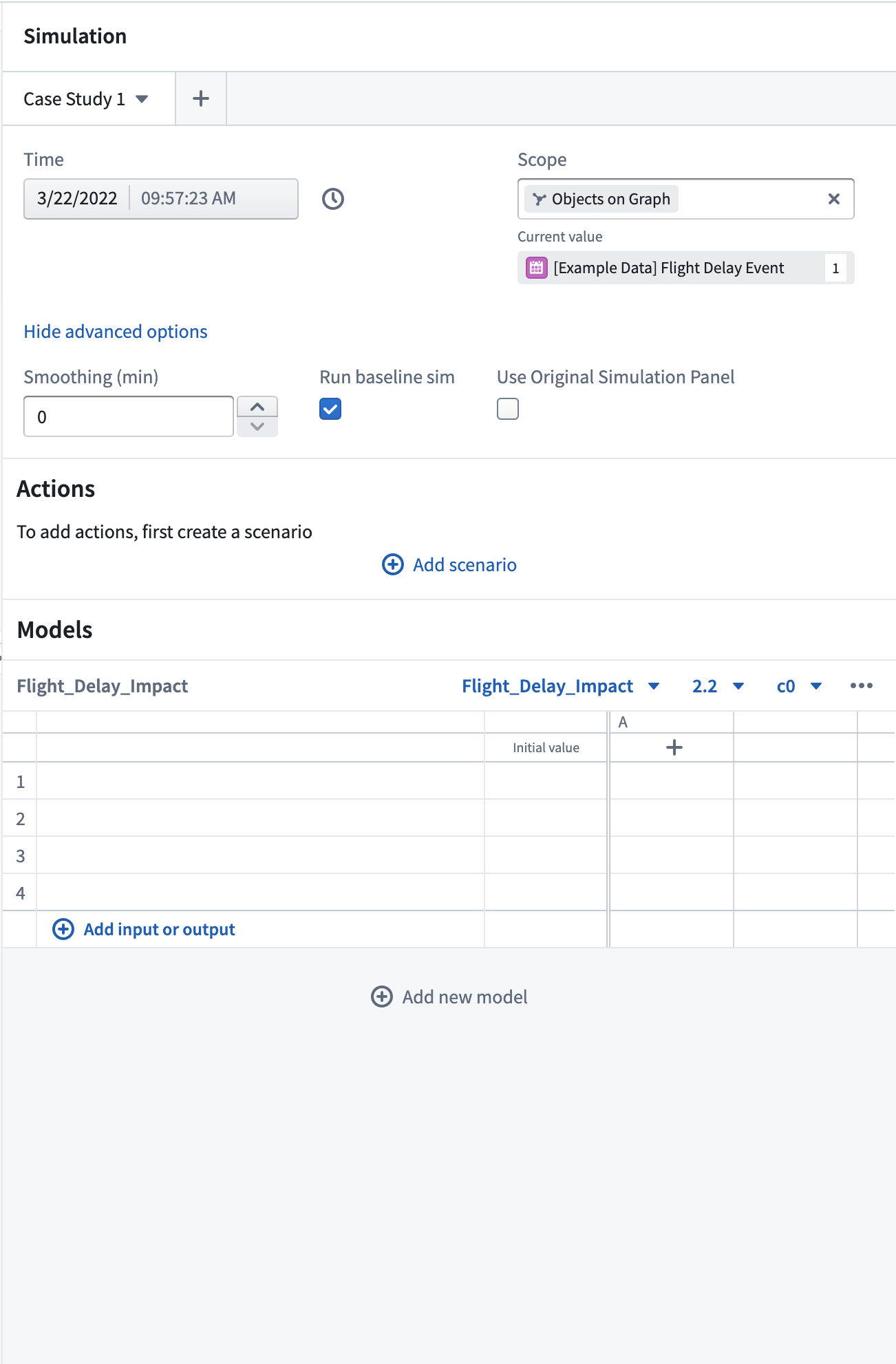
Advanced options
You can configure time series smoothing over set periods (minutes).
Scope
For object-based System Graphs, you can choose to set the scope of the scenario to objects shown only in the graph to limit available input/output parameters.
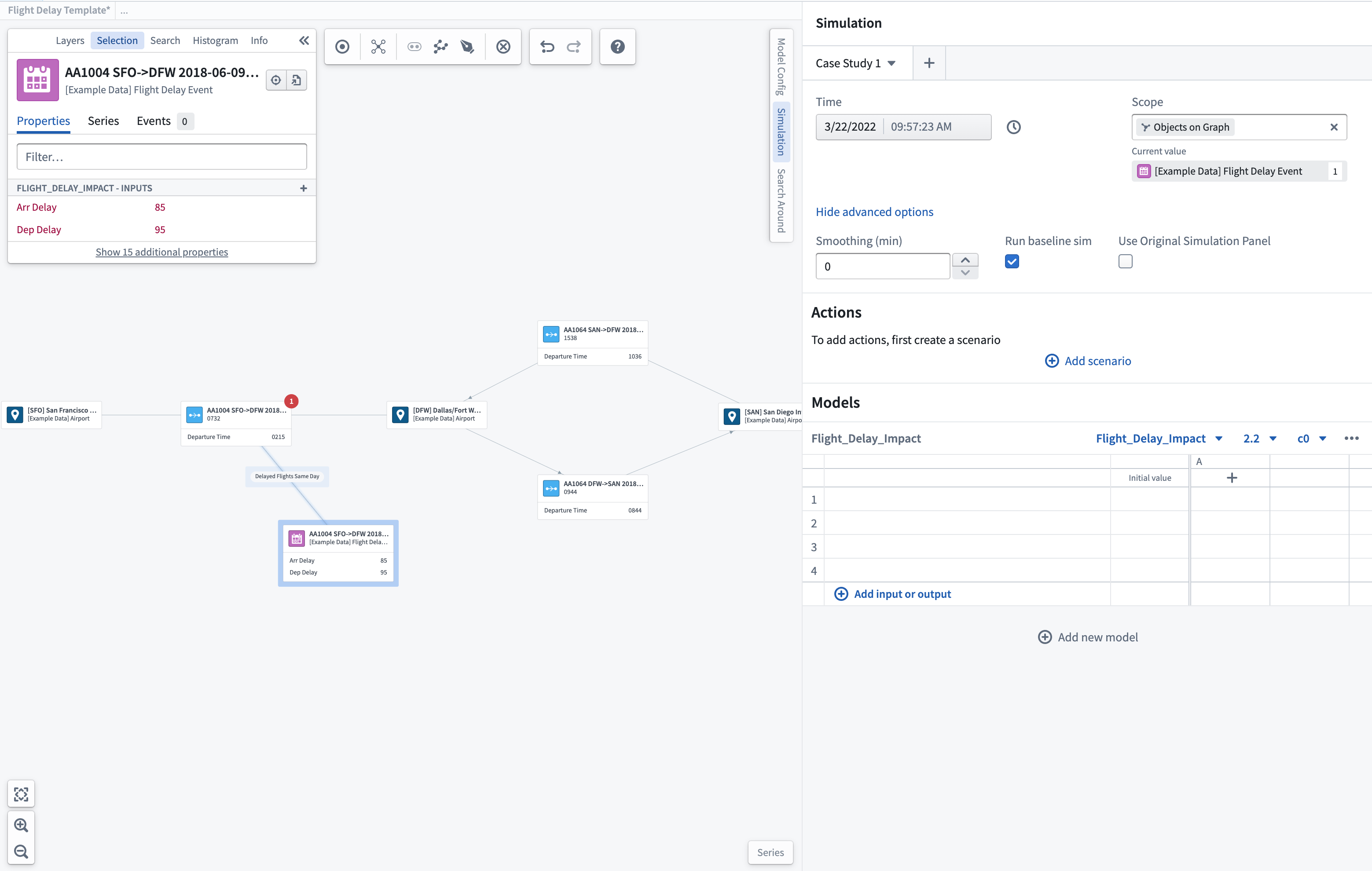
Run baseline scenario
You may choose whether you want to run an additional baseline scenario whenever you are running a scenario which contains either actions or overrides. This baseline scenario will run the models you have chosen without any actions or overrides, providing you with a baseline against which to compare your other scenarios and better judge the impacts of your actions.
Select input/output parameters
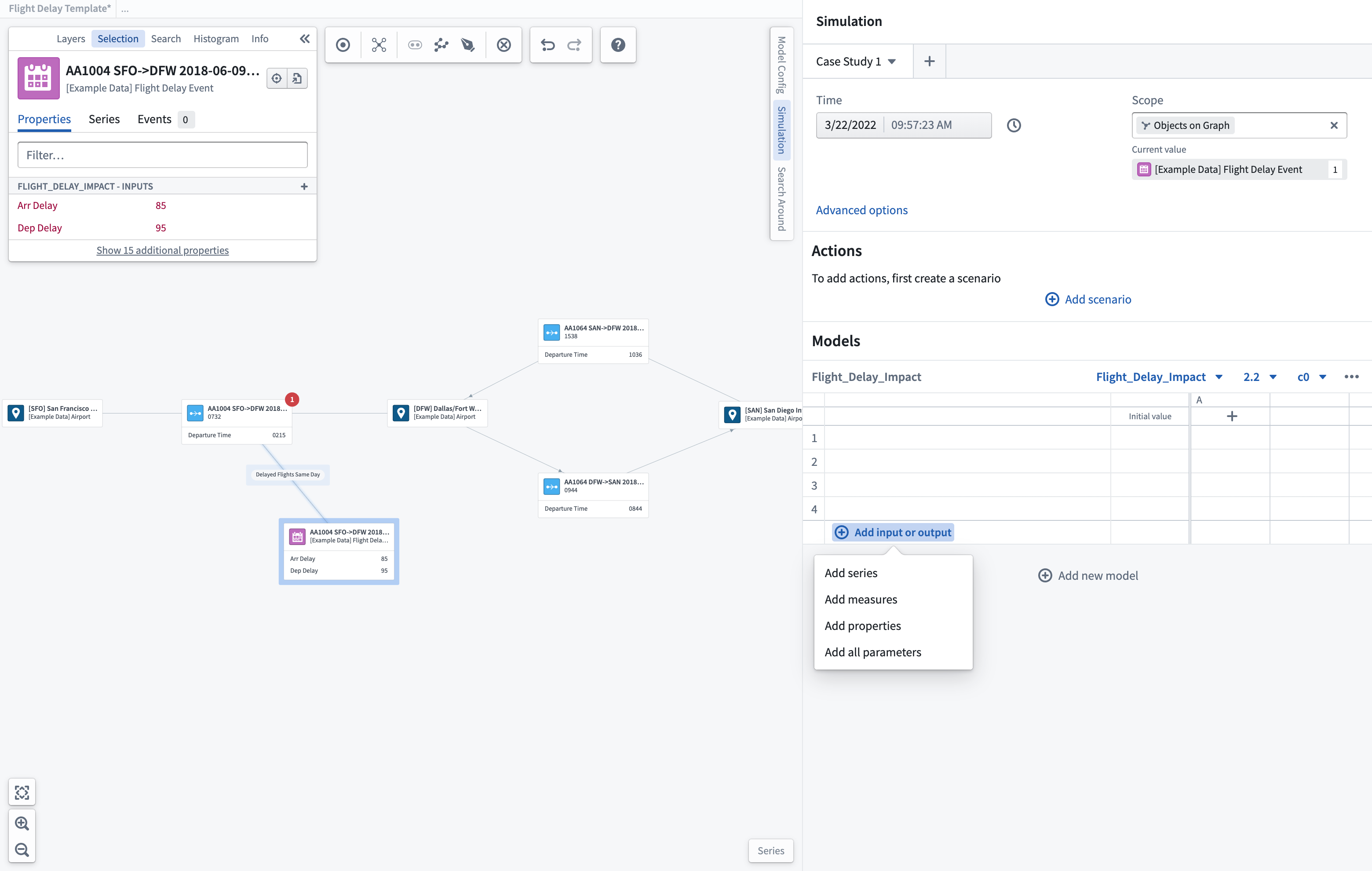
You can add the parameters you want to display within the scenario table using the + Add input or output option. From here, you can choose to add individual time series, object properties, or measures to your scenario. This action will open a search and selection box with the configured inputs/outputs available for the selected model. You can also default to Add all parameters that have been pre-configured. Any parameters chosen will be shown within the scenario table. If the parameter is an input, you can override it by manually editing the value within the scenario table prior to running a scenario.
:::callout Once the model is selected, any properties used as input/output parameters will be shown in the object selection panel. :::
中文翻译
场景选项(Scenario options)
时间窗口选择(Time window selection)
您可以指定运行场景的时间窗口。应选择场景范围内对象存在已知数据的时间段。
高级选项(Advanced options)
您可以配置设定时间段(分钟)内的时间序列平滑处理。
范围(Scope)
对于基于对象的系统图(System Graphs),您可以选择将场景范围限定为图中仅显示的对象,以限制可用的输入/输出参数。
运行基线场景(Run baseline scenario)
您可以选择在运行包含操作或覆盖的场景时,是否同时运行一个额外的基线场景。该基线场景将运行您选择的模型,但不包含任何操作或覆盖,从而为您提供一个基准,以便与其他场景进行比较,更好地判断操作的影响。
选择输入/输出参数(Select input/output parameters)
您可以使用 + 添加输入或输出(+ Add input or output) 选项,将希望显示的参数添加到场景表中。在此处,您可以选择将单个时间序列、对象属性或度量添加到场景中。此操作将打开一个搜索和选择框,其中包含所选模型可用的已配置输入/输出。您也可以默认选择 添加所有参数(Add all parameters)(即已预先配置的参数)。所选参数将显示在场景表中。如果该参数是输入参数,您可以在运行场景前通过手动编辑场景表中的值来覆盖它。
:::callout 选择模型后,任何用作输入/输出参数的属性都将显示在对象选择面板中。 :::